When Clever Hardware Hacks Bite Back: A Password Keeper Device Autopsy

Sometimes you have this project idea in your mind that seems so simple and straightforward, and which feels just so right that you have to roll with it. Then, years later you stumble across the sad remnants of the tearful saga and the dismal failure that it portrays. Do you put it away again, like an unpleasant memory, or write it up in an article, as a tearful confession of past sins? After some coaxing by a friend, [Alessandro] worked up the courage to detail how he set about making a hardware-only password keeper, and why it failed.

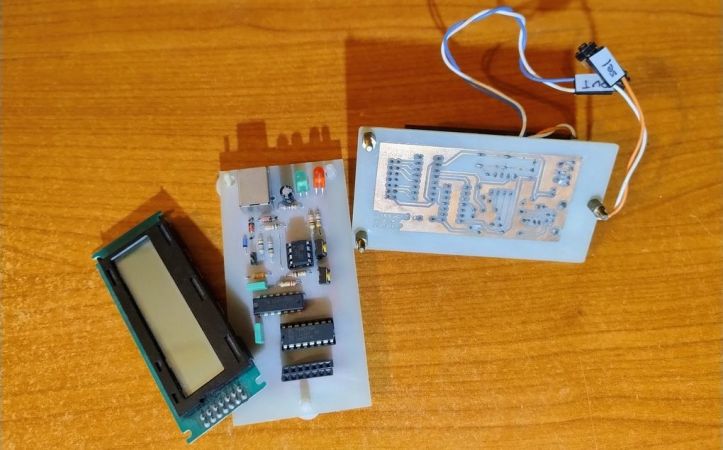
The idea was so simple: the device would pretend to be a keyboard and type the passwords for you. This is not that unusual, as hardware devices like the Mooltipass do something similar. Even better, it’d be constructed only out of parts lying around, including an ATtiny85 and an HD44780 display, with bit-banged USB connectivity.

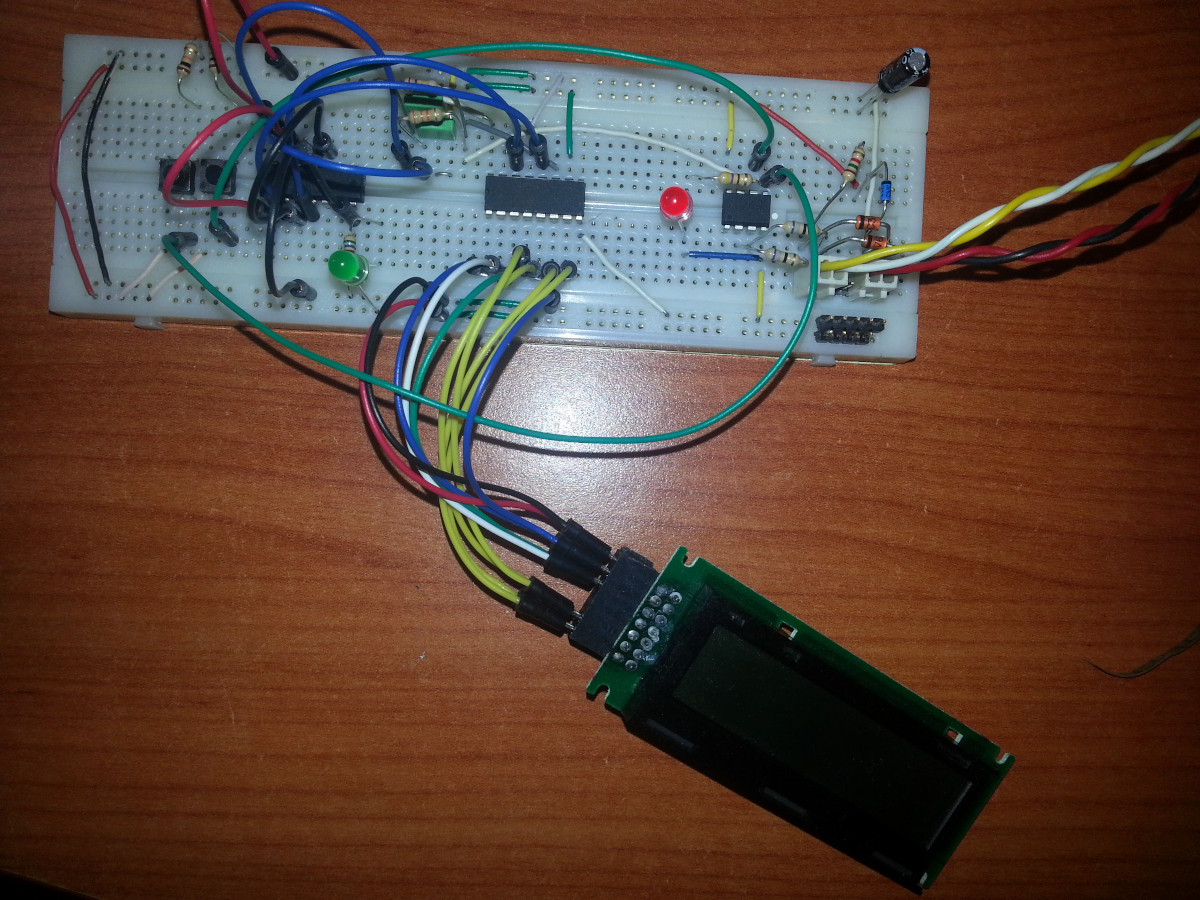
Prototyping the hardware on a breadboard.

Overcoming the challenge of driving the LC display with one pin on the MCU required adding a 74HC595 demultiplexer and careful timing, which sort of worked when the stars aligned just right. Good enough, but what about adding new passwords?

This is where things quickly skidded off the tracks in the most slapstick way possible, as [Alessandro] solved the problem of USB keyboard HID devices being technically ‘output-only’, by abusing the indicator statuses for Caps Lock, Num Lock, and Scroll Lock. By driving these from the host PC in just the right way you can use them as a sort of serial protocol. This incidentally turned out to be the most reliable part of the project.

Where the project finally tripped and fell down the proverbial flight of stairs was when it came to making the bit-banged USB work reliably. As it turns out, USB is very unforgiving with its timing unlike PS/2, making for an infuriating user experience. After tossing the prototype hardware into a box, this is where the project gathered dust for the past years.

If you want to give it a try yourself, maybe using an MCU that has more GPIO and perhaps even a USB hardware peripheral like the STM32F103, ESP32-S3 or something fruit-flavored, you can take a gander at the project files in the GitHub repository.

We’re always happy to see projects that (ab)use the Lock status indicators, it’s always been one of our favorite keyboard hacks.

2025 One Hertz Challenge: A Game Of Life

The 2025 One Hertz Challenge asks you to build a project that does something once every second. While that has inspired a lot of clock and timekeeping builds, we’re also seeing some that do entirely different things on a 1 Hz period. [junkdust] has entered the contest with a project that does something rather mathematical once every second.

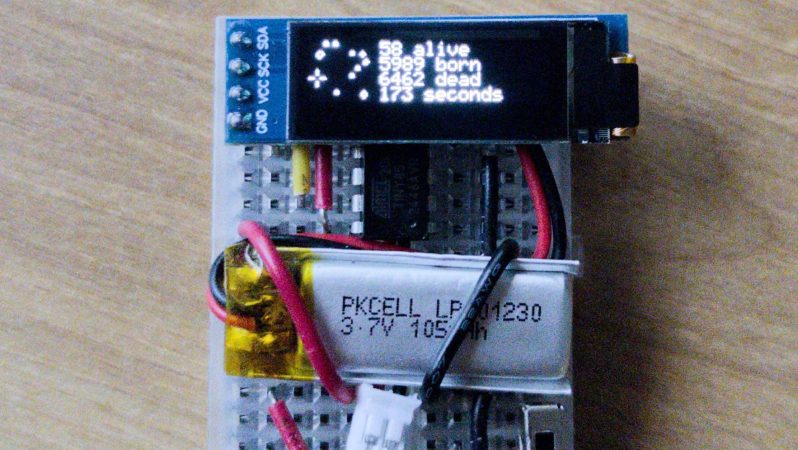
[junkdust] wanted to get better acquainted with the venerable ATtiny85, so decided to implement Conway’s Game of Life on it. The microcontroller is hooked up to a 0.91″ OLED display with a resolution of 128 x 32 pixels, however, [junkdust] only elected to implement a 32 x 32 grid for the game itself, using the rest of the display area to report the vital statistics of the game. On power up, the grid is populated with a random population, and the game proceeds, updating once every second.

It’s a neat little desk toy, but more importantly than that, it served as a nicely complicated test project for [junkdust] to get familiar working inside the limitations of the ATtiny85. It may be a humble part, but it can do great things, as we’ve seen many times before!

2025 One Hertz Challenge: Abstract Aircraft Sculpture Based On Lighting Regulations

The 2025 One Hertz Challenge is really heating up with all kinds of projects that do something once every second. [The Baiko] has given us a rather abstract entry that looks like a plane…if you squint at it under the right conditions.

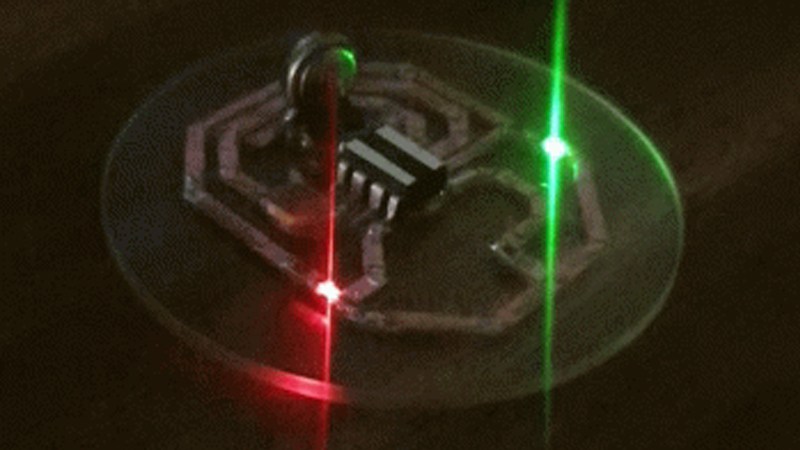
It’s actually quite an amusing abstract build. If you’ve ever seen planes flying in the night sky, you’ve probably noticed they all have similar lights. Navigation lights, or position lights as they are known, consist of a red light on the left side and a green light on the right side. [The Baiko] assembled two such LEDs on a small sliver of glass along with an ATtiny85 microcontroller.

Powered by a coin cell, they effectively create a abstract representation of a plane in the night sky, paired with a flashing strobe that meets the requirements of the contest. [The Baiko] isn’t exactly sure of the total power draw, but notes it must be low given the circuit has run for weeks on a 30 mAh coin cell.

It’s an amusing piece of PCB art, though from at least one angle, it does appear the red LED might be on the wrong side to meet FAA regulations. Speculate on that in the comments.

In any case, we’ve had a few flashers submitted to the competition thus far, and you’ve got until August 19 to get your own entry in!

ATTiny85 as fan controller

An ATTiny GPU Fan Controller That Sticks

When your GPU fan goes rogue with an unholy screech, you either shell out for a new one or you go full hacker mode. Well, [ashafq] did the latter. The result is a delightfully nerdy fan controller powered by an ATTiny85 and governed by a DS18B20 temperature sensor. We all know a silent workstation is golden, and there’s no fun in throwing money at an off-the-shelf solution. [ashafq]’s custom build transforms a whiny Radeon RX 550 into a cool, quiet operator. Best of all: it’s built from bits likely already in your junk drawer.

To challenge himself a bit, [ashafq] rolled his own temperature-triggered PWM logic using 1-wire protocol on an ATtiny85, all without libraries or bloated firmware. The fan’s speed only ramps up when the GPU gets toasty, just like it should. It’s efficient and clever, and that makes it a fine hack. The entire system runs off a scavenged 12V fan. He could have used a 3D printer, but decided to stick onto the card with double-sided tape. McGyver would approve.

The results don’t lie: idle temps at 40 °C, load peaking at 60 °C. Quieter than stock, smarter than stock, and way cheaper too. The double-sided tape may not last, but that leaves room for improvement. In case you want to start on it yourself, read the full write-up and feel inspired to build your own. Hackaday.io is ready for the documentation of your take on it.

Modifying fans is a tradition around here. Does it always take a processor? Nope.

CIS-4 Is A Monkish Clock Inside A Ceiling Lamp

It’s always clock time at Hackaday, and this time we have an interesting hack of a clock by [danjovic]– the CIS4, a Cistercian digital clock.

The Cistertians, in case you weren’t paying close attention to European holy orders during the 13th to 15th centuries were the group of monks you’d most likely have found us in. They were the hackers of the middle ages, establishing monestaries across western Europe that were chock full of hacks– including their own numeral system. Cistercian numerals were much more efficient (in spaces and penstrokes) than the Roman numerals they replaced, and even the “Arabic” numerals that replaced them. A single glyph could record anything from 1 to 9,999. (The Europeans hadn’t yet cottoned on to zero.)

The Cistertian glyphs reduced to a 4×4 display.

Depending how you wanted to count time, a single glyph could be used; it looks like [danjovic] is using the thousands and hundreds portions of the glyph for hours and the tens and ones for minutes. This is all accomplished with a 4×4 neopixel matrix, run by an Attiny85 Digispark with a DS3231 RTC module keeping time. A slight simplification is required to reduce the glyphs to 4×4, but we don’t think the monks would mind. For those of us who don’t wear tonsures, an easy read mode scrolls the time in Arabic numerals. (Which still aren’t super easy,with only 4×4 LEDs to display them. See the demo video embedded below and try and guess the time.)

One nice quality of life feature is an LDR for ambient light detection, to automatically adjust the neopixels’ brightness. The hackiest part, which we thought was really clever, is the enclosure: it’s a cheap LED ceiling light. This provides a diffuser, housing and mounting hardware with decent design for no effort. A 3D-printed mask sits between the diffuser and the LEDs and doubles as a PCB holder. All very elegant.

[danjovic] did include a buzzer in the design, but does say if its been programed to sound off for matins, nones and vespers. In any case, at least it’s easier to read than his binary-coded-octal clock that we featured a few years back. This isn’t our first look at this number system,so evidently people can read them with practice.

Have you made or seen a cool clock? Send us a tip. We always have time for clocks. Continue reading “CIS-4 Is A Monkish Clock Inside A Ceiling Lamp”

LED Probe

LED Probe: A Smart, Simple Solution For Testing LEDs

If you’ve worked on a project with small LEDs, you know the frustration of determining their polarity. This ingenious LED Probe from [David] packs a lot of useful features into a simple, easy-to-implement circuit.

Most multimeters have a diode test function that can be used to check LEDs; however, this goes a step further. Not only will the probe light up an LED, it will light up no matter which side of the LED the leads are touching. A  Red/Green LED on the probe will indicate if the probe tip is on the anode or cathode.

The probe is powered by a single CR2032 battery, and you may notice there’s no on/off switch. That’s because the probe enters a very low-current sleep mode between uses. The testing intelligence is handled by either an ATtiny85 or, in the newest version, an ATtiny202, though the basic concept and design are compatible with several other chips. All the design files for the PCB, the ATtiny code, a parts list, and a detailed explanation of how it works are available on [David]’s site, so be sure to check them out. Once you build one of these probes, you’ll want something to test it on, so explore some of the LED projects we’ve featured in the past.

This Thermometer Rules!

A PCB ruler is a common promotional item, or design exercise. Usually they have some sample outlines and holes as an aid to PCB design, but sometimes they also incorporate some circuitry. [Clovis Fritzen] has given us an ingenious example, in the form of a PCB ruler with a built-in thermometer.

This maybe doesn’t have the fancy seven segment or OLED display you were expecting though, instead it’s an ATtiny85 with a lithium cell, the minimum of components, a thermistor for measurement, and a couple of LEDs that serve as the display. These parts are interesting, because they convey the numbers by flashing. One LED is for the tens and the other the units, so count the flashes and you have it.

We like this display for its simplicity, we can see the same idea could be used in many other places.On a PCB ruler, it certainly stands apart from the usual. It has got plenty of competition though.