Emulating An Amiga Floppy Drive

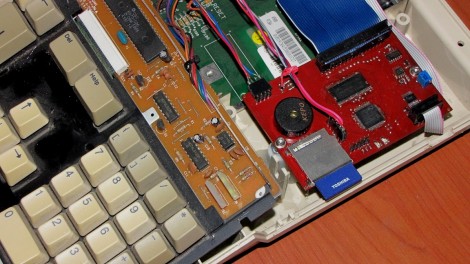
[Retromaster’s] Ultimate Floppy Emulator is a wicked display of hardware mastery. It is the culmination of several design stages aimed at replacing an Amiga floppy drive with a modern storage solution. You may be thinking that using an SD card in place of a floppy isn’t all that interesting but this hack does much more. The board, controlled by a PIC32, patches into the Amiga keyboard and monitor. This allows you to bring up an overlay menu for controlling the emulator in order to configure which virtual floppy disk is currently ‘in the drive’. He’s even gone so far as to add a piezo speaker to mimic the sounds the original drive head would make while reading a disk.

[Thanks Gokhan]

Z80 Emulated On PIC Hardware

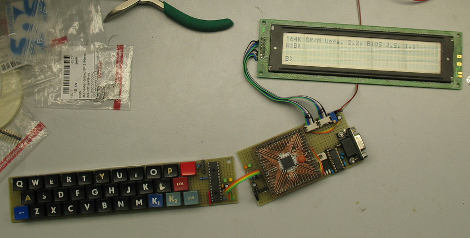
[Jaromir Sukuba] built a very portable, low power consumption Z80 emulator using a PIC microcontroller. Looking through his build photos we love the clean and resilient construction which includes a breakout board for the PIC 32MX795F512H that interfaces with the main board via pin headers and sockets. He’s using a home-built keyboard and a 4×40 character display but there is also the option to communicate with the device over an RS232 connection. Oh, and yes it plays Zork, which seems to be the benchmark whether you are emulating a Z80 with AVR hardware, or if you built one from transistor-transistor logic.

Wii Remote Connectivity For Android Devices

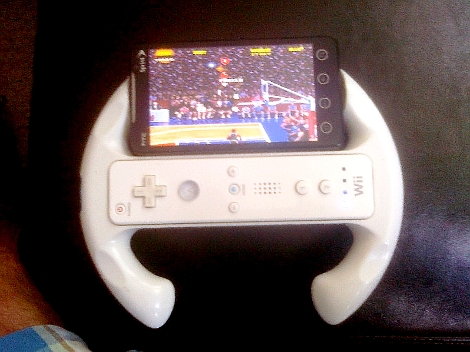
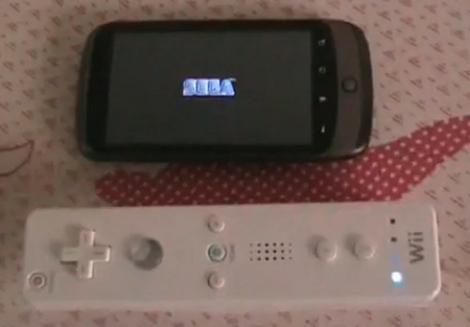
[Pikipirs] developed an app that lets you connect a Wii remote to an Android phone. After the break you can see it used with a Sega emulator. The button presses seem very responsive, making for a nice gaming addition if you care to carry around the Wiimote in addition to your phone. It certainly seems to work better than the Wii remote + iPhone hacks we’ve seen. Pick it up from the Android store or download the APK from the thread linked at the top. This is an alpha version so don’t be shocked if it’s buggy.

Continue reading “Wii Remote Connectivity For Android Devices”

Custom PS3 Controller: Software Emulation Version

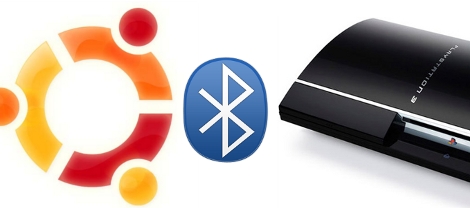
[Matlo] posted a tutorial that will walk you through setting up a six-axis controller emulator. In April he developed a hardware solution using the Teensy but this version just needs a Linux computer with a Bluetooth adapter. If you don’t mind adding a computer to the mix you can use any peripheral controller that will talk to Linux and then adjust the six-axis PS3 controller mapping accordingly.

Just The Right Controller For Any Game

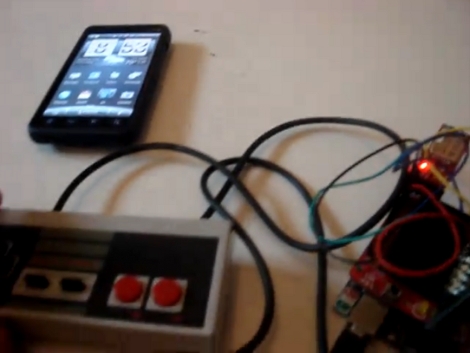
[Patrice] hacked all of his classic controllers for use when playing games on an emulator. He made the base station starting with a USB gaming controller. From there he soldered wires connecting the PCB pads for all of the buttons to the pins of a d-sub connector. The same is done on the classic controller, allowing him to switch them out at will. If you do the wiring correctly you only need to configure your emulator buttons once. This is a lot easier than trying to find and use classic controller connectors but you do have to alter that vintage hardware.

Snega2usb Changes Name, Learns New Tricks

[Matthias Hullin], the creator of the snega2usb let us know that its name has been changed to the Retrode. We watched this device go through the development cycle and learn to read SNES and Sega Genesis cartridges via a USB connection. Now it’s seeing some hacking to extend those capabilities. [Jon] managed to rig the Retrode up to read Virtual Boy cartridges. The Virtual Boy was a Nintendo console from the mid ’90s that used two different screens in a glasses format to produce a 3D gaming experience. Now that the cartridges can be easily dumped you have a chance to replay the titles using an emulator.

RFID Emulator

[Alexander] built an RFID emulator. It uses a wire coil (not pictured here) and an ATmega8 to represent any tag that is EM4001 compliant. This iteration requires connection to a computer to send the tag ID information to the microcontroller. In the video after the break it looks like he’s using a DIY RFID reader to test this. If the two were combined, cutting out the need for a computer, he would have an RFID spoofer on his hands.

Continue reading “RFID Emulator”