Encrypted Drive Attack Hints At Original Xbox Hacking

[Thice] discovered a vulnerability in encrypted portable storage a few years ago. He’s just pointing about the exploit now. He mentions that he notified manufacturers long ago and we’d guess the wait to publish is to give them a chance to patch the exploit.

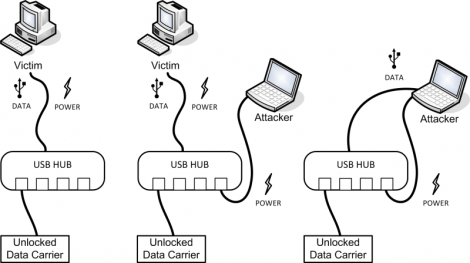
He calls it the Plug-Over Attack and for those who were involved with original Xbox hacking, this technique will sound very familiar. The Xbox used hard drive keys to lock the device when not in use. When you booted up the console it checked the hardware signature to make sure it was talking to the right motherboard. But if you booted up the device, then swapped the IDE cable over to a computer without cutting the power you could access the drive without having the password.

This attack is pretty much the same thing. Plug in a drive, unlock it on the victim system the normal way, then replug into the attacking system. In the image above you can see that a USB hub will work for this, but you can also use a hacked USB cable that patches a second jack into the power rail. For some reason the encryption system isn’t able to lock itself when the USB enumerates on the new system, only when power is cycled. Some of them have a timer which watches for drive idle but that still doesn’t protect from this exploit.
Brute Forcing The Password On A Terribly Insecure Hard Drive

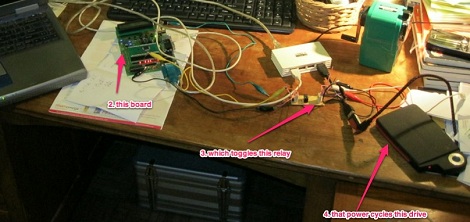
While at work one day, [Marco] was approached by a colleague holding a portable USB hard drive. This hard drive – a Freecom ToughDrive – has a built-in security system requiring a password every time the drive is mounted. Somewhat predictably, the password on this hard drive had been lost, so [Marco] brute forced the password out of this drive.

The Freecom ToughDrive requires a password whenever the drive is plugged in, but only allows 5 attempts before it needs to be power cycled. Entering the passwords was easy to automate, but there was still the issue of unplugging the drive after five failed attempts. [Marco] called upon his friend [Alex] to build a small USB extension cable with a relay inserted into the 5 V line. An easy enough solution after which the only thing needed was the time to crack the password.

The rig successfully guessed the password after 500 attempts, or after cycling the power 100 times. This number is incredibly low for getting a password via brute force, but then again the owner of the hard drive was somewhat predictable as to what passwords they used.

A “Jukebox” In A Bell Jar

jukebox in bell jar

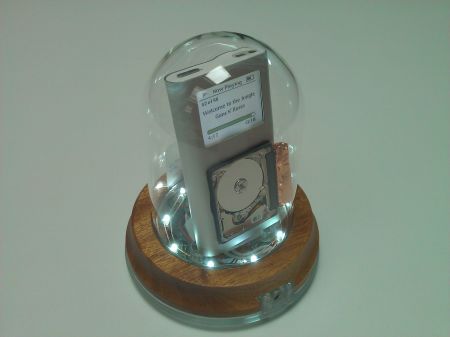
[Tim] wrote in to tell us about his Mark III hard drive in a bell jar, and we were quite impressed! The principle of using a bell jar to protect the hard drive inside so the world can see it spinning is really a cool idea, but his execution of this project is excellent. It was reportedly so good that an unnamed college actually asked him to build one of his drive displays for them.

The Mark III is an excellent build, and the little hard drive has been swapped to the front of it for better visualisation. The disadvantage of the iPod Mini used for the Mark III build is that it actually buffers enough so that the read head doesn’t have to spin during the entire song.  Because of this, we thought that his first build, nicknamed [pink], was even more interesting, if ever so slightly less refined. By many of our hacking standards though, both are incredibly finished works of art!

Both these builds feature a plethora of LEDs to keep you entertained, and can be seen demonstrated after the break! Continue reading “A “Jukebox” In A Bell Jar”

POV Clock Spins Light Filter Instead Of LEDs

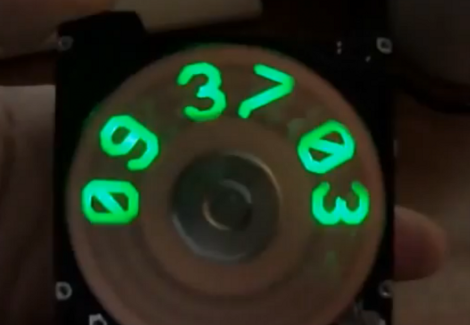
This hard-drive based POV clock is a treasure trove of great design choices. Now, we’ve seen a bunch of spinning clock builds. Several of the hard drive versions use slits cut in the platters to create a display by illuminating an LED behind those slits at just the right moment. This is a similar idea but [Jason Hotchkiss] ditched the platters all together and replaced them with a light filter. The filter disc has digits 0-9 as well as a colon (not seen above because the colons blink each second). As this disc spins, the Arduino compatible controller lights up LEDs in the eight digital positions to illuminate the correct number.

The filter is made from an etched copper-clad disc. This is a great choice because the fiberglass substrate is strong, light weight, translucent, and available. The filter idea also means you don’t need to get power or data to a spinning platform. [Jason] has also designed a very impressive controller board that is the same size as the footprint of the laptop hard drive he’s using. Check out the video after the break to see his description of what went into the hardware choices he arrived upon. Continue reading “POV Clock Spins Light Filter Instead Of LEDs”

Speedier Hard Disk Option For Your Mac Mini

[Andrew] was left wanting by the slow hard drive in his 2011 Mac Mini. He set out to add a 10,000 RPM drive and we think he did a great job of pulling it off. Luckily he also took the time to document the process so you can try it yourself.

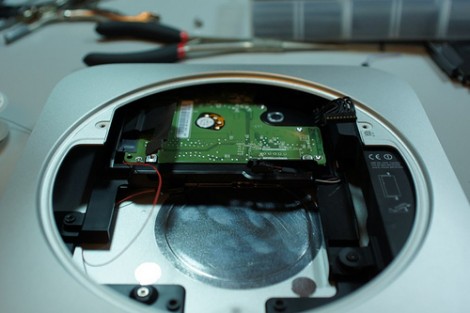
As with a lot of Apple products, a big part of this hack is just getting the darn thing apart without breaking something. Once that’s done, you’re got to do a little bit of interface hacking. To save space Apple uses a non-standard SATA breakout cable so [Andrew] starts by ordering a second hard drive cable from the company. He then soldered a thin wire connecting 12V from the motherboard to the 12V pin on a SATA connector. From there it’s just a matter of altering the original hard drive sled to make room for the 500 GB WD Velociraptor drive. It fits below the original and serves as additional space instead of as a replacement.

Synthesize With A Hard Drive

If you’d like a pseudo-mechanical way of producing a droning synthesizer sound, [gijs] is your man. He made a small synthesizer out of nothing but an old hard drive and a few components.

Whenever a disk platter is spun manually, the spindle motor inside the drive produces a few out of phase sine waves on its connections. [gijs]’ synthesizer compares and amplifies these sine waves and sends them out to a speaker. The result is a strange droning chiptune-esque arpeggio.

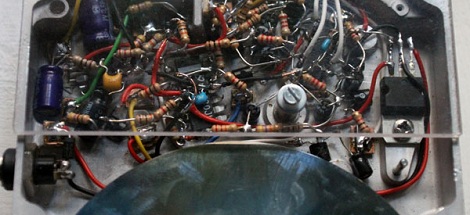
The circuit for the build is soldered directly to the hard drive enclosure Manhattan style. Because the output of the spindle motor produces out of phase sine waves, [gijs] thought it would be a good idea if he could capitalize on some phase interference to alter the timbre of his synth. The entire build is mounted to a wall with hinges to one side so the speaker can be moved around. It isn’t much of a change, but we can here some wave forms cancelling each other out.

Check out the video of the build after the break. There’s also a few audio samples available on the project page.

Continue reading “Synthesize With A Hard Drive”

Amazing RGB POV Clock

rgb_pov_propeller_clock

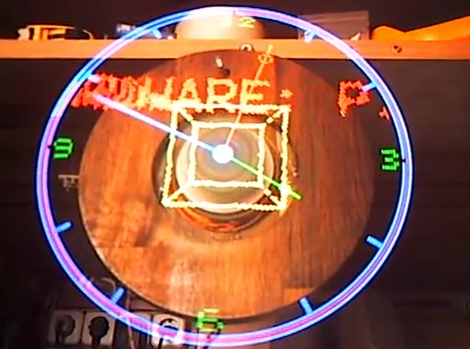
We’re no strangers to POV time pieces around here, but something about them never gets old. Whether they use a ring of LEDs to draw clock hands, or an intricately cut HDD platter to replicate LCD segments, we love seeing them. [David] sent in this hard drive POV clock built by a fellow named [Kly], and it’s just beautiful.

[Kly’s] “Propeller” POV clock is named as such due to the design of the circuit board. The board is mounted on the HDD spindle, rotating much like an airplane’s propeller. The construction details are sparse, but from what we can find, it is based around a PIC32MX microcontroller, which is used to control the 66 SMD RGB LEDs mounted on the circuit board.

As you can see in the video below, the tightly packed LEDs result in some pretty amazing visuals.

Aside from watching the video below, be sure to swing by his Youtube channel for a handful of videos showing RGB POV clock in action.

Continue reading “Amazing RGB POV Clock”