Making Laser Adjustments With An SNES Gamepad

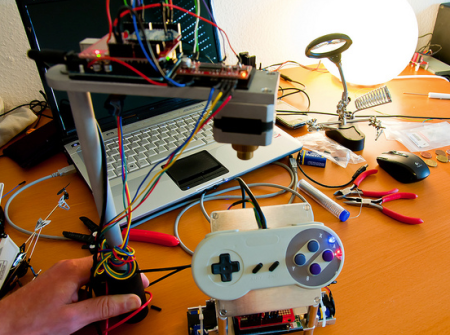
Gaming has infiltrated everything around us. It seems that any time a control interface is needed, the first thought to many current hacker’s minds are the familiar controls from the video games we grew up with. In this example, [eljaywasi] needed a way to control the wavelength of light coming out of a laser. We don’t know exactly how he’s actually changing the wavelength, but we do know he’s using an SNES gamepad as his interface. You can see a red and a blue LED located on the front of the pad, so it may be that two buttons would have sufficed. We don’t care, we like the SNES pad better.

Laser So Easy To Build Anyone Can Burn Their Eyes Out

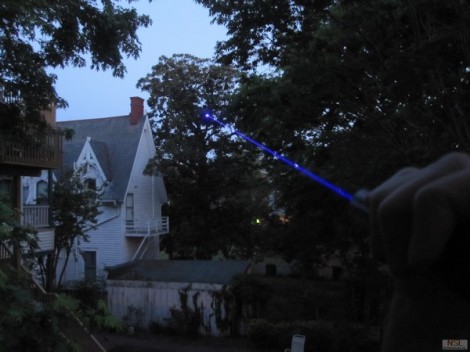
The boys over at North Street Labs built a handheld burning laser and made it look super simple. Well it’s not. We don’t think it’s hard either, but the only reason it looks so easy is because they really know what they’re doing.

The first step was to source the best parts for the application. They’re using a handheld flashlight body which is small but still leaves plenty of room for the components. Next they ordered a quality lens made for the wavelength of the diode, as well as a prefab driver board.

Now the real build starts. They hit the metal lathe and machined a housing for the diode out of some aluminum stock. To marry the parts together they applied some thermal paste, and used a wrench socket to protect the diode from the pressure the vice jaws exert. It slid into place and the whole thing fits perfectly in the flashlight housing. The project wouldn’t be complete without video proof of it burning stuff. You’ll find that after the break.

Continue reading “Laser So Easy To Build Anyone Can Burn Their Eyes Out”

[Dino]’s One-year Extravaganza Is A Laser Oscillograph

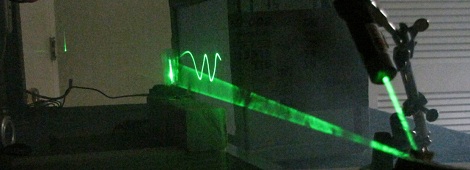
Readers of Hackaday may have noticed the weekly posts featuring whatever [Dino Segovis] of Hack A Week has cooked up in the last seven days. For [Dino]’s one-year anniversary, he’s pulled out all the stops and put together one of his coolest hacks to date. It’s a laser oscillograph that projects waveforms on a screen just like an oscilloscope. What’s more, the entire contraption is built out of a dead hard drive and a few motors and mirrors [Dino] had lying around.

The build uses an old hard drive to draw the vertical component of the waveform. Because hard drives usually use a voice coil to move the heads around the platter, it’s very easy to connect a hard drive directly to the headphone output of [Dino]’s laptop. Playing a sine wave on his computer makes the drive heads move up and down, but [Dino] still another dimension. For that, he used a rotating mirror that reflects the wave onto a paper screen.

[Dino]’s finished build isn’t that much different from an oscilloscope or projection TV. It’s possible for [Dino] to improve upon his build and make a genuine vector display with the addition of additional electronics and optics, but we’re not expecting that until at least the two-year anniversary.

Check out [Dino]’s build video after the break.

Continue reading “[Dino]’s One-year Extravaganza Is A Laser Oscillograph”

Following Faces With OpenCV And Arduino

[youtube=http://www.youtube.com/watch?v=lD4uFD7j0AU&w=470]

[Marco] has had some fun with OpenCV in the area of face tracking. Using an older laser project, he has cobbled together a system that will track a face and put a laser on it. While he is just using this as a proof of concept, it goes without saying that you probably shouldn’t mount a laser on a face tracker. However, stuffing this into a myKeepon wouldn’t be a horrible thing.

[Marco] shares the process of getting the OpenCV bit working in this writeup, you’ll have to refer back to his laser gun project for the physical build.


[via Adafruit]


Build Your Own Line Laser For 3D Scanning

diy-line-laser

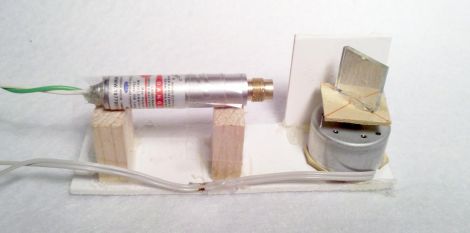
[Valentin] wanted to experiment with 3D scanning some objects he had around the house, but says he didn’t want to buy a line laser for the project since they are pretty expensive. Fortunately, he had some random components sitting in his parts bin, and he was able to build his own line laser without spending a ton of money.

His tutorial actually covers two different methods of building line lasers, both of which use parts that you likely have on hand already.

His first build involves gluing a small square mirror to a flat platform, which he then mounted on a salvaged DC motor. Once the motor starts spinning, the cheap laser pointer he has aimed at the mirror draws a perfect line across whatever medium he is scanning.

His second line laser uses parts donated from an old hard drive that he no longer used. He removed the drive’s read head from the chassis and mounted a small mirror on the actuator arm before firing up his laser. With the laser aimed at the mirror, he applied an unspecified AC current to the motor, which caused it to oscillate and draw a line similar to his first setup.

While they might not be professionally-built scanning lasers, [Valentin’s] efforts produced some decent images, as you can see on his site.

Continue reading to see a short video of his DC motor laser line in action.

Continue reading “Build Your Own Line Laser For 3D Scanning”

Hackaday Links: February 26, 2012

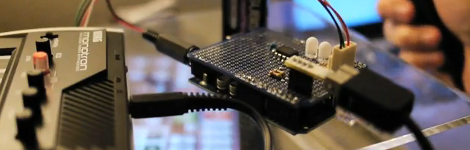
Wii Nunchuk controlled Monotron

Adding a bit of motion control to your music synthesizer turns out to be pretty easy. Here’s an example of a Wii Nunchuk used to control a Monotron. [Thanks John]

Hackers on the Moon and other space related goals

Yep apparently a non-government backed expedition to the moon is in the works. But you’ve got to walk before you can crawl and one of the first parts of the process is to launch a hackerspace-backed satellite network called the Hackerspace Global Grid. Check out this interview with one of the initiative’s founders [Hadez]. [Thanks MS3FGX]

Laser pointers and frosted glass

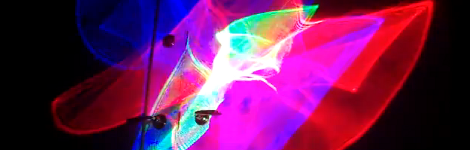
We were under the impression that a laser show required finely calibrated hardware. But [Jas Strong] proves us wrong by making pretty colors with laser pointers and slowly rotating glass. [Thanks Mike]

MSP430 Twitter Ticker

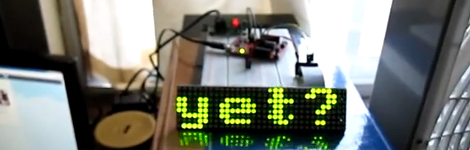
[Matt] built a Twitter ticker using the TI Launchpad. It works on an LED matrix or OLED display along with a Python script which handles the API.

Android floppy drive hack

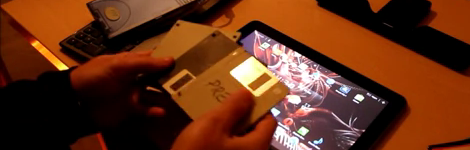
[Pedro] shows us how he reads floppy disks with his Android tablet. The hardware includes a docking station to add a USB port to the tablet, as well as a hub and USB floppy drive. On the software side of things an Android port of DOSbox does the rest.

Laser Spirograph Exhibit Repair And Upgrade

[Bill Porter] continues finding ways to help out at the local museum. This time he’s plying his skills to fix a twenty-year-old exhibit that has been broken for some time. It’s a laser spirograph which had some parts way past their life expectancy.

He started by removing all of the electronics from the cabinet for further study in his lair. He examined the signal generator which when scoped seemed to be putting out some very nice sine waves as it should. From there he moved on to the galvos which tested way off of spec and turned out to be the offending elements.

A bit of searching around the interwebs and [Bill] figured out an upgrade plan for the older parts. But since he was at it, why not add some features at the same time? He rolled in a port so that just a bit of additional circuitry added later will allow shapes and logos to be drawn on the screen. One of his inspirations for this functionality came from another DIY laser projector project.

Take a look at the results of the repair process in the clip after the break.

Continue reading “Laser Spirograph Exhibit Repair And Upgrade”