3-digit Frequency Meter


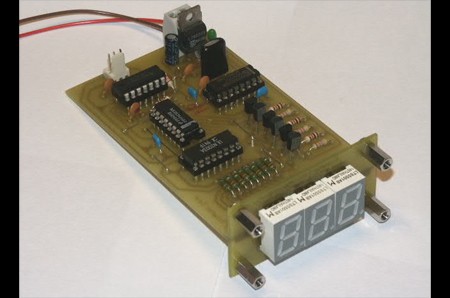
Flow sensors are useful tools for collecting data on the rate of liquid usage, but they need a device to display the data they collect. This three digit frequency meter was designed by [Turbokeu] to do just that, converting a Swissflow SF800 flow sensor’s square wave signal (similar to fan RPM signals) into an numerical expression of liters per minute on a 3 digit LCD. Fan RPM is

[Turbokeu] provides detailed schematics of different configurations for the frequency meter as well as schematics of the layouts of the two PCBs that are used. Even if you don’t have an immediate use for a frequency meter, his clean and readable schematics are worth a look in their own right. The display is installed on front of a tower case along side a CPU speed display.

[via YourITronics]

Nokia Color LCD Flickr Frame


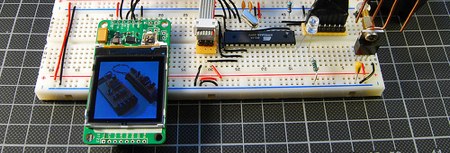
Tinkerlog got their hands on a color LCD from SparkFun and set it up to receive images from Flickr. These color LCDs are 128×128 pixel and the include a breakout board with a separate power supply for the backlight. Communication is via a three wire SPI bus plus a reset line. [Alex] used an ATmega48 for control, which is connected to the computer using an RS232 to USB converter. The wiring schematic is here.

For the software side of things, he adapted Sparkfun’s example ATmega8 code for the microcontroller (he couldn’t get the Arduino code to work). Beej’s Python Flickr API was used to grab the images. The Python Imaging Library converted them, and finally, they were sent to the display using pySerial. SparkFun has been offering these displays for quite some time; it’s good to see a quality writeup of one in use.

[via Make Flickr Pool]

3 Wire LCD Display


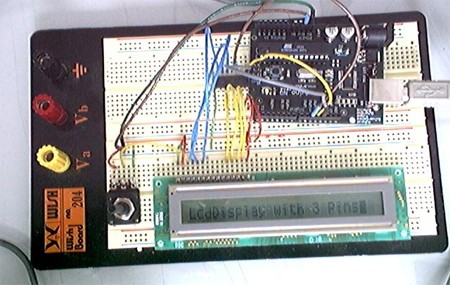
Normally driving an LCD requires seven connections to pins on the display, but by using a shift register, [Phillip Warner] at Arduino Playground was able to drive an LCD using only 3 wires. The method is cheaper than a serial LCD, but you’ll mainly save yourself a lot of effort and time by using it.

[Warner] used a HEF4094 chip to group the lines together and a variable resistor to control the contrast. A zip file with the requisite code to make this work can be found in the post.

[via YourITronics]

Drawing Images On A Character Display


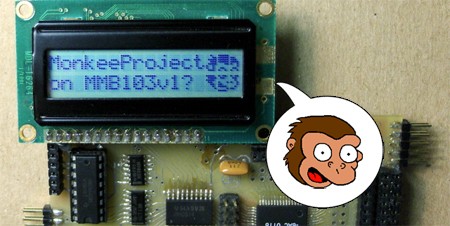
[Dean Hall] doesn’t seem to know his Simpsons characters very well, but that didn’t stop him from coming up with this method for displaying a bitmap on an LCD character display with a Hitachi HD44780 chip.

[Hall] used an LCD with two 16 character rows and 8×5 pixels in each character. He displayed the image over 2×3 characters, which gave him 17×18 pixels (including the spaces between the characters) to work with. The first step after acquiring an image is to rasterize the image by hand onto graph paper. This won’t be scanned, it’s just a diagram to determine which pixels to light up.

Once the 6 characters were determined, [Hall] used this handy web-based tool to convert his graphed diagram to bitmap data. The data is loaded onto the microcontroller and the image shows up on the LCD. This is a pretty straightforward project, just be sure you properly identify your monkeys.

[via YourITronics]

How-To: Super Simple Serial Terminal

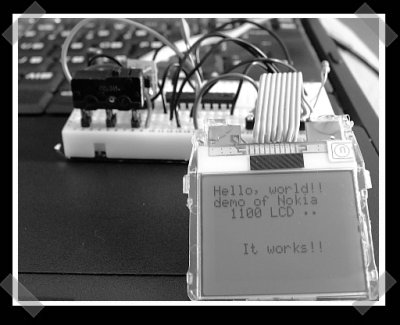
This hack shows how to make a dumb terminal out of a keyboard, LCD screen, and an 8-bit microcontroller. From time to time, a portable dumb terminal can be handy for when you have to rescue a headless server that’s acting up or if you are building a minicomputer out of a WRT, or if you just want to learn how to run a keyboard and LCD screen with a microcontroller. This super simple serial terminal will use RS-232 to control a headless linux system. Additionally, you might want to check into some of the command line interface programs that allow web browsing, AIM and IRC chatting and more directly from the terminal, but nothing beats being able to track your pizzas with this device.

The Linux system in question here will be Linux Mint. It’s a young distro based on Ubuntu that’s gaining a lot of attention lately, though the principles can be used for other Linux distros.

Continue reading “How-To: Super Simple Serial Terminal”

Chumby Hacking By Bunnie


[bunnie] is one of the main people behind the Chumby, and even he can’t resist modding the things. He decided to outfit one with a larger LCD – using a stereo microscope to do the really fine pitch work – and a laser cutter to create a custom bezel for the finished piece. The new LCD is still a touchscreen and allows the Chumby to display 640×480 resolution over the stock 320×240. The mod requires a few parts, but the ultimate difficulty is caused by the surface mount connectors. If you’d rather have some software fun, you might want to check out [bunnie]’s Chumby wifi sniffer.