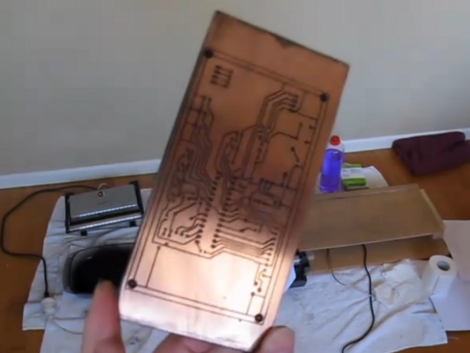
Direct To PCB Inkjet Printing

[Rhys Goodwin] has been working on a system to print resist onto copper clad using an inkjet printer. This is a toner transfer alternative as it still uses toner, just not quite as you’d expect. The first step is to modify an inkjet printer, separating the carriage from the feed rollers in order to increase the clearance for the substrate. Instead of printing with etch resistant ink, as we’ve seen before, [Rhys] prints with black ink and then covers the board (ink still wet) in laser toner. Once there’s good adhesion he blows off the excess and bakes the board in a sandwich press, with spacers to keep the iron from touching the surface of the copper clad. This cooks the resist into a hard plastic layer and the board is ready for the acid. Watch him walk you through the process after the break.

[Rhys] uses the same method for silk screen, printing in red and baking the ink onto the substrate without added toner. This produces a nice looking board but it’s still quite a bit of work. It certainly sheds more light on the process than that laser-printer method from back in May. We hope you’ve been inspired by this and come up with the next innovation that makes this process easier.
Continue reading “Direct To PCB Inkjet Printing”

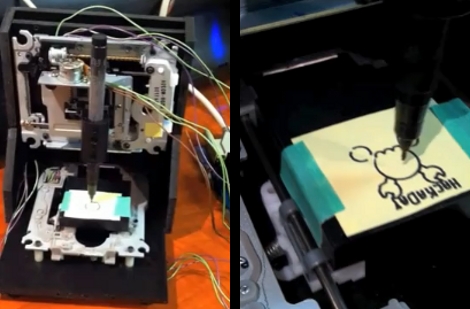
CNC Machine From PC Parts

[Mike Rankin] built a small CNC machine using some PC parts. He repurposed two optical drives and a floppy drive to create the plotter seen drawing the Hackaday logo above. The X and Y axes use the stepper motor controlled read heads from two optical drives. The Z axis is built using the read head hardware from a floppy drive. A 3-axis controller module from eBay drives the little machine, keeping the cost quite low at around $45.

As you can see in the video after the break it does a great job as a plotter. [Mike] doesn’t think there’s enough power in the hardware to be used as a mill. We’d still like to try adding a flexible shaft rotary tool and see if this could mill some rudimentary PCBs, but maybe you need to shell out just a little bit more for that functionality. It might also be possible to use an etchant resist marker instead of toner transfer or photo-resist.

Continue reading “CNC Machine From PC Parts”

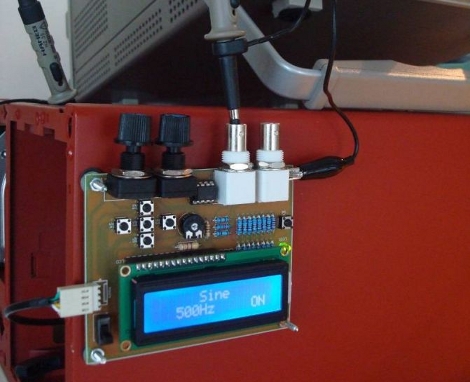
AVR DDS Signal Generator Improvements

[Vassilis Papanikolaou] took a good thing and made it better with some design upgrades to this AVR based signal generator. We looked at version 1.0 of this tool back in 2006 and since then it saw an upgrade to 2.0. But [Vassilis] wanted to take things one step further, with a compact single-sided PCB. What you see above is the beautiful result of his work; a professionally made board that is compact, uses through-hole components, and has zero wire jumpers.

If you want to build one for yourself there’s a great parts list as well as board artwork and schematic. The system uses an ATmega16 so you’ll need a way to program one. There’s also just a bit of firmware tweaking to remap the control buttons to match the updated hardware layout.

Building A UV Exposure Box

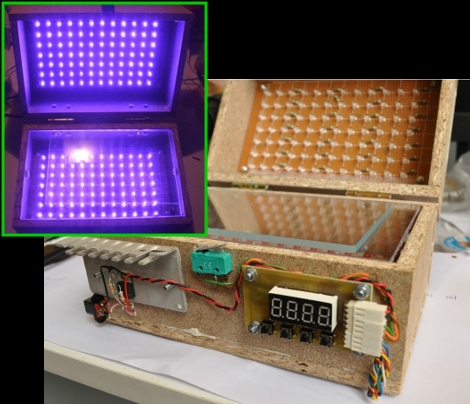
There are two methods of using etchant resist when making circuit boards. We use the toner transfer method that requires ironing on laser toner to the copper, but you can also use chemical resist that reacts to ultraviolet light. [Bogdan] decided to start doing more of the latter so he built a UV exposure box to make the process easier.

It is possible to use flourescent light bulbs for this, but he decided to use UV LEDs, a method we’ve also seen before. But there’s always room to innovate, and [Bogdan] built-in a couple of nice features that are new to us. Because the UV light can be bad for your eyes, he included a set of red visible-light LEDs on the bottom half of the box that are used to align two layers of exposure mask when making double-sided boards. There’s also a switch that automatically shuts off the UV light when the box is opened. And as the coup-de-grace, he added a programmable timer to regulate the exposure, using his newly created box when etching the PCB for it.

Vapor Phase Reflow Soldering

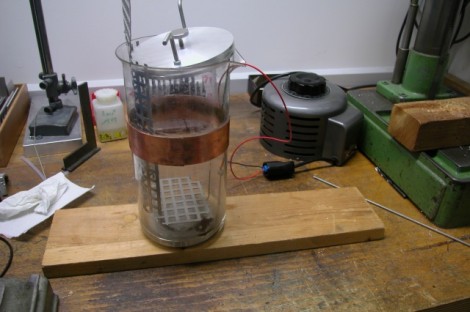
Ditch that old toaster oven and move to the next level of surface mount soldering with this vapor phase reflow method. [Ing.Büro R.Tschaggelar] put together this apparatus to use vapor phase reflow at his bench instead of sending out his smaller projects for assembly. It uses the heating element from an electric tea kettle to boil Galden HT 230 inside of a Pyrex beaker. There’s a copper heat break part way up the beaker to condense the chemical and keep it from escaping. When a populated board is lowered into the heated chamber, the solder paste reflows without the need to stress the components with unnecessary heat. Better than traditional reflow? At this level it’s hard to say, but we do find his method quite interesting.

[Thanks Chris]

Cadsoft Eagle Migrating To XML

[PT] posted about an exciting development from Cadsoft, the migration to XML based parts, schematics, and board layouts. The adoption of this open standard goes hand-in-hand with the open hardware initiatives people like [PT] have been pushing for.

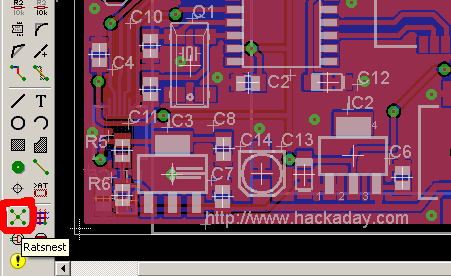
Cadsoft Eagle is our go-to schematic and PCB software. We even have a tutorial which guides you through preparing your files for PCB manufacture. But the files containing parts libraries, schematics, and board layouts have always been binaries. A transition to XML means a lot of things. They will be easier to edit, and much friendlier for tracking changes using version control systems like SVN, CVS, Mercurial SCM, Git, etc. But immediately on our minds is the accessibility for hacking. Think of how easy XML parsing is in programs like Python. It should be snap to write scripts on a whim that will manipulate the XML files in any way imaginable. This doesn’t discount the value of Eagle, it extends the usability far beyond what any team of engineers at Cadsoft could produce by themselves. And for that, we say Bravo.

Spinning POV Clock Done Oh-so-right

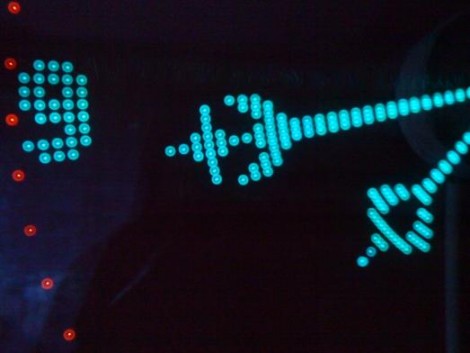
[Kizo] built an extraordinary persistence of vision clock. The design uses a PC cooling fan to spin the propeller-like PCB. As it goes around, a hall effect sensor synchronizes the illumination of the LEDs to draw the display. Power for the rotating electronics is transferred wirelessly via a transformer on the base and coil on the spinning board. The final version uses an ATmega324 microcontroller running at 20 MHz and has an IR receiver for changing the settings. The 3000 lines of code bring a lot of bells and whistles, including a menu system with a huge amount of settings from tweaking the clock display, to font selection for scrolling messages. Take a look at the demo after the break. The double-sided board looks like it’s pretty difficult to etch at home, but as you can see from the forum post (translated), [Kizo] did a great job on this build from start to finish. Continue reading “Spinning POV Clock Done Oh-so-right”