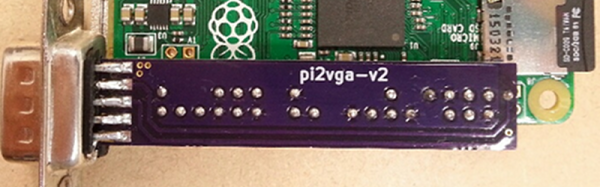
Hackaday.io user [mincepi] wanted a VGA output on his Raspberry Pi Zero. His quest led him to design a PCB that mates with a VGA monitor and the Pi board and–according to his estimates–costs about $3.62 each (although to get that price, you have to build three).
Raspberry Pi Zero117 Articles
Controlling RGB LEDs With The Pi Zero
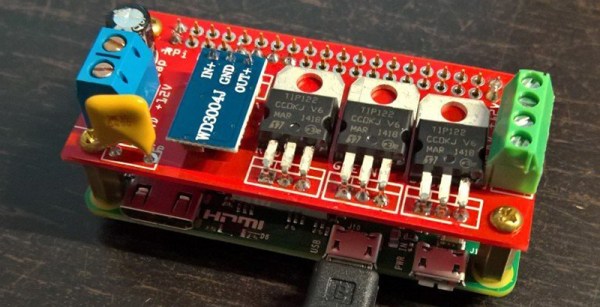
The Pi Zero is a great piece of hardware, even if you’re not designing another USB hub for it. [Marcel] wanted to control a few RGB LED strips from his phone, and while there are a lot of fancy ways you can do this, all it really takes is a Pi Zero and a few parts that are probably already banging around your parts drawers.
This isn’t a project to control individually addressable RGB LEDs such as NeoPixels, WS2812s, or APA102 LEDs. This is just a project to control RGB LEDs with five four connectors: red, green, blue, power, and or ground. These are the simplest RGB LEDs you can get, and sometimes they’re good enough and cheap enough to be the perfect solution to multi-colored blinkies in a project.
Because these RGB LEDs are simple, that means controlling them is very easy. [Marcel] is just connecting a transistor to three of the PWM pins on the Pi and using a TIP122 transistor to drive the red, green, and blue LEDs. You’ve got to love those TIPs package parts!
Control of the LEDs is accomplished through lighttpd. This does mean a USB WiFi dongle is required to control the LEDs over the Internet, but it is so far the simplest way we’ve seen to add multicolor blinkies to the web.

The Raspberry Pi Zero contest is presented by Hackaday and Adafruit. Prizes include Raspberry Pi Zeros from Adafruit and gift cards to The Hackaday Store!
See All the Entries || Enter Your Project Now!
Hackaday And Adafruit Launch The Pi Zero Contest
Hackaday and Adafruit are teaming up to bring you the Pi Zero Contest. Unless you’ve been hiding out in your workshop for the past month or so, you probably already know The Pi Zero is the $5 Linux-based computer which has been taking the world by storm. Think you have the next great project for this single-board computer? Enter it for a chance to take home one of three $100 gift certificates to the Hackaday Store. We know Zeros have been hard to find, so we’ll be giving away 10 of them before the contest is over. Even if you don’t have a Pi Zero, read on!
This is all about documenting quality projects to Hackaday.io. We’re looking for well thought out, well documented builds intended for the Pi Zero. Any project submitted to this contest can also be rolled over to the 2016 Hackaday Prize. Think of it as getting a head start.
Here are the details:
- From February 2nd, to February 20th, Lady Ada will make 10 ‘From the Desk of Lady Ada’ broadcasts focusing on this contest. During each broadcast she will present an idea for a Pi Zero Project. You don’t have to build Lady Ada’s projects, they’re starter ideas to get your wheels turning. If you don’t have a Raspberry Pi Zero, don’t worry! You can prototype with a Raspberry Pi Model B, or a Pi 2. There are also 10 Pi Zero boards up for grabs before the contest is over.
- The deadline for winning a Pi Zero is 12:00am PST February 25th, 2016. The judges will pick the 10 most well thought out and well documented projects.
- On February 29th, the judges will announce the winners of 10 Raspberry Pi Zero boards.
- The grand prize for this contest is one of three $100 gift cards to the Hackaday store. The deadline to enter is 12:00 am PST March 14th, 2016.
Entering is easy. All you have to do is submit your project. Just click the “Submit to” drop down list on your project page. Then select Adafruit Pi Zero Contest.
So fire up your soldering irons, warm up your 3D printers, and load up your favorite code editor. It’s time to start hacking!
Pi Zero Recipe Kiosk
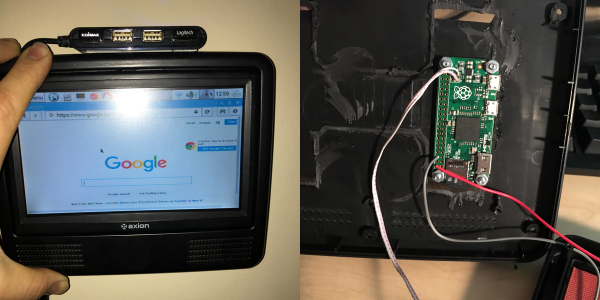
Why do you want to have a tiny $5 Linux system on a chip? Because you can cram it into a discarded LCD monitor and you’ve got a useful device. [zarderxio] did just that, satisfying the age-old dream of the kitchen computer with junk that was lying around in the basement.
There’s not much to this hack. The Raspberry Pi Zero needs a 5V power supply and the screen has 12V, so a step-down converter takes care of that. [zarderxio] hard-wires the monitor out of the Zero straight up to the monitor’s input jack, and hot-glues a USB hub to the outside of the monitor for a keyboard and mouse. (Because if there’s one thing we know, it’s that the Raspberry Pi Zero needs more USB ports: see exhibit A and exhibit B just for example.)
Now you’re all thinking, “USB keyboard and mouse?!?! I want a touchscreen!” Do you really? In the kitchen, with sticky fingers? Well, the screen in [zarderxio]’s junk box didn’t have a touchscreen, and this makes it more flexible, so we’re on the side of the quick hack done. Who knows, maybe he’ll hack yet another Raspberry Pi Zero into a smudge-proof recipe controller?
[via reddit.]
Pi Zero Video Card Via Bare Metal Programming
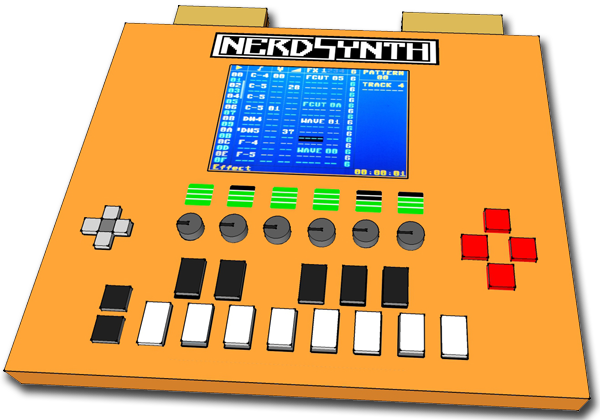
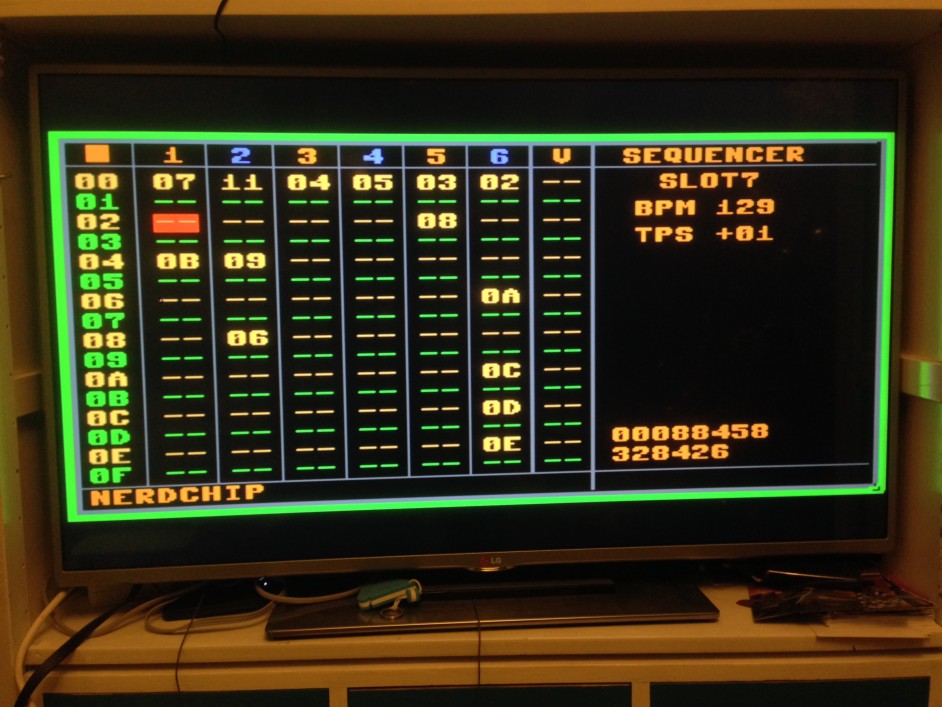
Rolling your own synthesizer is no small feat, which is what [Thomas] has taken on with his project “Nerdsynth”. [Thomas] has an impressive amount of data on his site covering the overall design and progress of the project, but that isn’t what piqued our interest. [Thomas] has an on-board TFT display to navigate the versatile Nerdsynth’s menu
but he wanted to add video output to do some video sequencing. After some investigation and poking around the available options he decided to tackle yet another sub-project (textbook scope-creep).
[Thomas] chose to do to some bare metal programming on the Pi Zero to use it as a video card for video output. By following a tutorial from Valvers and modifying an SPI driver from Microelecroniki he was able to clone the video on an external monitor. This is a step in the right direction and we’ll have to keep an eye on his site for updates about video sequencing on the external display.
You can check out a recent demo of the Nerdsynth in action after the break, sadly you’ll have to settle for a pic of the cloned screen (below) until [Thomas] posts another update.
Continue reading “Pi Zero Video Card Via Bare Metal Programming”
YAPZH! (Yet Another Pi Zero Hub)
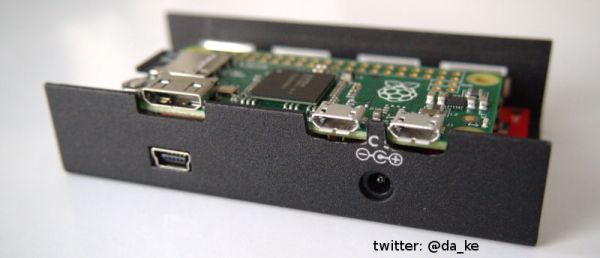
You’d think just about all the permutations of adding a hub to the Raspberry Pi Zero were done. But you’d be wrong. [Daniel’s] approach is to put the Zero inside the existing case for the hub. The LogiLink hub used is in a nice metal case with mounting flanges on the side. It looks robust and not much like a typical consumer hub. This hack would serve well where the Zero and hub might take a few wacks.

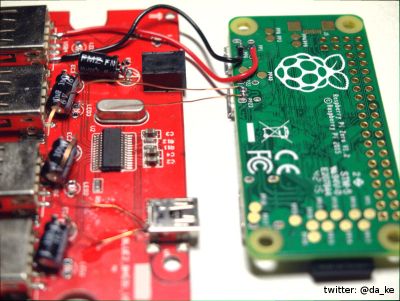
It took some fiddling with the hub components but he made it work. The easy part was wiring the the power and USB test points on the Zero to the hub.
More challenging were the mechanical aspects to physically fit the Zero into the case. Four LEDs were removed since their only purpose was indicating if a cables were plugged into the hub. There are four electrolytic capacitors standing upright that occupied the space needed by the Pi. [Daniel] repositioned them to lie horizontally to provide room for the Zero.
With the Zero able to fit inside the case the next steps are to create mounting holes in the USB board and cut holes in the case to access the HDMI and USB ports and the SD card holder. Some finicky work with a Dremel provided the holes and the cutouts. Fortunately, the mounting holes on the Zero aligned with some open spaces on the USB board. If they don’t, some glue and standoffs might be sufficient.
The only aspect [Daniel] left for you to hack is access to the GPIO port. That would require another cutout to bring out a ribbon cable for controlling your world. After such a nicely detailed writeup with a plethora of pictures, he had to leave something for other hackers to do.
Raspberry Pi Zero – Turning The Pi Into A USB Gadget, Over USB
[gbaman] has figured out a simpler way to program the new Raspberry Pi Zero over USB without modifying the board. Why is this useful? One example which appealed to us was setting the Zero’s USB port up as a mass storage device. Imagine plugging in your Pi powered robot, dragging and dropping a Python script into the mass storage device that shows up, and pressing a button on the robot to run the new script. Pretty fancy for $5.00.
You can get the PI to emulate a whole range of devices from a USB MIDI controller to a simple USB serial interface. We’re excited to see what uses people come up with. Unfortunately the Pi Zero is still out of stock most everywhere as we wait for the next production run to finish. Though if you’ve got one, why not check out a few of our thoughts and experiences with the device!
[gbaman] based his work off the work done by [Dave-0] and others over at the Raspberry Pi forums. [LadyAda] also has a version of this hack, which we covered, that involves soldering a header to the pi and using a UART adapter.
[via Hacker News]