RAM Prices Got You Down? Try DDR3. Seriously!

DDR3 seemed plenty fast when it first showed up 19 years ago. Who could say no to 6400 Mb/s transfer speeds? Of course compared to the modern DDR5 that’s glacially slow, but given that RAM is worth its weight in gold these days– with even DDR4 spiking in price– some people, like [Gheeotine], are asking “can you game on DDR3“? The answer is a shocking yes.

[Gheeotine] builds two budget-friendly PCs for this video, using some of the newest DD3-supporting motherboards available. That’s not exactly new: we’re talking 12 to 15 years old, but hey, not old enough to drive. We certainly didn’t expect to hear about an x79 motherboard hosting an Ivy Bridge processor in 2026, but needs must when the devil dances. The only concession to modernity is the graphics cards: the x79 mobo got an RX6600XT 8GB, and the other build, using a z97 motherboard got an NVIDIA RTX 4060. The z97 motherboard allowed a slightly newer processor, as well, an i7 4790, with the new and exciting Haswell architecture you may have heard of. Both boards are maxed out on RAM, because at less than one USD/GB, why not?

[Gheeotine] puts a few new titles through their paces on these boxen, and while the results aren’t amazing, everything he tries comes out playable, which is amazing in and of itself. Well, playable unless you’re one of those people who can’t stand playing at resolutions under 4K or FPS under 100. Those of who spent their formative years with 29.7 FPS or 25 FPS in NTSC or PAL regions aren’t going to complain too loudly if frame rates dip down into the 30s playing at 1080p for some of the more demanding titles. Ironically, one of those was the five-year-old Crysis Remastered. Given the age of some of this hardware “Can it Run Crysis” is a perfectly reasonable question, and the answer is still yes.

If you want modern games, you’re much better off with a z97 chipset motherboard if you chose to go the DDR3 route, since you won’t run into issues related to the AVX2 instruction, which first appeared with the Haswell microarchitecture. Here at Hackaday our preferred solution to the rampocalypse is software optimization, Since holding your breath for that would probably be fatal, cost-optimizing PC builds is probably a good plan, even if some might balk at going all the way back to DDR3.

Of course if you’re going to use nearly-retro hardware like DDR3, you might as well go all-out on retro vibes with a nostalgic 80s-style, or even 50s-style case. 

Continue reading “RAM Prices Got You Down? Try DDR3. Seriously!”
Repairing Brittle Plastic Retro Computer Cases

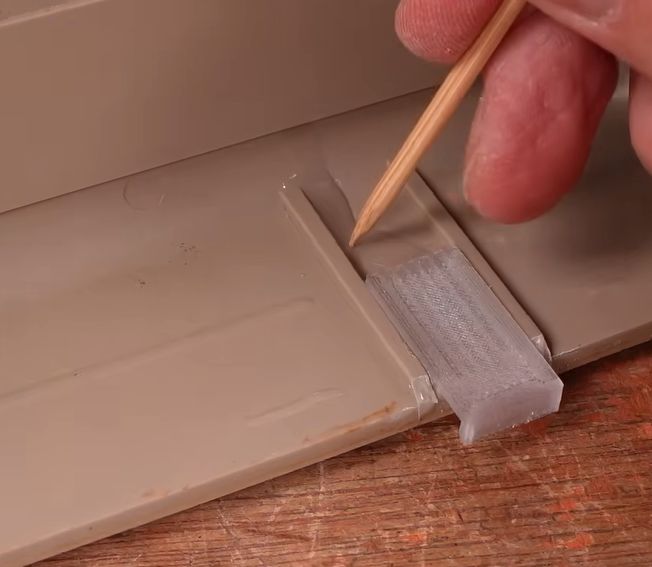
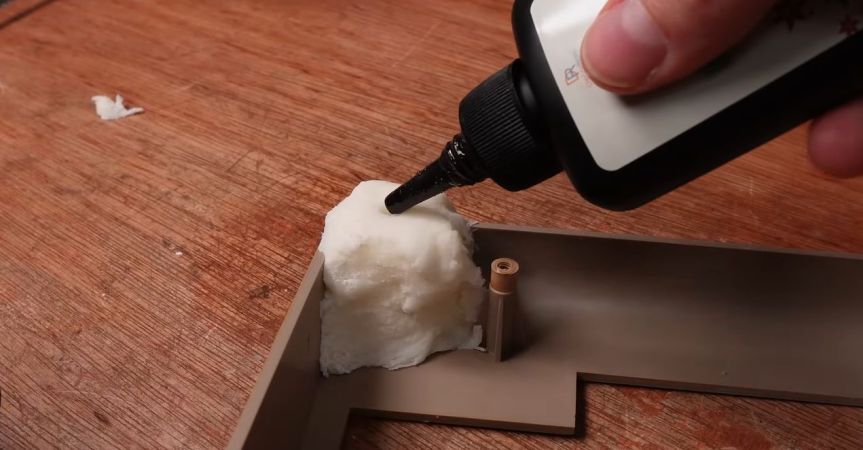
Using UV resin as glue for new case clips. (Credit: More Fun Making It, YouTube)

As computers like the venerable breadbox Commodore 64 age, their plastic doesn’t just turn increasing shades of yellow and brown, the ABS plastic also tends to get brittle. This is a problem that seems to plague many plastic cases and enclosures, but fortunately there are some ways to halt or even reverse the heavy toll of time, with the [More Fun Making It] YouTube channel exploring a number of methods, including UV-curable resin, PETG 3D-printed clips and silicone molds.

Aside from large-scale damage, screw posts tend to snap off a lot, either during shipping or when merely trying to open the case. The same is true for the clips around the edge of the C64 case, which rarely survive that long. Gluing a case clip back on with epoxy or such somewhat works, but is messy and not that durable.

Instead UV resin is used, together with newly printed clips in translucent PETG. The remnants of the old clips are removed, followed by the application of the resin. The clips are actually a modified version of a VIC-20 case clip design by [Ken Mills]. With the UV resin as glue, curing is almost instant with a UV lamp unlike the tedious process with epoxy.

Continue reading “Repairing Brittle Plastic Retro Computer Cases”

Zork Running On 4-Bit Intel Computer

Before DOOM would run on any computing system ever produced, and indeed before it even ran on its first computer, the game that would run on any computer of the pre-DOOM era was Zork. This was a text-based adventure game first published in the late 70s that could run on a number of platforms thanks to a virtual machine that interpreted the game code. This let the programmers write a new VM for each platform rather than porting the game every time. [smbakeryt] wanted to see how far he could push this design and got the classic game running on one of the oldest computers ever produced.

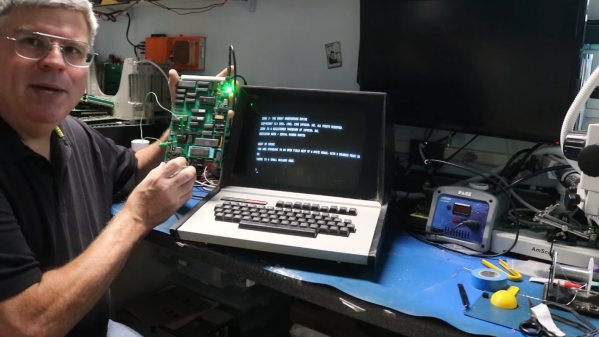
The computer in question is the ubiquitous Intel 4004 processor, the first commercially available general-purpose microprocessor produced. This was a four-bit machine and predates the release of Zork by about eight years. As discussed earlier, though, the only thing needed to get Zork to run on any machine is the Z-machine for that platform, so [smbakeryt] got to work. He’s working on a Heathkit H9 terminal, and the main limitation here is the amount of RAM needed to run the game. He was able to extended the address bus to increase the available memory in hardware, but getting the Z-machine running in software took some effort as well. There’s a number of layers of software abstraction here that’s a bit surprising for 70s-era computing but which make it an extremely interesting challenge and project.

As far as [smbakeryt]’s goal of finding the “least amount of computer” that would play Zork, we’d have a hard time thinking of anything predating the 4004 that would have any reasonable user experience, but we’d always encourage others to challenge this thought and [smbakeryt]’s milestone. Similarly, DOOM has a history of running on machines far below the original recommended minimum system requirements, and one of our favorites was getting it to run on the NES.

Continue reading Zork Running On 4-Bit Intel Computer”

Retrocomputing: Simulacrum Or The Real Deal?

The holidays are rapidly approaching, and you probably already have a topic or two to argue with your family about. But what about with your hacker friends? We came upon an old favorite the other day: whether it “counts” as retrocomputing if you’re running a simulated version of the system or if it “needs” to run on old iron.

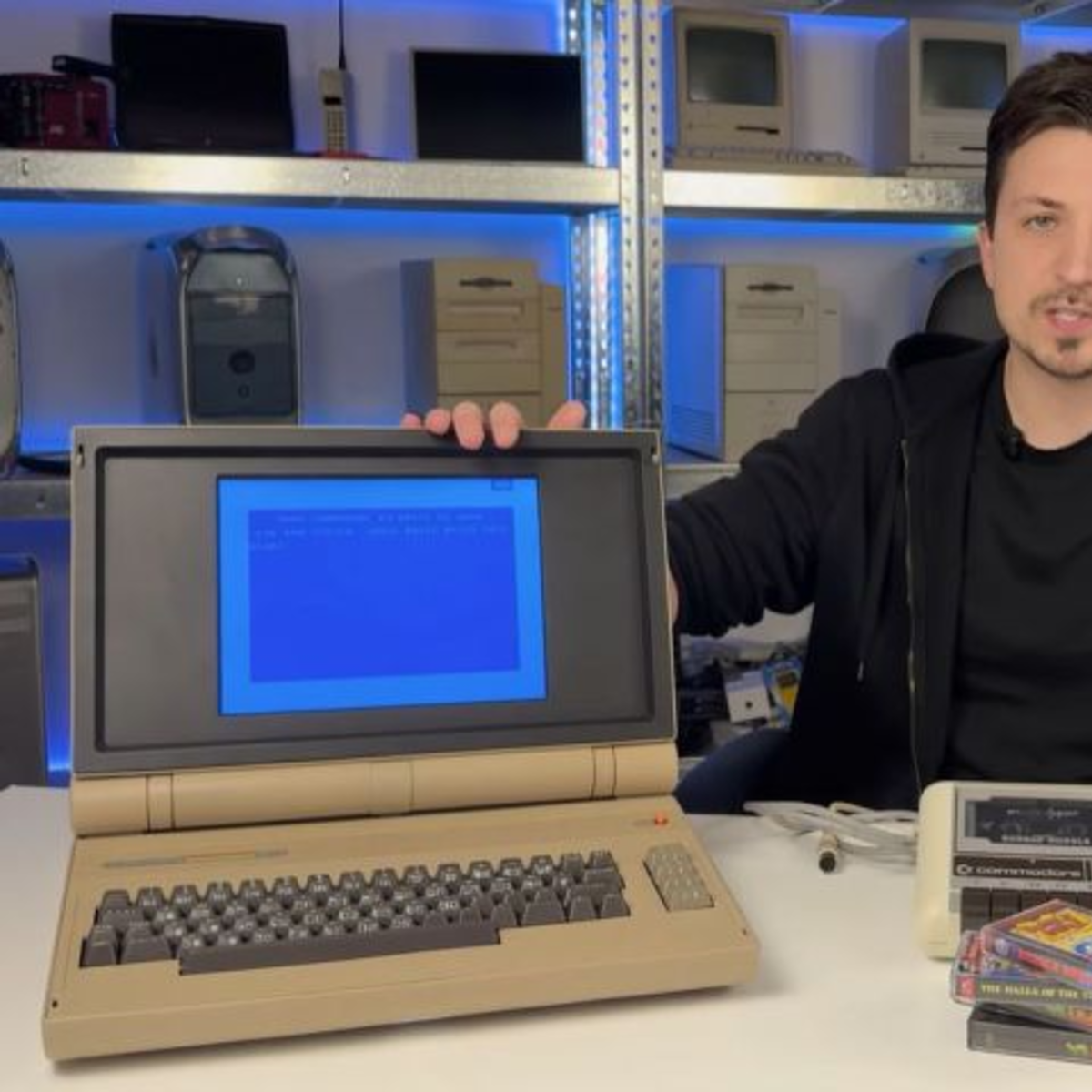
This lovely C64esque laptop sparked the controversy. It’s an absolute looker, with a custom keyboard and a retro-reimagining-period-correct flaptop design, but the beauty is only skin deep: the guts are a Raspberry Pi 5 running VICE. An emulator! Horrors!

We’ll admit to being entirely torn. There’s something about the old computers that’s very nice to lay hands on, and we just don’t get the same feels from an emulator running on our desktop. But a physical reproduction like with many of the modern C64 recreations, or [Oscar Vermeulen]’s PiDP-8/I really floats our boat in a way that an in-the-browser emulation experience simply doesn’t.

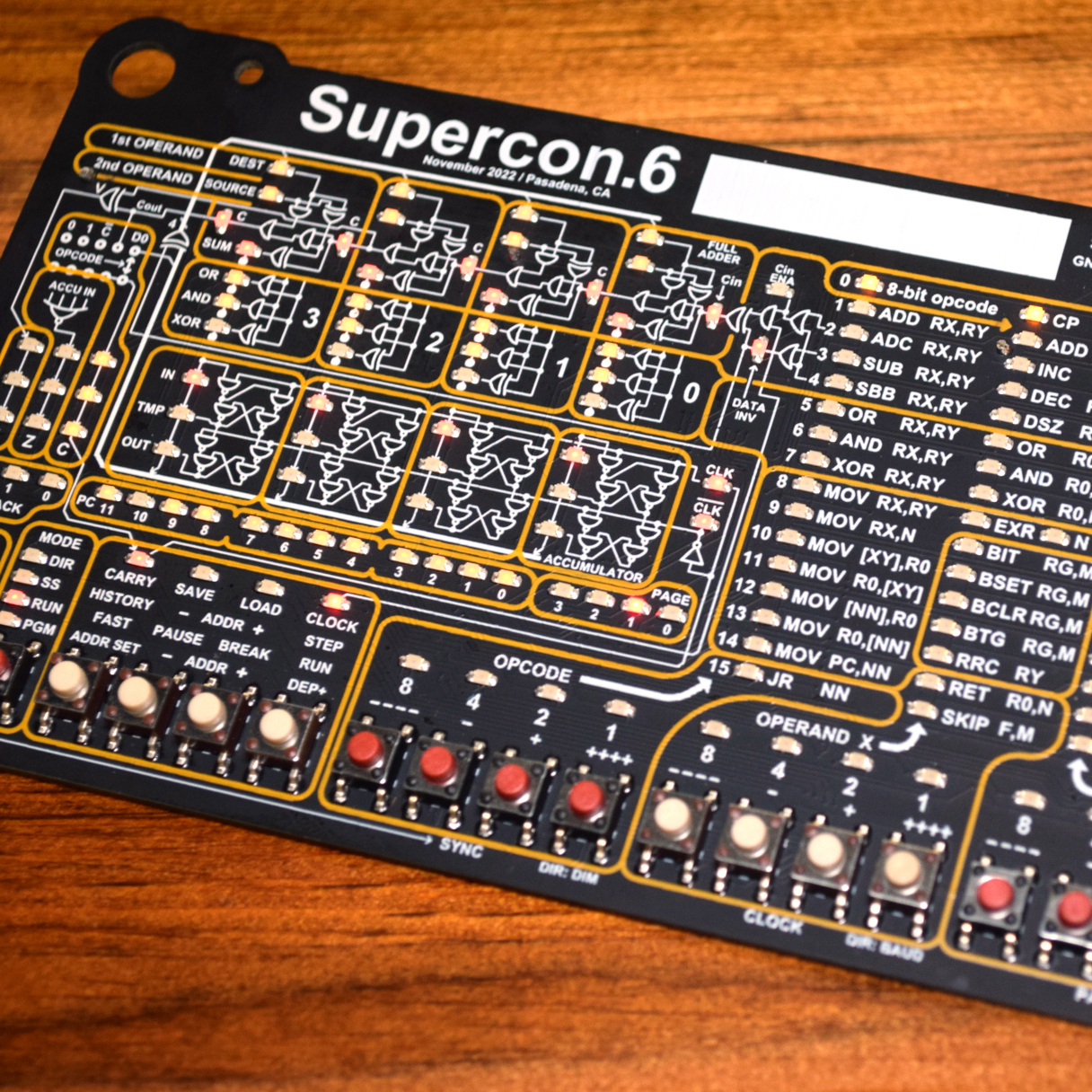
Another example was the Voja 4, the Supercon 2022 badge based on a CPU that never existed. It’s not literally retro, because [Voja Antonics] designed it during the COVID quarantines, so there’s no “old iron” at all. Worse, it’s emulated; the whole thing exists as a virtual machine inside the onboard PIC.

But we’d argue that this badge brought more people something very much like the authentic PDP-8 experience, or whatever. We saw people teaching themselves to do something functional in an imaginary 4-bit machine language over a weekend, and we know folks who’ve kept at it in the intervening years. Part of the appeal was that it reflected nearly everything about the machine state in myriad blinking lights. Or rather, it reflected the VM running on the PIC, because remember, it’s all just a trick.

So we’ll fittingly close this newsletter with a holiday message of peace to the two retrocomputing camps: Maybe you’re both right. Maybe the physical device and its human interfaces do matter – emulation sucks – but maybe it’s not entirely relevant what’s on the inside of the box if the outside is convincing enough. After all, if we hadn’t done [Kevin Noki] dirty by showing the insides of his C64 laptop, maybe nobody would ever have known.

Cheap And Aggressive DRAM Chip Tester

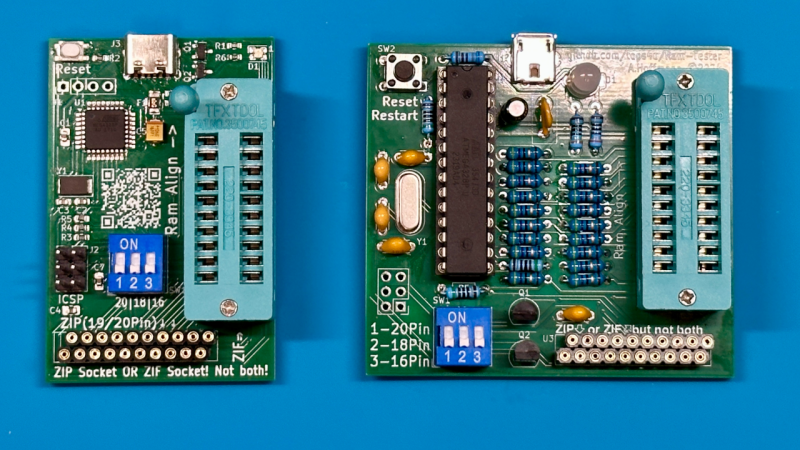
People enjoy retrocomputing for a wide variety of reasons – sometimes it’s about having a computer you could fully learn, or nostalgia for chips that played a part in your childhood. There’s definitely some credit to give for the fuzzy feeling you get booting up a computer you built out of chips. Old technology does deteriorate fast, however, and RAM chip failures are especially frustrating. What if you got a few hundred DRAM chips to go through? Here’s a DRAM chip tester by [Andreas]/[tops4u] – optimized for scanning speed, useful for computers like the ZX Spectrum or Oric, and built around an ATMega328P, which you surely still have in one of your drawers.

Continue reading “Cheap And Aggressive DRAM Chip Tester”

Emulate ROMs At 12MHz With Pico2 PIO

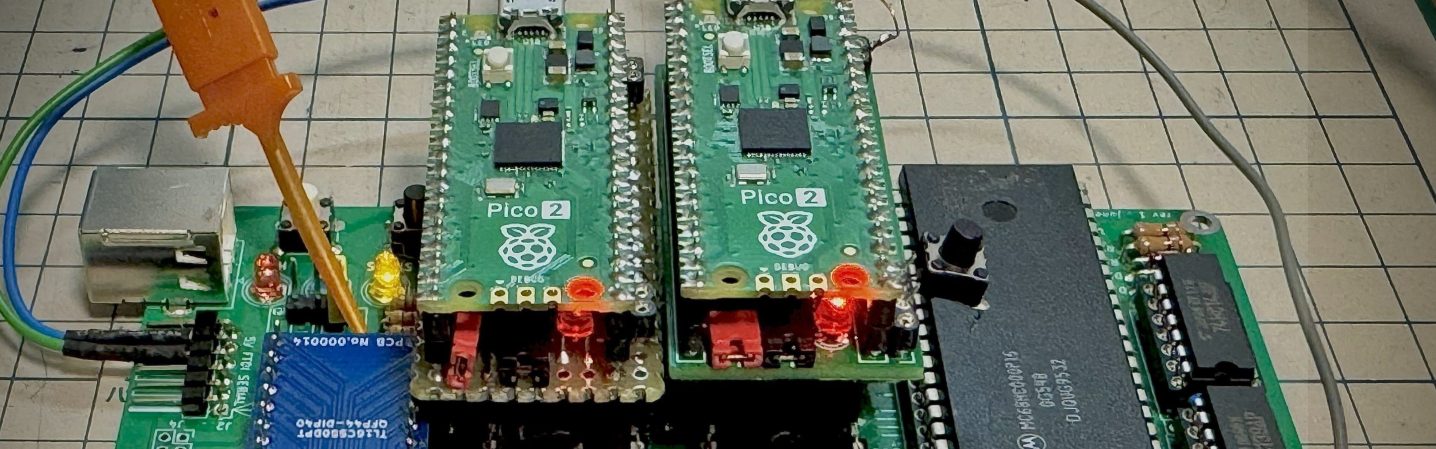
Nothing lasts forever, and that includes the ROMs required to make a retrocomputer run. Even worse, what if you’re rolling your own firmware? Period-appropriate EPROMs and their programmers aren’t always cheap or easy to get a hold of these days. [Kyo-ta04] had that problem, and thanks to them, we now all have a solution: Pico2ROMEmu, a ROM emulator based on, you guessed it, the Raspberry Pi Pico2.

Continue reading “Emulate ROMs At 12MHz With Pico2 PIO”

Diskette Game Floppy Flopper Is Certainly No Flop

There’s a tactile joy to the humble 3.5″ floppy that no USB stick will ever match. It’s not just the way they thunk into place in a well-made drive, the eject button, too, is a tactile experience not to be missed. If you were a child in disk-drive days, you may have popped a disk in-and-out repeatedly just for the fun of it — and if you weren’t a child, and did it anyway, we’re not going to judge. [igor] has come up with a physical game called “Floppy Flopper” that provides an excuse to do just that en masse, and it looks like lots of fun.

It consists of nine working floppy drives in a 3×3 grid, all mounted on a hefty welded-steel frame. Each drive has an RGB LED above it. The name of the game is to swap floppies as quickly as possible so that the color of the floppy in the drive matches the color flashing above it. Each successful insertion is worth thirteen points, tracked on a lovely matrix display. Each round is faster than the last, until you miss the window or mix up colors in haste. That might make more sense if you watch the demo video below.

Continue reading “Diskette Game Floppy Flopper Is Certainly No Flop”