Retro ISA Card Means Old, Slow Computers No Longer Need Old, Heavy Monitors

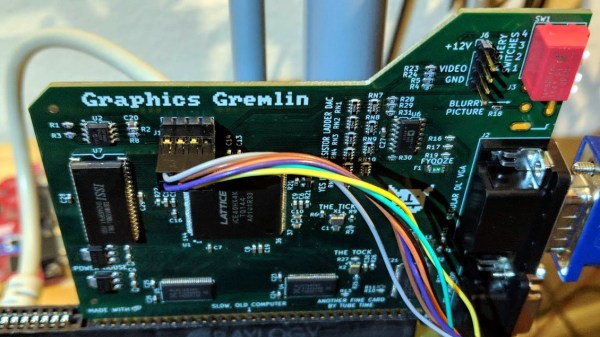
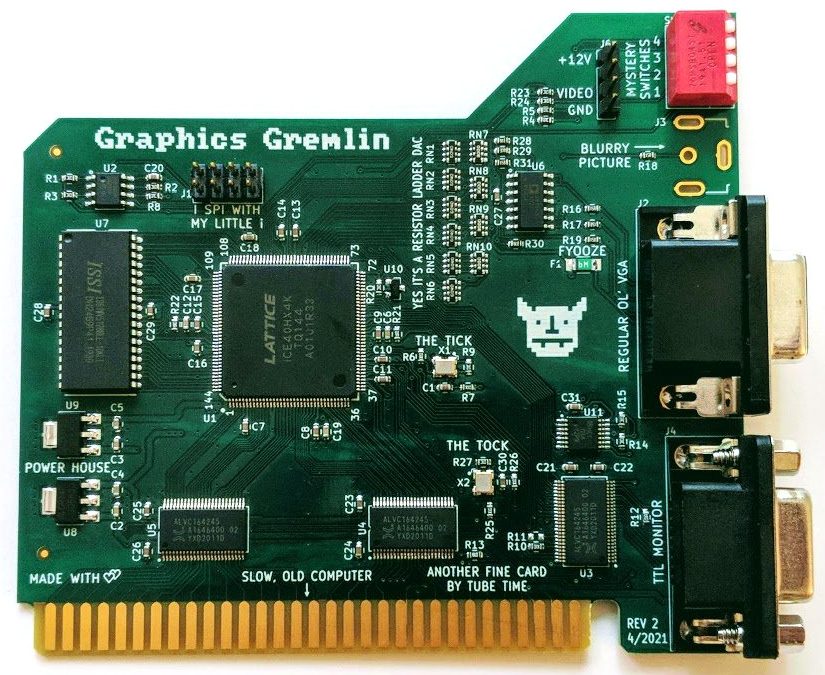
One thing about vintage computers is that they depend greatly on whether or not one can plug a compatible monitor into them. That’s what’s behind [Tube Time]’s Graphics Gremlin, a modern-design retro ISA video card that uses an FPGA to act just like a vintage MDA or CGA video card on the input end, but provides a VGA port for more modern display output options. (Actually, there is also an RGBI connector and a composite video out, but the VGA is probably the most broadly useful.)

Handy silkscreen labels make everything crystal clear. Click to enlarge.

Why bother making a new device to emulate an old ISA video card when actual vintage video cards are still plentiful? Because availability of the old cards isn’t the bottleneck. The trouble is that MDA or CGA monitors just aren’t as easy to come across as they once were, and irreplaceable vintage monitors that do still exist risk getting smashed during shipping. Luckily, VGA monitors (or at least converters that accept VGA input) are far more plentiful.

The board’s design files and assembly notes are all on the project’s GitHub repository along with plenty of thoughtful detail about both assembly and troubleshooting, and the Verilog code has its own document. The Graphics Gremlin is still under development, but you can also watch for the latest on [Tube Time]’s Twitter feed.

Thanks to [NoxiousPluK] for the tip!

A “Disgusting” 1980s Computer Restored

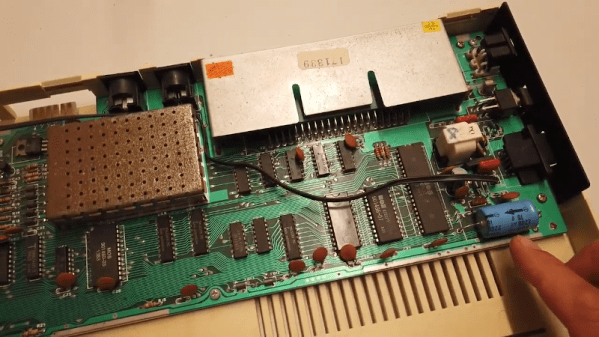
It takes a special eye to see a junkyard car and envision it as your latest hotrod. The guys at RMC found what they termed a “disgusting” Acorn Electron and decided to restore it to its former glory. The Electron was a budget version of the BBC micro with a 6502 running at 2 MHz when executing code from ROM and 1 MHz when it hit the RAM. Apparently, at least some of the bus was operating at 4 bits instead of 8. Go figure.

The 1982 machine was meant to head off the Sinclair ZX and was set to sell for about £200. However, the machine didn’t catch on like the Sinclair and undersold it by around 20 times with a paltry quarter of a million units.

Continue reading “A “Disgusting” 1980s Computer Restored”

Apple Gets CP/M

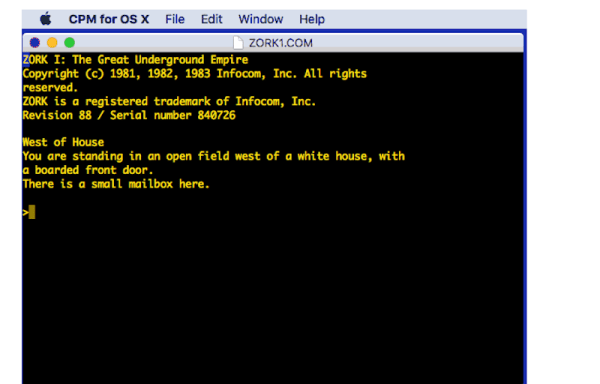
In case you wanted to run WordStar on your Mac, [Tom Harte] offers CP/M for OS/X, and it looks like it would be a lot of fun. Of course you might be happier running Zork or Turbo Pascal, and you can do that, too.

There are plenty of Z80 emulators that can run CP/M, but what we found most interesting about this one is that it is written in Objective C, a language with a deep history in the Mac and NeXT worlds.

Continue reading “Apple Gets CP/M”

Shipping A CRT: Lessons Learned

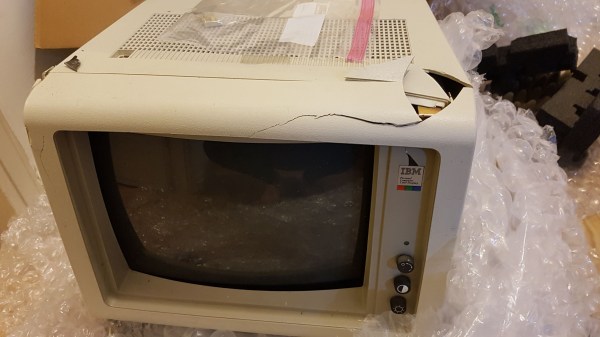
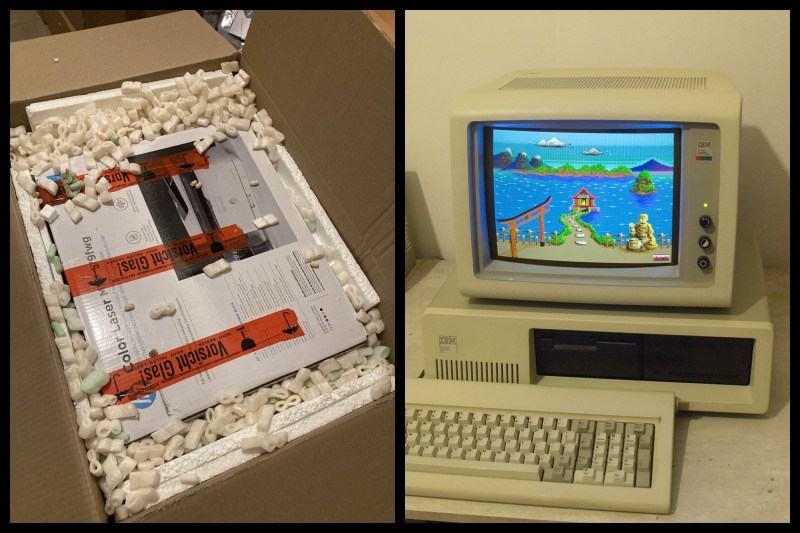
Old CRT computer enthusiast [x86VileR] recently tracked down an IBM 5153 monitor for which he had been searching several years. Unfortunately shipping a heavy glass CRT isn’t easy. In fact, it took [VileR] three tries to get a functioning monitor delivered intact and working. The first one seemed reasonably protected in its packaging, but arrived so banged up that the CRT had become dislodged inside the monitor and the neck broke off! The second attempt was packaged even better, and he was sure it would arrive problem-free. Alas, it too arrived all banged up and broken.

This one clearly had superior packaging, so I find it difficult to account for this truly stupendous level of damage. The most promising theory is that several people jumped on it simultaneously, just before the delivery truck ran it over. As my friend put it, it would’ve arrived in better shape if he had just smashed it himself before boxing it up.

Double-boxing appears to be the answer, although it might result in a box too large to ship depending on your courier’s rules. Short of building custom wooden crates, do you have any packing tips for shipping heavy and fragile items? Thanks to [J.R. Dahlman] for sending us the tip.

Gorgeous 6502 Celebrates Craftsmanship Of The Early Homebrewers

The days when a computer had a front panel bristling with switches and LEDs are long gone, and on balance that’s probably for the better in terms of ease of use, raw power, and convenience. That’s not to say there aren’t those who long for the days of flipping switches to enter programs, of course, but it’s a somewhat limited market. So unless you can find an old IMSAI or Altair, chances are you’ll have to roll your own — and you could do a lot worse than this aluminum beauty of a 6502 machine.

The machine is named PERSEUS-8 by its creator, [Mitsuru Yamada]. It follows earlier machines bearing the PERSEUS badge, all of them completely homebrewed and equally gorgeous. The PERSEUS-8 would have been an impressive machine had it come along 45 years ago — the 2 MHz version of the 6502, a full 16-bit memory address space, and 16 kB of battery-backed RAM. But the mechanical and electrical construction methods and the care and craftsmanship taken are where this build really shines. The case is fabricated out of aluminum sheets and angles and looks like it could have come from a server rack. The front panel is to die for — [Mitsuru] carefully brushed the aluminum before drilling the dozens of holes needed for the toggle switches and LEDs. And the insides are equally lovely — socketed chips neatly arranged on perfboard with everything wired up using period-correct wirewrap methods. Even the labels, both on the front panel and even on the motherboard, are a joy to behold.

Builds like this are the ones that really inspire us to take the extra steps needed to make our projects not only work, but also to be beautiful. We’ve seen this kind of craftsmanship from [Mitsuru] before — recall this serial terminal that never was, or the machine that came before the PERSEUS-8.

Inside A DEC Hard Drive

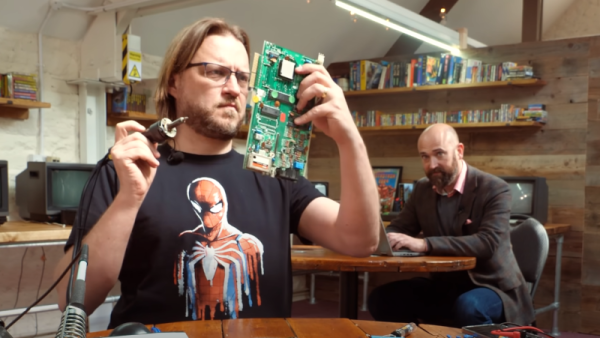
A lot of technology from the not-so-distant past doesn’t resemble modern versions very much. For a case in point, look at the DEC RS08 disk drive meant to pair with a circa 1970 PDP-8. Paired with an RF08 controller, this was state of the art, holding 262K 12-bit words with a blistering access speed of almost 63K/second unless you were plugged into 50Hz AC when it was closer to 50K/second. [Uniservo] had the disk unit, but not the controller. Someone else had a controller, but no disk drive. So [Uniservo] is shipping the disk to its new owner in a move worthy of a Reeses’ Peanutbutter Cup. The problem? The disk is super fragile and shipping is risky, so he decided to remove the platter for separate packing. Good thing for us, because we get a peek inside.

The nickel-cobalt platter looks like a thick LP record with heads underneath. As you might guess from the data transfer specification, the motor was just a common AC motor that rotated the platter against the head.

Continue reading “Inside A DEC Hard Drive”

DOS Gaming PC Gets Necessary Updates

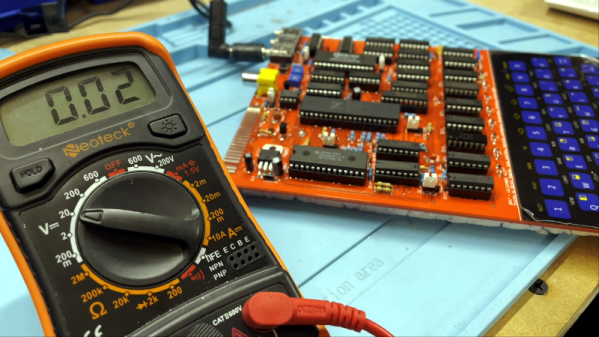
PC-104 is a standard computer form factor that most people outside of industrial settings probably haven’t seen before. It’s essentially an Intel 486 processor with lots of support for standards that have long since disappeared from most computers, but this makes it great for two things: controlling old industrial equipment and running classic DOS games on native hardware. For the latter, we turn once again to [The Rasteri] who is improving on his previous build with an even smaller DOS gaming rig, this time based on a platform even more diminutive than PC-104.

The key of a build like this is that it needs native support for the long-obsolete ISA bus to be able to interface with a SoundBlaster card, a gold standard for video games of the era. This smaller computer still has this functionality in a smaller package, but with some major improvements. First, it has a floating point unit so it can run games like Quake. It’s also much faster than the PC-104 system and uses less power. Finally, it fits in an even smaller case.

The build goes well beyond simply running software on a SoM computer. [The Rasteri] also custom built an interface board for this project, complete with all of the necessary ports and an ISA sound chip, all while keeping size down to a minimum. The new build also lets him give the build a better name than the old one (although he phrases this upgrade slightly differently), and will also let him expand some features in the future as well. Be sure to check out that first build if you’re new to this saga, too.

Continue reading “DOS Gaming PC Gets Necessary Updates”