Analog Robot Navigates Around The Workshop With Ease

556_wall_following_robot

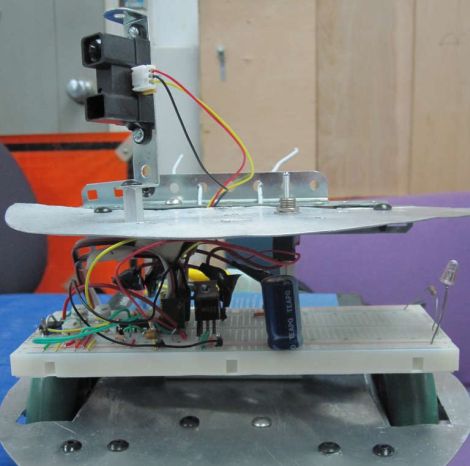
Many of the robots we feature here are driven by some sort of microcontroller, whether it be an Arduino, Launchpad, Picaxe, etc. Rarely do we see a robot however, using analog circuits to perform higher-level functions typically relegated to those more complex controllers. Instructables user [hasn0life] built such a robot recently, which he entered into a contest at his college. After hearing about the 555 design contest from a friend, he tweaked his project and created a wall-following robot using a 556 timer.

The robot is fairly simple when you take a close look, though that does not take away from the elegance of his design. A single IR sensor is used to detect objects in the robot’s periphery, guiding the robot along. When the robot gets too close to a wall, one wheel reverses, pulling the robot away. Once the robot has moved a sufficient distance, the other wheel is reversed in order to straighten out the robot. Then, both wheels work in concert to get the robot moving forward.

Take a look at the video below to watch the robot navigate its way around his workshop, and if you are interested in learning more about analog robotics, check out this post from a few days back.

Continue reading “Analog Robot Navigates Around The Workshop With Ease”
Self-balancing Robot Keeps Things On The Straight And Narrow

self_balancing_robot

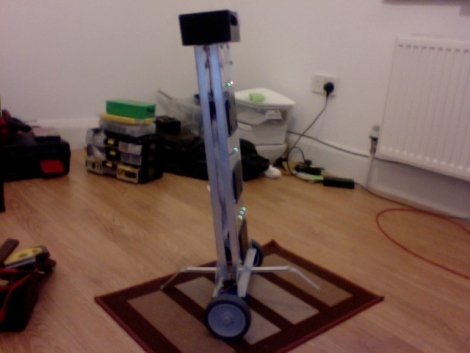
[James] designed a digital controller in MatLab, but he really wanted to see if it would work in a real-world application. To test out his linear quadratic regulator design, he decided to build a self-balancing robot. His goal was to built a robot that can keep its balance even when external forces are applied, all while staying in the same place.

Balancing on a pair of wheels is not all that simple, so his LQR controller allows him to weight the bot’s priorities towards keeping balance, focusing on returning to its starting position once equilibrium has been achieved. The results are pretty impressive as you can see in the videos below.  The robot is easily able to attain its balance once powered on, and it has no problem remaining stable even when pushed or when objects are placed on top of it.

[James] has plans for several enhancements in the near future, including remote control via Xbee modules as well as autonomous navigation utilizing sonar or possibly a camera. We’d totally love to see it sporting a Kinect sensor in a future revision, but that’s just us!

Keep reading for a couple of demo videos he put together.

[Thanks, Nicholas]

Continue reading “Self-balancing Robot Keeps Things On The Straight And Narrow”

DIY Animatronic Penguin Shakes And Grooves

animatronic_penguin

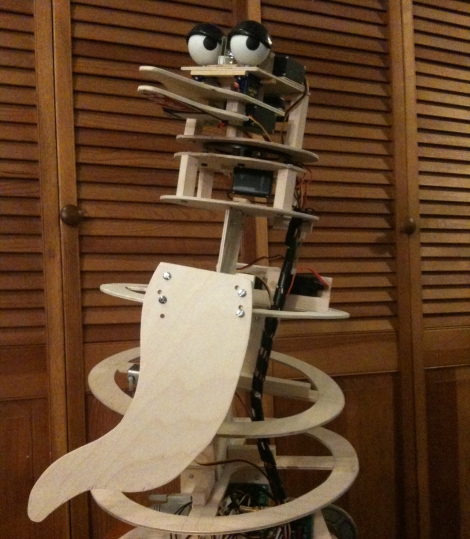
Instructables user [djsfantasi] wanted to build an animated holiday display using puppets as a means of raising money for a local arts program. After doing a bit of reading and research however, he decided that building animatronic characters for the display was not that far fetched an idea.

His first inclination was to build a penguin, allowing him to focus mostly on torso motion rather than having to articulate arms and legs as well. His goal was to enable his penguin to “dance” by shimmying and shaking as well as flapping his wings. Using plywood, four servos, along with some miscellaneous connecting rods and cables, he went to work.

The penguin is operated using a SSC-32 servo controller that features an ATmega168 MCU at its core. This allows him to control all of the servos independently, and also in concert, allowing for combined movements. The penguin’s mouth also functions, using a circuit that synchronizes its movements to an audio file.

While the robot is currently tethered to his computer via a serial cable, [djsfantasi] mentions that he is currently working on an iPhone app that will be able to control the robot wirelessly. All he needs to do now is build an animatronic Tom Servo then toss a Crow skin over this one, and he’ll be all set!

Keep reading to get a look at the penguin moving and grooving in the video below.

Continue reading “DIY Animatronic Penguin Shakes And Grooves”

Bluetooth Tomy Omnibot Hack


tomy_omnibot_hack

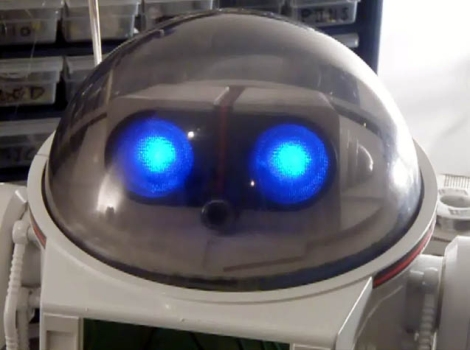
[DJ Sures] sent us his most recent hack, and it’s one that is sure to please those who enjoy a good dose of 80’s nostalgia. He located a Tomy Omnibot on eBay and snatched it up immediately. While he was waiting for it to arrive, he planned out what he would add to it once it showed up at his door. Once the robot was delivered, he cleaned it up, painted it, then got down to business.

The original robot had no ability to move its arms or head, so he immediately added servos to enable those actions. A wireless camera was inserted between the Omnibot’s eyes, and a wireless mic was mounted in his chest. He has also added some features found in his previous projects, such as voice recognition, visual recognition, voice synthesis, and the ability to remotely control the bot. He plans on adding an ultrasonic ping sensor and IR floor sensors in the near future. This is a great build so far, and it sounds like he has plenty more in store.

Be sure to stick around for a video of the robot in action, and if you are interested in some of [DJ Sures’] previous work, check these out as well.

Continue reading “Bluetooth Tomy Omnibot Hack”

Voice-controlled Rolling Robot

rolling_voice_controlled_robot

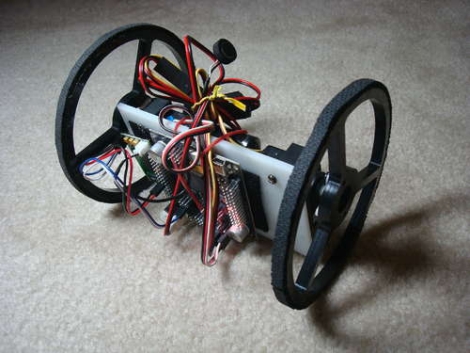
[societyofrobots] recently posted an Instructable on how to build a voice controlled robot in just a few hours time. This robot isn’t particularly cheap, weighing in at about $230, but it is a fun project if you have the means. The bot is driven around by a pair of servos, taking their directions from an Axon II MCU. A VRbot voice recognition module is used to listen for commands, enabling the user to record up to 32 custom triggers for directing the robot.

All of the source code for the robot is included, as well as instructions on how to get started programing the microcontroller. The code provides some basic functionality, but there’s likely plenty more that can be done with the powerful on-board ATmega460. While this robot would make for a great beginner/intermediate project as-is, it should be noted that [societyofrobots] manufactures and sells the Axon II, so this Instructable is half guide/half self-promotion. Have any of you had experience with the Axon II? Let us know what you think.

Keep reading to see a video of the build process as well as the robot doing its thing.

Thanks, [Bill Porter].

Continue reading “Voice-controlled Rolling Robot”

NES Game Pad Guided Robotic Arm

nes_robotic_arm

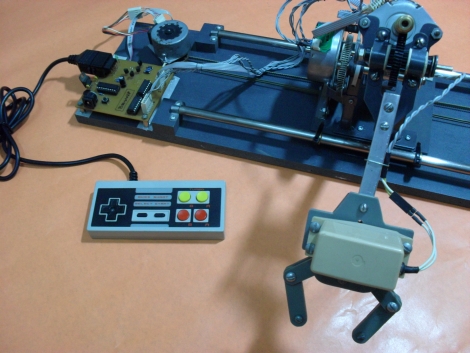
Instructables user [Bruno] sent in his most recent creation, a robotic arm controlled using an old NES game pad. He scavenged the majority of his parts from a pair of old HP printers, including motors pulleys, belts and more. In fact, most of the metal and plastic components that he used come from the old printer chassis as well. He has included copies of the templates he used when manufacturing both the plastic and metal components, which should come in handy should anyone try to replicate his work.

[Bruno] also included all of the source code for the robotic arm and mentions that the project required two PICs due to pinout requirements. He ultimately decided to use two cheaper models over a single more expensive unit that would have supplied all of the pins he needed. His cost conscious build is impressive and undoubtedly demonstrates just how many old components can be reused in new projects if you really put some thought into it. Great job with this build, keep up the good work!

Be sure to keep reading to see some video of the arm in action.

Continue reading “NES Game Pad Guided Robotic Arm”

Sumo Style Robot

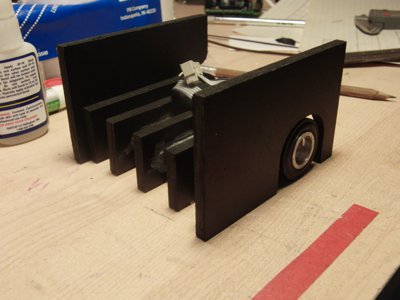
[Jeremy] really wants to compete in some sumo bot wrestling, and in order to have robotic sumo wrestling one needs to make some robots, which is what [Jeremy’s] build log is all about.

The framework is made out of 6mm thick Sintra (which is a type of closed cell pvc foam sheet) with the use of a CNC machine, using a “sliced” design style framework. Two geared motors fit snug inside of the internal frame and some wheels from solarbotics are attached to the ends. The arrangement of the drive wheels in the rear, and the large front end, seems like good design for the end application where robots doing turtle flips would be no fun.

Keeping in mind this is not a fully finished project and therefore does not have code or schematics posted, the brains of this beast are in a similar state, and should be pretty easy to figure out. The thinking is handled by an atmega328, and fed by IR sensor pair’s to detect light / dark patterns on the floor or table, and an array of proximity sensors along the front and sides to detect its opponent.

And while this project may not be completed, it at one point was dead and set aside, after some months [Jeremy] went back for a second look and found out that the only thing dead about it was the power regulator and h-bridge and quickly got it back up and working, which is a good reminder to not give up, even when it does go poof.