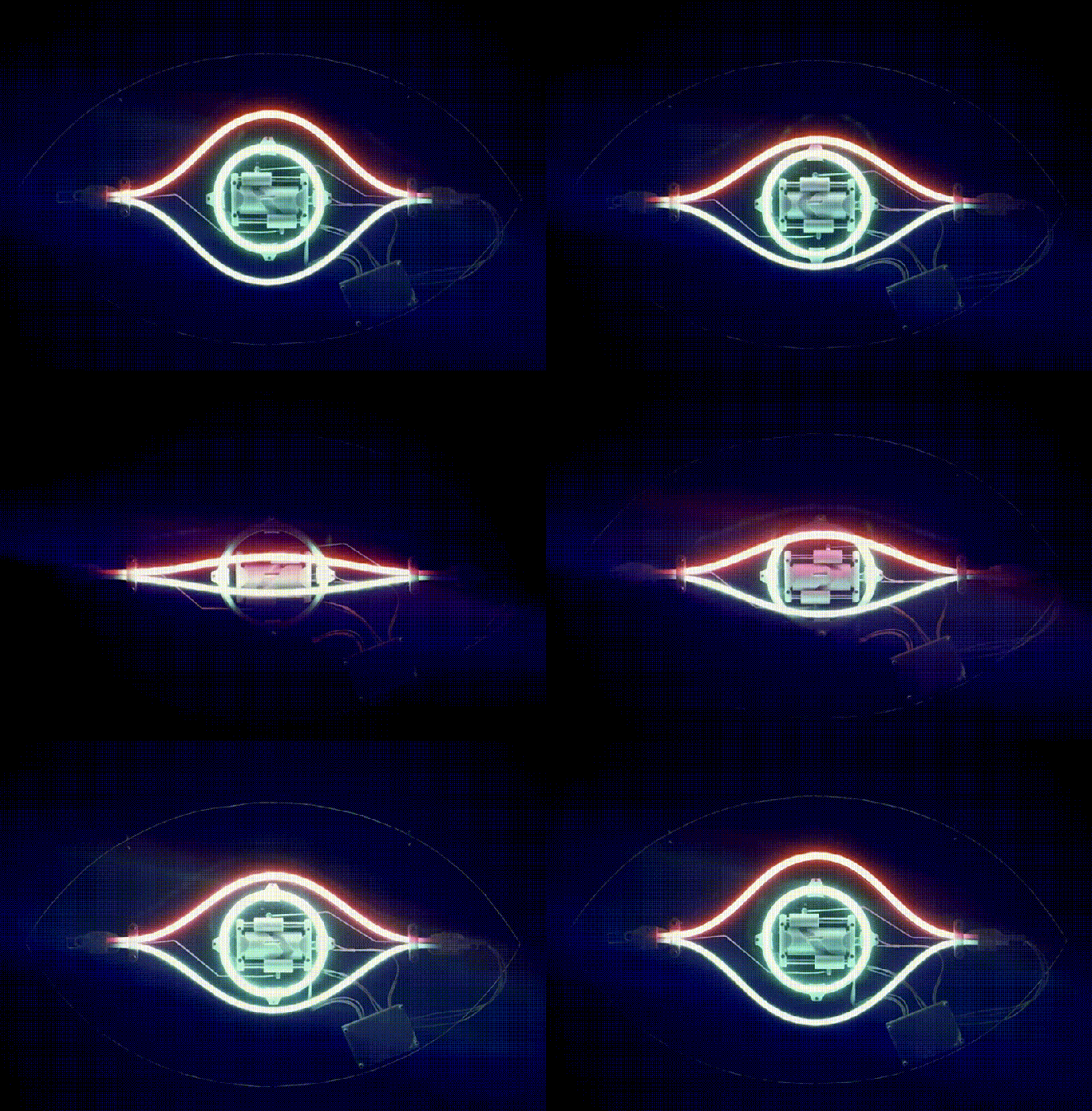
an animated gif of the eye in motion.

Bending Faux-Neon LEDs Make For Animations Glass Tubes Can’t Match

Odds are, if you like neon lights, you’re not thrilled with the LED faux-“neon” strips that are supposed to replace them. They’ve got their advantages, but the light quality of RGB LEDs lacks something compared to the emission spectrum of nobel gas, at least to purists. On the other hand, you cannot create an animation by bending glass tubes, like [David Hamp-Gonsalves] has demonstrated with his Neon Animated Eye.

Back in the day, you’d have needed dozens of tubes for a flickery animation, but [David] figured that since these LED strips are flexible, why not flex them? He’s using addressable LEDs — WS2812s, specifically — so activating and deactivating the pupil of the eye is easy-peasy. Opening and closing the lid is accomplished with a geared motor driven by a TB6612 driver turning a barrel cam. The ends of the stiff LED strip being brought together and pulled apart result in the blinking effect here, but as [David] points out you’re hardly limited that specific motion. There’s a whole world of Tron-like glowing animatronics that can be created with this technique. Code and STLs are available on GitHub, though, if you want to replicate the eye exactly.

[David] says he’d like to see this in a storefront someday, but given that fatigue life is a thing, it might be something to keep in your back pocket for seasonal displays like Christmas and Halloween rather than something that’s going to run 24/7. On the other hand, if you’re careful about limiting flexion and which faux-neon strip you buy, you might be able to create an animation that can last for years.

This is hardly the first time we’ve seen these faux-neon strips , but it is the first time we’ve seen them animated. We can’t help but think the Hauntimator software we featured before would be a good paring with this hack.
Smart Lamp Keeps Students On Track With Image Recognition

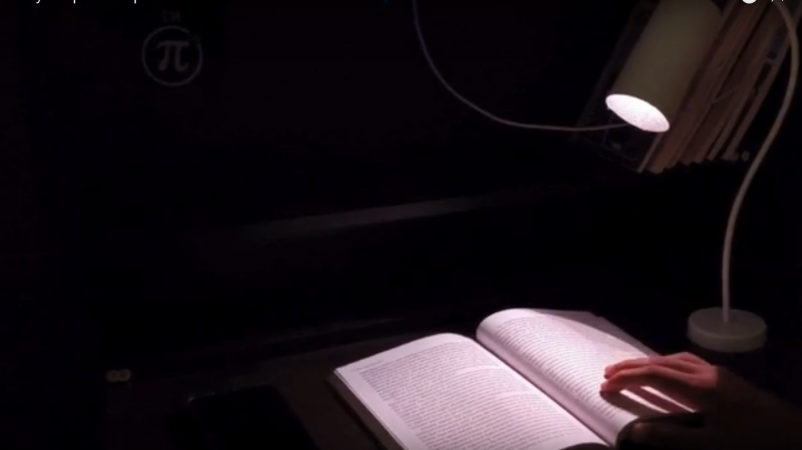
It’s a common enough problem: you’re hitting the books, your phone dings with a notification, and suddenly it’s three hours later. While you’ve done lots of scrolling, you didn’t do any studying. If only there were a quick, easy project that would keep an eye on you and provide a subtle nudge to get you off the phone. [Makestreme] has that project, an AI study lamp that shifts from warm white to an angry red to remind students to get back to work. See it in action in the demo video below.

Continue reading “Smart Lamp Keeps Students On Track With Image Recognition”

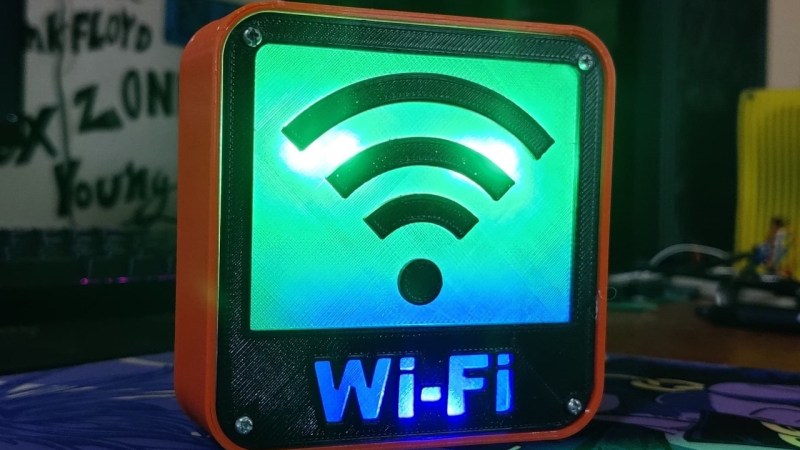
WiFi Status Indicator Keeps Eye On The Network

These days, most of us take the instant availability of a high-speed link to the Internet for granted. But despite all of the latest technology, things still occasionally go pear-shaped — meaning that blistering fiber optic connection you’ve got to the world’s collected knowledge (not to mention, memes) can still go down when you need it the most.

After suffering some connectivity issues, [Arnov Sharma] decided to put together a little box that could alert everyone in visual range to the status of the local router. It won’t fix the problem, of course, but there’s a certain value to getting timely status updates. Using a 3D printed enclosure and a couple of custom PCBs, the build is fairly comprehensive, and could certainly be pressed into more advanced usage if given the appropriate firmware. If you’ve been thinking of a Internet-connected status indicator, this is certainly a project worth copying studying closely.

Continue reading “WiFi Status Indicator Keeps Eye On The Network”

Pac-Man Ghost Helps With Air Quality Sensing

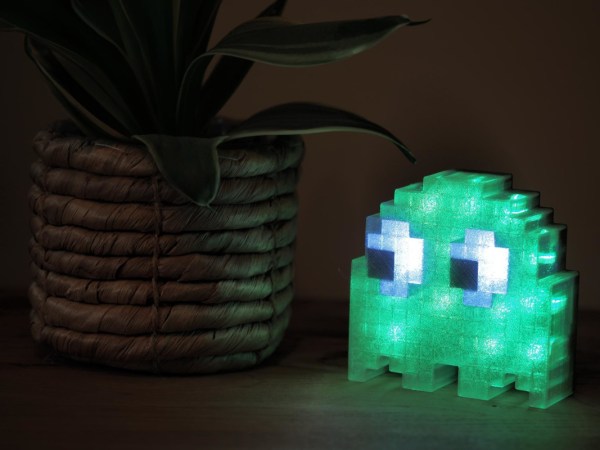
In the past, building construction methods generally didn’t worry much about air quality. There were enough gaps around windows, doors, siding, and flooring that a house could naturally “breathe” and do a decent enough job of making sure the occupants didn’t suffocate. Modern buildings, on the other hand, are extremely concerned with efficiency and go to great lengths to ensure that no air leaks in or out. This can be a problem for occupants though and generally requires some sort of mechanical ventilation, but to be on the safe side and keep an eye on it a CO2 sensor like this unique Pac-Man-inspired monitor can be helpful.

Although there are some ways to approximate indoor air quality with inexpensive sensors, [Tobias] decided on a dedicated CO2 sensor for accuracy and effectiveness, despite its relatively large cost of around $30. An ESP32 handles the data from the sensor and then outputs the results to an array of LEDs hidden inside a ghost modeled after the ones from the classic arcade game Pac-Man. There are 17 WS2812B LEDs in total installed on a custom PCB, with everything held together in the custom 3D printed ghost-shaped case. The LEDs change from green to red as the air quality gets worse, although a few preserve the ghost’s white eyes even as the colors change.

For anyone looking to recreate this project and keep an eye on their own air quality, [Tobias] has made everything from the code, the PCB, and the 3D printer files open source, and has used accessible hardware in the build as well. Although the CO2 sensors can indeed be pricey, there are a few less expensive ways of keeping an eye on indoor air quality. Some of these methods attempt to approximate CO2 levels indirectly, but current consensus is that there’s no real substitute for taking this measurement directly if that’s the metric targeted for your own air quality.

NeoPill Is The NeoPixel Emulator You’ve Always Wanted

NeoPixels and other addressable LED strings are a technology that have made vibrant, glowing LED projects accessible to all. Of course, it’s nice to be able to simulate your new glowy project in software before you actually set up your LED strings in practice. [Randy Elwin]’s NeoPill simulator can help with that!

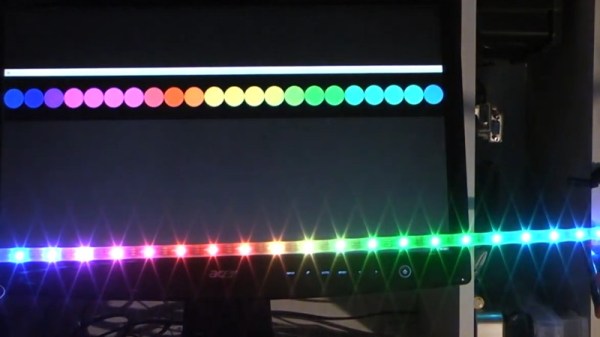
The NeoPill consists of an STM32F103 development board, into which one simply hooks up a NeoPixel data line. The microcontroller then decodes the data using a combination of its onboard timers and SPI hardware. This data is then passed to a PC over the onboard USB serial connection, where it’s decoded by a custom Python app. The app takes the data and displays the pixels on screen, so you can verify they operate as expected before you hook up a single real LED.

It’s a great tool, one that costs very little and yet does the job well. It can even be used with LEDs in circuit to verify if problems are related to the data output or the hardware itself. [Randy] demonstrates the software working with strings of up to 256 LEDs at once; we’d love to see how far it can be pushed before breaking. Code is available on Github for those keen to get their own NeoPill operational.

It’s not the only NeoPixel simulator out there, but it is the first one we’ve seen that can be used to debug actual signals from real hardware, and that’s an incredibly useful thing to have in your toolbelt. Video after the break.

Continue reading “NeoPill Is The NeoPixel Emulator You’ve Always Wanted”