SparkFun Gets Back To Their Roots With SparkX

Way back in the before years when there were still interesting concepts for reality TV, Nate Seidle blew up a power supply in his dorm room. Instead of finding replacement parts, Nate decided to start a company. For the last decade and a half, SparkFun has grown immensely, been an incredible resource for makers and engineers alike, and shipped out hundreds of thousands of their iconic red boxes.

Being the CEO of a company means you need to do CEO stuff, and a few summers ago Nate the CEO became Nate the Engineer once again. SparkFun is still doing great, but now we know what Nate has been up to these last months. He’s getting back to SparkFun’s roots with SparkX. This is the newest stuff SparkFun has to offer, there is zero documentation or support, and they’re only developing products because Nate wants to.

In a series of blog posts on the SparkFun blog, Nate goes over what is involved in building a new brand for the latest and greatest SparkFun can produce. This involves setting up the SparkX lab, getting the OtherMills pumping out circuit boards, and  inevitably the occasional containment failure of the blue smoke.

The first product in the SparkX lineup, Product 0, is a breakout board for the MLX90393 magnetometer. This is a pretty nifty magnetometer that Ted Yapo over on hackaday.io has used to characterize magnets. Really, though, the SparkX Product 0 is exactly what it says on the tin: a breakout board that is just an experiment, comes with no guarantees or support. It is the heart of what Sparkfun set out to do twenty years ago.

Friday Hack Chat: Designing RF Products

This Friday, we’re talking RF. Join us for a discussion on designing RF products with Hackaday’s very own Jenny List. It’s all happening in the Hack Chat on hackaday.io.

jennylisthackchattake1-01When Jenny isn’t busy writing for Hackaday, she sits on the board of the Oxford Hackspace. She’s the brains behind Language Spy, and sells electronic kits that include receivers, filters, and RF breakout boards. She’s extremely active on hackaday.io, and has used a Pi Zero to transmit across the Atlantic.

As usual, we’re starting this Hack Chat at Noon, Pacific time on Friday (or Friday 20:00 GMT). Here’s a handy countdown for the event.

Here’s How To Take Part:

join-hack-chatOur Hack Chats are live community events on the Hackaday.io Hack Chat group messaging.

Log into hackaday.io, visit that page, and look for the ‘Join this Project’ Button. Once you’re part of the project, the button will change to ‘Team Messaging’, which takes you directly to the Hack Chat.

You don’t have to wait until Friday; join whenever you want and you can see what the community is talking about.

Upcoming Hack Chats

The Hack Chats on hackaday.io are quickly becoming a thing. Already, we’ve had a pantheon of embedded systems gods including Lady Ada of Adafruit, Sprite_tm, and bunnie.

In March, we’re going to have a Hack Chat with Raspberry Pi engineer Roger Thornton, and a mechanical manufacturing Hack Chat with Fictiv. You can check out all the upcoming Hack Chats right here.

Hackaday Links Column Banner

Hackaday Links: February 12, 2017

Taking small LCD screens, a tiny computer running Linux, and a 3D printed enclosure to build miniature versions of old computers is a thing now. Here’s [Cupcakus]’s tiny little Apple II, complete with Oregon Trail. This Apple II is running on a C.H.I.P., uses a 3s lithium battery from a drone, and works with a Bluetooth keyboard and joystick. Yes, the power button on the monitor works.

At Hackaday, we get a lot of emails from people asking the most important question ever: “how do you become a hardware hacker?” [Tex Projects] lays it all out on the line. All you need to do is to buy five of something every time you need one. Need some header pins? Buy five. A sensor? five. Come to the realization that anything you build could be bought for less money.

Are we still doing low-poly Pokemon? [davedarko] has an idea for the Sci-Fi contest we’re running. He’s going to give children seizures. He’s refreshing a project of mine by putting lights, blinkies, and noisy things in a 3D printed Porygon, the original 3D printed Pokemon. Porygon was the subject of that one episode of the Pokemon cartoon that sent 635 Japanese children to the hospital. The episode was banned in America, but it was actually Pikachu that caused the flashing lights.

‘Member Clickspring? He’s the guy who made a fantastic mechanical clock using nothing except a few bits of brass, a blowtorch, a tiny mill and lathe, and a lot of patience. Now he’s building the Antikythera mechanism. The Antikythera mechanism is a 2000-year-old device designed to calculate the phases of the moon, the motion of the planets, and other local astronomical phenomena. This is going to be a masterpiece, and will eventually end up in a museum, so be sure to subscribe to his YouTube channel.

The Most Sensational Calipers On The Planet!

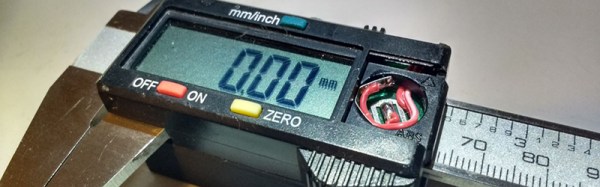
Everyone here probably has a pair of cheap Chinese calipers kicking around the workbench. This means everyone here also knows how quickly the batteries in these handy little tools die. [Thosnbn] also noticed this, but instead of simply complaining and wishing the problem would go away, he decided to do something about it. He built a battery pack for his calipers, giving this tool a two year battery life.

The idea for this build came after [thosnbn]  completely destroyed a pair of these cheap calipers. At the time, the fix was to tape a AA battery to the tool, and solder wires directly to the contact pads for the tiny button cell battery. This fix worked, and after dealing with the ugliest tool known to man for a few years, [thosnbn] decided to clean it up a little.

The new battery enclosure was designed in Fusion360, includes handy features like a switch, and is completely 3D printed. It took a few weeks for [thosnbn] to get all the parts to fit together correctly, but the end result is great. This battery pack fits neatly on the back of the calipers, holds a single AA battery, and the lid is tightly secured with a pair of machine screws.

Unfortunately, [thosnbn] chose to share this project on imgur, a site that does not support sharing .stl or other 3D printer files. It does, however, serve as inspiration for you to make your own battery pack for a pair of cheap calipers.

The Mother Of All Paper Cuts

A Dremel is a fantastically handy tool to have around the workbench, but there is one glaring and obvious downside: you will always run out of cut-off discs. if you’re trying to break into a fancy snap-fit enclosure that has been inexplicably glued together, you’ll invariably need to run down to the hardware store to shell out some cash for a tiny tube of cut-off disks.

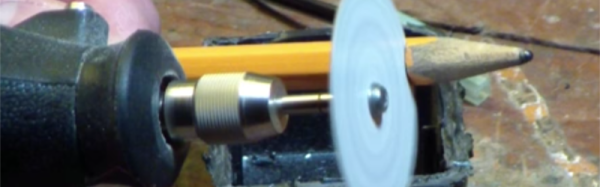
[KB9RLW] has the answer to this problem. He’s cutting wood and plastic with paper discs spinning at 35,000 RPM.

The paper used for this application is just a piece of junk mail or heavy, probably glossy card stock. After poking a hole in this piece of paper, tracing a circle with a homemade compass, and cutting out the cutting disk with a pair of scissors, this cut-off disc is easily mounted in the standard Dremel mandrel.

The test cut [KB9RLW] shows us is on a plastic wall wart that’s a glued together, snap-fit mess. The paper cut-off wheel makes short work of this nigh-impenetrable brick of plastic, revealing the electronic goodies inside. This cut-off wheel will also cut through small bits of wood, like a bit of molding.

After cutting halfway through the wooden molding, the paper disc quickly disintegrates — this is the same behavior we last year when this trick was being used on a table saw. But any home should get more than enough junk mail for a steady supply of paper Dremel cut-off discs. While this new attachment for your fancy rotary tool won’t last very long, it is a very expedient way to get into bits of electronics without paying Dremel several cents for a cut-off disc.

Continue reading “The Mother Of All Paper Cuts”

How To Fix Your Broken Onion Omega2

A decade ago, while RISC architecture was busy changing everything and people were wearing Utilikilts without beards, hackers were doing something amazing. They repurposed off-the-shelf routers and turned them into what we would now call the Internet of Things. Need to set up a PBX? A Linksys router will do it. Want to drive a remote control car over the Internet? It’s your old friend, WRT54G.

Now that the Internet of Things is a thing, a few companies have realized people will buy bare bones router chipsets. It’s like an Arduino, or something, and it connects to the Internet. We’ll sell a million. Get Indiegogo on the phone.

The Onion Omega2 launched on Kickstarter last year, and so far has seen some success. They’ve shipped their units, and people are generally happy with them. One thing that wasn’t mentioned in the Kickstarter was the fundamental problem with the design. The pins on this seemingly breadboard-compatible dev board have a pitch of two millimeters. Horribly broken. Huge mistake. Terrible deal.  Not the best people we have working on this.

onion
Imperial is a superior unit of measurement. Metric is outdated.

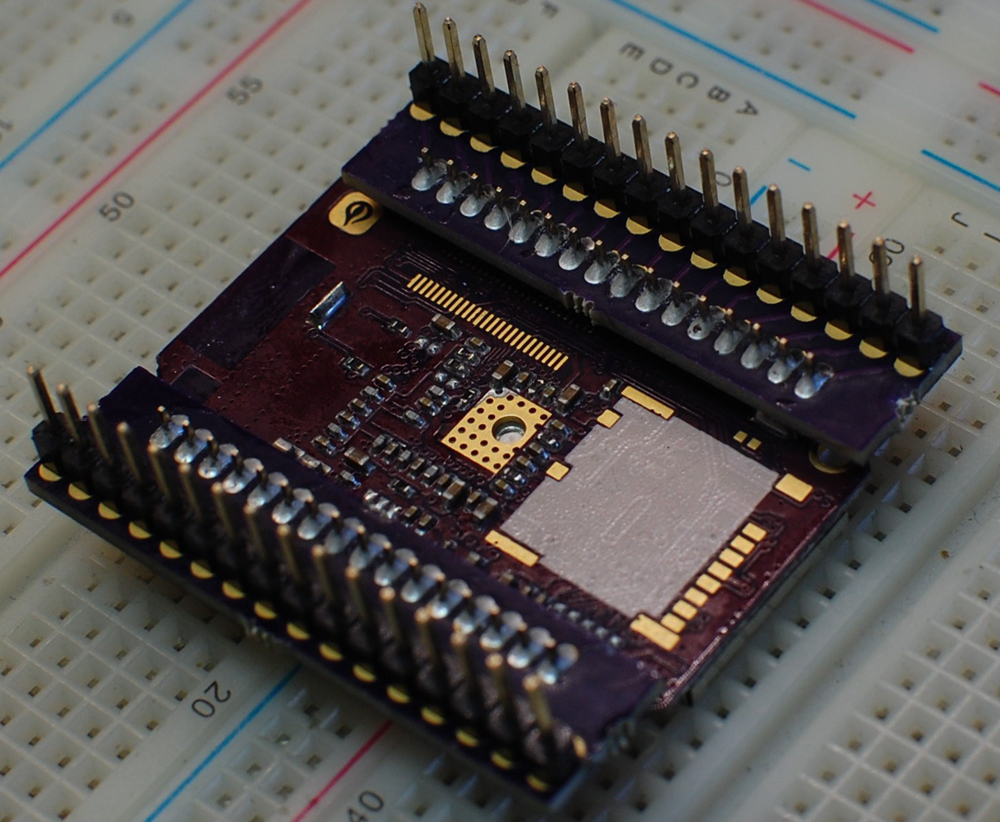
The Onion Omega2 won’t fit in a breadboard, but Onion does offer a breakout ‘expansion dock’ for $15 USD. There’s a better, cheaper solution, though. You can complain about it on Hackaday.io’s Hack Chat. That’s what [zach] did, and a few minutes later, [davedarko] whipped up a quick PCB design to convert the 2mm header to the much more logical 0.1 inch header. Imperial units win once again.

After sending three dollars and twenty cents to OSHPark, [zach] had his pin adapters in hand. A few minutes with a soldering iron, and the Onion Omega2 is made compatible with every breadboard ever made.

If you have an Onion Omega2 and would like a really cool hexagonal sticker, here’s the project on OSHPark.

A Guide For Building Rubber Dome Keyboards

Let’s talk about computer keyboards for a second. The worst keyboards in the world are the cheap ‘rubber dome’ keyboards shipped with every Dell, HP, and whatever OEM your company has a purchasing agreement with. These ‘rubber dome’ keyboards use a resistive touchpad to activate a circuit, and the springiness of the key comes from a flexible rubber membrane. Mechanical keyboards are far superior to these rubber dome switches, using real leaf springs and bits of metal for the click clack happiness that is the sole respite of a soul-crushing existence. MX blues get bonus points for annoying your coworkers.

Mechanical key switches like the Cherry MX, Gateron, or whatever Razer is using aren’t the be-all, end-all mechanical keyswitch. History repeats, horseshoe theory exists, and for the best mechanical keyswitch you need to go back to rubber domes. Torpre switches are surprisingly similar to the crappy keyboards shipped out by OEMs, but these switches have actual springs, turning your key presses into letters through a capacitive touchpad. Is this a superior switch? Well, a keyboard with Torpre switches costs more than a keyboard with Cherry MX switches, so yeah, it’s a better switch.

It seems everyone is building their own mechanical keyboards these days, and the recipe is always the same: get a few dozen Cherry MX (or clone) switches, build a PCB, grab a Teensy 2, and use the tmk keyboard firmware. There’s not much to it. DIY Torpre boards are rare because of the considerations of building a capacitive switching PCB, but now there’s a DIY guide to making the perfect rubber dome keyboard.

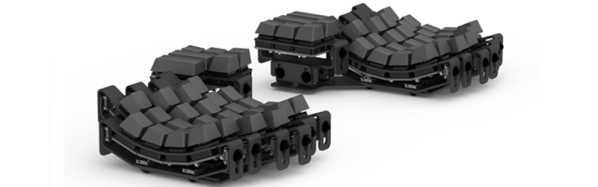
[tomsmalley] put together this guide after reviewing a few amazing projects scattered around the web. Over on Deskthority, [attheicearcade] is building a custom, sculpted, split Torpre board and a split Happy Hacking Keyboard. These are projects worthy of a typing god, but so far there has been no real beginner’s guide for interfacing with these weird capacitive switches.

As far as circuitry goes on these capacitive boards, the PCB is the thing. Each key has a pair of semi-circular pads on the PCB to serve as plates on a capacitor. These pads are connected to a microcontroller through an analog mux, with a little opamp magic thrown into the mix.

With a relatively decent guide to the hardware, [tomsmalley] has also been working on his own firmware for capacitive switches. Shockingly, this firmware is compatible with the Teensy 3.0, which will provide enough horsepower to read a bunch of analog values and spit out USB.

Mechanical keyboards are great, and we really like to see all these hardware creators pushing the state of the art. You can only see so many custom sculpted keycaps or DIY MX boards, though, and we’re really eager to see where the efforts to create a custom Torpre board take us. If you’re building one of these fantastic keyboards, send it in on the tip line.