Ten Projects Won The Refresh Work-From-Home-Life Round Of The Hackaday Prize

Here we are, a year and change into this pandemic, and if you were new to working-from-home every day at the start, surely it has lost its luster by now. We asked you to stand back and assess what can be better about WFH life and you took it from there, building incredibly useful things we couldn’t have dreamed of. From a pool of more than one hundred entries, the judges have selected ten projects whose creators have each been awarded a $500 prize, and will advance to the final round of the 2021 Hackaday Prize in October.

Are your prototypes a mess of wires? Or do you spend way too much time making sure each jumper is cut to the perfect length? Either way, you’re better off using breadWare, which takes a standard breadboard and changes the connection process into a software solution. That’s right — any rail including the power rails can connect to any other thanks to a handful of analog CMOS switch chips.
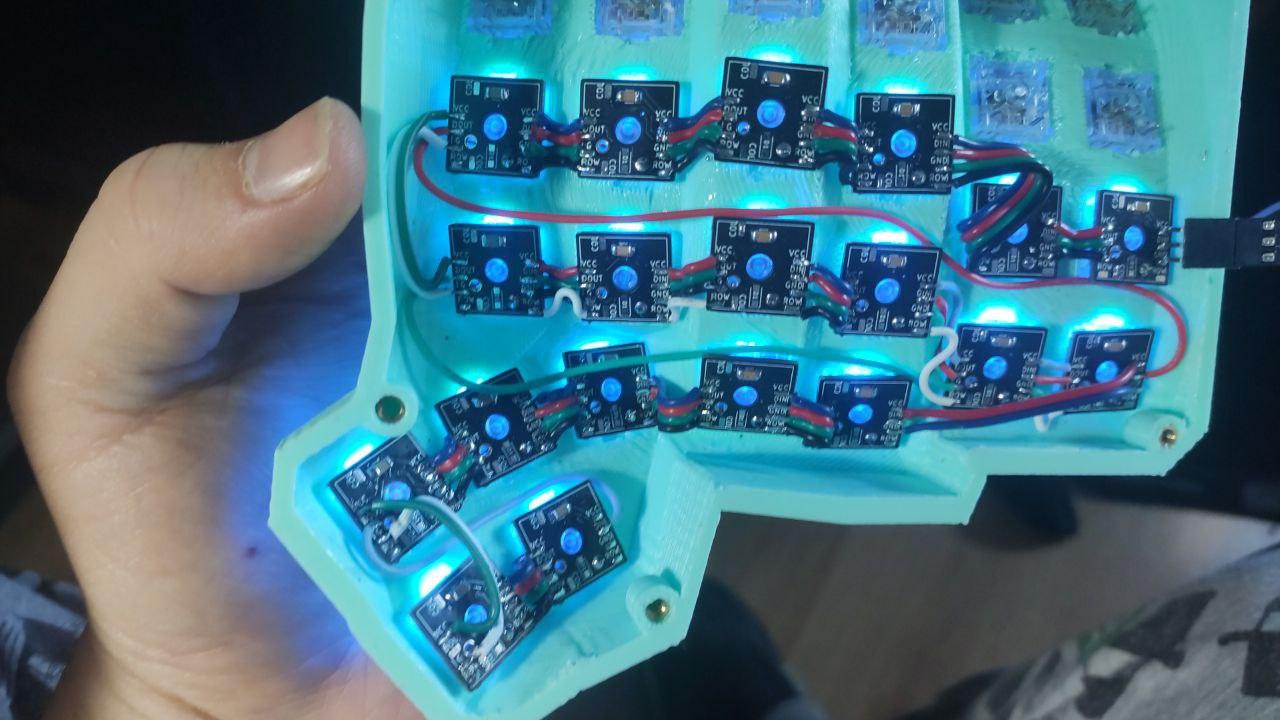
Maybe you’d love to build the perfect keyboard to grace your battlestation, but are afraid of all that hand wiring. Make it easier on yourself by soldering each key switch to its own little PCB.

If your home office is sometimes overrun by little humans that need immediate attention, you’ll no doubt appreciate the value of a device that can deactivate your web camera and mic automatically when it no longer senses your presence.

You may have left that awful office lighting behind, but you’re still getting plenty of prolonged exposure to blue light. This project aims to head that off a bit by replicating the current outdoor light temperature with indoor lighting. And don’t forget — air quality is just as important, so crack open a window once in a while and build yourself a smart lamp that can give you hard numbers.

This was the second of five challenges in the 2021 Hackaday Prize, which means that the ten finalists linked below will have until the end of October to flesh out and polish their projects before the final round of judging. Meanwhile, we’ve kicked off the next round with the Re-imagine Supportive Tech challenge. Show us how you would make electronics and devices more accessible, as in more modular, hackable, or affordable.

Ten Finalists from the Refresh Work From Home Challenge:

If you like these, take some time to kick back and peruse the entire list of entries in this challenge. You deserve it.


Why Make Coffee When You’re Tired? Let A Robot Do It For You

Like us, [Alberto] doesn’t compromise when it comes to a good cup of coffee. We figure that if he went to an office in the Before Times, he was the type of coworker to bring in their own coffee equipment so as not to suffer the office brew. Or perhaps he volunteered to order the office supplies and therefore got to decide for everyone else. Yep, that’s definitely one way to do it.

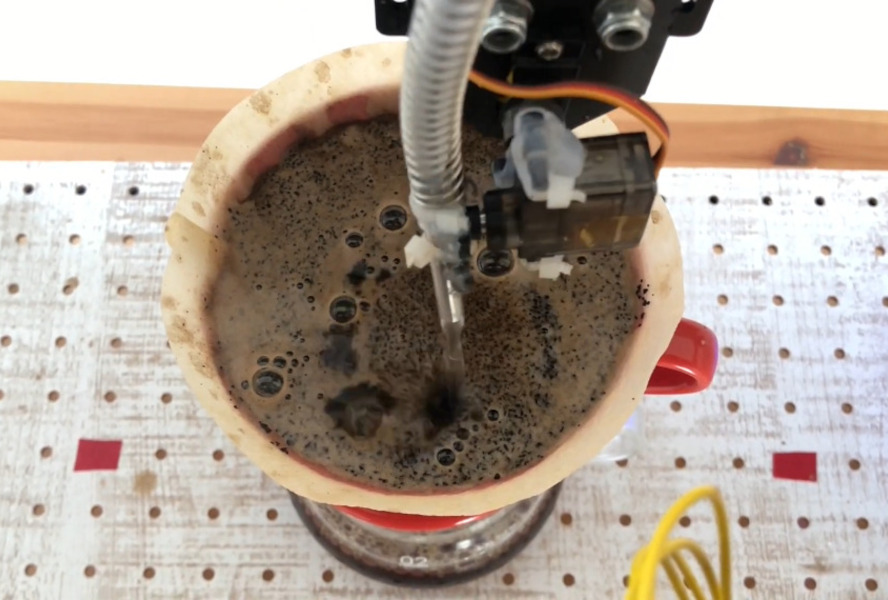
But like many of us, he is now operating out of a home office. Even so, he’s got better things to do than stand around pouring the perfect cup of coffee every morning. See, that’s where we differ, [Alberto]. But we do love Cafeino, your automated pour-over machine. It’s so sleek and lovely, and we’re sure it does a much better job than we do by hand — although we enjoy doing the pouring ourselves.

Cafeino is designed to mimic the movements of a trained barista’s hand, because evidently you’re supposed to pour the water in slow, deliberate swirls to evenly cover the grounds. (Our kettle has a chunky spout, so we just sort of wing it.) Cafeino does this by pumping water from an electric kettle and pouring a thin stream of it in circles with the help of two servos.

The three buttons each represent a different recipe setting, which specifies the amount of water, the hand pouring pattern, and the resting times between blooming the grounds and actually pouring the bulk of the water. These recipes are set using the accompanying web app via an ESP32, although the main brain barista is an Arduino Nano. Grab a cup and check out the demo after the break.

Got an old but modern coffee robot lying around? You could turn it into a planter with automated watering.

Continue reading “Why Make Coffee When You’re Tired? Let A Robot Do It For You”

Walk The First 3D-Printed Bridge And Be Counted

Way back in 2018, we brought you news of a 3D-printed stainless steel pedestrian bridge being planned to span a Dutch canal in Amsterdam. Now it’s finally in place and open to the public — the Queen made it official and everything. MX3D printed it on their M1 Metal additive manufacturing machine that is essentially a group of robots welding layers of metal together using traditional welding wire and gas.

The partnership of companies involved originally planned to build this beautiful bridge in situ, but safety concerns and other issues prevented that and it was built in a factory instead. The bridge has been printed and ready since 2018, but a string of delays got in the way, including the fact that the canal’s walls had to be refurbished to accommodate it. Since it couldn’t be made on site, the bridge was taken there by boat and placed with a crane. After all this, the bridge is only permitted to be there for two years. Hopefully, they have the option to renew.

This feat of engineering spans 40 feet (12.2 meters) long and sits 20 feet (6.3 meters) wide. It’s equipped with sensors that measure structural stuff like strain, displacement, load, and rotation, and also has environmental sensors for air quality and temperature. All of this data is sent to the bridge’s digital twin, which is an exact replica in the form of a computer model. One of the goals is to teach the bridge how to count people. Be sure to check out our previous coverage for a couple of short videos about the bridge.

No Mask Required: Bring-A-Hack Is Back August 5th

Yes, we’re still in a pandemic and yes, these types of events are still happening over videoconference and not in meat space. But you know what? That means that so many more people have the opportunity to show up and show off their hacks! As long as 1 PM PDT is within your personal uptime, that is. Maybe you can make an exception if not?

Here is your link: the summer edition of Bring a Hack with Tindie and Hackaday will take place on Thursday, August 5th at 1:00 PM Pacific Daylight time (that’s 4pm EDT | 9pm BST/CET). Choose your gnarliest hack of late and go register for the event, which will be held on the Crowdcast video chat platform this time around.

The remote Bring-A-Hack held way back in April was packed with awesome people. Now is your chance to join in! You all have awesome projects from the last few months (we’ve seen a lot of them on these very pages), so come show them off to the hacker elite from around the globe. You know the deal: it really doesn’t matter what level your project is on, so don’t worry about that. As long as you’re passionate about it, we’d love to see it and hear all about the problems you had to overcome and yes, even the mistakes you made. You never know what knowledge you might have that can push someone else’s project over the finish line.

Shine up your hacks, and mark those calendars; here’s a timezone converter if you need it. Reserve your spot now. Seriously, don’t fool yourself into thinking your build isn’t impressive enough — we want to see it. My hack might not even involve a circuit, and that’s enough to pique your interest, right? See you there!

Avoiding Repetitive Stress Injury: Invest In Yourself Now, Or Pay Later

There I was, thirty years after I first sat down at an Apple IIe , and I suddenly found myself wondering if I would ever use a computer again without pain. How could I work if I couldn’t use a computer anymore? I had to seriously ask myself this question. It took a bit of a winding road to figure out what was going on and two EMGs to confirm it, but after all these years, it was clear to the medical community that I had developed a repetitive stress injury (RSI) called cubital tunnel syndrome in my left arm.

Yeah, it’s about like that. Image via Kinesis

Cubital tunnel syndrome is like carpal tunnel, but in your elbow instead of your wrist. What a misnomer! Sometimes my pain went all the way from my armpit to my fingertips and made me want to gnaw my own arm off. I don’t think you can really understand neuropathy unless you’ve felt this weird, annoying type of pain firsthand. I hope you never do.

Can you stop and seriously imagine not being able to use a computer for the rest of your life? Or at least feeling that way because doing so causes incredibly annoying pain? I feel like we’re all vaguely aware of the standard list of anti-RSI precautions, but let’s review:

  • maintain good posture — sit with feet flat on the floor, wrists straight, elbows at 90°
  • put the screen an arm’s length away at eye level
  • take frequent short breaks

Yes, those are all fine and good. But there are other things you can do to avoid computer-related RSIs, like using ergonomic inputs, and building a custom setup that fits you exactly. This isn’t a study kiosk at the university library we’re talking about — this is your battlestation! The problem is that many people are stubborn, and won’t go out of their way to do anything to proactively prevent these injuries. But you don’t have to cross a bridge when you come to it if you have a map that shows you a way around the body of water.

Continue reading “Avoiding Repetitive Stress Injury: Invest In Yourself Now, Or Pay Later”

One Giant Button To Mute Them All

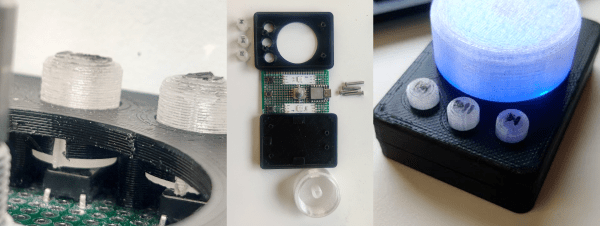
The second round of this year’s Hackaday Prize is coming to a close, and we asked you to come up with ways of refreshing work-from-home life. Well here’s one we probably all could use — a large emergency mute button that can also turn off video with an extra click. You know, in case your kid or your roommate decides to walk around in their birthday suit.

[Colin Russell-Conway]’s software-agnostic mute button uses a Seeeduino Xiao and rotary encoder, plus three momentaries that give it a second function as a media controller. Two chunks of LED strip go blinky blinky when the mute is on, and are otherwise solidly lit and color-coded by videoconference type — blue for Zoom and Starleaf, green for Webex, and purple for Teams.

The companion app that [Colin] created is using the Windows Management Instrumentation (WMI) to check which program is control of the microphone. Whenever the mute button is pressed, the app makes note of the current program in focus, switches to the active videoconference, mutes it, and then switches back to reddit or twitch or whatever you had in focus when the kid started screaming for you from the bathroom. Check out the demo after the break.

Some of us like to celebrate a little when videoconferences are over. For those people, there is the pull-chain exit.

Continue reading “One Giant Button To Mute Them All”

Smart Mirror Talks To 3D Printers

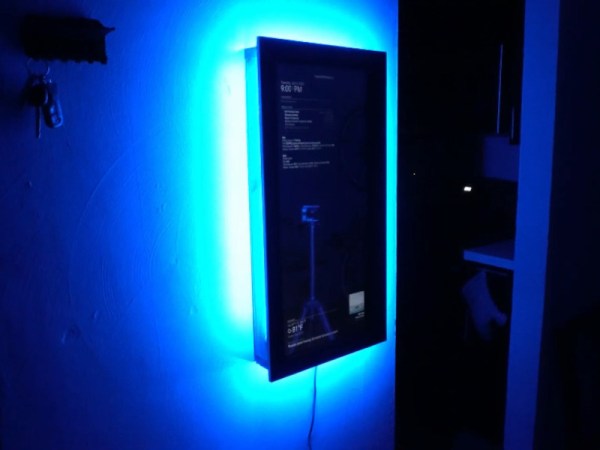
As time goes by, it’s only getting easier to make a magic mirror. You know, a mirror connected to the internet that shows information like news, weather, or whatever you want, right there on top of your stunning visage. In [Forsyth Creations]’ case, that data includes 3D printer activity on the network — something that’s way more relevant to daily life than say, headlines about Kim Jong Un’s weight loss progress. The build video is embedded below.

Thanks to projects like [MichMich]’s MagicMirror, everything is done with modules, including really useful things such as OctoMirror that let you keep an eye on your 3D printer(s) using OctoPrint.

The electronics are pretty simple here — [Forsyth Creations] used the guts of an old monitor for the display and a Raspberry Pi to serve up the modules as a web page. The only tricky part is power, because the LCD is going to need so much more voltage than the Pi and the absolutely necessary LEDs around the edge, but a couple of buck converters do the trick.

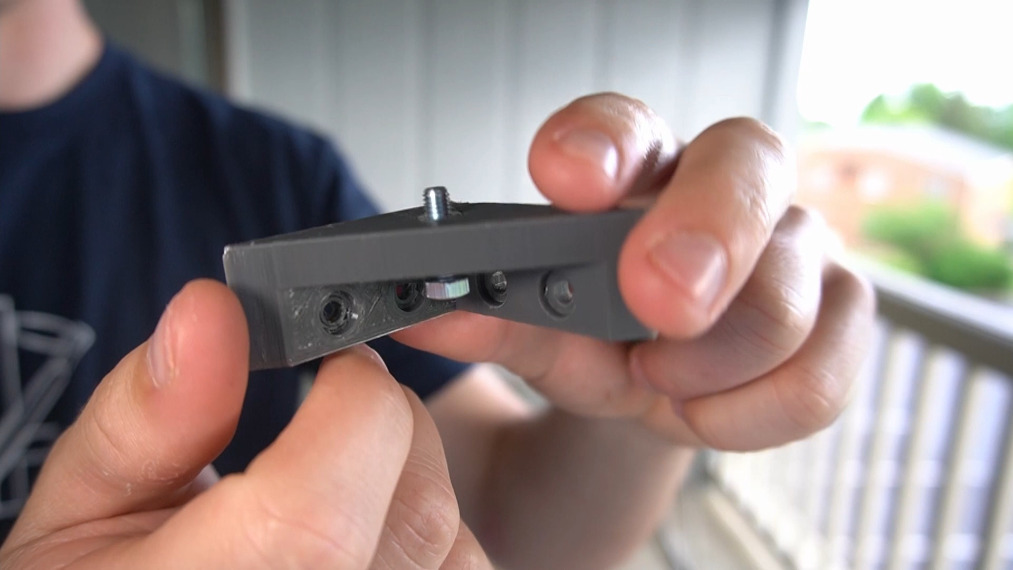
After stripping the monitor of all of its unnecessary plastic, [Forsyth Creations] cut rear and front frames to support the electronics. That isn’t a piece of mirror glass, it’s actually one-way acrylic which is lighter and somewhat cheaper. [Forsyth Creations] designed and printed some corner support brackets that double as leveling screw holders to get the acrylic panel dialed in just right, and you can get these for yourself from GitHub. We think this would be a good early woodworking project or something for a long weekend. [Forsyth Creations] built this in three days on an apartment balcony using a minimum of tools.

We especially admire that once it was done, he hung it up with a French cleat. Those are so useful.

Continue reading “Smart Mirror Talks To 3D Printers”