Release Your Inner Ansel Adams With The Shitty Camera Challenge

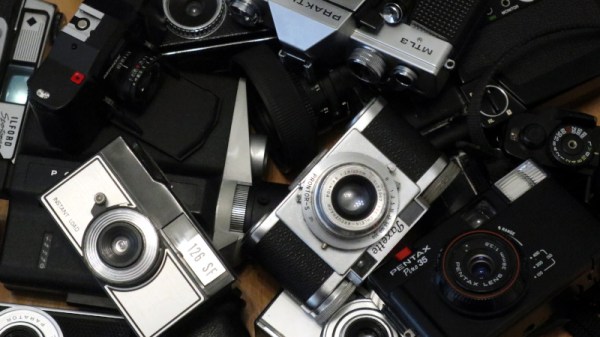
Social media microblogging has brought us many annoying things, but some of the good things that have come to us through its seductive scrolling are those ad-hoc interest based communities which congregate around a hashtag. There’s one which has entranced me over the past few years which I’d like to share with you; the Shitty Camera Challenge. The premise is simple: take photographs with a shitty camera, and share them online. The promise meanwhile is to free photography from kit acquisition, and instead celebrate the cheap, the awful, the weird, and the wonderful in persuading these photographic nonentities to deliver beautiful pictures.

Where’s The Hack In Taking A Photo?

Of course, we can already hear you asking where the hack is in taking a photo. And you’d be right, because any fool can buy a disposable camera and press the shutter a few times. But from a hardware hacker perspective this exposes the true art of camera hacking, because not all shitty cameras can produce pictures without some work.

The #ShittyCameraChallenge has a list of cameras likely to be considered shitty enough, they include disposables, focus free cameras, instant cameras, and the cheap plastic cameras such as Lomo or Holga. But also on the list are models which use dead film formats, and less capable digital cameras. It’s a very subjective definition, and thus in our field everything from a Game Boy camera or a Raspberry Pi camera module to a home-made medium format camera could be considered shitty. Ans since even the ready-made shitty cameras are usually cheap and unloved second-hand, there’s a whole field of camera repair and hacking that opens up. Finally, here’s a photography competition that’s fairly and squarely on the bench of Hackaday readers. Continue reading “Release Your Inner Ansel Adams With The Shitty Camera Challenge”

A Mechanical Calculator For The Modern Age

There was a brief period through the 1960s into the 1970s when the last word in electronics was the calculator. New models sold for hundreds of dollars, and owning one made you very special indeed. Then the price of the integrated circuit at their heart fell to the point at which anyone could afford one, and a new generation of microcomputers stole their novelty for ever. But these machines were by no means the first calculators, and [What Will Makes] shows us in detail the workings of a mechanical calculator.

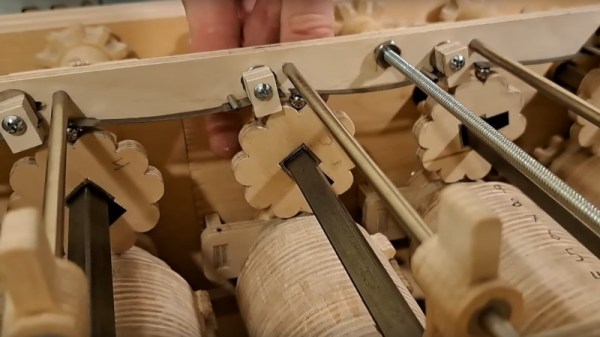
His machine is beautifully made with gears hand-cut from plywood, and follows a decimal design in which the rotation of a gear with ten teeth represents the numbers 0 to 9. We’re taken through the mechanical processes behind addition, subtraction, multiplication, and division, showing us such intricacies as the carry lever or a sliding display mechanism to implement a decimal equivalent of a bitwise shift multiplication.

We have to admit to be particularly impressed by the quality of the work, more so because these gears are hand made. To get such a complex assembly to work smoothly requires close attention to tolerance, easy with a laser cutter but difficult by hand. We heartily recommend watching the video, which we’ve placed below the break.

Meanwhile if you’d like more mechanical calculators, take a look at one of the final generation of commercial models.

Continue reading “A Mechanical Calculator For The Modern Age”

OpenWRT, But On An Unsupported Router

Everyone likes something cheap, and when that cheap thing is a router that’s supported by OpenWRT, it sounds like a win. [Hennung Paul] ordered a Wavlink WL-WN586X3 for the princely sum of 39 Euros, but was disappointed to find his device a rev. 2 board rather than the rev.1 board supported by the Linux distribution. Toss it on the failed projects pile and move on? Not at all, he hacked together a working OpenWRT for the device.

It’s fair to say that a majority of Hackaday readers will  have familiarity with Linux, but that’s something which runs on a sliding scale from “Uses Ubuntu a bit” all the way to “Is at one with the kernel”. We’d rate ourselves somewhere around halfway along that scale in terms of having an in-depth knowledge of userland and a working knowledge of some of the internals which make the operating system tick even if we’re apprehensive about tinkering at that level. [Henning] has no such  limitations, and proceeds to take the manufacturer’s distribution, itself a heavily modified OpenWRT, and make it his own. Booting over tFTP we’re used to, and we’re particularly impressed to see him using a Raspberry Pi as a surrogate host for the desoldered Flash chip over SPI.

It’s a long path he takes to get the thing working and we’re not sure we could follow it all, but we hope that the result will be a new device added to OpenWRT’s already extensive support list. It’s sometimes a shock to find this distro is now over two decades old.

When It Comes To DOS, Don’t Forget DR-DOS.

Despite the latest and greatest Intel-derived computers having multi-core 64-bit processors and unimaginably fast peripherals, at heart they all still retain a compatibility that goes back  to the original 8086. This means that they can, in theory at least, still run MS-DOS. The venerable Microsoft 16-bit OS may now be long discontinued, but there is still enough need for DOS that the open-source FreeDOS remains in active development. The Register are here to remind us that there’s another open-source DOS on the block, and that it has a surprising history.

SvarDOS is an open source DOS distribution, and it’s interesting because it uses a derivative of the DR-DOS kernel, an OS which traces its roots back to Digital Research’s CP/M operating system of the 1970s. This found its way briefly into the open source domain courtesy of the notorious Caldera Inc back in the 1990s, and has continued to receive some development effort ever since. As the Reg notes, it has something FreeDOS lacks, the ability to run Windows 3.1 should you ever feel the need. They take it for a spin in the linked article, should you be curious.

It’s something which has surprised us over the years, that aside from the world of retrocomputing we still occasionally find FreeDOS being distributed, usually alongside some kind of hardware maintenance software. Even four decades or more later, it’s still of value to have the simplest of PC operating systems to hand.

It’s worth pointing out that there’s a third open-source DOS in the wild, as back in April Microsoft released MS-DOS version 4 source code. But as anyone who used it will tell you, that version was hardly the pick of the bunch.

Header: Ivan Radic, CC BY 2.0.

A Pi Pico Makes A Spectrum Laptop

There are many retrocomputer emulation projects out there, and given the relative fragility of the original machines as they enter their fifth decade, emulation seems to be the most common way to play 8-bit games. It’s easy enough to load one on your modern computer, but there are plenty of hardware options, too. “The computer we’d have done anything for back in 1983” seems to be a phrase many of them bring to mind, but it’s so appropriate because they keep getting better. Take [Stormbytes1970]’s Pi Pico-powered Sinclair ZX Spectrum mini laptop (Spanish language, Google Translate link), for example. It’s a slightly chunky netbook that’s a ZX Spectrum, and it has a far better keyboard than the original.

On the PCB is the Pico, the power supply circuitry, an SD card, and a speaker. But it’s when the board is flipped over that the interesting stuff starts. In place of the squidgy rubber keyboard of yore, it has a proper keyboard,. We’re not entirely sure which switch it uses, but it appears to be a decent one, nevertheless. The enclosure is a slick 3D-printed sub-netbook for retro gaming on the go. Sadly, it won’t edit Hackaday, so we won’t be slipping one in the pack next time we go on the road, but we like it a lot.

Continue reading “A Pi Pico Makes A Spectrum Laptop”

Where This Xmas Card’s Going, We Don’t Need Batteries!

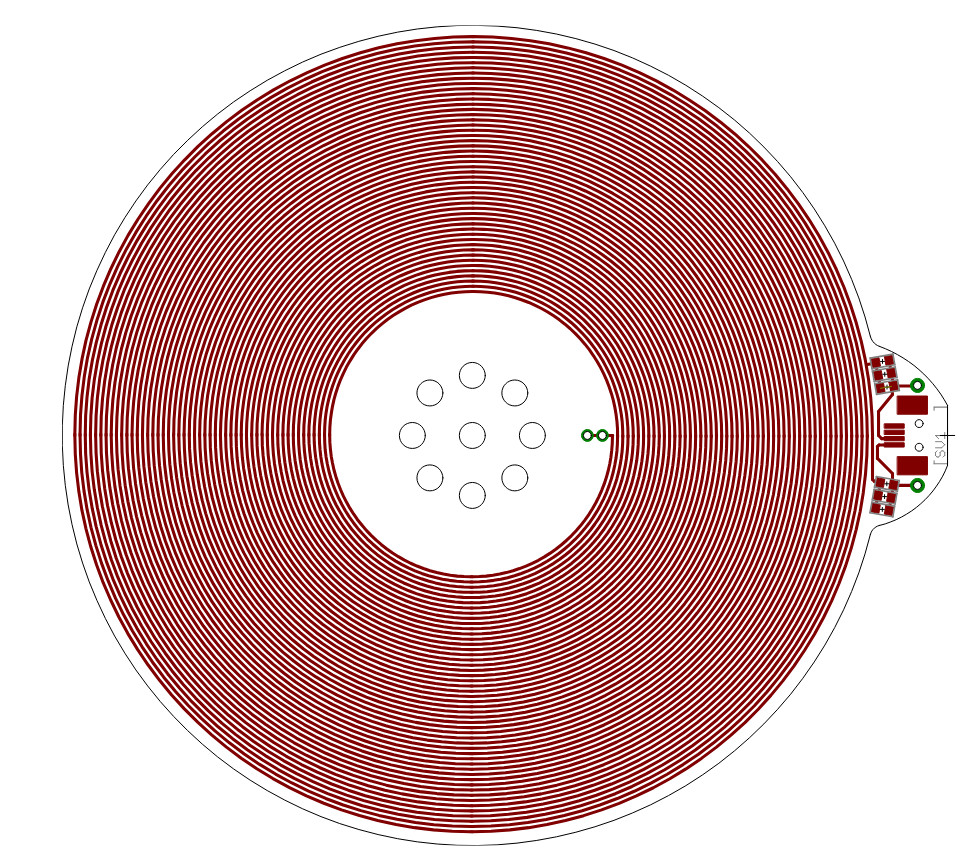
Energy harvesting, the practice of scavenging ambient electromagnetic fields, light, or other energy sources, is a fascinating subject that we don’t see enough of here at Hackaday. It’s pleasing then to see [Jeff Keacher]’s Christmas card: it’s a PCB that lights up some LEDs on a Christmas tree, using 2.4 GHz radiation, and ambient light.

The light sensors are a set of LEDs, but the interesting part lies in the RF harvesting circuit. There’s a PCB antenna, a matching network, and then a voltage multiplier using dome RF Schottky diodes. These in turn charge a supercapacitor, but if there’s not enough light a USB power source can also be hooked up. All of this drives a PIC microcontroller, which drives the LEDs.

Why a microcontroller, you ask? This card has an interesting trick up its sleeve, despite having no WiFi of its own, it can be controlled over WiFi. If the 2.4 GHz source comes via proximity to an access point, there’s a web page that can be visited with a script generating packets in bursts that produce a serial pulse train on the DC from the power harvester. The microcontroller can see this, and it works as a remote. This is in our view, next-level.

The Last Acorn BBC Computer Wasn’t A BBC Micro

For home computer users, the end of the 1980s was the era of 16-bit computers. The challenge facing manufacturers of 8-bit machines through the middle of the decade was to transfer their range and customers to the new hardware, and the different brands each did this in their own way. Commodore and Atari had 68000-based powerhouses, and Apple had their 16-bit-upgraded IIGS for the middle ground below the Mac, but what about Acorn, makers of the BBC Micro? They had the Archimedes, and [RetroBytes] takes us through how they packaged their 32-bit ARM processor for consumers.

The A3000 was the computer you wanted if you were a geeky British kid at the end of that decade, even if an Amiga or an ST was what you got. Schools had bought a few of the desktop Archimedes’, so if you were lucky you’d got to know Arthur and then RiscOS, so you knew just how fast these things were compared to the competition. The video below the break takes a dive into the decisions behind the design of this first ARM consumer product, and along the way it explains a few things we didn’t know at the time.  We all know what happened to Acorn through the 1990s and we all use ARM processors today, so it’s a fascinating watch. If only an extra two hundred quid had been in the kitty back then and we could have bought one ourselves.

If you have never used an Archimedes you can get pretty close today with another Cambridge-designed and ARM-powered computer. RiscOS never went away, and you can run it on a Raspberry Pi. As we found, it’s still pretty useful.

Continue reading “The Last Acorn BBC Computer Wasn’t A BBC Micro”