Flipper Zero Transmits APRS With No Extra Parts

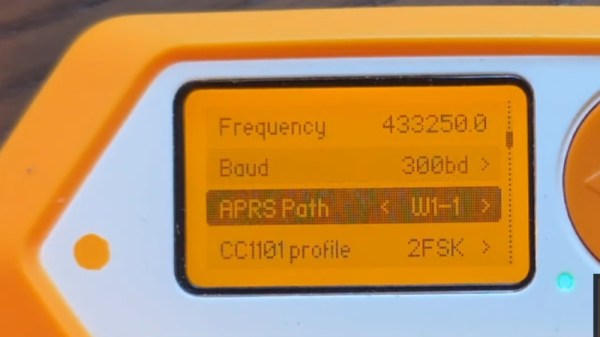
APRs is an amateur radio protocol allowing the exchange of short packets of data. It’s commonly used to transmit a GPS position, though it can find other applications. The Flipper Zero RF hacker’s multi tool normally needs to be hooked up to an external transmitter to do APRS, but [Richard YO3GND] has made his Flipper do the job without any external parts at all.

One of the the Flipper’s radios sits in the 435 MHz ISM band, meaning that the rest of the 70 cm amateur band is well within its reach. There only remains the subject of modulation, in which the Flipper’s FSK and APRS’s FM are similar on paper if not on a waterfall display. Some software hackery ensues, and the Flipper is an APRS station. Because of the FSK-as-FM modulation it won’t be decoded by everything, but you can’t argue with the bill of materials if you happen to own a Flipper. Check out the demo video below.

Meanwhile, should any readers with an amateur radio licence be interested, this certainly isn’t the first time we’ve brought you a minimalist APRS transceiver. Assuming that possession of a Flipper hasn’t got you into hot water, that is. Continue reading “Flipper Zero Transmits APRS With No Extra Parts”

Pulling At Threads With The Flipper Zero

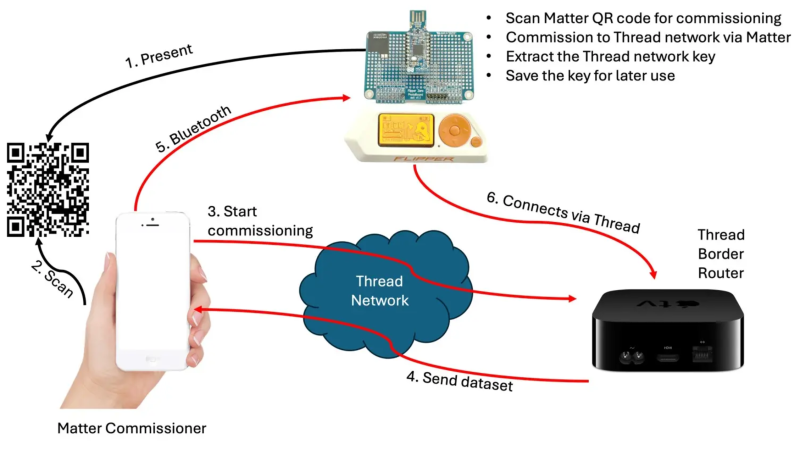
Gone are the days when all smart devices were required an internet uplink. The WiFi-enabled IoT fad, while still upon us (no, my coffee scale doesn’t need to be on the network, dammit!) has begun to give way to low-power protocols actually designed for this kind of communication, such as ZigBee, and more recently, Thread. The downside of these new systems, however, is that they can be a bit more difficult in which to dabble. If you want to see just why your WiFi-enabled toaster uploads 100 MB of data per day to some server, you can capture some network traffic on your laptop without any specialized hardware. These low-power protocols can feel a bit more opaque, but that’s easily remedied with a dev board. For a couple of dollars, you can buy Thread radio that, with some additional hacking, acts as a portal between this previously-arcane protocol and your laptop — or, as [András Tevesz] has shown us, your Flipper Zero.

He’s published a wonderful three-part guide detailing how to mod one such $10 radio to communicate with the Flipper via its GPIO pins, set up a toolchain, build the firmware, and start experimenting. The guide even gets into the nitty-gritty of how data is handled transmitted and investigates potential attack vectors (less worrying for your Thread-enabled light bulb, very worrying for your smart door lock). This project is a fantastic way to prototype new sensors, build complicated systems using the Flipper as a bridge, or even just gain some insight into how the devices in your smart home operate.

In 2025, it’s easier than ever to get started with home automation — whether you cook up a solution yourself, or opt for a stable, off-the-shelf (but still hackable) solution like HomeAssistant (or even Minecraft?). Regardless of the path you choose, you’ll likely wind up with devices on the Thread network that you now have the tools to hack.

POV On The Flipper Zero

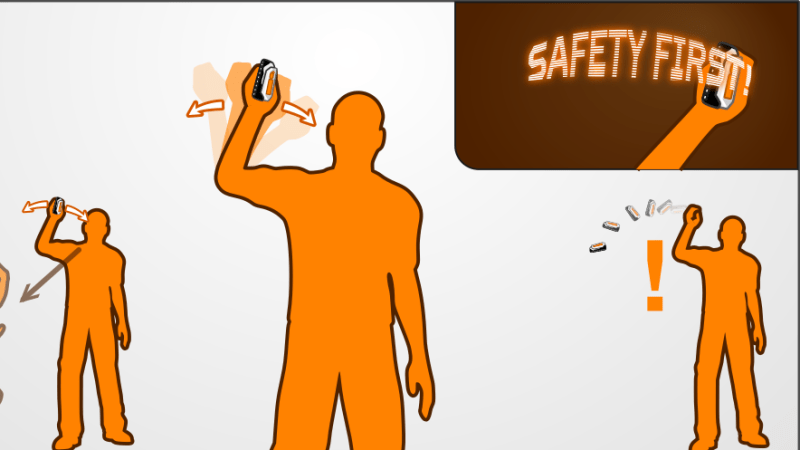
The Flipper Zero can do all kinds of neat stuff, like helping you cut keys or decode various radio transmissions. However, until now, it hasn’t been particularly adept at persistence of vision tasks. The LightMessenger was designed for that very purpose, and [Derek] recently wrote up a deep-dive into the interesting gadget.

The device doing its job.

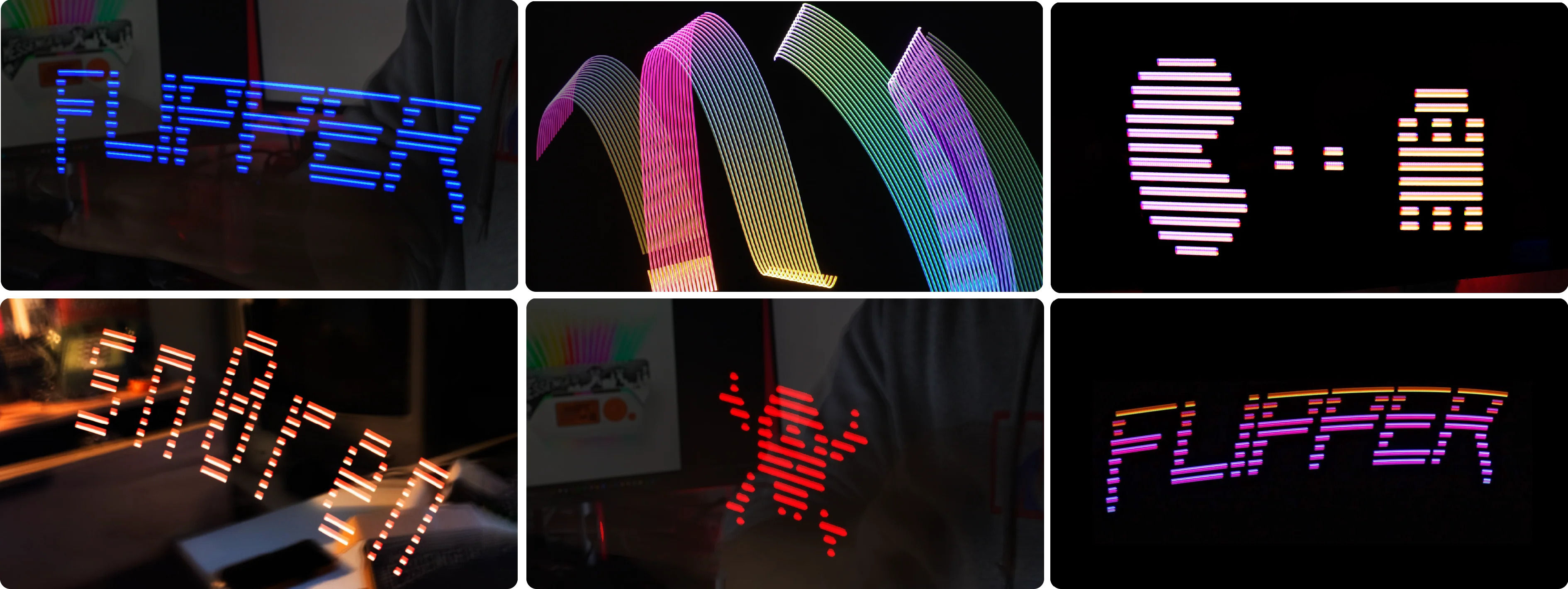
The LightMessenger is a hardware add-on module developed by LAB401 in collaboration with [TIX LE GEEK] for the Flipper Zero. In persistence-of-vision mode, you can plug it in via the GPIO header and display messages in the air by shaking it around. Even better, you can do so in color, with a height resolution of 16 pixels—meaning you can display some nice text or basic graphics. You can key in different text or select and edit bitmaps using the utility on the Flipper screen itself. There’s even a simple flashlight mode, because why not?

In the second part of [Derek]’s write-up, he also goes into detail on the development and manufacturing process for the device.

Files are on GitHub for the curious. We’ve gone over the basics of POV projects before, too.

Continue reading “POV On The Flipper Zero”

flipper zero uv sensor

A UV Meter For The Flipper Zero

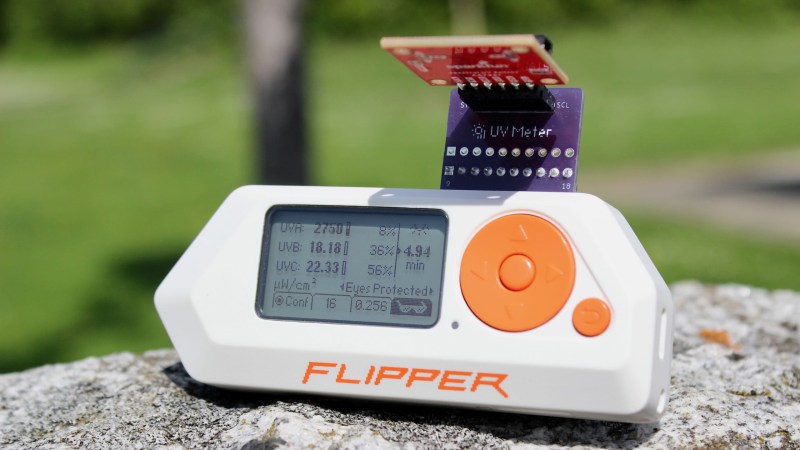
We all know UV radiation for its contributions to getting sunburned after a long day outside, but were you aware there are several types different types of UV rays at play? [Michael] has come up with a Flipper Zero add on board and app to measure these three types of radiation, and explained some of the nuances he learned about measuring UV along the way.

At the heart of this project is an AS7331 sensor, it can measure the UV-A, UV-B, and UV-C radiation values that the Flipper Zero reads via I2C. While first using this chip he realized to read these values is more complex than just querying the right register, and by the end of this project he’d written his own AS7331 library to help retrieve these values. There was also a some experimenting with different GUI designs for the app, the Flipper Zero screen is only 128x64px and he had a lot of data to display. One feature we really enjoyed was the addition of the wiring guide to the app, if you install this Flipper Zero app and have just the AS7331 sensor on hand you’ll know how to hook it up. However if you want he also has provided the design files for a PCB that just plugs into the top of the Flipper Zero.

Head over to his site to check out all the details of this Flipper Zero project, and to learn more about the different types of UV radiation. Also be sure to let us know about any of your Flipper Zero projects.

Physical Key Copying Starts With A Flipper Zero

A moment’s inattention is all it takes to gather the information needed to make a physical copy of a key. It’s not necessarily an easy process, though, so if pen testing is your game, something like this Flipper Zero key copying toolchain can make the process quicker and easier when the opportunity presents itself.

Of course, we’re not advocating for any illegal here; this is just another tool for your lock-sports bag of tricks. And yes, there are plenty of other ways to accomplish this, but using a Flipper Zero to attack a strictly mechanical lock is kind of neat. The toolchain posted by [No-Lock216] starts with an app called KeyCopier, which draws a virtual key blank on the Flipper Zero screen.

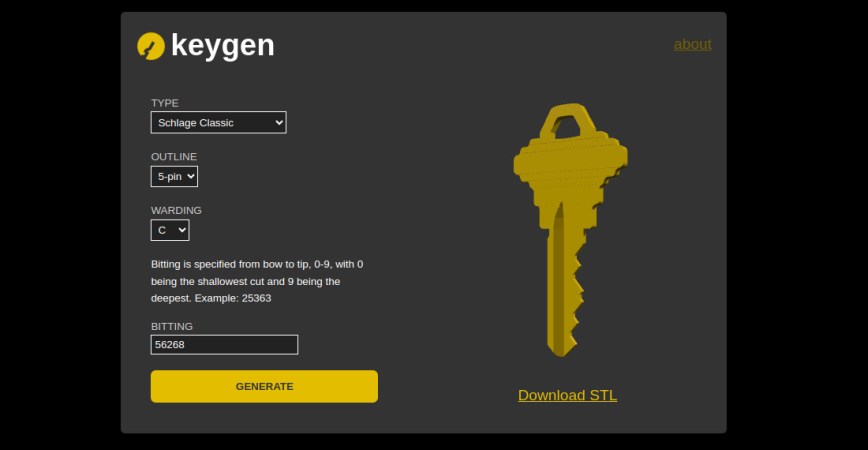
The app allows you to move the baseline for each pin to the proper depth, quickly recording the bitting for the key. Later, the bitting can be entered into an online app called keygen which, along with information on the brand of lock and its warding, can produce an STL file suitable for downloading and printing.

Again, there are a ton of ways to make a copy of a key if you have physical access to it, and the comments of the original Reddit post were filled with suggestions amusingly missing the entire point of this. Yes, you can get a key cut at any hardware store for a buck or two that will obviously last a lot longer than a 3D printed copy. But if you only have a few seconds to gather the data from the key, an app like KeyCopier could be really convenient. Personally, we’d find a smartphone app handier, but if you’ve got a Flipper, why not leverage it?

Thanks to [JohnU] for the tip.

Screenshot of the REPL running on the Flipper, importing the flipper API library and calling infrared receive function out of it with help of autocomplete

A MicroPython Interpreter For Flipper Zero

Got a Flipper Zero? Ever wanted to use a high-level but powerful scripting language on it? Thanks to [Oliver] we now have a MicroPython application for the Flipper, complete with a library for hardware and software feature support. Load it up, start it up, connect over USB, and you’ve got the ever-so-convenient REPL at your disposal. Or, upload a Python script to your Flipper and run them directly from Flipper’s UI at your convenience!

In the API docs, we’re seeing support for every single primitive you could want – GPIO (including the headers at the top, of course), a healthy library for LCD and LCD backlight control, button handling, SD card support, speaker library for producing tones, ADC and PWM, vibromotor, logging, and even infrared transmit/receive support. Hopefully, we get support for Flipper’s wireless capabilities at some point, too!

Check out the code examples, get the latest release from the Flipper app portal or GitHub, load it up, and play! Mp-flipper has existed for the better half of a year now, so it’s a pretty mature application, and it adds quite a bit to Flipper’s use cases in our world of hardware hacking. Want to develop an app for the Flipper in Python or otherwise? Check out this small-screen UI design toolkit or this editor we’ve featured recently!

Forget Flipper, How About Capybara?

One of the hacker toys to own over the last year has been the Flipper Zero, a universal wireless hacking tool which even caused a misplaced moral panic about car theft in Canada. A Flipper is cool as heck of course but not the cheapest of devices. Fortunately there’s now an alternative in the form of the CapibaraZero. It’s a poor-hacker’s Flipper Zero which you can assemble yourself from a heap of inexpensive modules.

At the center is an ESP32-S3 board, which brings with it that chip’s wireless and Bluetooth capabilities. To that is added an ST7789 TFT display, a PN532 NFC reader, an SX1276 LoRa and multi-mode RF module, and an IR module. The firmware can be found through GitHub. Since the repo is nearly two years old and still in active development, we’re hopeful CapibaraZero will gain features and stability.

If you’re interested in our coverage of the Canadian Flipper panic you can read it here, and meanwhile if you’re using one of those NFC modules, consider tuning it.