The PC OS That Would Have Blown Your Mind Back In 1984

As far as desktop microcomputers for mere mortals went in the first half of the 1980s, there was a sharp distinction between home computers such as the many 8-bit machines we regularly see here, and what you might call professional computers such as a CP/M word-processor or the earliest IBM PCs. These were conservative machines, boring even, with command line interfaces and mostly text-mode software.

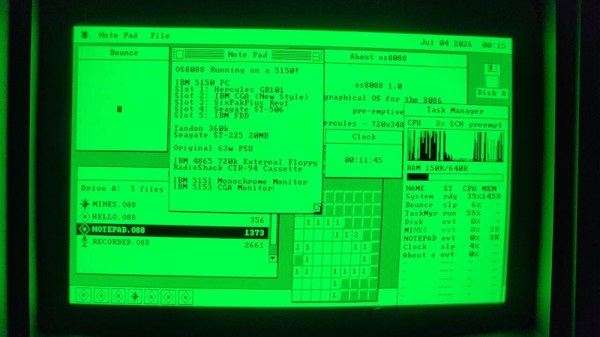
When the middle of the decade saw the arrival of mass-market machines such as the Macintosh or the Amiga with their beautiful GUIs, a PC with DOS couldn’t yet compete. [Jggonz] then is over four decades late with the beautiful os8088, a fully-functional OS for 8088 IBM PCs and clones, with a very slick Mac-style GUI.

os8088 is a single-floppy OS that provides preemptive multitasking and fully loadable software alongside that GUI, unlike other similar projects we’ve seen it’s not an all-in-one compiled application that just looks like an OS. There’s a second floppy with a suite of software that would have been seriously impressive back in the day, with games, graphics, and demos. It’s a shame that this thing appeared in 2026 when there is little need of it.

You can try it for yourself either on real hardware, your own emulator, or even in an in-browser emulator. Sadly it’s not OS enough to fulfill the requirements for a Daily Drivers test drive, but it’s definitely fun to play with. Bonus, if you run it on a Book8088.
He Comes To Bury Segmented Memory, Not To Praise It

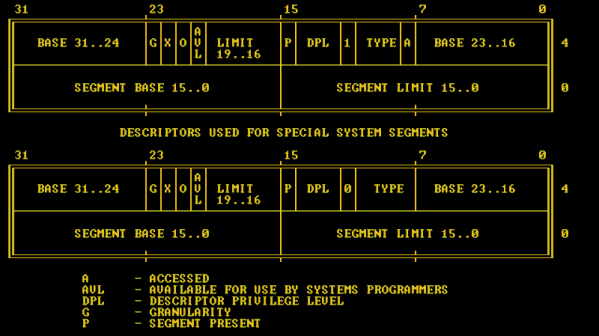
[BillPg] has been designing a fantasy 1980s-era home computer. As part of the exercise, he’s reevaluating all the assumptions that have grown organically over time in the small computer landscape. Hindsight is, so they say, 20/20, but sometimes hindsight can also be colored by modern thinking. Sometimes an idea that seems stupid today made sense in the context of its time. In particular, [Bill] has thoughts on the much-maligned 8086 memory segments.

If you haven’t run into it before, the 8086/8088 had a problem. It wanted to be more or less conceptually software compatible with the 8080 and Z80 computers, which had 16-bit addresses, leading to a limit of 64K of memory. When Intel was designing the next generation of chips, it knew that 64K had to go, but telling developers that code would require huge reengineering was a non-starter. So the idea was to provide multiple 64K spaces broken up into segments.

Continue reading “He Comes To Bury Segmented Memory, Not To Praise It”

A Couple Of New DOS PCs Appear

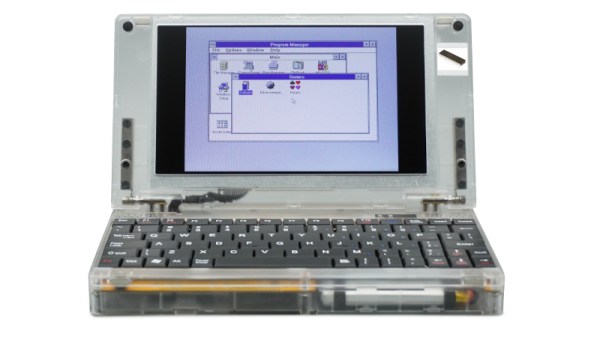
An interesting trend over the last year or two has been the emergence of modern retrocomputer PCs, recreations of classic PC hardware from back in the day taking advantage of modern parts alongside the venerable processors. These machines are usually very well specified for a PC from the 1980s, and represent a credible way to run your DOS or early Windows software on something close to the original. [CNX Software] has news of a couple of new ones from the same manufacturer in China, one sporting a 386sx and the other claiming it can take either an 8088 or an 8086.

Both machines use the same see-through plastic case, screen, and keyboard, and there are plenty of pictures to examine the motherboard. There are even downloadable design files, which is an interesting development. They come with a removable though proprietary looking VGA card bearing a Tseng Labs ET4000, a CF card interface, a USB port which claims to support disk drives, a sound card, the usual array of ports, and an ISA expansion for which a dock is sold separately. The battery appears to be a LiPo pouch cell of some kind.

If you would like one they can be found through the usual channels for a not-outrageous price compared to similar machines. We can see the attraction, though maybe we’ll stick with an emulator for now. If you’d like to check out alternatives we’ve reported in the past on similar 8088 and 386sx computers.

NEC V20: The Original PC Processor Upgrade

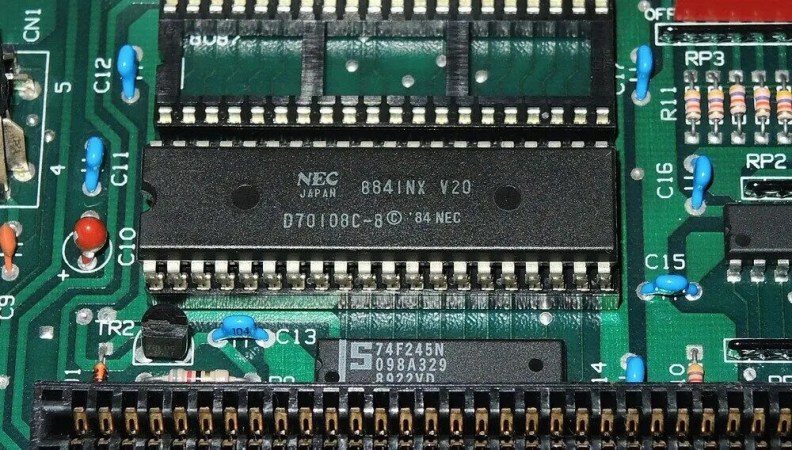
In the early 1980s, there was the IBM PC, with its 4.77 MHz Intel 8088 processor. It was an unexpected hit for the company, and within a few years there were a host of competitors. Every self-respecting technology corporation wanted a piece of the action including processor manufacturers, and among those was NEC with their V20 chip and its V30 sibling. From the outside they were faster pin-compatible 8088 and 8086 clones, but internally they could also run both 8080 and 80186 code. [The Silicon Underground] has a look back at the V20, with some technical details, history, and its place as a PC upgrade.

For such a capable part it’s always been a surprise here that it didn’t take the world by storm, and the article sheds some light on this in the form of an Intel lawsuit that denied it a critical early market access. By the time it was available in quantity the PC world had moved on from the 8088, so we saw it in relatively few machines. It was a popular upgrade for those in the know back in the day though as it remains in 2025, and aside from its immediate speed boost there are a few tricks it lends to a classic PC clone. The version of DOS that underpinned Windows 95 won’t run on an 8086 or 8088 because it contains 8016 instructions, but a V20 can run it resulting in a much faster DOS experience. One to remember, if an early PC or clone cones your way.

Hungry for the good old days of DOS? You don’t need to find 80s hardware for that.

Remembering More Memory: XMS And A Real Hack

Last time we talked about how the original PC has a limit of 640 kB for your programs and 1 MB in total. But of course those restrictions chafed. People demanded more memory, and there were workarounds to provide it.

However, the workarounds were made to primarily work with the old 8088 CPU. Expanded memory (EMS) swapped pages of memory into page frames that lived above the 640 kB line (but below 1 MB). The system would work with newer CPUs, but those newer CPUs could already address more memory. That led to new standards, workarounds, and even a classic hack.

XMS

If you had an 80286 or above, you might be better off using extended memory (XMS). This took advantage of the fact that the CPU could address more memory. You didn’t need a special board to load 4MB of RAM into an 80286-based PC. You just couldn’t get to with MSDOS. In particular, the memory above 1 MB was — in theory — inaccessible to real-mode programs like MSDOS.

Well, that’s not strictly true in two cases. One, you’ll see in a minute. The other case is because of the overlapping memory segments on an 8088, or in real mode on later processors. Address FFFF:000F was the top of the 1 MB range.

PCs with more than 20 bits of address space ran into problems since some programs “knew” that memory access above that would wrap around. That is FFFF:0010, on an 8088, is the same as 0000:0000. They would block A20, the 21st address bit, by default. However, you could turn that block off in software, although exactly how that worked varied by the type of motherboard — yet another complication.

XMS allowed MSDOS programs to allocate and free blocks of memory that were above the 1 MB line and map them into that special area above FFFF:0010, the so-called high memory area (HMA). Continue reading “Remembering More Memory: XMS And A Real Hack”

Remembering Memory: EMS, And TSRs

You often hear that Bill Gates once proclaimed, “640 kB is enough for anyone,” but, apparently, that’s a myth — he never said it. On the other hand, early PCs did have that limit, and, at first, that limit was mostly theoretical.

After all, earlier computers often topped out at 64 kB or less, or — if you had some fancy bank switching — maybe 128 kB. It was hard to justify the cost, though. Before long, though, 640 kB became a limit, and the industry found workarounds. Mercifully, the need for these eventually evaporated, but for a number of years, they were a part of configuring and using a PC.

Why 640 kB?

The original IBM PC sported an Intel 8088 processor. This was essentially an 8086 16-bit processor with an 8-bit external data bus. This allowed for cheaper computers, but both chips had a strange memory addressing scheme and could access up to 1 MB of memory.

In fact, the 8088 instructions could only address 64 kB, very much like the old 8080 and Z80 computers. What made things different is that they included a number of 16-bit segment registers. This was almost like bank switching. The 1 MB space could be used 64 kB at a time on 16-byte boundaries.

So a full address was a 16-bit segment and a 16-bit offset. Segment 0x600D, offset 0xF00D would be written as 600D:F00D. Because each segment started 16-bytes after the previous one, 0000:0020, 0001:0010, and 0002:0000 were all the same memory location. Confused? Yeah, you aren’t the only one.

Continue reading “Remembering Memory: EMS, And TSRs”

Making Intel Mad, Retrocomputing Edition

Intel has had a deathgrip on the PC world since the standardization around the software and hardware available on IBM boxes in the 90s. And if you think you’re free of them because you have an AMD chip, that’s just Intel’s instruction set with a different badge on the silicon. At least AMD licenses it, though — in the 80s there was another game in town that didn’t exactly ask for permission before implementing, and improving upon, the Intel chips available at the time.

The NEC V20 CPU was a chip that was a drop-in replacement for the Intel 8088 and made some performance improvements to it as well. Even though the 186 and 286 were available at the time of its release, this was an era before planned obsolescence as a business model was king so there were plenty of 8088 systems still working and relevant that could take advantage of this upgrade. In fact, the V20 was able to implement some of the improved instructions from these more modern chips. And this wasn’t an expensive upgrade either, with kits starting around $16 at the time which is about $50 today, adjusting for inflation.

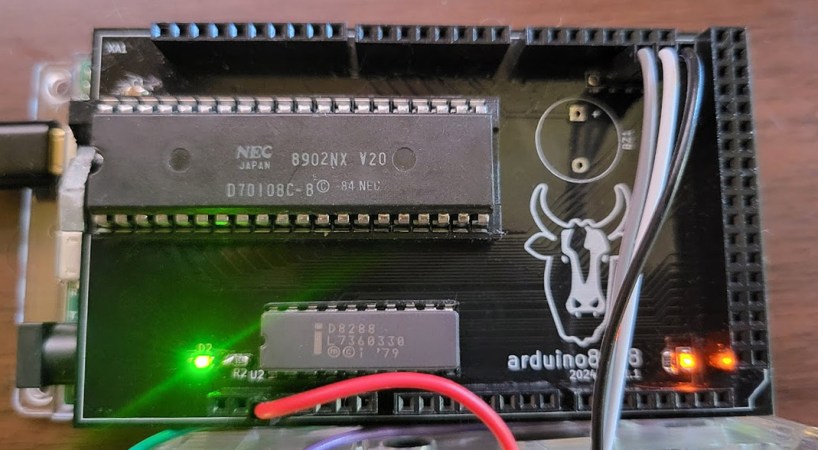
This deep dive into the V20 isn’t limited to a history lesson and technological discussion, though. There’s also a project based on Arduino which makes use of the 8088 with some upgrades to support the NEC V20 and a test suite for a V20 emulator as well.

If you had an original IBM with one of these chips, though, things weren’t all smooth sailing for this straightforward upgrade at the time. A years-long legal battle ensued over the contents of the V20 microcode and whether or not it constituted copyright infringement. Intel was able to drag the process out long enough that by the time the lawsuit settled, the chips were relatively obsolete, leaving the NEC V20 to sit firmly in retrocomputing (and legal) history.