Make That Smart TV Into A Computer

The smart TV is a fixture in most houses, variously an entertainment portal, corporate data gathering tool, or sometimes an outright spy. It’s a nice monitor with a computer built in, so can that computer be released to do something else? It’s a question [Xen’on] is answering, on an Android-based TV.

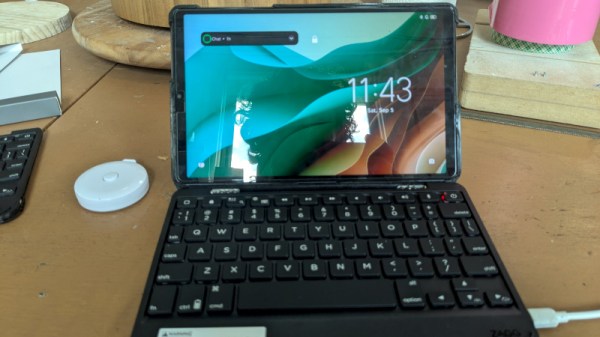
The guide is not too different from many others relating to Android phones, with a few quirks. An Android Debug Bridge (ADB) connection is established, root access is gained using Shizuku, and then it’s a case of installing a more conventional Linux front end with the Openbox window manager through Termux. There are some TV-specific things to do with handling power cycles, but the TV is now a usable Linux box.

It’s always good to see someone retrieve the Linux underneath a locked-down device, but the system spec tells the real story. By the looks of things this TV is a few years old as it had an Android version that’s a bit long in the tooth, and thus it also packs an aged version 4.x kernel. Couple that with a more seat-of-your-pants experience compared to a regular distro where many of the annoyances are taken care of, this isn’t an easy route to a trouble free desktop. Instead it has a lot of potential for making the TV what it was intend to be, an entertainment device. Merely one that gives much more software freedom.

Meanwhile, this isn’t the first Termux guide we’ve seen.

A BIOS For Your ESP32-C6

An old-style PC BIOS served the function of a bootloader in loading the operating system kernel, and of an API in providing a set of standard system calls through which software could interact with the hardware. Though it as been long-ago superseded by operating system level calls and UEFI bootloaders, it was a simple and easy-to-understand firmware for the PCs of the day.

Microcontrollers usually don’t have anything quite like a BIOS because their software is more often compiled as-is without the need for one. But here’s [Rompass] who has bucked that trend, with a BIOS for the ESP32-C6.

Of course this isn’t the PC BIOS we all know, and you’ll not be running DOS on it. Instead it’s a subsystem that serves the purposes outlined above and provides an environment for dynamically loaded executables from RAM rather than an operating system kernel. The executables are compiled in the normal way for the ESP32, and can be loaded over the network if necessary.

We don’t know how popular a firmware like this one will become, but for us it’s symptomatic of how the line between a microcontroller and a microprocessor is becoming blurred. The next few years are going to continue this trend, as inexpensive microcontroller application processors such as the C6’s P4 bigger brother move into the mainstream.


Header image: Popolon, CC BY-SA 4.0.

Won’t Somebody Please Think Of Banning The British Children!

The British government is in a headlong rush to ban under-16s from social media, and restrict the access of under-18s. And in typical form, the EFF is here with a warning about the dangers and futility of such legislation.

A satirical mock-up of what UK Prime Minister Keir Starmer's driving licence might look like, courtesy of https://use-their-id.com/
Kids aren’t stupid. They’ll use a fake ID like this one from the satirical https://use-their-id.com/ . Or they’ll become VPN experts.

The proposed new law will involve an age restriction policed through online ID verification, something which will not be limited to the young, as every British adult will also have to show ID to access large parts of the Internet.

There is little in the way of information about how this unprecedented invasion of privacy will be implemented, however we expect that it will be left to the lax security measures of a range of lowest-bidder third party identity verification services. The resulting database will become a very rich target indeed.

The EFF pull no punches in warning of the harms these measures will bring upon those it seeks to protect. Far from “Giving under-16s their childhood back” as it is being promoted, they warn that it will deprive them of access to community, friends, and distant family, as well as educational content that could be vital for them.

If it works at all. Certainly he more technically minded youth will put their efforts into the world of computer networking. A VPN ban is reportedly in the works, so a whole generation of future software developers and IT specialists will get their start running software to get round this on their Raspberry Pi.

We’ve reported on the EFF’s concerns over UK ID laws before.


Header image: Diliff, CC BY-SA 2.5.

A General Purpose Pi Zero Device For IoT

By now we’re all used to single board computers such as the Raspberry Pi Zero, but it’s likely we’ve all been frustrated at times by the number of support components required to use one. This becomes ever more annoying out in the field away from a handy HDMI, USB desktop, and power supply.

The Edgeberry Zero is an attempt to tackle this by mating a Raspberry Pi Zero with a PCB holding a robust power supply and interface connector, all together in a case. better still it comes with Edgeberry Hub, a software management interface.

It appears to be a commercially available product, but it’s Open Source Hardware Association (OSHWA) certified and everything is available in a GitHub repository. Looking at it from a Hackaday perspective it’s hardly the first power supply support board we’ve seen for a Pi, but its approach of making its own expansion module format is an interesting choice. To us they are reminiscent of Game Boy cartridges in the way they slide into a slot in the case.

We like the general idea behind the Edgeberry Zero, but whether it offers enough differentiation from packaging up a Zero with cables and duct tape is up to you.

The Problem Of Making A Good Metal-To-Glass Seal

If you’ve ever taken a close look at a vacuum tube, you’ll have seen the seals around the pins that keep everything air-tight while providing the the device’s electrical contacts. As [maurycyz] finds out, it’s not an easy process to get right.

The problem is one of both chemistry and thermal expansion, as while a good seal can be made between glass and red copper oxide, it remains very difficult indeed to stop the glass cracking on cooldown due to differing thermal expansion properties. We’re led through a variety of experiments including surface treatments and flattening the metal to a sheet, with varying pros and cons. The most successful seal on the page comes from very thin tungsten wire, though hardly the most practical conductor for a vacuum tube.

It’s a fascinating investigation for the casual reader, taking them into the properties of metal-glass bonds and the difficulties involved in making them. We have even more respect for the people who make their own tubes after reading it.

This Alarm Clock Has The Capacity To Wake You

Every now and then a project comes into the Hackaday feed that has so many levels of wrong about it that you really shouldn’t do it at home, but is amusing enough to feature anyway with a warning. So it is with [ArcaEge]’s Capacitor Alarm Clock, which wakes up its unfortunate owner by blowing up electrolytic capacitors with reverse voltage. If you survive, you’ll certainly be awake!

It’s inspired unsurprisingly by an [ElectroBoom] video, and the premise is simple enough. An ESP32 serves as the clock, and triggers a relay for the alarm, which in turn overloads a suitably low-voltage electrolytic capacitor in a socket. The resulting explosion which appears in a video we’ve placed below the break, wakes the slumberer.

We don’t have to tell you that this is not the safest of hacks, and is presented here only for your entertainment. But it does provide a few points of interest, for example in identifying the difference between capacitors with a vent, and those without.

This isn’t the first time we’ve seen a project based around exploding capacitors, and that one maybe was a don’t-do-this-at-home too.

Continue reading “This Alarm Clock Has The Capacity To Wake You”

GentleOS, A Simple OS For Your Old PC

Every month or so we bring you a Jenny’s Daily Drivers article, in which we share with you an esoteric OS and try to use it for the everyday work of a Hackaday scribe. As part of that ongoing effort, the world of esoteric operating systems is always on the radar, even though many of them are unlikely to fulfill the Daily Driver requirement.

Even so, sometimes we see an OS that we like, and so it is with [Luke8086]’s GentleOS. It’s an operating system — or to be pedantic — a kernel shell into which applications are compiled, for older 16 and 32-bit x86 computers with a very low hardware requirement. It brings a simplicity to older PCs that we like.

Downloading the tiny image and booting it in a virtual machine, it’s almost ridiculously quick to boot on a 2020s computing behemoth with gigabytes of RAM and multiple 64-bit cores. It has a basic but nice and clean GUI, and a selection of basic applications and games. You won’t be using this for productivity work, but that’s hardly the point. It’s particularly pleasing to look at the code and find something simple enough to understand, too.

We like it, if you have an older PC it might be worth spinning this one up for a bit of fun.