Carry A Git Server In Your Pocket

android-git-server

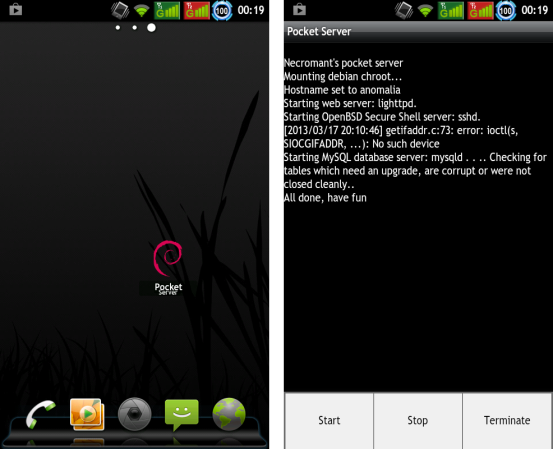
We love using Git for its superior version control. We often host our more advanced projects in a public Github repository. But the bulk of our little experiments are simply local repos. This is fine if you’re always at home, but if we are away from home we find ourselves having to SSH into our server to copy over the Git files. [Andrew] found a way around this slightly awkward process. He used an old Android phone as a Git server.

This actually makes a lot of sense when you start to think about it. Most Android phone have a microSD card slot to provide a huge storage bin (the lack of this on the Nexus 4 is baffling) so you don’t need to worry about running out of space. All of these devices have WiFi, making it easy to use them as an AP when there isn’t any other WiFi around. And the web-connected nature of the device will make syncing your repo over the Internet a snap.

Most of the behind the scenes work is done using Debian packages. This provides a few issues which [Andrew] walks through one by one. We also like his pointers like using ‘noatime’ on your EXTx file systems to avoid wear on the SD card.
Fabricating Custom Displays For A Commercial Coffee Roaster

custom-display-panel-for-a-coffee-roaster

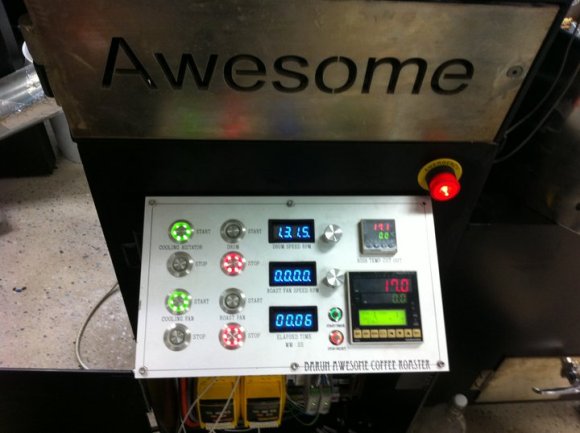
Roasting the perfect coffee bean is an art form. But even the most talented of roasters can use a little feedback on what’s going on with their equipment. [Ludzinc] recently helped out a friend of his by building this set of 7-segment displays to show what’s happening with this coffee roaster.

The yellow modules hiding underneath the display panel are responsible for setting the speed of the hot air blower and the rate at which the drum turns. They’re adjustable using some trimpots, but it sounds like the stock machine doesn’t give any type of speed feedback other than direct observation.

The solution was to patch into those speed controllers using the ADC of a PIC chip. They each output 0-10V, which [Ludzinc] measures via a voltage divider. After the speed is quantified the microcontroller outputs to one of the displays. Since there’s a different chip for each readout, the firmware can be custom tuned to suit the operator’s needs.

Keep this in mind if you’re still planning to build that coffee roaster out of a washing machine.

Stereoscopic Display Art Installation

stereoscopic-display

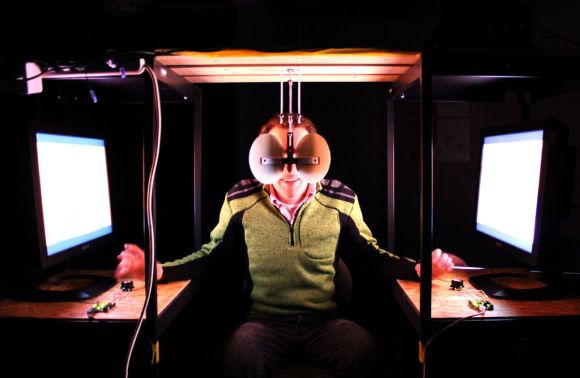
This rig is something of a museum or art installation, but the concept is so simple we thought it could easily inspire your next project. The two mirrors and two video sources make up a stereoscopic display.

The user sits between two displays (computer monitors shown here, but the post also shows images projected on two walls of a room). A pair of mirrors mounted at forty-five degrees form the eye pieces. It’s a V-shaped mirror assembly in which the narrow end pointing toward the bridge of the user’s nose. The mirrors reflect the images from the monitors, giving a different view for each eye.

In this case each monitor is playing back a video loop, but one is just slightly longer than the other. Each monitor has a potentiometer in front of it. The user can turn them to speed or slow the playback in an attempt to bring the video back into sync. We don’t think we’d replicate that portion of the project. But it might be fun to view some stereoscopic clips in this way. There’s even instructions on how two cameras were used to record the scenes.

You can get a closer view of the test apparatus in the clip after the jump.

Continue reading “Stereoscopic Display Art Installation”

Python Script Migrates From Dying Google Reader To Evernote

google-reader-to-evernote

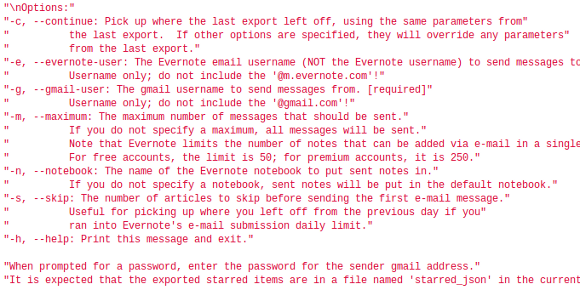
We’re sure you’ve heard by now that Google has decided to close its RSS feed aggregator service called Google Reader. We’ve got to remember to get our list of thousands of great hacking blog feeds off of there before it’s gone. But just preserving the list is rather easy. [Paul Kerchen] has a bit different problem. He’s got hundreds of articles starred and he wants to preserve a way to find those pages again. His solution was to write his own Python script to migrate starred Google Reader articles over to Evernote.

We’re not here to promote the Evernote service. But just so we’re on the same page, it’s an archiving system that lets you save things like webpages and text documents for access on a wide range of different platforms. So all that really needs to happen is for [Paul] to get the list of links from his starred articles folder formatted for import on Evernote. It starts by using Google Takeout to download an archive of his account data. Within this dump is a JSON formatted file called ‘starred.json’. His script parses the data and imports each article into Evernote. There’s even rate limiting to manage the daily import maximum of free accounts.

Ask Hackaday: What Movies Have The Best/worst Hacking Scenes

best-and-worst-movie-hacking

It’s time to do your best impression of [Comic Book Guy] as you make your case for trash or triumph in big screen hacking scenes. We watch a lot of movies, and it’s hard not to groan when the filmmakers cut corners by doing zero research into what using a computer actually looks like. But then once in a great while you have a team that does its due diligence and puts up a scene that makes sense to those of us in the know. So we’re wondering, what movies do you think have the best hacking scenes, and which ones are the worst offenders? Leave your opinion on the topic in the comments section.

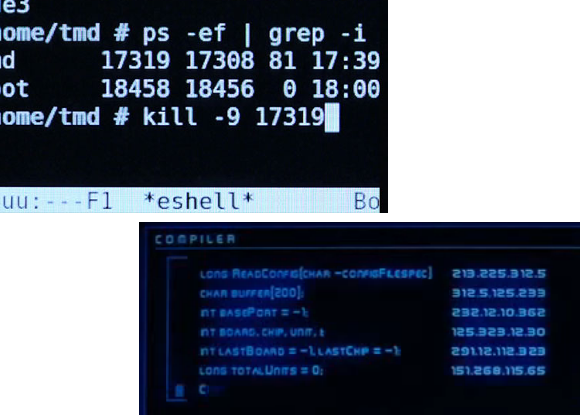
We realize that you can come up with tons of poorly done ones, what we would really like to hear about is who did it right. We’ll get you started with a couple of examples. The image on the upper left is a scene from Tron: Legacy which we think did a fantastic job of portraying actual computer usage. You can read more about the huge amount of work that went into it in this article (via Reddit).

In the lower right is one of the most shady movies scenes that comes to mind. [Hugh Jackman] is compelled to do some ‘hacking’ by [John Travolta] in the movie Swordfish. The caption at the top of the screen is “COMPILER”, and who the heck knows what the rest of that is supposed to be?

On the hardware hacking side, it gets a little more difficult, we would LOVE some examples of hardware hacks or mods done right.

UC Davis Students Build Coffee Can Radar Project Inspired By MIT

student-built-coffee-can-radar

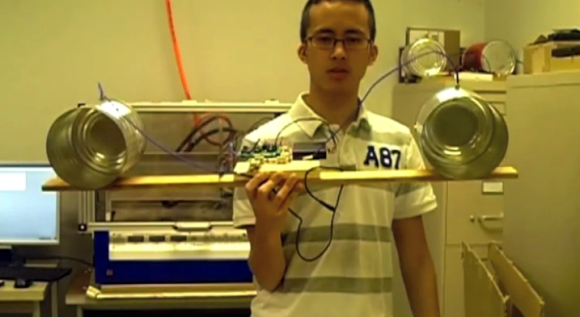
Blinking lights is a lot of fun, but if you’re getting an EE degree the cool stuff becomes a bit more involved. In this case, building your own radar is the thing to do. Here’s a coffee can radar setup being shown off by a group of UC Davis students. Regular readers will recognize the concept as one we looked at in December. The project was inspired by the MIT OpenCourseware project.

One of the cans is being used as a transmitter, the other as the collector. The neat thing about this rig is that the analysis is performed on a PC, with the sound card as the collection device. The video after the break shows off the hardware as well as the results it collected. About a minute and a half into the clip they show a real-time demonstration where a student walks in front of the apparatus while another takes a video of the plot results. As the subject moves away from the receiver the computer graph changes accordingly. The rest of the video covers some operational theory and pcb assembly.

Continue reading “UC Davis Students Build Coffee Can Radar Project Inspired By MIT”

Temperature Controlled Wine Cellar Substitute

temperature-controlled-wine-cellar-substitute

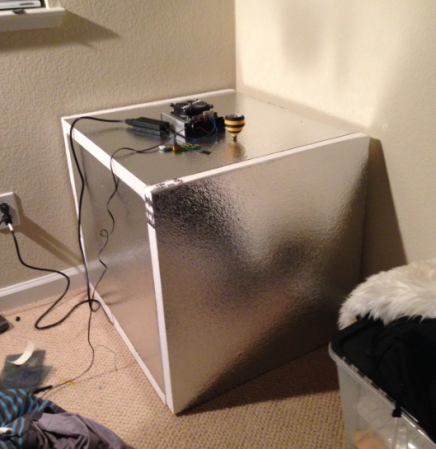
Serious wine enthusiasts keep their bottles in a room built for the task. If you don’t have that kind of space you can still fabricate a similar storage environment. This foam box keeps stored wine at a controlled temperature. It also keeps light off of the precious goods. [Michael] built it himself to use in his apartment and published a description of the build process.

He picked up some foil-coated foam board from the home store. Six sections come together into a box about the size of a mini-fridge; 24″ by 24″. A square hole was cut in the center of the top section. This receives the smaller of two heat sinks mounted to a Peltier cooler. The temperature inside is monitored by a thermistor which [Michael] tore out of an old iPod battery. To give him some visual feedback on the internal temperature he added that yellow and black striped meat thermometer.

Since this is for long-term storage, we’d bet the system is rather efficient. As long as the door isn’t frequently opened the temperature change should be quite slow thanks to the insulation and the cool liquid in wine bottles.