Considering the decades that have passed since Nintendo’s Game Boy was considered the state-of-the-art in mobile gaming, you’d imagine that the community would have pretty much perfected the emulation of the legendary family of handhelds — and on the whole, you’d be right. Today, you can get open source emulators for your computer or even smartphone that can play the vast majority of games that were released between the introduction of the original DMG-1 “brick” Game Boy in 1989 through to the final games published for the Game Boy Advance in the early 2000s.
But not all of them. While all the big name games are handled at this point, there’s still a number of obscure titles (not all of which are games) that require specialized hardware accessories to properly function. To bring the community up to speed on where work is still required, [Shonumi] recently provided a rundown on the emulation status of every commercial Game Boy accessory.
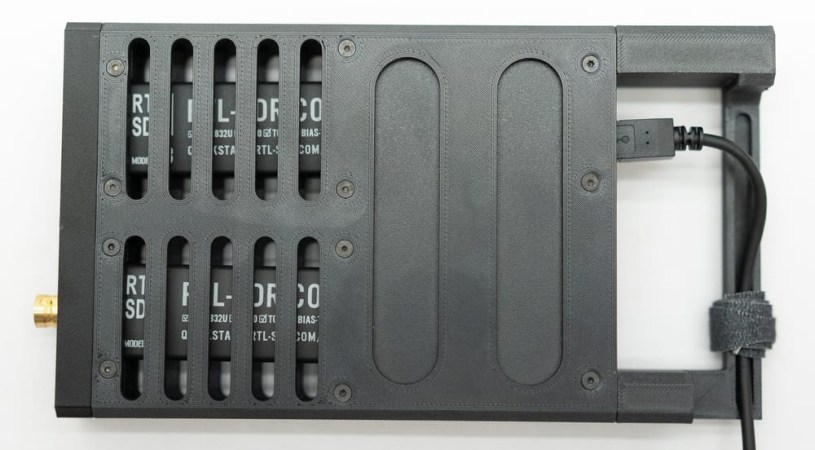
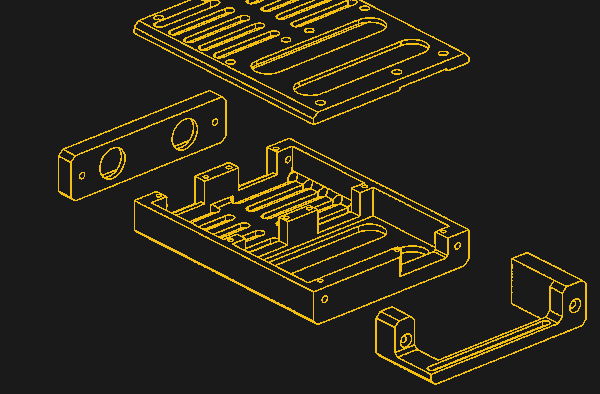
Over the years we’ve seen no shortage of 3D printed cases designed to hold several Raspberry Pi computers, often with the intent to use them as convenient desktop-sized platforms for experimenting with concepts such as server load balancing and redundancy.
The reason the Pi was always the star of the show is simple enough to explain: they were small and cheap. But while the Pi has only gotten more expensive over the years, x86 machines have gotten smaller and cheaper. Which is how a project like the N100 Obelisk was born.
Considering the incredible potential offered by brain-computer interfaces (BCIs), it’s no wonder there are so many companies scrambling to make their mark in the field. Some see it as an assistive technology, while others imagine it as the future of interactive entertainment. Regardless of the application, the technology has yet to make much inroads with the DIY crowd — largely due to the complexity and cost of the hardware involved.
But that might change in the near future thanks to projects like ardEEG from [Ildar Rakhmatulin]. This open source shield mounts to the top of the Arduino UNO R4 WiFi and features eight channels for collecting electroencephalogram (EEG) data, such as from a dry electrode cap. The signals can then be processed on the computer using the provided Python example code. From there, the raw data can be visualized or plugged into whatever application you have in mind.
Why target the relatively uncommon WiFi version of the Uno? It’s probably obvious for those with experience with this kind of hardware, but for safety, the system needs complete electrical isolation. The Arduino and shield are powered by a common USB battery bank, and all communication is done over WiFi. Even still, the documentation is clear that the ardEEG is not a medical device, and hasn’t been certified by any regulatory agency — its use is entirely at your own risk.
[Ildar] tells us the hardware will be available soon and should cost under $250, making it one of the most affordable BCI development platforms out there. As with his earlier PiEEG project, the hope is that basing the system around a common device in the hacker and maker scene will help democratize access to BCI research.
As much as we enjoy spinning up our own solutions, there are times when you’ve got to look at what’s on the market and realize you might be out of your league. For example, take Bluetooth game controllers. Sure, you could make your own with a microcontroller, some buttons, and a couple joysticks. But between the major players like Microsoft, Nintendo, and Sony, as well as independent peripheral companies like 8BitDo, there’s some seriously impressive hardware out there that can be easily repurposed.
How, you ask? Well, Bluepad32 by [Ricardo Quesada] would be a great place to start. This Apache v2.0 licensed project allows you to easily interface with a wide array of commercially available BT controllers, and supports an impressive number of software and hardware platforms. Using the Arduino IDE on the ESP32? No problem. CircuitPython on Adafruit’s PyPortal? Supported. There’s even example code provided for using it on Linux and Mac OS. Sorry Windows fans — perhaps there’s a sassy paperclip or sentient dog built into your OS that can instruct you further.
A few of the controllers supported by Bluepad32.
The nature of the Bluetooth Human Interface Device (HID) protocol means that, at least in theory, pretty much all modern devices should be supported by Bluepad32 automatically. But even still, it’s hard not to be impressed by the official controller compatibility list. There’s also separate lists for Bluetooth mice and keyboards that are known to work with the project.
While it’s somewhat unlikely to be a problem in this particular community, there is an unusual quirk to this project which we think should at least be mentioned. Although Bluepad32 itself is free and open source software (FOSS), it depends on the BTstack library, which in turn uses a more ambiguous licensing scheme. BTstack is “open” in the sense that you can see the source code and implement it in your own projects, but its custom license precludes commercial use. If you want to use BTstack (and by extension, Bluepad32) in a commercial product, you need to contact the developers and discuss terms.
Home automation is huge right now in consumer electronics, but despite the wide availability of products on the market, hackers and makers are still spinning up their own solutions. It could be because their situations are unique enough that commercial offerings wouldn’t cut it, or perhaps they know how cheaply many automation tasks can be implemented with today’s microcontrollers. Still others go the DIY route because they’re worried about the privacy implications of pushing such a system into the cloud.
Seeing how many of you were out there brewing bespoke automation setups gave us the idea for this year’s Home Sweet Home Automation contest, which just wrapped up last week. We received more than 80 entries for this one, and the competition was fierce. Judging these contests is always exceptionally difficult, as nearly every entry is a standout accomplishment in its own way.
But the judges forged ahead valiantly, and we now have the top three projects which will be receiving $150 in store credit from the folks at DigiKey.
We’re not 100% sure which phase of Microsoft’s “Embrace, Extend, and Extinguish” gameplan this represents, but just yesterday the Redmond software giant decided to grace us with the source code for MS-DOS v4.0.
To be clear, the GitHub repository itself has been around for several years, and previously contained the source and binaries for MS-DOS v1.25 and v2.0 under the MIT license. This latest update adds the source code for v4.0 (no binaries this time), which originally hit the market back in 1988. We can’t help but notice that DOS v3.0 didn’t get invited to the party — perhaps it was decided that it wasn’t historically significant enough to include.
That said, readers with sufficiently gray beards may recall that DOS 4.0 wasn’t particularly well received back in the day. It was the sort of thing where you either stuck with something in the 3.x line if you had older hardware, or waited it out and jumped to the greatly improved v5 when it was released. Modern equivalents would probably be the response to Windows Vista, Windows 8, and maybe even Windows 11. Hey, at least Microsoft keeps some things consistent.
It’s interesting that they would preserve what’s arguably the least popular version of MS-DOS in this way, but then again there’s something to be said for having a historical record on what not to do for future generations. If you’re waiting to take a look at what was under the hood in the final MS-DOS 6.22 release, sit tight. At this rate we should be seeing it sometime in the 2030s.
While there’s still something undeniably cool about the flip-open communicators used in the original Star Trek, the fact is, they don’t really look all that futuristic compared to modern mobile phones. But the upgraded “combadges” used in Star Trek: The Next Generation and its various large and small screen spin-offs — now that’s a tech we’re still trying to catch up to.
As it turns out, it might not be as far away as we thought. A company called Vocera actually put out a few models of WiFi “Communication Badges” in the early 2000s that were intended for hospital use, which these days can be had on eBay for as little as $25 USD. Unfortunately, they’re basically worthless without a proprietary back-end system. Or at least, that was the case before the Combadge project got involved.
Designed for folks who really want to start each conversation with a brisk tap on the chest, the primary project of Combadge is the Spin Doctor server, which is a drop-in replacement for the original software that controlled the Vocera badges. Or at least, that’s the goal. Right now not everything is working, but it’s at the point where you can connect multiple badges to a server, assign them users, and make calls between them.
It also features some early speech recognition capabilities, with transcriptions being generated for the voices picked up on each badge. Long-term, one of the goals is to be able to plug the output of this server into your home automation system. So you could tap your chest and ask the computer to turn on the front porch light, or as the documentation hopefully prophesies, start the coffee maker.
There hasn’t been much activity on the project in the last year or so, but perhaps that’s just because the right group of rabid nerds dedicated developers has yet to come onboard. Maybe the Hackaday community could lend a hand? After all, we know how much you like talking to your electronics. The hardware is cheap and the source is open, what more could you ask for?