An Open Source Firmware For Cheap Geiger Counters

It is a time-honored tradition: buy some cheap piece of gear and rewrite the firmware to make it work better. [Gissio] managed to do just that for a cheap FS2011 Geiger counter. Apparently, the firmware will also work with some similar Chinese models, too.

The new firmware boasts an improved UI and multiple measurement units, including Sievert, Rem, and counts per minute or second. You can hold the measurement or compute a dose or average rate. The new firmware also has a host of customizations and can accommodate different tubes.

There are, however, two really key features. First, the new firmware offers about 40% more battery life than the stock version. Second, there is now an onboard nuclear chess game! That way, you can enjoy yourself while you are getting irradiated. There are also a few suggested hardware mods that are optional to improve measurements and increase the buzzer volume, among other things.

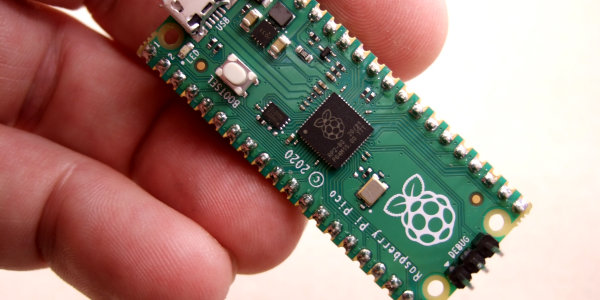
If you get a Geiger counter, you might be surprised at what things are slightly radioactive. If you don’t need the microcontroller, you can make a workable counter on the cheap.

Continue reading “An Open Source Firmware For Cheap Geiger Counters”

The Voice Of GPS

Tuning into a GPS satellite is nothing new. Your phone and your car probably do that multiple times a day. But [dereksgc] has been listening to GPS voice traffic. The traffic originates from COSPAS-SARSAT, which is a decades-old international cooperative of 45 nations and agencies that operates a worldwide search and rescue program. You can watch a video about it below.

Nominally, a person in trouble activates a 406 MHz beacon, and any of the 66 satellites that host COSPAS-SARSAT receivers can pick it up and relay information to the appropriate authorities. These beacons are often attached to aircraft or ships, but there are an increasing number of personal beacons used by campers, hikers, and others who might be in danger and out of reach of a cell phone. The first rescue from this system was in 1982. By 2021, 3,632 people were rescued thanks to the system.

The satellites that listen to the beacon frequencies don’t process the signals. They use a transponder that re-transmits anything it hears on a much higher downlink frequency. These transponders are always payloads on other satellites like navigation or weather satellites. But because the transponder doesn’t care what it hears, it sometimes rebroadcasts signals from things other than beacons. We were unclear if these were rogue radios or radios with spurious emissions in the translator’s input range.

The video has practical tips on how to tune in several of the satellites that carry these transponders. Might be a fun weekend project with a software-defined radio.

We’ve seen homebrew satellite devices, but none for an emergency beacon — we aren’t sure what the legal aspects of that would be. There are other satellites that unknowingly host pirate radio stations, too.

Continue reading “The Voice Of GPS”

Hackaday Podcast 224: Star Wars Holograms, Tricorders, And Other Sensors

Elliot and Al got together to discuss this week’s projects, and you’re invited! You’ll hear news about replaceable batteries in the EU, along with some news about the Hackaday Op Amp Challenge winners and the start of a new contest. This week’s choice hacks ranged from a Star Wars-style volumetric display, navigation using cosmic rays, measuring car speed with microphones, and a crazy 3D printing technique that will blow you away.

There’s plenty more where that came from. Ever tried to land a model rocket vertically? How about building a punched card reader? The can’t miss articles this week cover a thermal camera review and the unintended consequences if AM radio bites the dust.

If you want to read along, the links are below for you to check out. Be sure to leave us your thoughts in the comments.

Click play to get started. Or download a non-AI-generated (we promise) file for your offline listening pleasure.

Continue reading “Hackaday Podcast 224: Star Wars Holograms, Tricorders, And Other Sensors”

Ask Hackaday: The Turing Test Is Dead: Long Live The Turing Test!

Alan Turing proposed a test for machine intelligence that no longer works. The idea was to have people communicate over a terminal, with another real person and with a computer. If the computer is intelligent, Turing mused, most people will incorrectly identify the computer as a human. Clearly, with the advent of modern chatbots, that test is now broken. Despite the “AI” moniker, chatbots aren’t sentient or even pre-sentient, but they certainly seem that way. An AI CEO, Mustafa Suleyman, is proposing a new test: The AI has to take a $100,000 budget and earn $1,000,000.

We were a little bemused at this. By that measure, most of us aren’t intelligent, either, and it seems like this is a particularly capitalistic idea. We could probably write an Excel script that studied mutual fund performance and pull off the same trick, given enough time for the investment to mature. Is it intelligent? No. Besides, even humans who have demonstrated they can make $1,000,000 often sell their companies and start new ones that fail. How often does the AI have to succeed before we grant it person status?

Continue reading “Ask Hackaday: The Turing Test Is Dead: Long Live The Turing Test!”

Dual Channel POV Display Also Has Nixie Tubes

What’s a tachyscope? According to [Daniel Ross], it is an animated display from an alternate timeline circa 1880. The real ones, of course, didn’t have LEDs and microcontrollers. The control unit looks like an old-timey radio, complete with Nixie tubes. The spinning part has blue and white LEDs, each accepting data from one of two serial ports. You can select to see data from one port, the other, or both. You can see the amazing contraption in the video below.

The LEDs are surface mounted and placed inside a glass test tube. Each display has its own processor. The project appears to have a PCB, but it is just a piece of fiberglass with a color print on top of it and holes drilled with a rotary tool. The board has no actual conductors — everything is point-to-point wiring. The base of the unit is old cookware. The slip ring is pretty interesting, too. It uses an old video tape head, D-cell batteries cut up, and contacts from a relay.

You might remember [Daniel] from his steampunk Victorian computer project, including a punk teletype and a magic eye tube. If you want some theory on these kinds of displays, we can help. If you just want a simple display, it doesn’t have to cost much.

Continue reading “Dual Channel POV Display Also Has Nixie Tubes”

Inside Digital Calipers

If you do any kind of machining, 3D printing, or PCB layout, you probably have at least considered buying a pair of calipers. Old-fashioned ones had a dial and were mechanical devices, but lately, digital ones have become quite affordable. We keep meaning to tear a set of ours apart to see what’s inside, but thanks to [learnelectronics], we don’t have to — the video below provides a fascinating look at what’s inside a cheap pair of Harbor Freight calipers.

Honestly, it doesn’t seem like it would be that hard to figure out how far down a bar you are. The trick is the caliper has to be super accurate. Oddly enough, the cheap calipers examined use capacitors as a sensing element.

There is a long flexible PCB stuck to the sliding part with conductive pads. The display unit is also a printed circuit and manages the battery, the display, and the other half of the capacitive sensor. If you want a more detailed explanation of how the sensor actually works, check out capsense.com. If you note, the pattern on the sliding part has traces that look like a square wave, and half have a different phase than the other half. These are the sine plates and the cosine plates. A 100 kHz signal flows through the capacitor, and it is possible to read the direction of travel and the amount of travel easily.

The calipers are very accurate, but it’s possible to improve them. A more practical project is to make them communicate with the outside world.

Continue reading “Inside Digital Calipers”

In Praise Of RPN (with Python Or C)

HP calculators, slide rules, and Forth all have something in common: reverse polish notation or RPN. Admittedly, slide rules don’t really have RPN, but you work problems on them the same way you do with an RPN calculator. For whatever reason, RPN didn’t really succeed in the general marketplace, and you might wonder why it was ever a thing. The biggest reason is that RPN is very easy to implement compared to working through proper algebraic, or infix, notation. In addition, in the early years of computers and calculators, you didn’t have much to work with, and people were used to using slide rules, so having something that didn’t take a lot of code that matched how users worked anyway was a win-win.

What is RPN?

If you haven’t encountered RPN before, it is an easy way to express math without ambiguity. For example, what’s 5 + 3 * 6?  It’s 23 and not 48. By order of operations you know that you have to multiply before you add, even if you wrote down the multiplication second. You have to read through the whole equation before you can get started with math, and if you want to force the other result, you’ll need parentheses.

With RPN, there is no ambiguity depending on secret rules or parentheses, nor is there any reason to remember things unnecessarily. For instance, to calculate our example you have to read all the way through once to figure out that you have to multiply first, then you need to remember that is pending and add the 5. With RPN, you go left to right, and every time you see an operator, you act on it and move on. With RPN, you would write 3 6 * 5 +.

While HP calculators were the most common place to encounter RPN, it wasn’t the only place. Friden calculators had it, too. Some early computers and calculators supported it but didn’t name it. Some Soviet-era calculators used it, too, including the famous Elektronika B3-34, which was featured in a science fiction story in a Soviet magazine aimed at young people in 1985. The story set problems that had to be worked on the calculator.

Continue reading “In Praise Of RPN (with Python Or C)”