Retrotechtacular: The Computer Center Of 1973

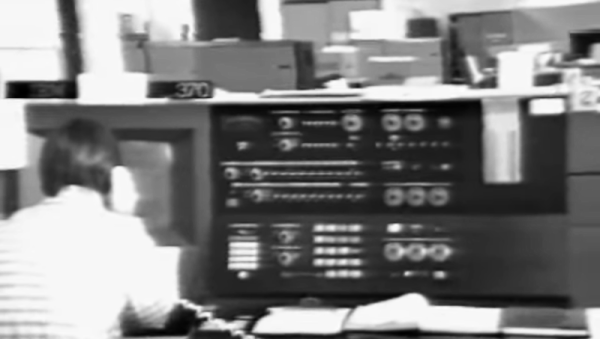
You might expect Bell Labs would have state-of-the-art computers, and they did. But it is jarring to realize just how little that was in 1973, fifty years ago. If you started work at Bell’s Holmdel Computing Center back then, you might have watched one of the orientation videos below. Your first clue about how far things have come might be the reference to the IBM 370/165, which had “3 million bytes of core, 2 million of which are available for programmer use.” Even our laptops today have at least 8 gigabytes of RAM. There were at least two other smaller IBM 370s, too. Plenty of 029 card punches are visible.

If you were trying to run something between 8:00 AM and 5:30 PM, you had to limit your job run time to three minutes, 4,000 lines of output, and no more than 1,000 cards in and 5,000 cards out. Oh, and don’t use more than 384 kB of that core memory, either. If you fell within those limits, you could hand your card deck over at the express counter and get your results in only five or ten minutes. If you were not in the express line but still rated “premium” service, you could expect to wait a half hour.

Continue reading “Retrotechtacular: The Computer Center Of 1973”
Retro Gadgets: The Real Desktop Computer

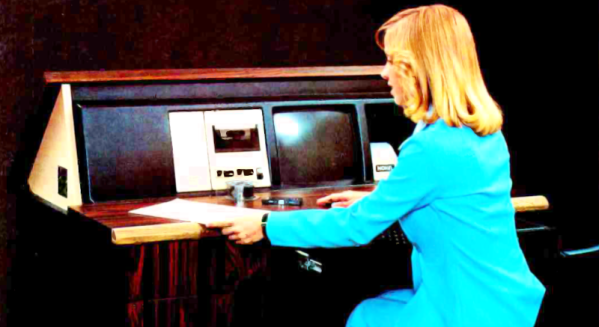
People argue about the first use of the computer desktop metaphor. Apple claims it. Xerox probably started it. Yet, when I think of computer desktops, I think of the NOVAL 760. Not a household name, to be sure, but a big ad spread in a June 1977 Byte magazine was proud to introduce it. At $2995, we doubt many were sold, but the selling point was… well… it was built into a “handsome wood desk, designed to compliment any decor.” The desk folded down when you were not using the computer, and the keyboard recessed into a drawer.

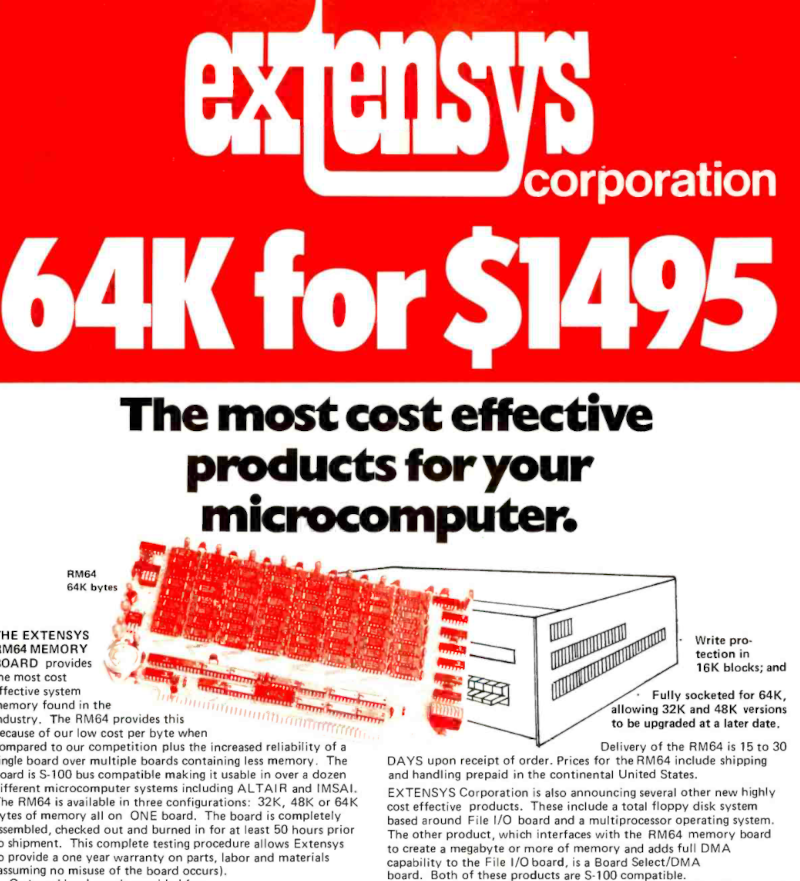
The computer itself was no slouch for 1977, but nothing you couldn’t find elsewhere. An 8080, speed unspecified, had 16 kB of RAM and 3 kB of PROM. There was also a display with a few kB of memory hanging around, too. And just in case you were worried, the bottom of the page entitled “The Ultimate in Home Computers” reads, “The NOVAL 760 COMPUTER. A fully-assembled, fully-tested personal computer … not a kit!” Of course, for us, that’s not really a selling point. If you wonder why the computer was memory limited, this is the time that Extensys bragged in an ad: 64 kB for $1495! If you ordered one, you could have it in 15 to 30 days, too!

There were options for more memory, and it wasn’t clear how many of the I/O devices in the ad were actually included in the advertised price. Some of the devices seemed very specialized, so we are guessing the basic system didn’t include some of them.

Continue reading “Retro Gadgets: The Real Desktop Computer”

Ask Hackaday: What’s Linux Anyway?

Any time we mention Linux, it is a fair bet we will get a few comments from people unhappy that we didn’t refer to it as GNU/Linux or with some other appellation. To be fair, they aren’t wrong. Linux is a kernel. Much of what we think of as a Linux desktop OS is really from other sources, including, but not limited to, GNU. We thought about this after reading a report from [The Register] that Linux has nearly half of the desktop OS Linux market. Wait, what?

If you are like us, you probably think that’s a typo. It isn’t. But the more you think about it, the less sense it makes. You know that half of the world’s desktops don’t run Linux. But maybe they mean Unix? Nope. So how can Linux have almost half of the Linux market? That’s like saying nearly half of Hackaday readers read Hackaday, right?

Continue reading “Ask Hackaday: What’s Linux Anyway?”

Old Style 1802 Computer Has MMU

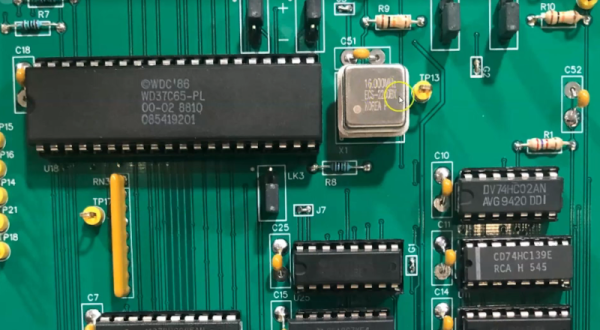
When you think of an MMU — a memory management unit — you probably think of a modern 32-bit computer. But [Jeff Truck] has a surprise. His new RCA 1802 computer has bank switching, allowing the plucky little processor to address 256K of RAM. This isn’t just the usual bank-switching design, either.

The machine has several unique features. For example, an Arduino onboard can control the CPU so that you can remotely control the bus. It does not, apparently, stand in for any of the microprocessor support chips. It also doesn’t add additional memory or control its access.

The 256K of memory is under the control of the MMU board. This board generates two extra address bits by snooping the executing instruction and figures out what register is involved in any memory access. Memory in the MMU stores a table that lets you set different memory pages for each register. This works even if the register is not explicit and also for the machine’s DMA and instruction fetch cycles. If you know about the RCA “standard call and return technique,” which also needed a little patching for the MMU. [Jeff] covers that at the end of the video below.

This is a very simple version of a modern MMU and is an impressive trick for a 50-something-year-old CPU. We were surprised to hear — no offense to [Jeff] — that the design worked the first time. Impressive! There’s also some 3D printing and other tips to pick up along the way. But we were super impressed with the MMU. You might never have to do this yourself (although you could), but you can still marvel that it can be done at all.

We have a soft spot for the 1802s, real or emulated. The original ELF was great, but 256K is a lot better than the original 256 bytes!

Continue reading “Old Style 1802 Computer Has MMU”

TV Typewriter Remembered

With the recent passing of Don Lancaster, I took a minute to reflect on how far things have come in a pretty short period of time. If you somehow acquired a computer in the early 1970s, it was probably some discarded DEC, HP, or Data General machine. A few people built their own, but that was a stout project with no microprocessor chips readily available. When machines like the Mark-8 and, more famously, the Altair appeared, the number of people with a “home computer” swelled — relatively speaking — and it left a major problem: What kind of input/output device could you use?

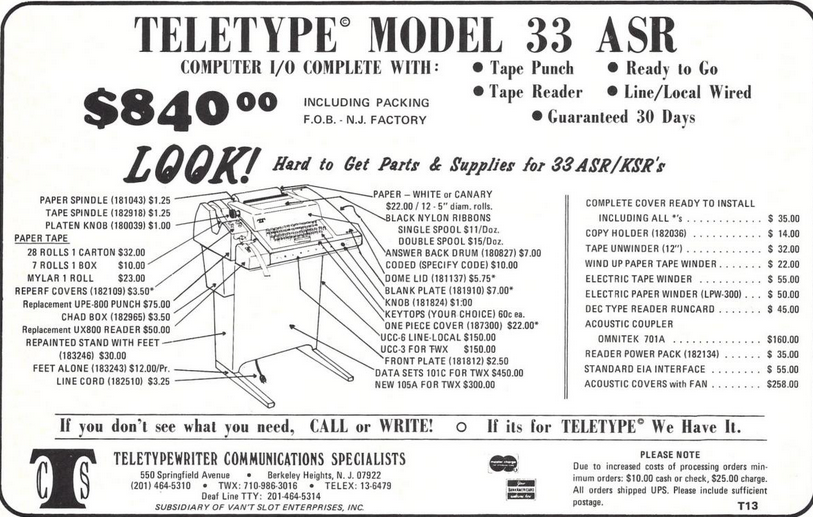
An ad from Kilobaud offered you a ready-to-go, surely refurbished, ASR33 for $840

At work, you might have TeleType. Most of those were leased, and the price tag of a new one was somewhere around $1,000. Remember, too, that $1,000 in 1975 was a small fortune. Really lucky people had video terminals, but those were often well over $1,500, although Lear Siegler introduced one at the $1,000 price, and it became wildly successful. Snagging a used terminal was not very likely, and surplus TeleType equipment was likely of the 5-bit Baudot variety — not unusable, but not the terminal you really wanted.

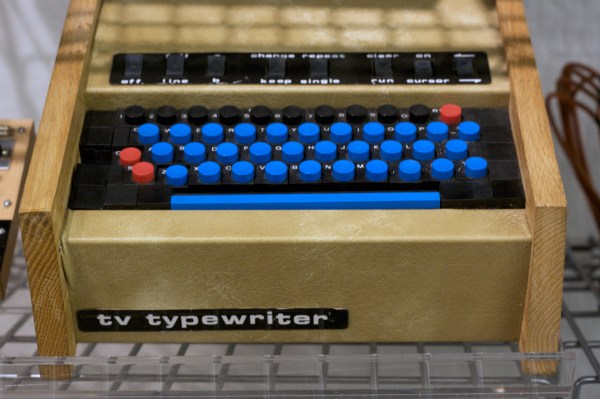
A lot of the cost of a video terminal was the screen. Yet nearly everyone had a TV, and used TVs have always been fairly cheap, too. That’s where Don Lancaster came in. His TV Typewriter Cookbook was the bible for homebrew video displays. The design influenced the Apple 1 computer and spawned a successful kit for a company known as Southwest Technical Products. For around $300 or so, you could have a terminal that uses your TV for output. Continue reading “TV Typewriter Remembered”

Vintage Digital Frequency Meter Teardown

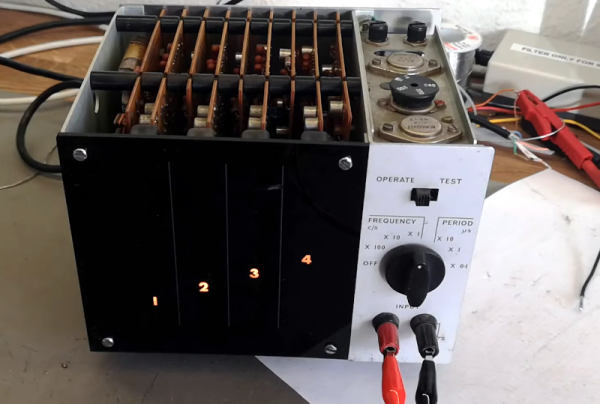
You think of digital displays as modern, but the idea isn’t that new. We had clocks, for example, with wheels and flip digits for years. The Racal frequency counter that [Thomas Scherrer] is playing with in the video below has columns of digits with lamps behind them. You just need the right plastic and ten lightbulbs per digit, and you are in business. Easy enough to accomplish in 1962.

Inside the box was surprising. The stack of PC boards looks more like a minicomputer than a piece of test gear. There were a few novel items inside, too, ranging from a glass-encapsulated crystal to an interesting method of selecting the line voltage.

Continue reading “Vintage Digital Frequency Meter Teardown”

Shake, Rattle, Roll, With Your Own Seismograph

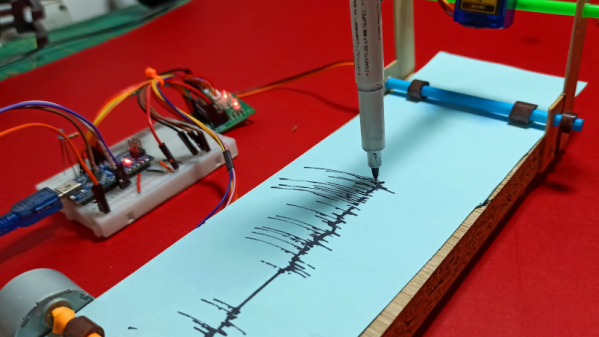
We always love to see projects where you can build your own lab equipment so [CompactDIY’s] homemade seismograph caught our eye. The design uses an Arduino with an accelerometer and builds on one of their earlier projects. You can see a video of the device below.

The principle is simple. A hobby servo controls a pen and a stepper motor rolls paper, creating a makeshift strip recorder. Its software uses the Visuino system, which is a flowchart-like system, but it outputs Arduino code. Honestly, we would probably have just plotted the data on a PC, but there’s a certain charm to the strip recorder and the idea would work for other types of data recording projects, too. We thought if you rearranged the stepper motor and cut a paper disk out, you could also have a circular chart recorder easily, which wouldn’t need to friction transport the paper. A clock motor would make it even less dependent on software, too.

If this project interests you, try a Raspberry shake, which isn’t as delicious as it sounds. Or, keep an eye on the entire globe, if you prefer.

Continue reading “Shake, Rattle, Roll, With Your Own Seismograph”