We think of data storage as a modern problem, but even ancient civilizations kept records. While much of the world used stone tablets or other media that didn’t survive the centuries, the Incas used something called quipu which encoded numeric data in strings using knots. Now the ancient system of recording numbers has inspired a new way to encode qubits in a quantum computer.
With quipu, knots in a string represent a number. By analogy, a conventional qubit would be as if you used a string to form a 0 or 1 shape on a tabletop. A breeze or other “noise” would easily disturb your equation. But knots stay tied even if you pick the strings up and move them around. The new qubits are the same, encoding data in the topology of the material.
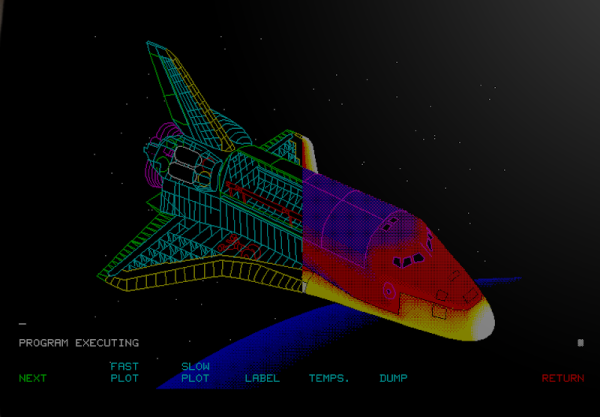
There are some things that leave indelible impressions in your memory. One of those things, for me, was a technical presentation in 1980 I attended — by calling in a lot of favors — a presentation by HP at what is now the Stennis Space Center. I was a student and it took a few phone calls to wrangle an invite but I wound up in a state-of-the-art conference room with a bunch of NASA engineers watching HP tell us about all their latest and greatest. Not that I could afford any of it, mind you. What really caught my imagination that day was the HP9845C, a color graphics computer with a roughly $40,000 price tag. That was twice the average US salary for 1980. Now, of course, you have a much better computer — or, rather, you probably have several much better computers including your phone. But if you want to relive those days, you can actually recreate the HP9845C’s 1980-vintage graphics glory using, of all things, a game emulator.
The Machine
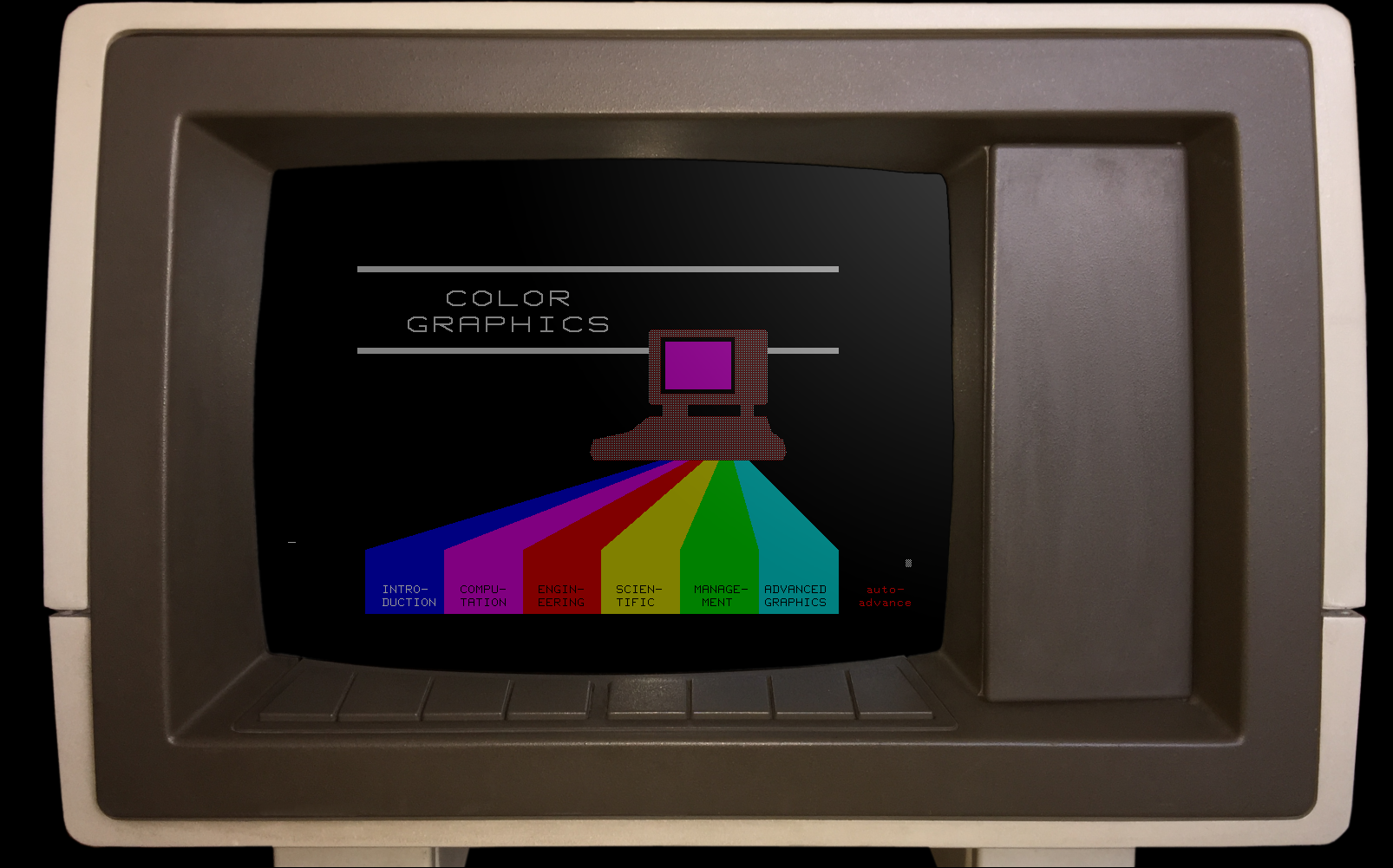
The HP9845C with a Colorful Soft Key Display
Keep in mind that the IBM PC was nearly two years away at this point and, even then, wouldn’t hold a candle to the HP9845C. Like many machines of its era, it ran BASIC natively — in fact, it used special microcode to run BASIC programs relatively quickly on its 16-bit 5.7 MHz CPU. The 560 x 455 pixel graphics system had its own CPU and you could max it out with a decadent 1.5 MB of RAM. (But not, alas, for $40,000 which got you — I think –128K or so.)
The widespread use of the computer mouse was still in the future, so the HP had that wonderful light pen. Mass storage was also no problem — there was a 217 kB tape drive and while earlier models had a second drive and a thermal printer optional, these were included in the color “C” model. Like HP calculators, you could slot in different ROMs for different purposes. There were other options such as a digitizer and even floppy discs.
Want to try a big quantum computer but don’t have the cash? Google wants to up your simulation game with their “Quantum Virtual Machine” that you can use for free.
On the face of it, it sounds like marketing-speak for just another quantum simulator. But if you read the post, it sounds like it attempts to model effects from a real Sycamore processor including qubit decay and dephasing along with gate and readout errors. This forms what Google calls “processor-like” output, meaning it is as imperfect as a real quantum computer.
If you need more qubits than Google is willing to support, there are ways to add more computing using external compute nodes. Even if you have access to a real machine of sufficient size, this is handy because you don’t have to wait in a queue for time on a machine. You can work out a lot of issues before going to the real computer.
This couldn’t help but remind us of the old days when you had to bring your cards to the central computer location and wait your turn only to find out you’d made a stupid spelling mistake that cost you an hour of wait time. In those days, we’d “desk check” a program carefully before submitting it. This system would allow a similar process where you test your basic logic flow on a virtual machine before suffering the wait time for a real computer to run it.
Of course, if you really need a quantum computer, the simulation is probably too slow to be practical. But at least this might help you work out the kinks on smaller problems before tackling the whole enchilada. What will you do with a quantum computer? Tell us in the comments.
Google, of course, likes its own language, Cirq. If you want a leg up on general concepts with a friendly simulator, try our series.
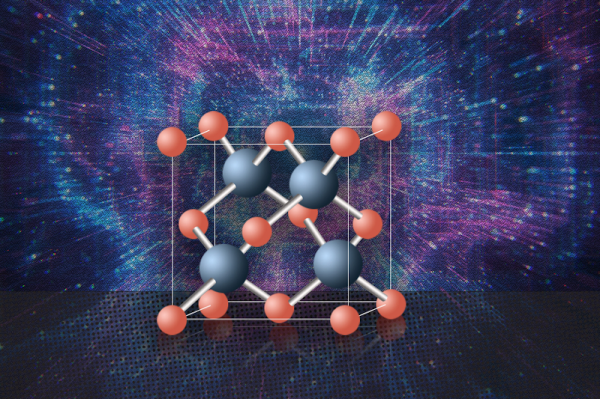
Silicon has had a long run as the king of semiconductors, and why not? It’s plentiful and works well. However, working well and working ideally are two different things. In particular, electrons flow better than holes through the material. Silicon also is a poor heat conductor as we’ve all noticed when working with high-speed or high-power electronics. Researchers at MIT, the University of Houston, and other institutions are proposing cubic boron arsenide to overcome these limitations.
According to researchers, this material is a superior semiconductor and, possibly, the best possible semiconductor. Unfortunately, the material isn’t nearly as common as silicon. Labs have created small amounts of the material and there is still a problem with fabricating uniform samples.
Early experiments show the material has very high mobility for electrons and holes along with thermal conductivity almost ten times greater than that of silicon. It also has a good bandgap, making it very attractive as a semiconductor material. In fact, only diamond and isotopically enriched cubic boron nitride have better thermal conductivity.
However, there are still unknowns about how to use the material in practical devices. Long-term stability tests are as lacking. So maybe it will wipe out silicon or maybe it won’t. Time will tell.
In the Star Trek episode Space Seed, [Khan] famously said, “Improve a mechanical device, and you may double productivity. But improve man, you gain a thousandfold.” Most of our hacks center on the mechanical or electromechanical kind, but we do have an interest in safely improving ourselves. The problem is that most of us don’t want to mess with our DNA or have surgery, so it sort of limits our options.
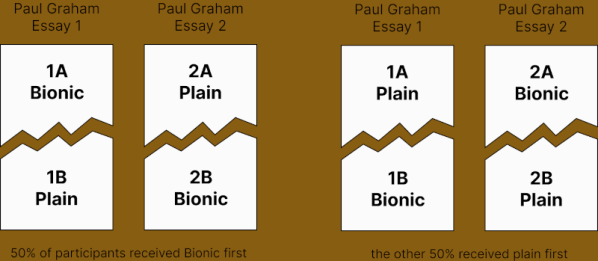
We are always interested in less invasive hacks, so we certainly took note of Bionic Reading. However, a recent paper claims to debunk the claims of benefits. The company promoting the technology claims a Swiss University study showed that while the results were not clear, “the majority had a positive effect.” They also claim, anecdotally, that the technique can help those with dyslexia. What’s the truth? We don’t know, but it is an interesting discussion to follow.
If you haven’t seen it before, Bionic Reading — which, by the way, may not be free to use — is a way of using a dark font to emphasize certain key parts of words. For example, you can read this article using Bionic Reading. [Daniel Doyon] analyzed reading by 2,074 testers and found that participants actually read slower when using the Bionic Reading technique.
The holy grail of computing is to have some way to distribute a program to any computer. This is one of those totally unachievable goals, but many have tried with varying degrees of success. People naturally think of Java, but even before that there was UCSD’s P-code and many other attempts to pull off the same trick. We were impressed, though, with Redbean 2.0 which uses a single executable file to run a webserver — or possibly other things — on six different operating systems. If the six operating systems were all flavors of Linux or Windows that wouldn’t be very interesting. But thanks to APE — the Actually Portable Executable — format, you can run under Windows, Linux, MacOS, OpenBSD, NetBSD, and FreeBSD.
This is quite a feat when you realize that most of these take wildly different file formats. There is one small problem: you can’t use much of anything on the host operating system. However, if you look at Redbean, you’ll see there is quite a lot you can do.
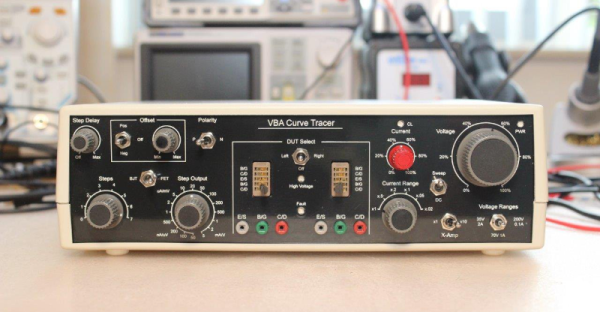
When we first saw the VBA curve tracer, we thought it might have something to do with Visual Basic for Applications. But it turns out it is a mash up of the names of the creators: [Paul Versteeg], [Bud Bennett], and [Mark Allie]. [Paul] designed an original prototype back in 2017. Since then, the project has grown and lessons were learned. The final curve tracer is pretty impressive in more ways than one.
If you’ve never used a curve tracer, they allow you to characterize components using their characteristic curve of voltage versus current. You use an oscilloscope as an output device. This instrument is often used by engineers trying to understand or match devices like diodes, transistors, or — in some cases — even tubes. So if you want to measure the collector-emitter breakdown voltage, for example, or the collector cutoff current, this is your go-to device. You can also match gains in circuits where that matters (for example, a push-pull circuit where two transistors amplify different parts of the same signal).
If you want to understand more about how it works, there are a series of blog posts covering the evolution of the device. You can also find the design files on GitHub. There is also a handy post showing many types of measurements you might want to make.