Blinking Cursor Turns 54, Hardly Anyone Notices

In an interesting post on Inverse, [Sarah Wells] does a deep dive into something you probably don’t think about very often: the blinking cursor. You’d assume there wasn’t much to the story. Maybe a terminal manufacturer put a toggle flip flop on the cursor output and it caught on. But the true story is much deeper than that.

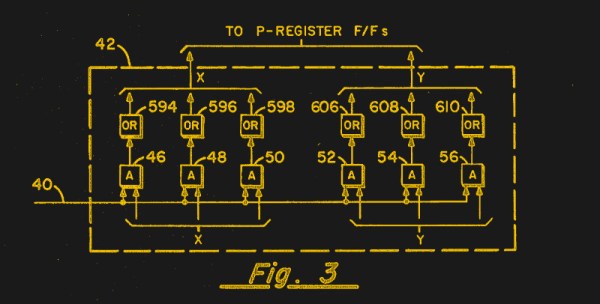
We were surprised that the father of the blinking cursor was one guy, [Charles Kiesling]. In a 1967 patent, he described the blinking cursor. An ex-Navy man, [Kiesling’s] patent names his employer at the time, Sperry Rand, where he’d worked since 1955.

Continue reading “Blinking Cursor Turns 54, Hardly Anyone Notices”

Art of 3D printer in the middle of printing a Hackaday Jolly Wrencher logo

3D Printering: One Bed Level To Rule Them All

In an ideal world, your FDM 3D printer’s bed would be perfectly parallel with the print head’s plane of movement. We usually say that means the bed is “level”, but really it doesn’t matter if it is level in the traditional sense, as long as the head and the bed are the same distance apart at every point. Of course, in practice nothing is perfect.

The second best situation is when the bed is perfectly flat, but tilted relative to the print head. Even though this isn’t ideal, software can move the print head up and down in a linear fashion to compensate for the tilt. Things are significantly worse if the bed isn’t itself flat, and has irregular bumps up and down all over.

To combat that, some printer firmware supports probing the bed to determine its shape, and adjusts the print head up and down as it travels across the map. Of course, you can’t probe the bed at every possible point, so the printer will have to interpolate between the measured reference points. Marlin’s bilinear bed leveling is an example.

But if you have enough flash space and you use Marlin, you may want to try unified bed leveling (UBL). This is like bilinear leveling on steroids. Unfortunately, the documentation for this mode is not as plain as you might like. Everything is out there, but it is hard to get started and information is scattered around a few pages and videos. Let’s fix that.

Continue reading “3D Printering: One Bed Level To Rule Them All”

TFT35 Dual Mode 3D Print Control – Hands On

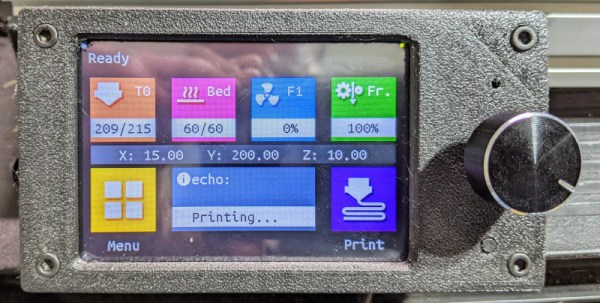
I was rebuilding one of my 3D printers — again — and decided I needed a display upgrade. A color screen is nice, but there are some limitations. I also found there are ways around these limitations, so I wanted to share my thoughts on a dual-mode color touch screen LCD controller for your 3D printer. The screen in question is a TFT35 from BigTree Tech. It is similar to an MKS screen, but it can operate in two different modes, as you will see.

A few years ago, I picked up an Anet A8 which was very inexpensive, especially on sale. Not the best printer, though, because it has that cheap acrylic frame. No problem. A box full of aluminum extrusion later, the printer was reborn. Over time, I’ve completely reworked the extrusion system and the Y-axis, leaving only the motors, bearings, and the controller/display as the original.

That last part was what bothered me. The Anet board is actually pretty capable for a small cheap board. But it is just what the printer needs and nothing more. If you wanted to hack the printer there was very little memory left and only one spare pin for I/O. So it was time to replace the board and why not the controller, too?

Continue reading “TFT35 Dual Mode 3D Print Control – Hands On”

UV Printing PCBs

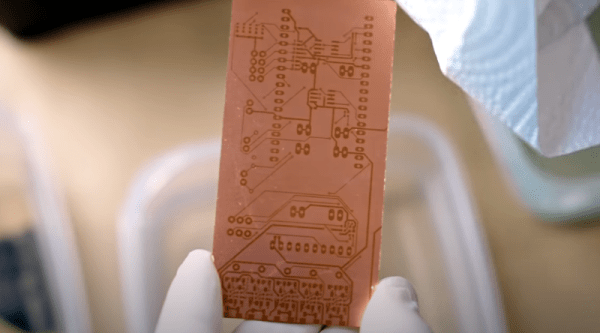
We always enjoy [Thomas Sanladerer’s] 3D printing videos. But his latest isn’t only about 3D printing. He shows how he uses a DLP printer — which has UV light, after all — to expose PC board blanks with great results. Honestly, once we heard the idea, we immediately saw how that could work it is surprising more people aren’t taking advantage of their DLP printers like that. Of course, [Thomas] does his usual thorough treatment of the topic.

Really, this isn’t exactly 3D printing even though it uses a 3D printer. Exposing boards with UV light and artwork is an old process that has been around for years, usually using transparency film and a UV light source. With a printer, you can create artwork digitally and the UV light source is already there.

Continue reading “UV Printing PCBs”

Linux Fu: Don’t Share Well With Others

In kindergarten, you learn that you should share. But for computer security, sharing is often a bad thing. The Linux kernel introduced the concept of namespaces starting with version 2.6.24. That’s been a few years ago, but namespaces are not used by many even though the tools exist to manipulate them. Granted, you don’t always need namespaces, but it is one of those things that when you do need it, the capability is priceless. In a nutshell, namespaces let you give a process its own private resources and — more importantly — prevents a process from seeing resources in other namespaces.

Turns out, you use namespaces all the time because every process you run lives in some set of namespaces. I say set, because there are a number of namespaces for different resources. For example, you can set a different network namespace to give a process its own set of networking items including routing tables, firewall rules, and everything else network-related.

So let’s have a look at how Linux doesn’t share names.

Continue reading “Linux Fu: Don’t Share Well With Others”

Turing Ring Is Compact

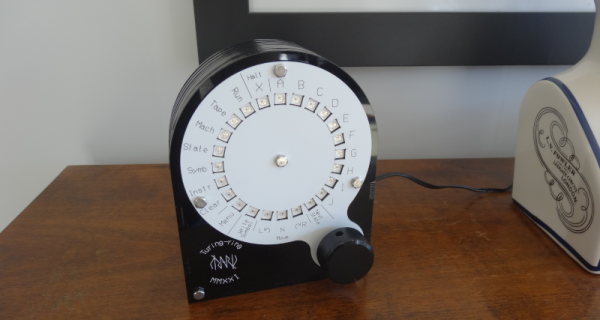
One of the problems with a classic Turing machine is the tape must be infinitely long. [Mark’s] Turing Ring still doesn’t have an infinite tape, but it does make it circular to save space. That along with a very clever and capable UI makes this one of the most usable Turing machines we’ve seen. You can see a demo in the video below.

The device uses an Arduino Nano, a Neopixel ring, an encoder, and a laser-cut enclosure that looks great. The minimal UI has several modes and the video below takes you through all of them.

Continue reading “Turing Ring Is Compact”

Voice Command Made Mostly Easy

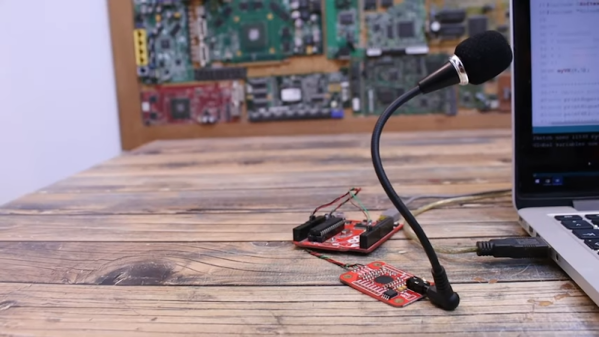
Speech commands are all the rage on everything from digital assistants to cars. Adding it to your own projects is a lot of work, right? Maybe not. [Electronoobs] shows a speech board that lets you easily integrate 255 voice commands via serial communications with a host computer. You can see the review in the video below.

He had actually used a similar board before, but that version was a few years ago, and the new module has, of course, many new features. As of version 3.1, the board can handle 255 commands in a more flexible way than the older versions.

Continue reading “Voice Command Made Mostly Easy”