Monoprice Select Mini Gets Smooth

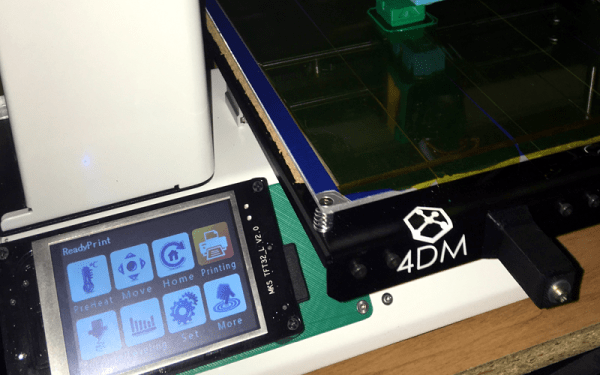
We’ve had a love affair with the Monoprice Select Mini since it came out. The cheap printer has its flaws, though. One of them is that the controller is a bit opaque. On the one hand, it is impressive that it is a 32-bit board with an LCD. On the other hand, we have no way to modify it easily other than loading the ready-built binaries. Want to add bed leveling? Multiple fans? A second extruder and mixing head? Good luck, since the board doesn’t support any of those things. [mfink70] decided the controller had to go, so he upgraded his Mini with a Smoothie board.

On the plus side, the Smoothie board is also a 32-bit board with plenty of power and expansion capability. On the downside, it costs about half as much as the printer does. Just replacing the board was only part of the battle. [mfink70] had to worry about the steppers, the end stops, and a few other odds and ends.
Continue reading “Monoprice Select Mini Gets Smooth”

Learn Advanced PCB Design For $200–Worth It?

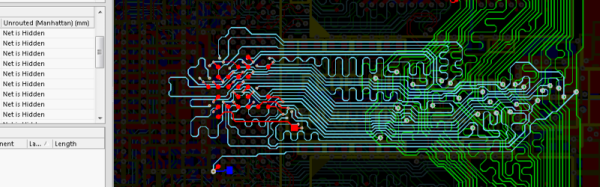
[Helentronica] has been using Altium Designer to lay out PC boards since he was a student. Now as a freelancer, he felt like he didn’t quite know all that he wanted to know. Keep in mind he’d done multilayer boards with BGAs and LVDS routing, so he was no neophyte. He decided to spend about $200 on an advanced course from Fedevel Academy. In this day where everything is free on the Internet, is it worth paying $200 to watch some videos?

[Helentronica] probably weighed the same question. However, he was interested in the course project which is an open-source computer module with an i.MX6 processor, 1 GB of DDR3 SDRAM and lots of expansion options. In fact, the ad copy that sold him was:

You will be practicing on a real high-speed board with 1.2GHz CPU and DDR3, PCIE, SATA, HDMI, LVDS, 1Gb Ethernet and more

He completed the course. Was it worth it? We won’t spoil the story, but you should check out his post and find out. Even if you don’t want to drop $200 or you don’t use Altium, you will probably pick up some tips on PC board layout.

Continue reading “Learn Advanced PCB Design For $200–Worth It?”

Reverse Engineering Space Invaders Sound Chip

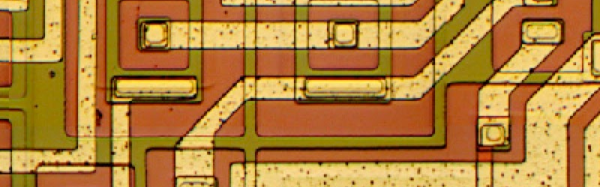
Around here, a new blog post from [Ken Shirriff] is almost as exciting as a new Star Trek movie. This time, [Ken] tears apart a 76477 sound effects chip. This chip was state-of-the-art in 1978 and used in Space Invaders, along with plenty of other pinball machines and games.

[Ken] started out with a die photo from [Sean Riddle] and mapped its functions. Unlike a modern sound chip, this one created sounds based on networks of attached resistors and capacitors. Even if you aren’t interested in the chip, per se, [Ken] explains how the die implements active and passive devices, along with some key analog design principles like current mirrors (although we are pretty sure he got his right and his left mixed up, or maybe it was a very subtle mirror joke).

Before electronics magazines were full of computer projects, they were full of music synthesis projects and the 76477 is like a crude synthesizer on a chip. It has voltage controlled oscillators (VCOs),  and generates envelopes with specific attack and decay times to create the sounds of interest.

This reminded us a little of the sounds from the more advanced MOS6581. [Ken] has looked inside a lot of ICs, including at the 2016 Hackaday SuperConference.

Learn By Fixing: Another Verilog CPU

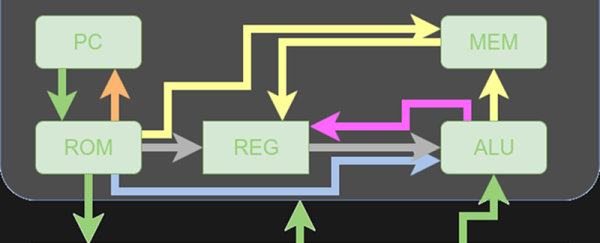
Because I often work with students, I’m always on the look-out for a simple CPU, preferably in Verilog, in the Goldilocks zone. That is, not too easy and not too hard. I had high hopes for this 16-bit RISC processor presented by [fpga4student], but without some extra work, it probably isn’t usable for its intended purpose.

The CPU itself is pretty simple and fits on a fairly long web page. However, the details about it are a bit sparse. This isn’t always a bad thing. You can offer students too much help. Then again, you can also offer too little. However, what was worse is one of the modules needed to get it to work was missing! You might argue it was an exercise left to the reader, but it probably should have been pointed out that way.

At first, I was ready to delete the bookmark and move on. Then I decided that the process of fixing this design and doing a little analysis on it might actually be more instructive than just studying a fully working design. So I decided to share my fix with you and look inside the architecture a bit more. On top of that, I’ll show you how to get the thing to run in an online simulator so you can experiment with no software installation. Of course, if you are comfortable with a Verilog toolchain (like the ones from Xilinx or Altera, or even free ones like Icarus or CVer) you should have no problem making that work, either. This time I’ll focus on how the CPU works and next time I’ll show you how to simulate it with some free tools. Continue reading “Learn By Fixing: Another Verilog CPU”

MATLAB And Simulink For Zynq

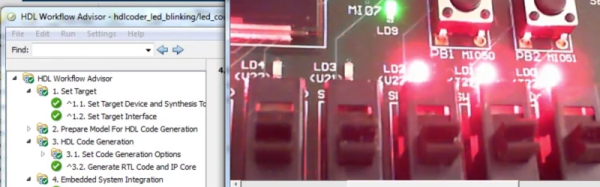
Although we see a lot of MATLAB use in industry and in academia, it isn’t as popular in the hacker community. That’s probably due to the cost. If you’ve ever wondered why companies will pay over $2000 for the base product, you might enjoy the video of a webinar covering using MATLAB and Simulink (a companion product) to program the CPU and FPGA on a Zynq Zedboard. Not interested because of the price? If you aren’t using it for commercial purposes, it isn’t as bad as you think.

MathWorks is one of those companies that likes to market by virtually giving away products to students with the hope that they’ll adopt the same tools when they land jobs in industry. Their flagship product, MATLAB, is well-entrenched in the labs and offices of big corporations. We’ve often thought that MATLAB is sort of what FORTRAN would look like if it had been developed in the last 20 years instead of 60 years ago. It is true that a base license for MATLAB is over $2000. However, if you aren’t using it for commercial purposes, and you can’t score a student license, you can get a personal license of MATLAB for about $150. The extra modules are also similarly reduced in price. If you are a student, the price drops to about $100, although many schools have licenses students can use at no cost to them.

If you watch the video from [Noam Levine], you’ll see you get your money’s worth. If you are wanting to configure the FPGA directly, this isn’t for you. But if you just want to accelerate a program by pushing DSP or other algorithms that can benefit from hardware assistance, MATLAB makes it very easy.

Continue reading “MATLAB And Simulink For Zynq”

Mission Control For Kerbal

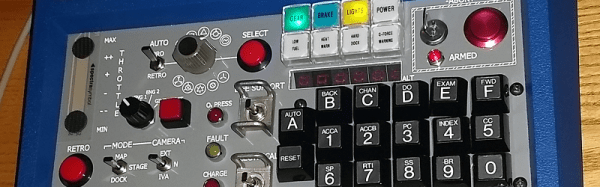
[Niko1499] had a plan. He’d built a cool hardware controller for the game Kerbal Space Program (KSP). He got a lot of positive reaction to it and decided to form a company to produce them. As many people have found out, though, that’s easier said than done, and the planned company fell short of its goals. However, [Niko1499] has taken his controller and documented a lot about its construction, including some of the process he used to get there.

If you haven’t run into it before, KSP is sort of half simulator, half game. You take command of an alien space program and develop it, plan and execute missions, and so on. The physics simulation is quite realistic, and the game has a large following.

When we first saw the photos, we thought it was an old Heathkit trainer, and–indeed–the case is from an old Heathkit. However, the panel is laser cut, and the software is Arduino-based. [Niko1499] covers a few different methods of letting the Arduino control the game by emulating a joystick, a keyboard, or by using some software to take serial data and use it to control the game.

Continue reading “Mission Control For Kerbal”

Rusty ARM

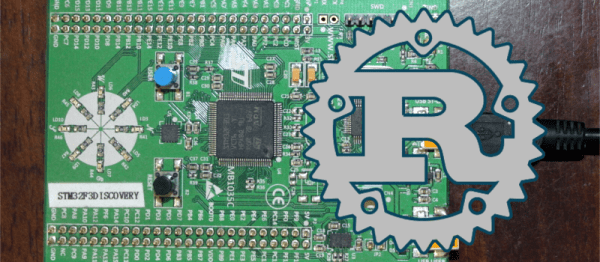
You’ve probably heard that Rust is a systems programming language that has quite the following growing. It purports to be fast like C, but has features like guaranteed memory and thread safety, generics, and it prevents segmentation faults. Sounds like just the thing for an embedded system, right? [Jorge Aparicio] was frustrated because his CPU of choice, an STM32 ARM Cortex-M didn’t have native support for Rust.

Apparently, you can easily bind C functions into a Rust program but that wasn’t what he was after. So he set out to build pure Rust programs that could access the device’s hardware and he documented the effort.

Continue reading “Rusty ARM”