Cameo Cutter Makes SMD Stencils

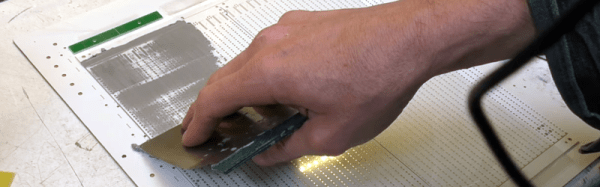
You never know what you might find in an arts and craft store. A relatively recent addition to crafting is automatic cutting machines like the Cricut and Cameo cutters. These are typically used to cut out shapes for scrapbooking, although they will cut or engrave almost anything thin. You can think of them as a printer with a cutting blade in place of the print head. [Mikeselectricstuff] decided to try a Cameo cutter to produce SMD stencils. The result, as you can see in the video below, is quite impressive.

If you’ve ever wanted to do SMD soldering with a reflow oven, stencils are invaluable for putting solder paste on the board where you want it quickly. The board [Mike] has contains a boat-load (over 2,000) of LEDs and dropping solder on each pad with a syringe would be very time consuming (although he did do some touch up with a syringe).

The board he’s using doesn’t have any extreme fine-pitched parts. However, he did some test patterns and decided he could get down to a finer pitch, especially with a little tweaking. However, the stencil he used didn’t need any changes. All he did was export the solder paste layer as a DXF and bring it straight into the Cameo software.

This isn’t the first time we’ve seen one of these cutters pressed into stencil service. You can also get some use out of your 3D printer.

Continue reading “Cameo Cutter Makes SMD Stencils”

Transparent 3D Printing?

Transparent plastic is nothing new. However, 3D prints are usually opaque or–at best–translucent. [Thomas Sanladerer] wanted to print something really transparent. He noticed that Colorfabb had an article about printing transparent pieces with their HT filament. [Thomas] wanted to try doing the same thing with standard (and cheaper) PETG, which is chemically similar to the HT. Did he succeed? Watch the video below and find out.

You can get lots of clear plastic filament, but the process of printing layers makes the transparency turn cloudy, apparently mostly due to the small gaps between the layers. The idea with the HT filament is to overextrude at a high enough temperature that the layers can fuse together.

[Thomas] wanted to create some clear parts and diffusers for lamps. The diffusers print using vase mode and the lamps he creates when them look great even without clear diffusers.

His first experiments involved layer height and extrusion rates. He tried to determine what was making things better and worse and modifying his technique based on that. There were also some post-processing steps he tried.

If you want to see what the Colorfabb HT parts made by someone other than Colorfabb look like, check out the second video below from [3D Printing Professor]. The prints he is making don’t look very clear until he does some post processing. Even after the post processing, it isn’t going to fool anyone into thinking it is glass-clear. However, the parts that Colorfabb shows on their blog post about the material do look amazing. Between the overextrusion used to prevent gaps and the post processing steps, [3D Printing Professor] warns that it won’t be easy to get parts with precise dimensions using this technique.

If you have a big budget, you could try printing with actual glass. There seem to be several ways to do that.

Son Of Sonoff

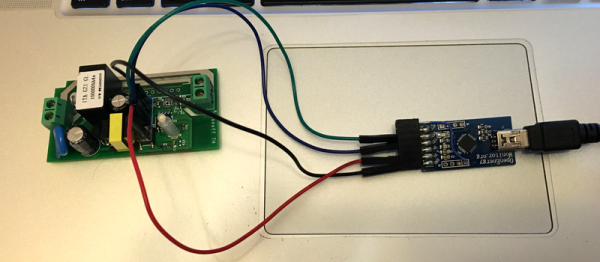
We’ve covered the Sonoff a few times–a very inexpensive box with an ESP8266, a power supply, and an AC relay along with a way to tap into a power cord. Very inexpensive means $5 or $6. The supplied software will work with several systems (including, recently, Alexa). But what self-respecting hacker wants to run the stock firmware on something with an ESP8266 inside?

[Tzapu] certainly didn’t. But he also knew he didn’t want to start from scratch every time he wanted to deploy a switch. So he built SonoffBoilerplate and put the code on GitHub. The code manages taking configuration (including network settings) using a web-portal, can update itself over the air, and integrates with Blynk and MQTT. If you don’t like that code base, there are other choices including one that has a failsafe reconfiguration mode.

Continue reading “Son Of Sonoff”

Simulating The Learn-by-Fixing CPU

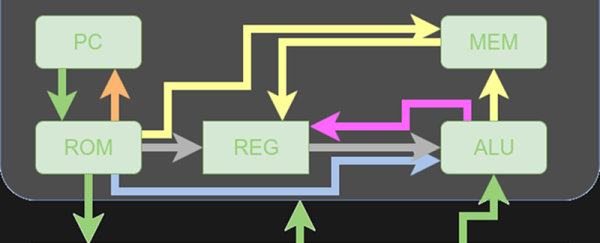
Last time I looked at a simple 16-bit RISC processor aimed at students. It needed a little help on documentation and had a missing file, but I managed to get it to simulate using a free online tool called EDA Playground. This time, I’ll take you through the code details and how to run the simulation.

You’ll want to refer to the previous post if you didn’t read it already. The diagrams and tables give a high-level overview that will help you understand the files discussed in this post.

If you wanted to actually program this on a real FPGA, you’d have a little work to do. The memory and register initialization is done in a way that works fine for simulation, but wouldn’t work on a real FPGA. Anyway, let’s get started!

Continue reading “Simulating The Learn-by-Fixing CPU”

Cheap Helping Hands: Just Add Time

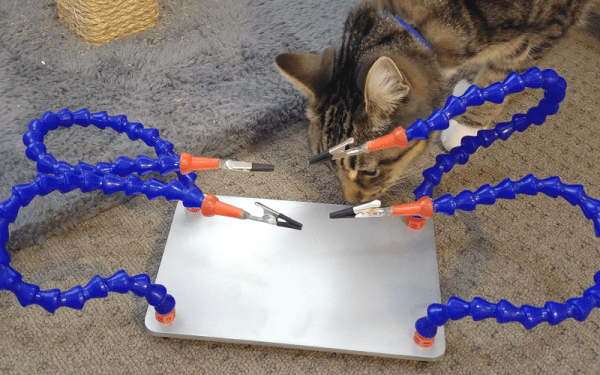
We think of helping hands as those little alligator clips on a metal stand. They are cheap and fall over, so we tend to buy them and don’t use them. However, if you are willing to put $35 or $40 into it, you can get the newer kind that have–well–tentacles–on a heavy base.  [Archie_slap] didn’t want that kind of investment, so he made his own for about $10. We think that’s Australian dollars, so that’s even less in the United States.

What’s better is he documented every step in meticulous detail and with great pictures. You probably won’t directly duplicate his project because you will probably pick up a slightly different base, but that’s not hard to figure out. The arms are actually coolant hose, [Archie_slap] picked up almost everything but the base plate on eBay.

It’s obvious [Archie] is a frugal guy, based on his drill press. It gets the job done, though. The build is attractive and looks like a much more expensive commercial product. Some of us around the Hackaday lab are old enough to wish there was a magnifying glass attached, but maybe that’s version two.

We’ve looked at a lot of different helpers recently. We couldn’t help but think about a somewhat similar Gorillapod holder we covered last year.

Templates Speed Up Arduino I/O

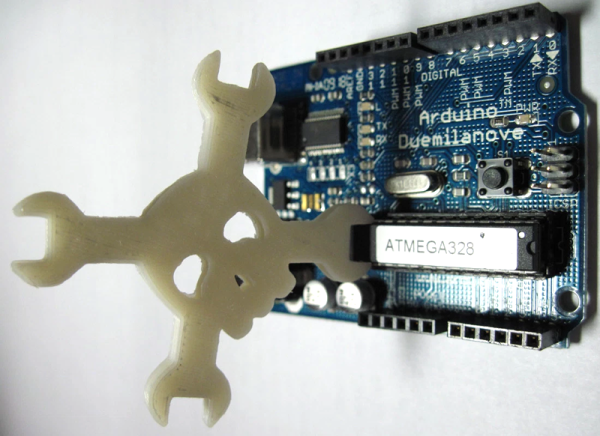
It is easy to forget, but the Arduino does use C++. Typically, the C++ part is in the libraries and the framework and most people just tend to code their main programs using a C-style just using the library objects like C-language extensions. [Fredllll] recently created a template library to speed up Arduino I/O and he shared it on GitHub.

If you’ve ever done anything serious with the Arduino, you probably know that while digitalWrite is handy, it does a lot of work behind the scenes to make sure the pin is setup and this adds overhead to every call. [Fredllll’s] template versions can switch a pin’s state in two cycles. You can cut that in half if you don’t mind bothering the state of other pins on the same port.

Continue reading “Templates Speed Up Arduino I/O”

History Of Git

Git is one of those tools that is so simple to use, that you often don’t learn a lot of nuance to it. You wind up cloning a repository from the Internet and that’s about it. If you make changes, maybe you track them and if you are really polite you might create a pull request to give back to the project. But there’s a lot more you can do. For example, did you know that Git can track collaborative Word documents? Or manage your startup files across multiple Linux boxes?

Git belongs to a family of software products that do revision (or version) control. The idea is that you can develop software (for example) and keep track of each revision. Good systems have provisions for allowing multiple people to work on a project at one time. There is also usually some way to split a project into different parts. For example, you might split off to develop a version of the product for a different market or to try an experimental feature without breaking the normal development. In some cases, you’ll eventually bring that split back into the main line.

Although in the next installment, I’ll give you some odd uses for Git you might find useful, this post is mostly the story of how Git came to be. Open source development is known for flame wars and there’s at least a few in this tale. And in true hacker fashion, the hero of the story decides he doesn’t like the tools he’s using so… well, what would you do?

Continue reading “History Of Git”