Learn By Fixing: Another Verilog CPU

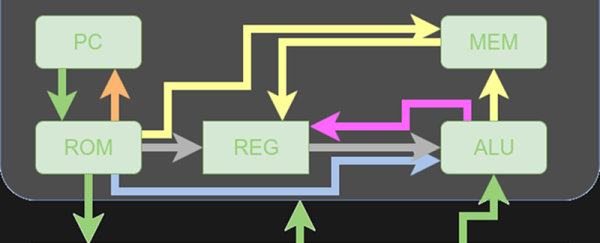
Because I often work with students, I’m always on the look-out for a simple CPU, preferably in Verilog, in the Goldilocks zone. That is, not too easy and not too hard. I had high hopes for this 16-bit RISC processor presented by [fpga4student], but without some extra work, it probably isn’t usable for its intended purpose.

The CPU itself is pretty simple and fits on a fairly long web page. However, the details about it are a bit sparse. This isn’t always a bad thing. You can offer students too much help. Then again, you can also offer too little. However, what was worse is one of the modules needed to get it to work was missing! You might argue it was an exercise left to the reader, but it probably should have been pointed out that way.

At first, I was ready to delete the bookmark and move on. Then I decided that the process of fixing this design and doing a little analysis on it might actually be more instructive than just studying a fully working design. So I decided to share my fix with you and look inside the architecture a bit more. On top of that, I’ll show you how to get the thing to run in an online simulator so you can experiment with no software installation. Of course, if you are comfortable with a Verilog toolchain (like the ones from Xilinx or Altera, or even free ones like Icarus or CVer) you should have no problem making that work, either. This time I’ll focus on how the CPU works and next time I’ll show you how to simulate it with some free tools. Continue reading “Learn By Fixing: Another Verilog CPU”
MATLAB And Simulink For Zynq

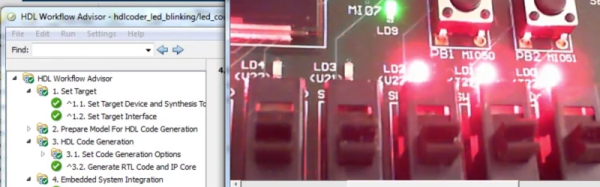
Although we see a lot of MATLAB use in industry and in academia, it isn’t as popular in the hacker community. That’s probably due to the cost. If you’ve ever wondered why companies will pay over $2000 for the base product, you might enjoy the video of a webinar covering using MATLAB and Simulink (a companion product) to program the CPU and FPGA on a Zynq Zedboard. Not interested because of the price? If you aren’t using it for commercial purposes, it isn’t as bad as you think.

MathWorks is one of those companies that likes to market by virtually giving away products to students with the hope that they’ll adopt the same tools when they land jobs in industry. Their flagship product, MATLAB, is well-entrenched in the labs and offices of big corporations. We’ve often thought that MATLAB is sort of what FORTRAN would look like if it had been developed in the last 20 years instead of 60 years ago. It is true that a base license for MATLAB is over $2000. However, if you aren’t using it for commercial purposes, and you can’t score a student license, you can get a personal license of MATLAB for about $150. The extra modules are also similarly reduced in price. If you are a student, the price drops to about $100, although many schools have licenses students can use at no cost to them.

If you watch the video from [Noam Levine], you’ll see you get your money’s worth. If you are wanting to configure the FPGA directly, this isn’t for you. But if you just want to accelerate a program by pushing DSP or other algorithms that can benefit from hardware assistance, MATLAB makes it very easy.

Continue reading “MATLAB And Simulink For Zynq”

Mission Control For Kerbal

[Niko1499] had a plan. He’d built a cool hardware controller for the game Kerbal Space Program (KSP). He got a lot of positive reaction to it and decided to form a company to produce them. As many people have found out, though, that’s easier said than done, and the planned company fell short of its goals. However, [Niko1499] has taken his controller and documented a lot about its construction, including some of the process he used to get there.

If you haven’t run into it before, KSP is sort of half simulator, half game. You take command of an alien space program and develop it, plan and execute missions, and so on. The physics simulation is quite realistic, and the game has a large following.

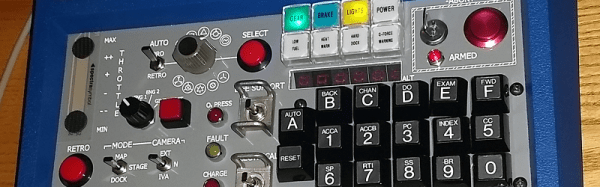
When we first saw the photos, we thought it was an old Heathkit trainer, and–indeed–the case is from an old Heathkit. However, the panel is laser cut, and the software is Arduino-based. [Niko1499] covers a few different methods of letting the Arduino control the game by emulating a joystick, a keyboard, or by using some software to take serial data and use it to control the game.

Continue reading “Mission Control For Kerbal”

Rusty ARM

You’ve probably heard that Rust is a systems programming language that has quite the following growing. It purports to be fast like C, but has features like guaranteed memory and thread safety, generics, and it prevents segmentation faults. Sounds like just the thing for an embedded system, right? [Jorge Aparicio] was frustrated because his CPU of choice, an STM32 ARM Cortex-M didn’t have native support for Rust.

Apparently, you can easily bind C functions into a Rust program but that wasn’t what he was after. So he set out to build pure Rust programs that could access the device’s hardware and he documented the effort.

Continue reading “Rusty ARM”

Your Next Desktop… QNX?

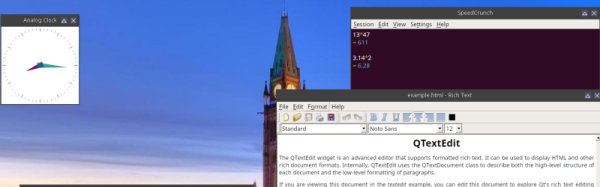
QNX has a long checkered history as an embedded operating system. QNX was always famous for being a real time operating system with a microkernel architecture. That is, kernel functions run as a set of coordinated tasks instead of as a single piece of code. A recent release of QNX 7 (see video, below) allows it to run on 64-bit desktop computers and [elahav] decided to tackle turning this embedded RTOS into a desktop operating system.

That might sound far-fetched, but QNX is a POSIX-compliant system and has all the features you’d expect in a system like Linux or BSD. It just isn’t aimed at the desktop market and therefore doesn’t have a lot of tools for running the desktop. QNX isn’t the kind of RTOS you’ll find on an Arduino. It is more common in things like automobile systems (for example, it runs General Motor’s OnStar system).

He started with a mini ITX board and installed QNX. Usually, you develop for an embedded system on a workstation and then just ship the code over to the target system, but [elahav] took the time to get a build system working on the target. There was one problem. The built-in vi editor was primitive by modern standards. He is usually an emacs user, but even vim would be better than the “stock” vi. While an emacs port would be possible, it would also require porting over a lot of libraries, so his first project was to get the vim source code to compile.

Turned out not to be as easy as he had hoped. The build system expected certain GNU tools that didn’t exist yet (although standard versions of the tools, like grep, did exist). So he had to figure out how to cross compile vim. In retrospect, [elahav] decided he should have just ported the GNU tools first. He did have to remove some old code from vim that was aimed at an older version of QNX.

Continue reading “Your Next Desktop… QNX?”

How To Reverse Engineer A Chip

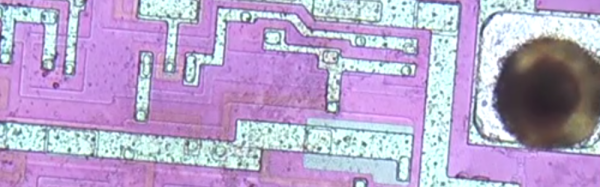
Have you ever wondered how you could look at a chip and map out its schematic? [Robert Baruch] wants to show you how he does it and he does in a new video (see below).  The video assumes you know how to expose the die because he’s made a video about that before.

This video focuses on using his Beaglebone-driven microscope stage to get high-resolution micrographs stitched together from smaller shots. A 3D-printed sample holder keeps the part from moving around. Luckily, there’s software to stitch the images together. Once he has the die photo, he will etch away the metal to remove the passivation, the metal layer, and the silicon dioxide under the metal and takes another set of photos.

Continue reading “How To Reverse Engineer A Chip”

Copper Foil Makes Music–With A Little Help

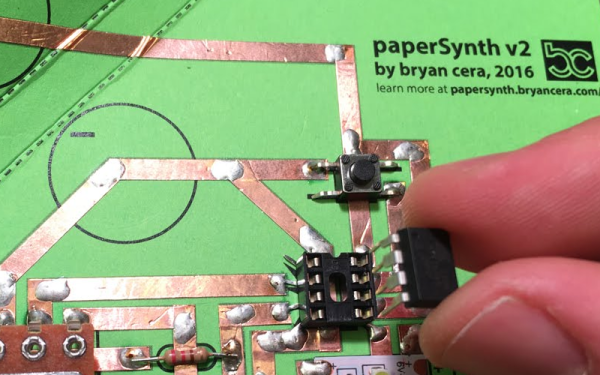
Craft stores are often the source of odd inspiration. In the stained glass section, we’ve seen the copper foil, and even used it to prototype some RF circuits on the tops of shoeboxes. However, we could never get a good method for connecting ICs to the relatively thick foil. [Bryan Cera] did it though. His paperSynth uses some paper and cardboard for a substrate, copper foil, and an ATtiny CPU to make music. You can see the device in operation in the video, below.

The copper foil is sticky and it isn’t conductive on the back, so anywhere the foil is supposed to touch, you need a blob of solder. We wouldn’t trust the insulation by itself to cross wires, but with a bit of insulating material between–a piece of paper or electrical tape, for example–you could probably cross with impunity. For an RF circuit, you might even make low-value capacitors like that.

Continue reading “Copper Foil Makes Music–With A Little Help”