Stop Printing Air With A Filament Sensor

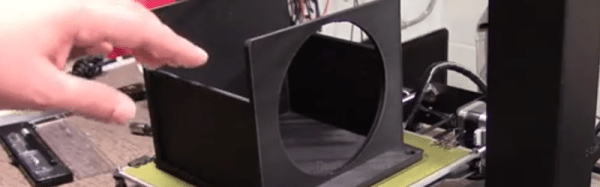
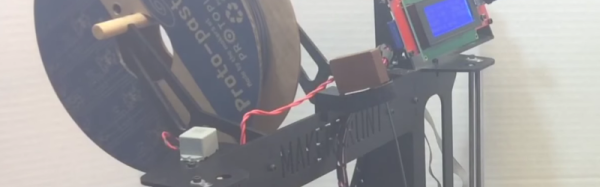
If you have had a 3D printer for awhile, you know the heartbreak of coming in to check on an 8-hour print only to find that in hour 7 you ran out of filament (or the filament broke) and your printer has been dutifully moving around for no reason. [Chuck Hellebuyck] knows and he decided to make a filament sensor he found on Thingiverse.

Finding a part on Thingiverse and printing it probably doesn’t warrant much attention. But if you watch the video, below, it is a good example of how things from Thingiverse don’t always meet your needs. The microswitch [Chuck] had was bigger than the design used. So he loaded the STL file into TinkerCAD and fixed it. He shows you exactly how he did it. That’s a useful skill because you never know when you’ll need to modify some part you’ve found on the Internet.
Continue reading “Stop Printing Air With A Filament Sensor”

Antenna Analyzer Is A Lab In A Box

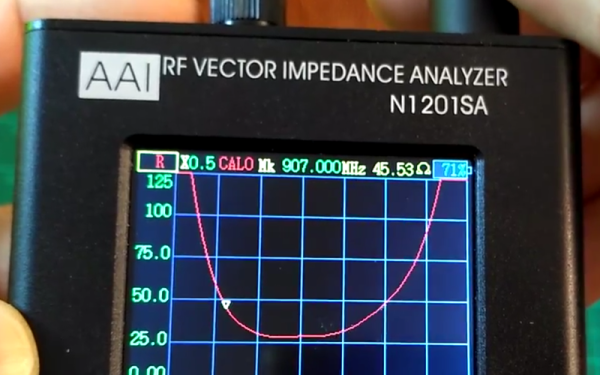
There was a time when the measure of a transmitting radio antenna was having it light an incandescent bulb. A step up was a classic SWR/Power meter that showed you forward and reflected power. Over the years, a few other instruments have tried to provide a deeper look into antenna performance. However, the modern champion is the antenna analyzer which is a way of measuring vector impedance.

[Captain Science] did a review of an inexpensive N1201SA analyzer. This device is well under $200 from the usual Chinese sellers. The only thing a bit odd is the frequency range which is 140 MHz to 2700 MHz. For some extra money (about $80 or $100 more) you can drop the low-end frequency to just under 35 MHz.

Continue reading “Antenna Analyzer Is A Lab In A Box”

Making Laser Cutter Designs Work In A 3D Printer

The main mechanical tools in a hacker’s shop used to be a drill press and a lathe. Maybe a CNC mill, if you were lucky. Laser cutters are still a rare tool to find in a personal shop, but today’s hackers increasingly have access to 3D printers. What happens when you have a design for a laser cutter (2D parts) but only have access to a 3D printer? You punt.

[DIY3DTECH] has a two-part video on taking a 2D design (in an SVG file) and bringing it into TinkerCad. At that point, he assembles the part in software and creates a printable object. You can see the videos below.

Continue reading “Making Laser Cutter Designs Work In A 3D Printer”

Speech To Sign Language

According to the World Federation of the Deaf, there are around 70 million people worldwide whose first language is some kind of sign language. In the US, ASL (American Sign Language) speakers number from five hundred thousand to two million. If you go to Google translate, though, there’s no option for sign language.

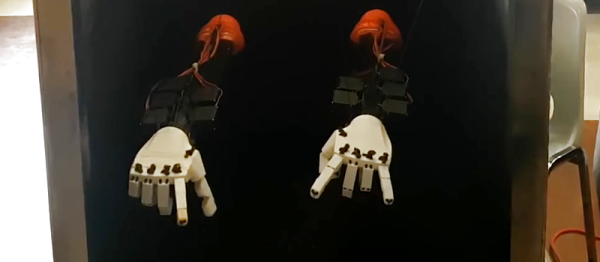
[Alex Foley] and friends decided to do something about that. They were attending McHack (a hackathon at McGill University) and decided to convert speech into sign language. They thought they were prepared, but it turns out they had to work a few things out on the fly. (Isn’t that always the case?) But in the end, they prevailed, as you can see in the video below.

Continue reading “Speech To Sign Language”

The Best Of Both Worlds: Arduino + 555 Should Confuse Commenters

Hardly a week goes by that some Hackaday post doesn’t elicit one of the following comments:

That’s stupid! Why use an Arduino when you could do the same thing with a 555?

And:

That’s stupid! Why use a bunch of parts when you can use an Arduino?

However, we rarely see those two comments on the same post. Until now. [ZHut] managed to bring these two worlds together by presenting how to make an Arduino blink an LED in conjunction with a 555 timer. We know, we know. It is hard to decide how to comment about this. You can consider it while you watch the video, below.

Continue reading “The Best Of Both Worlds: Arduino + 555 Should Confuse Commenters”

ESP32 Tutorials

The ESP8266 has become one of those ubiquitous parts that everyone knows. However, the new ESP32 has a lot of great new features, too. If you want to take the ESP32 for a spin, you should check out [Neil Kolban’s] video series about the device. When we say series, we aren’t kidding. At last count, there were nineteen videos. Some are only a few minutes long, but some weigh in at nearly twenty minutes and the average is somewhere in between.

The topics range from setting up tools and using Eclipse and GDB. There are also tutorials on specific tasks like PWM, analog conversion, real-time operating systems, and more.

Continue reading “ESP32 Tutorials”

DIY 3D Slicer Is A Dynamo

We all know that hacker that won’t use a regular compiler. If he’s not using assembly language, he uses a compiler he wrote. If you don’t know him, maybe it is you! If you really don’t know one, then meet these two. [Nathan Fuller] and [Andy Baldwin] want to encourage you to write your own 3D slicer.

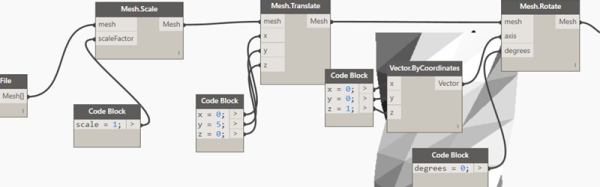
Their post is very detailed and uses Autodesk Dynamo as a graphical programming language. However, the details aren’t really specific to Dynamo. It is like a compiler. You sort of know what it must be doing, but until you’ve seen one taken apart, there are a lot of subtleties you probably wouldn’t think of right away if you were building one from scratch.

Continue reading “DIY 3D Slicer Is A Dynamo”