Retrogadgets: Oscilloscope Cameras

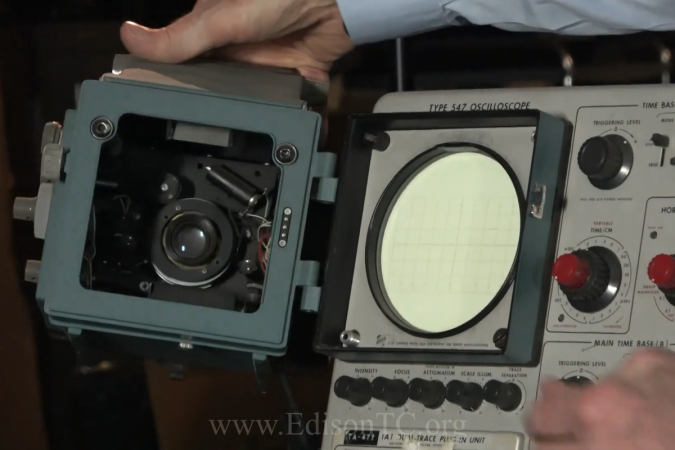
Today, if you want to get a picture from your oscilloscope — maybe to send to a collaborator or to stick in a document or blog post — it is super easy. You can push an image to a USB stick or sometimes even just use the scope’s PC or web interface to save the picture directly to your computer. Of course, if it is on the computer, you could use normal screen capture software. But that hasn’t always been the case. Back in the days when scopes were heavy and expensive, if you wanted to capture an image from the tube, you took a picture. While you might be able to hold up your camera to the screen, they made specific cameras just for this purpose.

Continue reading “Retrogadgets: Oscilloscope Cameras”

Cheap Sensor Changes Personality

If you want to add humidity and temperature sensors to your home automation sensor, you can — like [Maker’s Fun Duck] did — buy some generic ones for about a buck. For a dollar, you get a little square LCD with sensors and a button. You even get the battery. Can you reprogram the firmware to bend it to your will? As [Duck] shows in the video below, you can.

The device advertises some custom BLE services, but [Duck] didn’t want to use the vendor’s phone app, so he cracked the case open. Inside was a microcontroller with Bluetooth, an LCD driver, a sensor IC, and very little else.

Continue reading “Cheap Sensor Changes Personality”

Component Tester Teardown

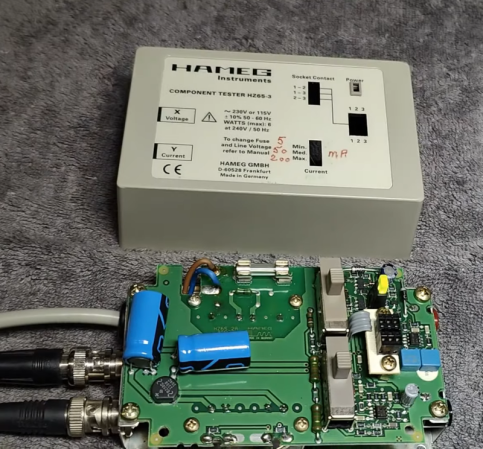
In the modern age, when you hear “component tester” you probably think of one of those cheap microcontroller-based devices that can identify components and provide basic measurements on an LCD screen. However, in the past, these were usually simple circuits that generated an XY scope plot. The trace would allow an experienced operator to identify components and read a few key parameters. [Thomas] tears down an old Hameg device that uses this principle in the video below.

The unit is in a nice enclosure and has a feature that controls the amount of current the unit uses in the excitation signal. It plugs into the wall, and you can connect the component under test with either test leads or a socket. The output, of course, is a pair of BNCs for the scope’s X and Y inputs.

Continue reading “Component Tester Teardown”

Building A DIY Nipkow Disk Display

Before flat screen technologies took over, we associate TV with the CRT. But there were other display technologies that worked, they just weren’t as practical. One scheme was the Nipkow disk, and [Bitluni] decided to build a working demonstration of how such a system works.

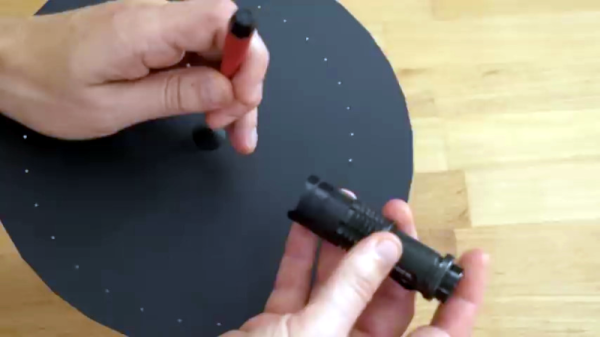
Essentially, there’s a spinning disk with a spiral pattern of holes in it. As the disk spins, a light behind it turns on or off. If you time everything right, you get an image that can move. This particular model uses stepper motors, which is a bit of a modern concession.

The result was actually much better than you might guess, but a far cry from a modern display device, of course. The screen material needed a little tweaking, but even the initial results were very impressive. If this were trying to be practical, it would probably require a bit more work on the light source and screen.

Interestingly, the Nipkow disk arrangement was just as suitable for scanning as displaying. Instead of a light behind the wheel, you simply used a light sensor. Of course, in practice, getting everything synchronized and mass-producing high-resolution sets would have been a tremendous challenge a century ago.

Not that people didn’t try. There were even color systems using mechanical wheels. In the 1930s, people were sure your TV would contain spinning disks.

Continue reading “Building A DIY Nipkow Disk Display”

Inside An Arcade Joystick

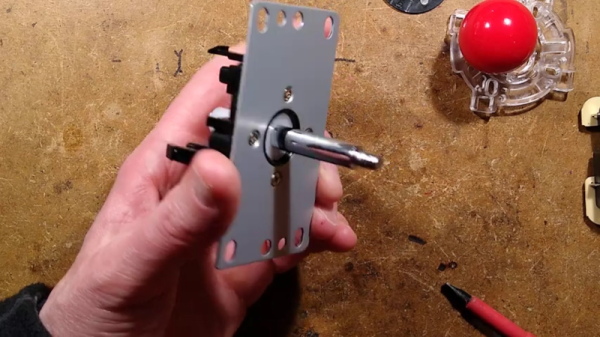
If you ever played an arcade game and wondered what was inside that joystick you were gripping, [Big Clive] can save you some trouble. He picked up a cheap replacement joystick, which, as you might expect, has a bunch of microswitches. However, as you can see in the video below, there are some surprising features that make sense when you think about it.

For one, there are plates you can put on the bottom to limit the joystick’s travel depending on the game. That is, some games only want the stick to move up and down or left and right. The knobs are quite nice, and [Clive] mentions the size and thread of the knob with the idea you could use them in different applications. You can also buy replacement knobs if you don’t want to get the whole assembly.

The mechanics are rugged but straightforward. The circuit board is surprisingly stylish but also simple. Still interesting to see what’s inside one of these, even though the schematic is extremely simple.

If you need an excuse to use one of these, how about an arcade table? If you aren’t a woodworker, grab a 3D printer instead.

Continue reading “Inside An Arcade Joystick”

Retrotechtacular: Computer-Generate Video 1968 Style!

[Classic Microcomputers] read in a book that there was a computer-generated film made in the late 1960s, and he knew he had to watch it. He found it and shared it along with some technical information in the video below.

Modern audiences are unlikely to be wowed by the film — Permutations — that looks like an electronic spirograph. But for 1968, this was about as high tech as you could get. The computer used was an IBM mainframe which would have cost a fortune either to buy or to rent the hours it would take to make this short film. Now, of course, you could easily replicate it on even your oldest PC. In fact, we are surprised we haven’t seen any recreations in the demoscene.

Continue reading “Retrotechtacular: Computer-Generate Video 1968 Style!”

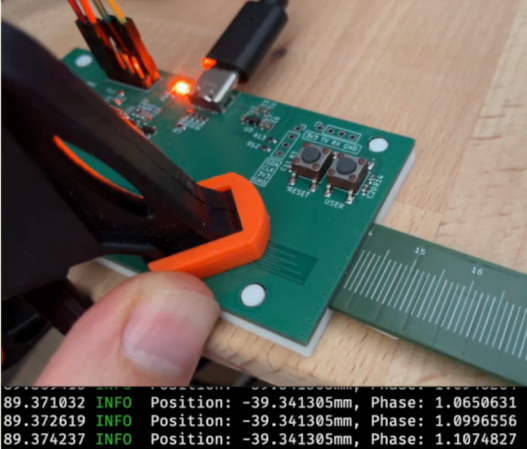
DIY Digital Caliper Measures Up

You might wonder why [Kevin] wanted to build digital calipers when you can buy them for very little these days. But, then again, you are reading Hackaday, so we probably don’t need to explain it.

The motivation, in this case, was to learn to build the same mechanism the commercial ones use for use in precise positioning systems. We were especially happy to see that [Kevin’s] exploration took him to a Hackaday.io project which led to collaboration between him and [Mitko].

Continue reading “DIY Digital Caliper Measures Up”