DIY Force Sensing Joysticks Are A Cheap Way To Go

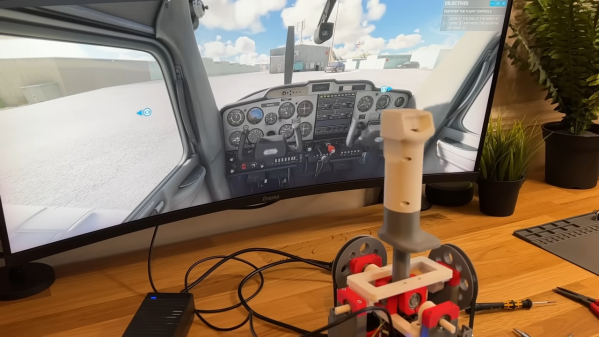
Traditional joysticks typically use potentiometers or hall effect sensors to determine the displacement of the stick itself when moved by the operator. Force-sensing joysticks are considered more desirable for certain purposes like side-stick flight simulators, because they measure the force applied instead, as per the name. They can be expensive to buy off-the-shelf, but you can build a cheap set on your own if you know what you’re doing, as [tekasza] demonstrates.

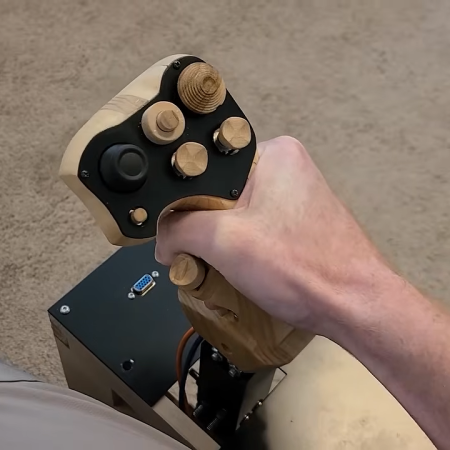
The build that [tekasza] put together is based around the Teensy 4.0 microcontroller. It’s set up to read a series of load cells that determine the force applied to the stick in the X and Y axes. The cells are wired up to HX711 load cell amplifiers so they can be easily read by the microcontroller. The Teensy does the work to take the load cell readings and convert them into axis outputs for a USB HID game controller, allowing the stick to be used with just about any game or simulator on the market. [tekasza] has the stick integrated with pedals as well as a whole bunch of buttons and switches to control other simulator features, built up into a full seated sim setup.

If you’ve ever wanted to use a force-sensitive stick like modern fighter pilots do, this build could be very relevant to your interests. We’ve also seen plenty of other great sim hardware builds in recent years, too.

Continue reading “DIY Force Sensing Joysticks Are A Cheap Way To Go” →
Two-Component H-shifter For Racing Sims

Flying and driving simulators can go as far as money will take you, and at some point it might end up being cheaper to buy a plane or race car than to keep adding capabilities to some of the sim rigs we’ve seen. But it can also be a fairly affordable hobby as well, with entry-level components being within reach for many. The price can drop precipitously from there too, provided some parts can be sourced and a 3D printer is made available, and [Jason] is demonstrating one of the lowest-cost H-shifters we’ve seen which only uses two parts at its core.

The two components only cover the electronics for the build, but this gets almost everything needed for the shifter squared away. A joystick like those found inside many game controllers is paired with an Arduino Pro Micro, with a very straightforward wiring configuration between them. These components are paired with a prototype 3D printed case and shift knob which provides the H pattern of choice. From there it’s as simple as uploading some readily-available firmware, which [Jason] also demonstrates, and which has many options for various configurations of shifters.

Although this was just a prototype, it shows was just a few off-the-shelf components and a 3D printer can provide to an affordable driving sim setup. Even then a 3D printer is not always necessary, like this three-pedal setup using extruded aluminum frame as a base. From there, all kinds of other features can be added like force feedback on the steering wheel.

Continue reading “Two-Component H-shifter For Racing Sims” →

Build Your Own Force-Feedback Joystick

Force feedback joysticks are prized for creating a more realistic experience when used with software like flight sims. Sadly, you can’t say the same thing about using them with mech games, because mechs aren’t real. In any case, [zeroshot] whipped up their own stick from scratch for that added dose of realistic feedback in-game.

[zeroshot] designed a simple gimbal to allow the stick to move in two axes, relying primarily on 3D-printed components combined with a smattering of off-the-shelf bearings. For force feedback, an Arduino Micro uses via TMC2208 stepper drivers to control a pair of stepper motors, which can apply force to the stick in each axis via belt-driven pulleys. Meanwhile, the joystick’s position on each axis is tracked via magnetic encoders. The Arduino feeds this data to an attached computer by acting as a USB HID device.

We’ve seen some other great advanced joystick projects over years, too. Never underestimate how much a little haptic feedback can add to immersion.

Continue reading “Build Your Own Force-Feedback Joystick” →

SpaceMouse Destroyed For Science

The SpaceMouse is an interesting gadget beloved by engineers and artists alike. They function almost like joysticks, but with six degrees of freedom (6DoF). This can make them feel a bit like magic, which is why [Thought Bomb Design] decided to tear one apart and figure out how it works.

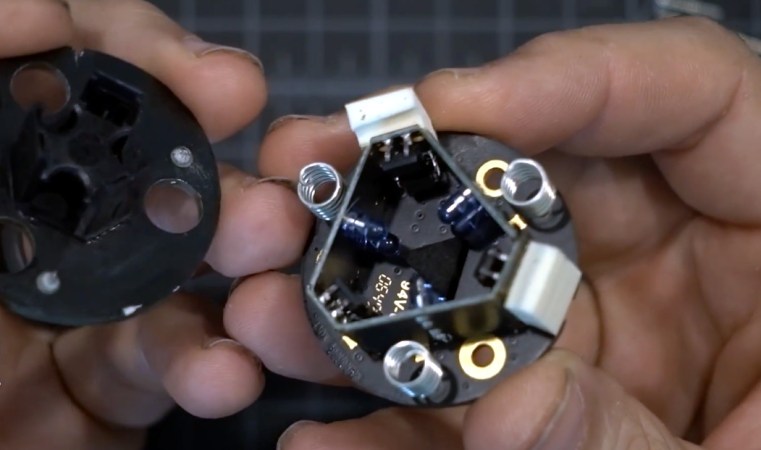
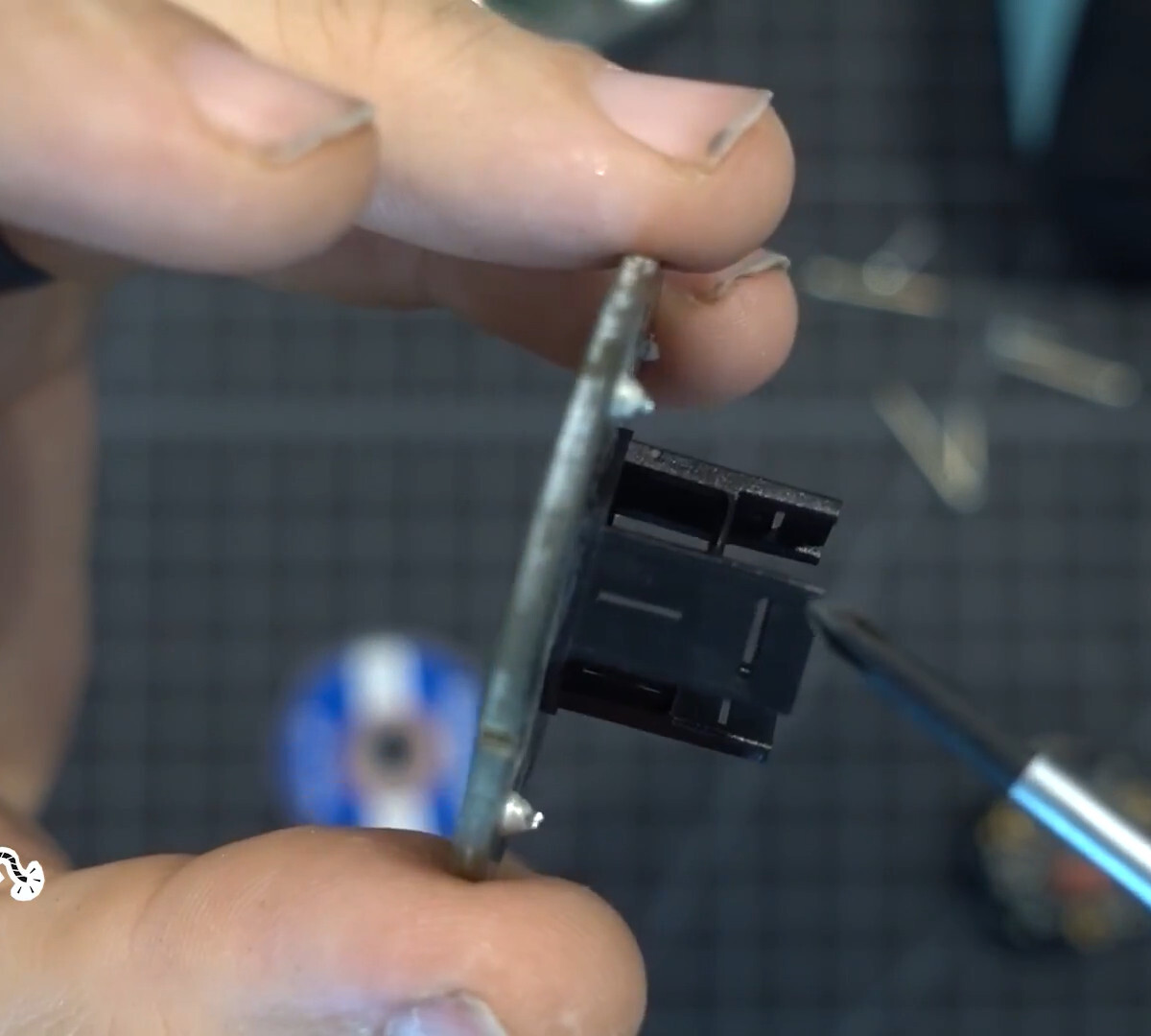
The movement mechanism ended up being relatively simple; three springs soldered between two PCBs with one PCB being fixed to the base and the other moving in space. Instead of using a potentiometer or even hall effect sensor as you might expect from a joystick, the space mouse contained a set of six LEDs and light meters.

The sensing array came nestled inside a dark box made of PCBs. An injection molded plastic piece with slits would move to interrupt the light coming from the LEDs. The mouse uses the varying values coming from the light meter to decode Cartesian motion of the space mouse. It’s very simple and a bit hacky, just how we like it.

Looking for a similar input device, but want to take the DIY route? We’ve seen a few homebrew versions of this concept that might provide you with the necessary inspiration.

Continue reading “SpaceMouse Destroyed For Science” →

Illustrated Kristina with an IBM Model M keyboard floating between her hands.

Keebin’ With Kristina: The One With The Curvy Centerfold

What do you get when you combine a Raspberry Pi 4B, a Kaypro keyboard, and a 9″ Apple ], you get the coolest AVR development workstation I’ve seen in a while.

A Raspberry Pi-based AVR workstation that uses a Kaypro keyboard and 9" monochrome Apple ][c display.
Image by [John Anderson] via Hackaday.IO
As you may have guessed, I really dig the looks of this thing. The paint job on the display is great, but the stripes on the keyboard and badging on are on another level. Be sure to check out the entire gallery on this one.

About that keyboard — [John] started this project with two incomplete keyboards that each had a couple of broken switches. Since the two keyboards were compliments of each other parts-wise, they made a great pair, and [John] only had to swap out three switches to get it up and clacking.

In order to make it work with the Pi, [John] wrote a user-mode serial driver that uses the uinput kernel module to inject key events to the kernel. But he didn’t stop there.

Although the Pi supports composite video out, the OS doesn’t provide any way to turn off the chroma color signal that’s modulated on top of the basic monochrome NTSC signal, which makes the picture look terrible. To fix that, he wrote a command-line app that sets up the video controller to properly display a monochrome NTSC signal. Happy AVRing on your amazing setup, [John]! Continue reading “Keebin’ With Kristina: The One With The Curvy Centerfold” →

Inside An Arcade Joystick

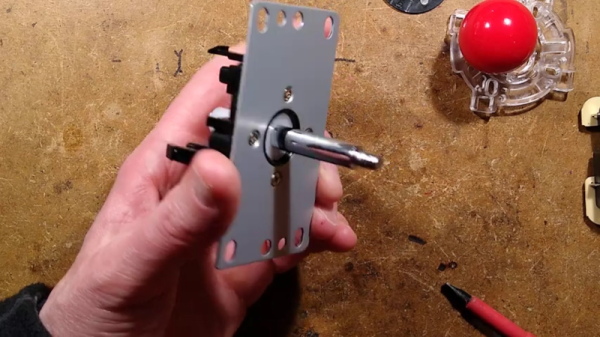
If you ever played an arcade game and wondered what was inside that joystick you were gripping, [Big Clive] can save you some trouble. He picked up a cheap replacement joystick, which, as you might expect, has a bunch of microswitches. However, as you can see in the video below, there are some surprising features that make sense when you think about it.

For one, there are plates you can put on the bottom to limit the joystick’s travel depending on the game. That is, some games only want the stick to move up and down or left and right. The knobs are quite nice, and [Clive] mentions the size and thread of the knob with the idea you could use them in different applications. You can also buy replacement knobs if you don’t want to get the whole assembly.

The mechanics are rugged but straightforward. The circuit board is surprisingly stylish but also simple. Still interesting to see what’s inside one of these, even though the schematic is extremely simple.

If you need an excuse to use one of these, how about an arcade table? If you aren’t a woodworker, grab a 3D printer instead.

Continue reading “Inside An Arcade Joystick” →

2024 Tiny Games Contest: Realistic Steering Wheel Joystick In Miniature

For racing games, flight simulators, and a few other simulation-style games, a simple controller just won’t do. You want something that looks and feels closer to the real thing. The major downsides to these more elaborate input methods is that they take up a large amount of space, requiring extra time for setup, and can be quite expensive as well. To solve both of these problems [Rahel zahir Ali] created a miniature steering wheel controller for some of his favorite games.

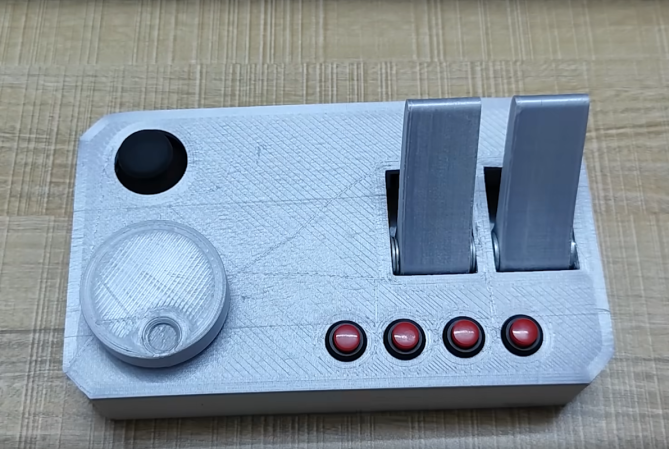
While there are some commercial offerings of small steering wheels integrated into an otherwise standard video game controller and a few 3D printed homebrew options, nothing really felt like a true substitute. The main design goal with this controller was to maintain the 900-degree rotation of a standard car steering wheel in a smaller size. It uses a 600P/R rotary encoder attached to a knob inside of a printed case, with two spring-loaded levers to act as a throttle and brake, as well as a standard joystick to adjust camera angle and four additional buttons. Everything is wired together with an Arduino Leonardo that sends the inputs along to the computer.

Now he’s ready to play some of his favorite games and includes some gameplay footage using this controller in the video linked below. If you’re racing vehicles other than cars and trucks, though, you might want a different type of controller for your games instead.

Continue reading “2024 Tiny Games Contest: Realistic Steering Wheel Joystick In Miniature” →