Commodore SX-64 Keyboard Upgraded From Trash To Treasure

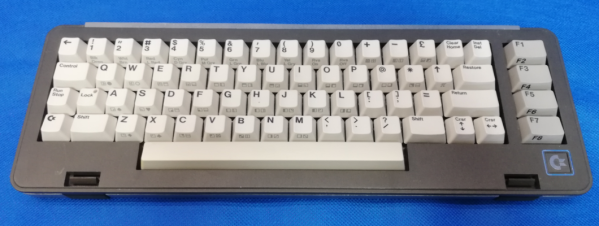
Released in 1984, the Commodore SX-64 Executive Computer was one of the first portable luggable color computers. It cost twice as much as a Commodore 64, had a tiny 5″ diagonal screen, and couldn’t actually support both 5¼” drives as advertised. On the upside, people say it had a slightly better keyboard than its classic cousin.

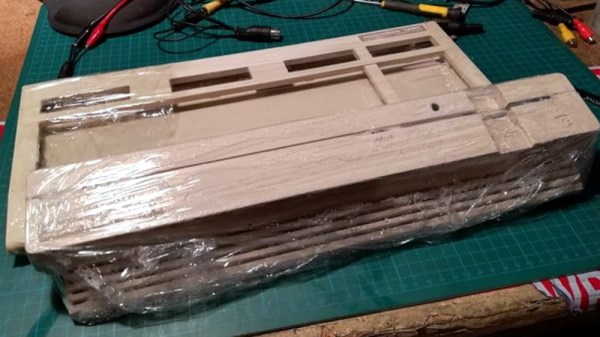
[Drygol] agreed to restore the keyboard from a friend’s Commodore SX-64 sight-unseen, and boy was this thing in bad shape. Most people would probably consider the condition a shame and write it off as a lost cause, since two of the corners were missing most of their plastic. But [Drygol] isn’t most people. [Drygol] had mad restoration skills to begin with, and this project honed them to a razor’s edge.
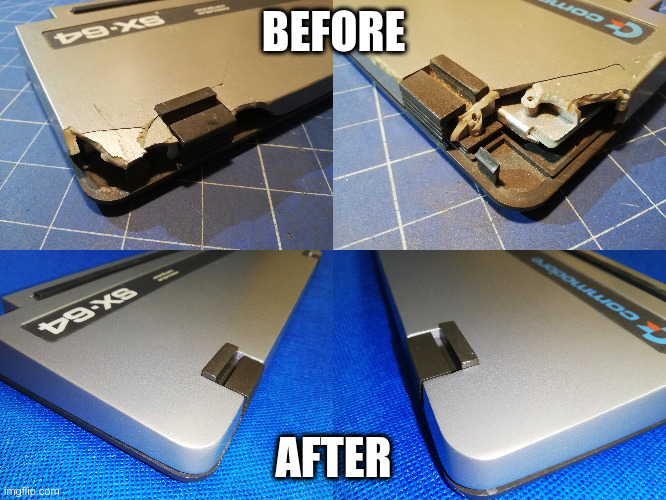
Plenty of the other vintage computer restorations [Drygol] has done required plastic welding, which uses heat or a lot of friction to smooth over cracks. Some of those have not stood the test of time, so he’s now in the habit of stabilizing cracks with brass mesh before filling them with fiberglass putty.

The best part is how [Drygol] managed to rebuild the corners using the same methods, soldering the brass mesh at the 90° joins, and reinforcing them with thick copper wire before beginning the painstaking putty/sand/putty process. The use of blank copper clad boards as straight edges and thickness gauges is genius.

There’s a whole lot to learn here, and the adventure beings with something that probably keeps a lot of people from trying stuff like this in the first place: how do you safely remove the badges?

You’re right, plastic welding is awesome. There even used to be a toy plastic welder. But there’s no need to troll the electronic auction bay to give it a try — just use a cheap soldering iron.
HiFi Audio On The Commodore 64 – 48KHz, Yo!

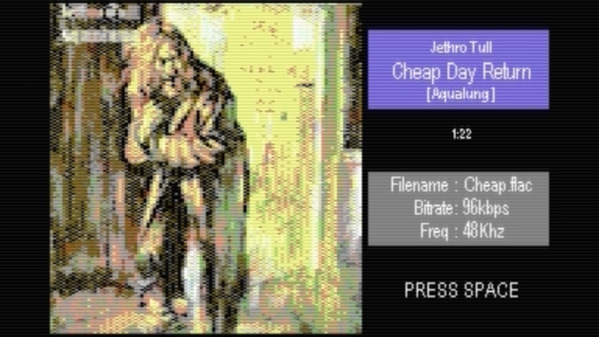
Prior to the development of CD-quality audio hardware in the mid-1990s, home computers and consoles typically made do with synthesized music. Due to the storage and RAM limitations of the time, there weren’t a whole lot of other practical options. If you’re willing to ignore practicality, however, you can do some wonderful things – such as playing high-quality audio on a Commodore 64!

The project is the work of [Antonio Savona], who set out to play hi-fi audio on a Commodore 64 using only period-correct hardware. That means no 16MB RAM expansions, and no crazy high-capacity carts. The largest carts of the era were just 1MB, as produced by Ocean, and [Antonio] intended to cram in a full 90 seconds of music.

Targeting a sample rate of 48 KHz with 8-bit samples would mean the cartridge could only fit 20 seconds of raw audio into its 1MB of storage. This wasn’t good enough, so the audio would have to be compressed, with the target being a 4:1 ratio to reach the 90 second goal. With the C64’s CPU running at just 1MHz, there are just 21 clock cycles to deal with each sample when playing at 48 KHz.

Obviously, [Antonio] had set quite the challenge, and some masterful assembly coding was used to get the job done. The final result has the audio sounding impressively good, given that it’s being pumped out by a 6502 that is surely sweating to get the job done.

We love a good C64 hack around these parts, and it’s now even possible to build a new one from scratch if that’s your particular itch. Video after the break.

Continue reading “HiFi Audio On The Commodore 64 – 48KHz, Yo!”

Commodore Tape Drive Emulator On A Raspberry Pi

We imagine most of the people reading Hackaday have an old Raspberry Pi or two laying around. It’s somewhat less likely you’ve still got an 8-bit Commodore in working condition, but we’d wager there’s more than a few in the audience that can count themselves among both groups. So why not introduce them?

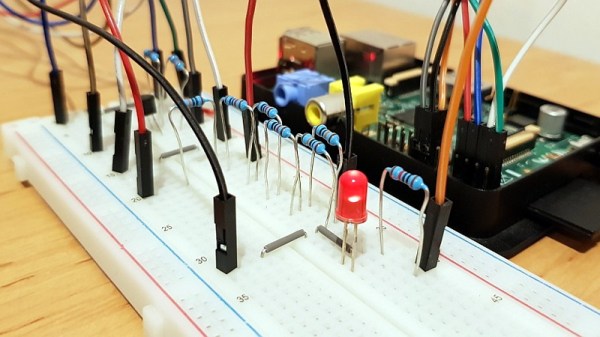
[RhinoDevel] writes in to tell us about CBM Tape Pi , an open source Commodore tape drive emulator for Raspberry Pi that needs only a handful of passive components to get wired up. Even better, the project targets the older Pis that are more likely to be languishing around in the parts bin. In the video after the break, a Commodore PET can be seen happily loading content from the original Raspberry Pi with its quaint little composite video connector.

Without any special software on the Commodore itself, the project allows the user to load and save PRGs on the Pi’s SD card, as well as traverse directories. Don’t expect stellar I/O, as [RhinoDevel] notes that no fast loader is currently implemented. Of course if you’re enough of a devotee to still be poking around a VIC-20 or C64 this far into 21st century, then we imagine you’ve got enough patience to get by.

Continue reading “Commodore Tape Drive Emulator On A Raspberry Pi”

Restoring A Dead Commodore 128DCR

Another day, another retro computer lovingly restored to like-new condition by [Drygol]. This time, the subject of his attention is a Commodore 128DCR that earned every bit of the “For Parts, Not Working” condition it was listed under. From a spider infestation to a cracked power supply PCB, this computer was in quite a state. But in the end he got the three decade old machine back in working condition and even managed to teach it a few new tricks along the way.

Obviously the shattered PSU was the most pressing issue with the Commodore. Interestingly, the machine still had its warranty seal in place on the back, so whatever happened to this PSU seems to have occurred without human intervention.

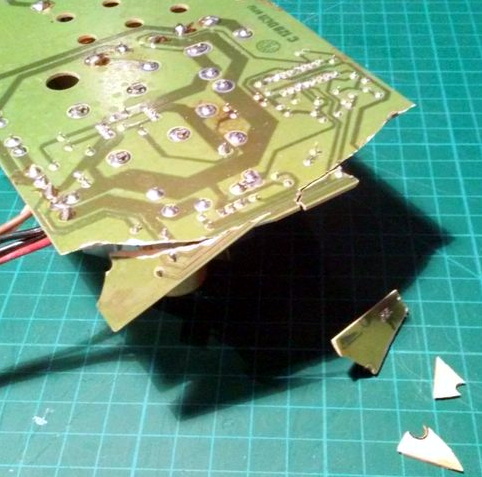
Rather than just replacing the PSU, [Drygol] first pieced the board back together with the help of cyanoacrylate glue, and then coated the top with an epoxy resin to give it some mechanical strength. On the back side the traces were either repaired or replaced entirely with jumper wires where the damage was too severe.

With the PSU repaired and tested, he moved on to cleaning the computer’s main board and whitening all the plastic external components. Even the individual keycaps took a bath to get them looking like new again. This put the computer in about as close to like-new condition as it could get.

But why stop there? He next installed the JiffyDOS modification to improve system performance, and wired in an adapter that lets the computer output a crisp 80 columns over S-Video. It’s safe to say this particular Commodore is in better shape now than it was when it rolled off the assembly line.

While an impressive enough final result, this is still fairly tame for [Drygol]. If you want to see a real challenge, take a look at the insane amount of work that went into recreating this smashed Atari 800XL case.

How Many Commodores Does It Take To Crack A Nut?

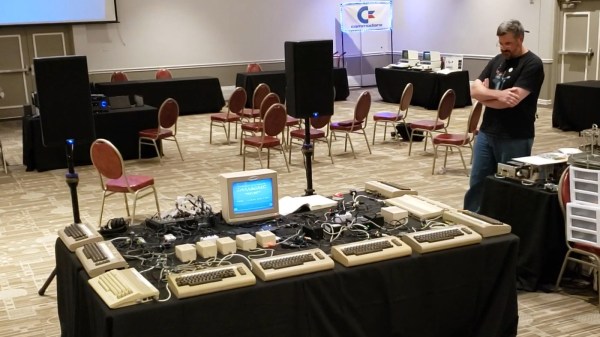
It’s brilliant enough when composers make use of the “2SID” technique to double the channels in a Commodore 64 with two sound chips, but even then some people like to kick things up a notch. Say, five times more. [David Youd], [David Knapp] and [Joeri van Haren] worked together to bring us just that, ten Commodore computers synchronously playing a beautiful rendition of the Dance of the Sugar Plum Fairy at this year’s Commodore Retro eXpo.

The feat is composed of nine Commodore 64 computers and one Commodore 128, all fitted with the SID chip. It is a notorious synthesizer chip for utilizing both analog and digital circuitry, making each and every one of its revisions unique to a trained ear, not to mention impossible to faithfully reproduce in emulation. The SID was designed by Bob Yannes at MOS Technology, who later went on to co-found Ensoniq with his experience in making digital synthesizers.

How this orchestra of retro computers came to be, including details on how everything is pieced together can be found on this slideshow prepared by the authors of the exhibition. It’s interesting to note that because of timing differences in each computer’s crystal clock and how only the start of the song is synchronized between them, they can’t play long music tracks accurately yet, but a 90-second piece works just fine for this demonstration.

These synthesizer chips are slowly going extinct since they’re no longer being manufactured, so if you need a new replacement solution, FPGAs can fill that SID-shaped hole in your heart. If you need the whole computer though, the newer Teensy 3.6 will do just fine emulating it all. Check out this beast of a display in action after the break. While we’re at it, this isn’t the only time multiple 8-bit computers have been combined as an orchestra, though these Commodores sound a lot better than a table full of ZX Spectrums.

Continue reading “How Many Commodores Does It Take To Crack A Nut?”

This Commodore 16 Is An NTSC One… No, Wait, It’s A PAL One!

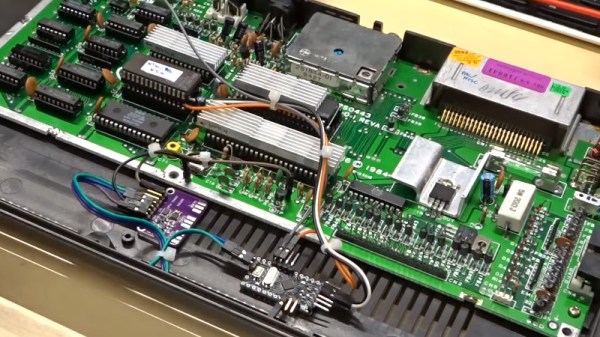
We’re used to our computers being powerful enough in both peripheral and processing terms to be almost infinitely configurable under the control of software, but there was a time when that was not the case. The 8-bit generation of home computers were working towards the limits of their capability just to place an image on a TV screen, and every component would have been set up to do just the job it was intended for. Thus when different countries had different TV standards such as the mostly-European PAL and the mostly-American NTSC, there would have been different models of the same machine for each market. The Commodore 16 was just such a machine, and [Adrian Black] has modified his NTSC model with a custom ROM, an Arduino and an Si5351 clock generator to be switchable between the two.

The differences between a PAL and NTSC C16 are two-fold. The clock for the video chip is of a different frequency, and the ROM contents differ too. [Adrian]’s machine therefore has a larger ROM containing both versions which are switchable via one of the upper address lines. A couple of tracks cut in the crystal oscillator circuit allow him to inject a new clock from the Si5351 module, and and Arduino controls everything. The appropriate ROM and clock are selected via a very simple interface, the reset button is captured and while a short press still resets the computer a long one switches the mode.

Despite having its principal engineer, [Bil Herd] as a colleague here at Hackaday, it’s sad that we don’t see as many Commodore 16s as we should. A recent feature showed a 64k C16, but didn’t make it into a C64.

Continue reading “This Commodore 16 Is An NTSC One… No, Wait, It’s A PAL One!”

Custom Monitor For Pi-Powered Commodore 64

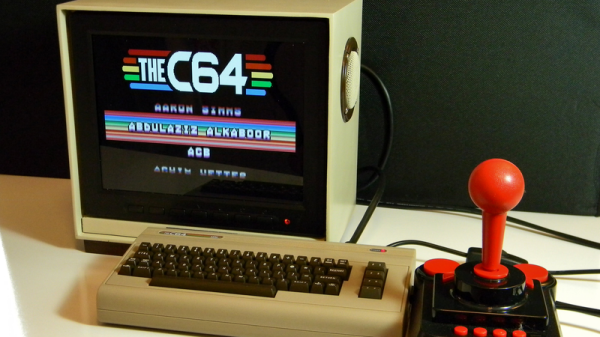
Classic games never seem to have gone out of style and with the emulation powers of the Raspberry Pi, there seems to be no end of projects folks have been coming up with. [Chris Mills] project is a great looking monitor to get his Commodore 64 fix by combining the retro looks of a home-made 64-style monitor with the Raspberry Pi.

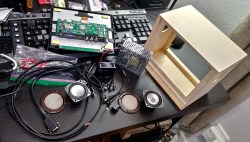
[Chris] is only interested in Commodore 64 emulation, at least with this project, and wanted something that would fit on a desk without taking up too much room. An eight inch LCD security monitor fit the bill perfectly. [Chris] ended up building a wooden enclosure for the monitor to give it that Commodore look. The monitor, power supply and cable connections fit inside along with speakers; each of these having their inputs on the back. A fan vents in the back as well and the Pi sits outside running the Combian 64 emulation software.

[Chris] has put up some galleries of build pics. The logo from the old Commodore logo is a nice touch. Read over the Hackaday site and you could build your own Commodore 64, or use the Commodore 64 itself to house the Raspberry Pi if you wanted.