The FPGA Chronicles: Ready To Probe

In the last few installments, we looked at using the Tang Nano 20K with both the GOWIN tools and some open-source tools. The open-source tools certainly had the advantage of letting you simulate and debug your design before sending it to the actual chip. However, as we’ll see, the GOWIN tools include a very easy-to-use, capable logic analyzer.

Setup

First, you’ll need a GAO config file. When you create one in the editor, you are given a number of complex options. With an active GAO file, the tool builds a logic analyzer into your design, and the file sets the trigger conditions.

Here’s a tip. You can only have one active GAO file. Sometimes you don’t want the logic analyzer. Other times you might want an alternate configuration. If you right-click almost any file in the IDE’s Design tab, you’ll see you can disable it. That gives it a big red X and excludes it from future builds. Well, at least until you enable it again. This lets you pick between multiple GAO files, or even multiple Verilog files, for a particular build (e.g., one for tests and another for production).

If you create a GAO file from scratch, it will ask you if you want “Lite Mode.” As far as I can tell, you will never want this mode. Always use Standard Mode. In addition, you nearly always want RTL mode, which shows you (mostly) the symbols you’ve defined and not the ones added during processing.

You can find the entire manual online, of course. However, the video below and the rest of the post will get you started quickly.

GAO Basics

To set up probing, we need to understand the design, so the rest of this post covers the Verilog we’ll use to test the logic analyzer feature, and you’ll see how the analyzer works in a video. Here are a few sneak peeks at what the analyzer output we’ll see at the end looks like:
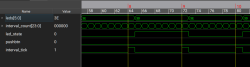
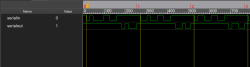
The left-hand image shows the pulse that flips the LEDs, which is tricky because the sampling clock is 27 MHz. The right-hand side shows serial data and uses a slower clock specifically used for debugging.
Continue reading “The FPGA Chronicles: Ready To Probe” →

Reconstructing Device Firmware From SPI Reads

If you wanted to extract the firmware from a mystery device, you might pull the flash chip out of it and toss it into a reader. But if you only had one chance to get it right and couldn’t risk damaging the device in the process, physically removing the chip may seem much less attractive. Reading the chip in-circuit failed — because of course it did — so what does that leave?

Well, if you follow the example of [Matthew “wrongbaud” Alt], the next tool you reach for might be a logic analyzer. In a recent write-up, [wrongbaud] explains the process of identifying, capturing, and ultimately decoding the SPI read operations used to load the firmware from a common W25Q-series flash chip at boot time. He notes it’s not a perfect solution, as in the end you’ll only be able to sniff out what the CPU actually reads, not necessarily the entire contents of the chip, but it’s a big step in the right direction if you’re reverse engineering something in the dark.

Continue reading “Reconstructing Device Firmware From SPI Reads” →

Putting The M In A UNI-T MSO

[Kerry Wong] points out that the Uni-T MSO oscilloscopes have a logic analyzer built in — that’s the MSO, or Mixed Signal Oscilloscope, part — but you have to add the probes. He shows you how it works in a recent video below.

He’s looked at the scope’s analog capabilities before and was not unimpressed. The probes aren’t inexpensive, but they do unlock the mixed signal capabilities of the instrument.

Continue reading “Putting The M In A UNI-T MSO” →

Phone Keyboard Reverse Engineered

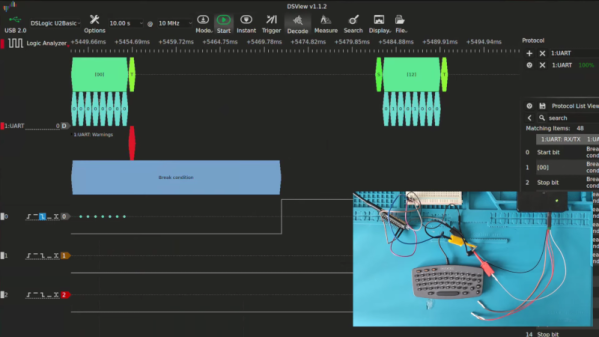
Who knows what you’ll find in a second-hand shop? [Zeal] found some old keyboards made to fit early Alcatel phones from the year 2000 or so. They looked good but, of course, had no documentation. He’s made two videos about his adventure, and you can see them below.

The connector was a cellphone-style phone jack that must carry power and some sort of serial data. Inside, there wasn’t much other than a major chip and a membrane keyboard. There were a few small support chips and components, too.

Continue reading “Phone Keyboard Reverse Engineered” →

Build a $35 400 MHz Logic Analyzer

Build A 400 MHz Logic Analyzer For $35

What do you do when you’re a starving student and you need a 400 MHz logic analyzer for your digital circuit investigations? As [nanofix] shows in a recent video, you find one that’s available as an open hardware project and build it yourself.

The project, aptly named LogicAnalyzer was developed by [Dr. Gusman] a few years back, and has actually graced these pages in the past. In the video below, [nanofix] concentrates on the mechanics of actually putting the board together with a focus on soldering. The back of the build is the Raspberry Pi Pico 2 and the TXU0104 level shifters.

If you’d like to follow along at home, all the build instructions and design files are  available on GitHub. For your convenience the Gerber files have been shared at PCBWay

Of course we have heaps of material here at Hackaday covering logic analyzers. If you’re interested in budget options check out $13 Scope And Logic Analyzer Hits 18 Msps or how to build one using a ZX Spectrum! If you’re just getting started with logic analyzers (or if you’re not sure why you should) check out Logic Analyzers: Tapping Into Raspberry Pi Secrets.

Continue reading “Build A 400 MHz Logic Analyzer For $35” →

The ZX Spectrum Logic Analyzer

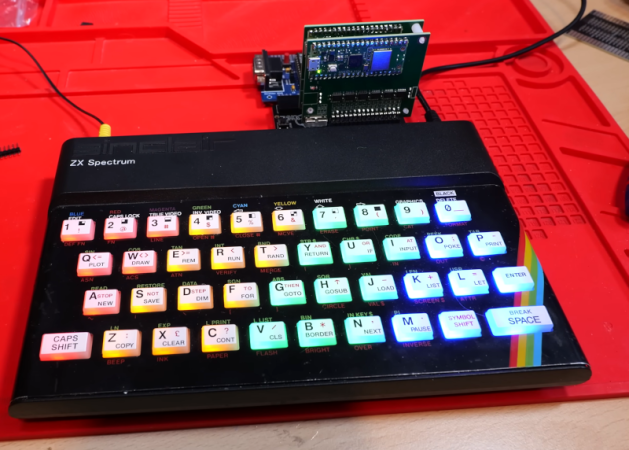
We know [Happy Little Diodes] frequently works with logic analyzer projects. His recent wireless logic analyzer for the ZX Spectrum is one of the oddest ones we’ve seen in a while. The heart of the system is an RP2040, and there are two boards. One board interfaces with the computer, and another hosts the controller.

The logic analyzer core is powered by a common open-source analyzer from [Eldrgusman]. This is one of the nice things about open source tools. Most people probably don’t need a logic analyzer that plugs directly into a ZX Spectrum. But if you do, it is fairly simple to repurpose a more generic piece of code and rework the hardware, if necessary.

Continue reading “The ZX Spectrum Logic Analyzer” →

Hacker Tools, Hacked Tools

We just love a good DIY tool project, and more so when it’s something that we can actually use cobbled together from stuff in our closet, or hacked out of cheap “toys”. This week we saw both a superb Pi Pico-based logic analyzer and yet another software frontend for the RTL-SDR dongle, and they both had us thinking of how good we have it.

If you don’t already have a logic analyzer, or if you have one of those super-cheap 8-channel jobbies, it might be worth your while to check out the Pico firmware simply because it gets you 24 channels, which is more than you’ll ever need™. At the low price of $4, maybe a little more if you need to add level shifters to the circuit to allow for 5 V inputs, you could do a lot worse for less than the price of a fancy sweet coffee beverage.

And the RTL dongle; don’t get us started on this marvel of radio hacking. If you vaguely have interest in RF, it’s the most amazing bargain, and ever-improving software just keeps adding functionality. The post above adds HTML5 support for the RTL-SDR, allowing you to drive it with code you host on a web page, which makes the entire experience not only cheap, but painless. Talk about a gateway drug! If you don’t have an RTL-SDR, just go out and buy one. Trust me.

What both of these hacker tools have in common, of course, is good support by a bunch of free and open software that makes them do what they do. This software enables a very simple piece of hardware to carry out what used to be high-end lab equipment functions, for almost nothing. This has an amazing democratizing effect, and paves the way for the next generation of projects and hackers. I can’t think of a better way to spend $20.