A bed of metal powder is visible through a green-tinted window. A fused metal pattern, roughly square, is visible, with one corner glowing white and throwing up sparks.

Printing In Metal With DIY SLM

An accessible 3D printer for metals has been the holy grail of amateur printer builders since at least the beginning of the RepRap project, but as tends to be the case with holy grails, it’s proven stubbornly elusive. If you have the resources to build it, though, it’s possible to replicate the professional approach with a selective laser melting (SLM) printer, such as the one [Travis Mitchell] built (this is a playlist of nine videos, but if you want to see the final results, the last video is embedded below).

Most of the playlist shows the process of physically constructing the machine, with only the last two videos getting into testing. The heart of the printer is a 500 Watt fiber laser and a galvo scan head, which account for most of the cost of the final machine. The print chamber has to be purged of oxygen with shielding gas, so [Travis] minimized the volume to reduce the amount of argon needed. The scan head therefore isn’t located in the chamber, but shines down into it through a window in the chamber’s roof. A set of repurposed industrial servo motors raises and lowers the two pistons which form the build plate and powder dispenser, and another servo drives the recoater blade which smooths on another layer of metal powder after each layer.

As with any 3D printer, getting good first-layer adhesion proved troublesome, since too much power caused the powder to melt and clump together, and too little could result in incomplete fusion. Making sure the laser was in focus improved things significantly, though heat management and consequent warping remained a challenge. The recoater blade was originally made out of printed plastic, with a silicone cord along the edge. Scraping along hot fused metal in the early tests damaged it, so [Travis] replaced it with a stainless steel blade, which gave much more consistent performance. The final results looked extremely promising, though [Travis] notes that there is still room for redesign and improvement.

This printer joins the very few other DIY SLM machines we’ve seen, though there is an amazingly broad range of other creative ideas for homemade metal printers, from electrochemical printers to those that use precise powder placement.

Continue reading “Printing In Metal With DIY SLM”

Zork Running On 4-Bit Intel Computer

Before DOOM would run on any computing system ever produced, and indeed before it even ran on its first computer, the game that would run on any computer of the pre-DOOM era was Zork. This was a text-based adventure game first published in the late 70s that could run on a number of platforms thanks to a virtual machine that interpreted the game code. This let the programmers write a new VM for each platform rather than porting the game every time. [smbakeryt] wanted to see how far he could push this design and got the classic game running on one of the oldest computers ever produced.

The computer in question is the ubiquitous Intel 4004 processor, the first commercially available general-purpose microprocessor produced. This was a four-bit machine and predates the release of Zork by about eight years. As discussed earlier, though, the only thing needed to get Zork to run on any machine is the Z-machine for that platform, so [smbakeryt] got to work. He’s working on a Heathkit H9 terminal, and the main limitation here is the amount of RAM needed to run the game. He was able to extended the address bus to increase the available memory in hardware, but getting the Z-machine running in software took some effort as well. There’s a number of layers of software abstraction here that’s a bit surprising for 70s-era computing but which make it an extremely interesting challenge and project.

As far as [smbakeryt]’s goal of finding the “least amount of computer” that would play Zork, we’d have a hard time thinking of anything predating the 4004 that would have any reasonable user experience, but we’d always encourage others to challenge this thought and [smbakeryt]’s milestone. Similarly, DOOM has a history of running on machines far below the original recommended minimum system requirements, and one of our favorites was getting it to run on the NES.

Continue reading Zork Running On 4-Bit Intel Computer”

Benchmarking Windows Against Itself, From Windows XP To Windows 11

Despite faster CPUs, RAM and storage, today’s Windows experience doesn’t feel noticeably different from back in the 2000s when XP and later Windows 7 ruled the roost. To quantify this feeling, [TrigrZolt] decided to run a series of benchmarks on a range of Windows versions.

Covering Windows XP, Vista, 7, 8.1, 10 and 11, the Pro version of each with the latest service packs and updates was installed on the same laptop: a Lenovo ThinkPad X220. It features an Intel i5 2520M CPU, 8 GB of RAM, built-in Intel HD Graphics 3000 and a 256 GB HDD.

For start-up, Windows 8.1 won the race, probably due to having the Fast Boot feature, while Windows 11 came in dead last as it showed the desktop, but struggled to show the task bar. Windows XP’s install size was the smallest and also had the lowest RAM usage with nothing loaded at 800 MB versus 3.3 GB for Windows 11 in last place.

Continue reading “Benchmarking Windows Against Itself, From Windows XP To Windows 11”

A Steam Machine Clone For An Indeterminate But Possibly Low Cost

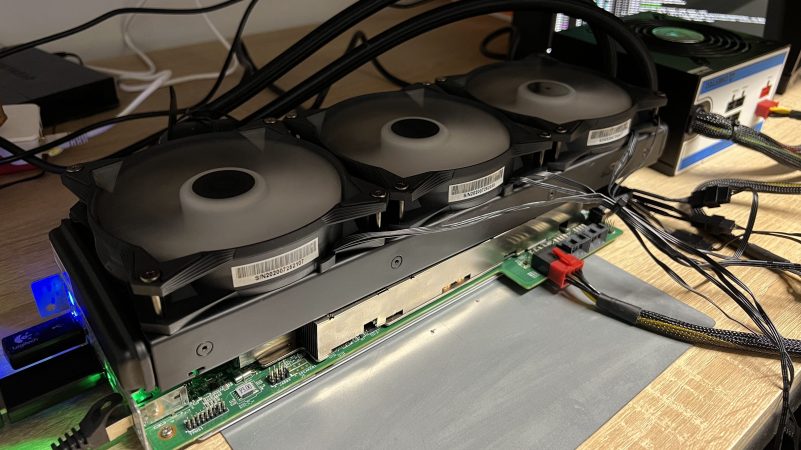
For various reasons, crypto mining has fallen to the wayside in recent years. Partially because it was never useful other than as a speculative investment and partially because other speculative investments have been more popular lately, there are all kinds of old mining hardware available at bargain prices. One of those is the Asrock AMD BC250, which is essentially a cut down Playstation 5 but which has almost everything built into it that a gaming PC would need to run Steam, and [ETA PRIME] shows us how to get this system set up.

The first steps are to provide the computer with power, an SSD, and a fan for cooling. It’s meant to be in a server rack so this part at least is pretty straightforward. After getting it powered up there are a few changes to make in the BIOS, mostly related to memory management. [ETA PRIME] is uzing Bazzite as an operating system which helps to get games up and running easily. It plays modern games and even AAA titles at respectable resolutions and framerates almost out-of-the-box, which perhaps shouldn’t be surprising since this APU has a six-core Zen 2 processor with a fairly powerful RDNA2 graphics card, all on one board.

It’s worth noting that this build is a few weeks old now, and the video has gotten popular enough that the BC250 cards that [ETA PRIME] was able to find for $100 are reported to be much more expensive now. Still, though, even at double or triple the price this might still be an attractive price point for a self-contained, fun, small computer that lets you game relatively easily and resembles the Steam Machine in concept. There are plenty of other builds based on old mining hardware as well, so don’t limit yourself to this one popular piece of hardware. This old mining rig, for example, made an excellent media server.

Continue reading “A Steam Machine Clone For An Indeterminate But Possibly Low Cost”

Qron0b: A Minimalist, Low-Power BCD Wristwatch

Over the decades we have seen many DIY clocks and wrist watches presented, but few are as likely to get you either drawing in the crowds, or quietly snickered at behind your back, as a binary watch of some description does. A wrist watch like [qewer]’s qron0b project which also uses BCD encoding to display the current time is among our more rare project types here, with us having to go all the way back to 2018 for a similar project as well as a BCD desk clock.

As is typical, a single CR2032 coin cell powers the entire PCB, with an ATtiny24A or compatible as the MCU, a DS1302 RTC and the requisite 4×4 LED matrix to display the hours and minutes. Technically three LEDs are unneeded here, but it looks nicely symmetrical this way, and the extra LEDs can be used for other tasks as the firmware is expanded from the current setting and reading of the time.

The AVR C firmware can be found in the above linked GitHub repository, along with the KiCad PCB project and FreeCAD design files for the watch body. The body accepts a 22 mm GT2/GT3-style watch strap to complete the assembly. With a single CR2032 you’re assured of at least a few months of runtime.

The solar-electric tractor is out standing in its field.

Adding Solar Power To An Electric Tractor

In my country, we have a saying: the sun is a deadly lazer. Well, it’s not so much a folk saying as a meme, and not so much in one country as “the internet”. In any case, [LiamTronix] was feeling those cancer rays this harvest season when running his electric tractor, and realized that– since he’s already charging it with ground-mounted solar panels anyway–if he’s going to build a roof for his ride, he might as well make charge the batteries.

Another bonus is safety: the old Massey-Ferguson at the heart of the electric tractor build didn’t come with any rollover protection from the factory back in the 1960s. Since having however many tons of tractor roll onto you was bad enough before it got a big hefty battery pack, we heartily approve of including a roll cage in this build. Speaking of battery packs, he’s taking this chance to upgrade to a larger LiFePo pack from the LiIon pack he installed when we first featured this conversion in 2024.

Atop the new roll cage, and above the new battery, [Liam] installed four second-hand 225 W solar panels. Since that’s under 1kW even if the panels have not degraded, the tractor isn’t going to be getting much charge as it runs. In the northern winter, [Liam] is only able to pull 80 W from the set. That’s not getting much work done, but who wants a tractor without a cab or heater when it’s below freezing? In the summer it’s a much better story, and [Liam] estimates that the roof-mounted panels should provide all of the energy needed to run the tractor for the couple hours a day he expects to use it.

If you’re wondering how practical all this is, yes, it can farm  — we covered [Liam] putting the project through its paces in early 2025.

Jailbreaking The Amazon Echo Show

As locked-down as the Amazon Echo Show line of devices are, they’re still just ARM-based Android devices, which makes repurposing it somewhat straightforward as long as what you want is another Android device.

Running Home Assistant on an Echo Show 8 with LineageOS. (Credit: Dammit Jeff, YouTube)
Running Home Assistant on an Echo Show 8 with LineageOS.

In this case, we’re talking about the first-generation Amazon Echo Show 8, which is a 2019-era device that got jailbroken back in November by [Rortiz2]. The process was then demonstrated in a video by [Dammit Jeff].

Currently only two devices are supported by this jailbreak, with the Echo Show 5 being the other one. If there’s enough interest, there doesn’t appear to be any technical reason at least for why this support couldn’t be extended to other devices. One major reason for jailbreaking is to put LineageOS on your Echo device courtesy of these Echo Show devices recently beginning to show advertisements, with no way to disable this.

The process of jailbreaking and installing the LineageOS ROM is somewhat long as usual, with plenty of points where you can make a tragic mistake. Fortunately it’s pretty simple as long as you follow the steps and afterwards you can even install the Google apps package if that’s your thing. Just mind the 1 GB RAM and 8 GB of storage on the Echo Show 8. In the case of [Jeff] he mostly replicated the home automation and entertainment features of Amazon’s FireOS with far less locked-down alternatives like Home Assistant.

Continue reading “Jailbreaking The Amazon Echo Show”