Adding Fireplace Control To Your Home Automation

fireplace-automation

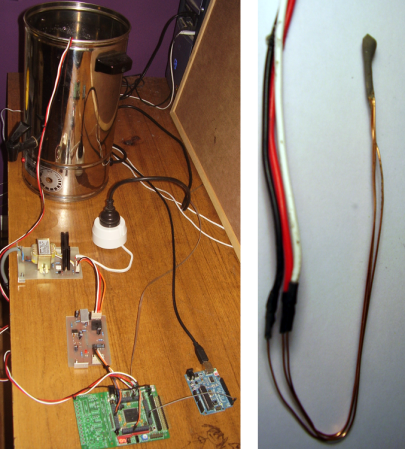
[James] has an admirable home automation system which he’s been working on for years. It does things like monitor the state of the garage door, control the lights, and it even notifies him of a power failure. One thing that wasn’t on the system yet are the fireplaces he has in his home. The hardware you see above is how he patched into the fireplace remote control system in order to automate them.

The remote control uses RF to communicate with a base station. Unlike controlling home theater components which use IR, this makes it a bit more difficult to patch into. Sure, we’d love to see some reverse engineering of the protocol so that a simple radio module could be used, but [James] chose the route which would mean the least amount of hacking on his part. He soldered wires onto the PCB for the buttons and connected to them using reed relays. These let the Arduino simulate button presses.

With the rig connected to the home network he has a lot of options. The system can sense if the house is occupied. If it determines that no one is home it will switch off the fireplaces. [James] also mentions the ability to monitor for carbon monoxide or house fires, switching off the gas fireplaces in either case.

Repairing Broken Injection Molded Parts With A 3D Printer

injection-molded-part-repair

The value of a 3D printer is obvious for people who hack hardware as a hobby. But this repair project should drive home their usefulness for the commoner. [James Bruton] used a 3D printer to recreate a hopelessly broken injection molded plastic part. This is a suction cup mounting bracket for a Tom Tom GPS module. The sphere which makes it adjustable had broken off of the column holding it. For 100% of non-hacking consumers that’s the end of this item. We can’t see a fix that would restore the strength of the original part.

The replacement starts by measuring the broken part with precision calipers. [James] then grabbed a copy of 123D, which is free software. He starts by modeling the sphere, then builds up the support column and the base with a cut-out. It’s obvious he’s already very familiar with the software, but even the uninitiated should be able to get this done pretty quickly. After slicing the design for the 3D printer he finds the part will be ready in about 11 minutes. The first prototype is a bit too small (the ball requires close tolerances to work well). He spins up a second version which is a bit large and uneven. A few minutes of filing leaves him with a smooth sphere which replaces the original part beautifully!

You can see the entire design, print, and assembly process in the clip after the break.

Continue reading “Repairing Broken Injection Molded Parts With A 3D Printer”

Enabling An Unused Touchscreen Overlay On A Consumer LCD

uncovering-an-unused-touchscreen-on-a-consumer-lcd

When [Andrei] first got his Raspberry Pi he wanted to make it a standalone computer right away. This means the normal input devices like a mouse and keyboard, but also some type of display. To avoid waiting for shipping he ended up using a cheap vehicle backup camera screen from the local big box store. It worked great, and recently he decided he would try to convert it to run off of 5V power to simplify his setup. While snooping around inside the device he discovered an unused resistive touch overlay and figured out how to get it to work.

What tipped him off is the small four-conductor connector which wasn’t hooked up to anything. He carefully soldered wires onto the flexible circuit traces, then generously covered them in hot glue to help prevent movement from breaking the rigid connection. To get this working you need to measure the resistance between the conductors. Most of the time we figure the RPi GPIO header can be used directly, but for this task an intermediary is necessary. [Andrei] went with a small Arduino clone board. A bit of trial and error was all it took to get the connections right and to iron out the code which translates the values into coordinates.

Deploying An Open Source Pollution Monitoring Network

pollution-monitoring-network

[Kasey] and [Guyzmo] have been working for the past couple of years on a side project that lets them monitor pollution using a network of sensors. They’ve just decided to make the project open source, both hardware and software. The details of the system are available at their GitHub repository.

There are two main components to the system. On the right is a base station which collects the data from the array of sensor, one of which is shown on the left. Each sensor runs off of a battery, but features a PV solar panel which keeps the power source topped off. It uses an Arduino to drive the system, and an XBee radio for communications. Some info about the sensors can be found on this summary page. There’s a PM10 particle pollution sensor, temperature, sound, nitrogen, and oxygen sensors. We also wonder if any data can be gleaned from how much electricity the solar panel is able to harvest?

The base station also uses an XBee radio to poll the network, but it’s not driven by an Arduino. They’ve gone with the ARM-based BeagleBone to manage the data.

Workshop Computer Floats Above Bench And Is Nearly Wireless

all-in-one-workshop-computer

[Ezra] used the parts he had lying around to build a self-contained dual screen shop computer. What might one name such a project? Obviously you’d call it the Dr. FrankenComputer.

The lower monitor is a dell desktop flat screen. During prototyping [Ezra] used the stand to support everything. But to keep his work space clear the final version has been mounted to the wall in the corner of his lab. The upper display is the LCD from a Compaq laptop which he wasn’t using. The laptop still works and we believe that’s what is driving the Fedora system. A bracket mounted to the desktop screen’s inner skeleton supports the laptop screen and motherboard. One power supply feeds everything and connects to an outlet in the wall behind the monitors. The keyboard and mouse are wireless, as is the computer’s connection to the network.

The only thing we would worry about in our own shop is sawdust filling the heat sinks and other components of the motherboard. Perhaps his lab is electronic projects only or he has a dust cover that he uses when the system isn’t in use.

Eloquent Universal Receiver For Your Home Entertainment Equipment

home-entertainment-universal-receiver

We’re really starting to enjoy the home entertainment control hacks which use a universal receiver to act on commands from any remote. This one is especially interesting as it uses a single remote to control the system but rolls in lots of extras.

Looking at the receiver itself the white plastic dome of the PIR sensor should raise an eyebrow. Since the cable box takes a while to turn on [Ivan] included the motion sensor to switch that component on when you walk into the room. This way it’ll be ready to go by the time you sit down. It does this by sending IR signals from the PIC32 dev board. Of course the board has its own receiver to listen for the remote control commands. The remote buttons have been mapped a bit differently than originally intended. You can see in the diagram above that the normal VCR/DVD/DVR buttons have been set to control the room’s LED strips. There’s even a power consumption monitor rolled into the project. All of these features are demonstrated in the clip after the break.

This is a nearly perfect base setup. But we’d love to see it with a web interface at some point in the future.

Continue reading “Eloquent Universal Receiver For Your Home Entertainment Equipment”

EEPROM Hack Unlocks Crippled Features In Agilent Multimeter And LCR Meter

u1241a-agilent-hack

[Gnif] was doing what any good hacker does… poking around the insides of one of his tools to see how it works. While in there, he discovered that an EEPROM hack could make the Agilent U1241A function like the U1242A.

If you’re into this kind of thing the Rigol 1052e hack should have already popped to mind. That was a firmware crippled device that, when unlocked, made the cheaper model behave the same ways as it’s $400 more expensive sibling. This doesn’t have quite the same impact, as the price difference is somewhere between $20-$100. Still, this stuff is just cool, right?

A few posts down in the thread linked above [Gnif] shares the story of how he found the hack. After shorting the i2c lines of the EEPROM while powering up the meter he was able to see that the device initializes a lot of its values to 0xFF when it can’t find the stored data. The next step was to use an STM32 board to dump the EEPROM contents. With the backup file stored safely he started changing values and reflashing the chip. Through this process he discovered that switching one byte from 0x01 to 0x02 enabled the higher model’s features. It also works for upgrading the U1732C to the U1733C feature set.