The Laptop Every British Kid Would Have Wanted For Christmas 1983

How can we convey to a world in which a 64-bit laptop can be a near-throwaway item, just how amazing a miniature laptop version of the 1980s Sinclair ZX Spectrum could have been? perhaps we don’t need to, because here in 2023 there’s a real one for all middle-aged geeks who had the original to drool over.

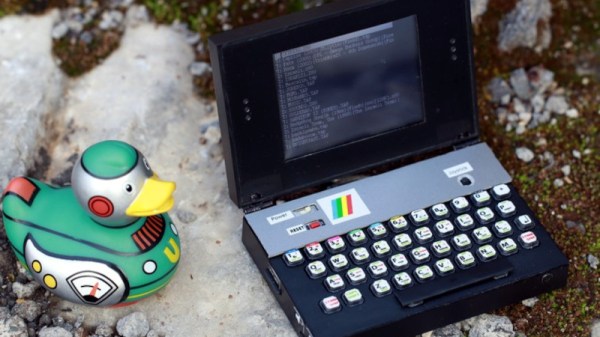
8-bit home computers were super-exciting for the kids of the day, but they were in no way portable and relied on a TV, frequently the family model in the living room. It’s safe to say that a portable version of one of those home computers, not in an Osborne-style luggable case but in a clamshell palmtop, would have been mind-blowing, so four decades later we’re fascinated by [Airrr17]’s portable Sinclair ZX Spectrum.

At its heart is a dev board using one of the STM32F4 series microcontrollers, and running the Spectrum as an emulator. Alongside that is an LCD, and perhaps what is physically the best part of this, a Spectrum keyboard complete with BASIC keyword decals, made with large-button tactile switches that have we think, printed paper on top. Add in a small lithium-polymer cell and associated electronics in a cute little palmtop case, and it’s about as good a portable Sinclair as we could have imagined. All the details can be found in a GitHub repository, and as if that weren’t enough there’s an assembly video we’ve placed below the break.

Continue reading “The Laptop Every British Kid Would Have Wanted For Christmas 1983”
Forget The Altair! Remember The Mark-8!

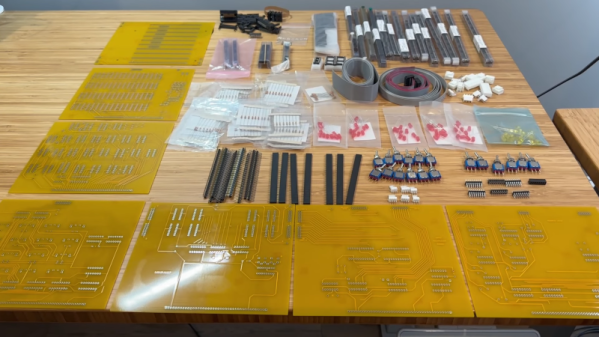
Calling any one computer the first hobby computer is fraught with peril. Most people think the MITS Altair 8800, first featured in Popular Electronics back in January 1975, was the first. Some might argue that others were first, but there is no doubt that the Altair started the hobby computer revolution from a practical standpoint. However, there was another computer that almost took the crown. It, too, appeared in a magazine — Radio and Electronics. But it was in the July 1974 issue. That computer was the Mark 8, and [Artem Kalinchuk] is building a replica that you can see started in the video below. This isn’t some Arduino work-alike. He has a pile of parts and some almost authentic-looking PCBs.

The Mark 8 used the 8008, not the 8080, so it was less powerful. [Artem] has been building a replica Altair, too. Check out his YouTube channel if you are interested in those.

Continue reading “Forget The Altair! Remember The Mark-8!”

Porting CP/M To A Z80 Thing

It is hard to describe the Brother SuperPowerNote. It looks like a big old Z80-based laptop, but it says it is a notebook. The label on it says (with lots of exclamation marks) that it is a word processor, a communications system, a personal scheduler, and a spreadsheet organizer. Brother also promises on the label that it will “Increase your power to perform on the job, on the road or at home!” Plenty of exclamation marks to go around. The label also touts DOS or Windows, but [Poking Technology] didn’t want that. He wanted CP/M. See how he did it in the video below.

This is a very early laptop-style word processor with a floppy and a strange-looking screen. It also had serial and parallel ports, odd for a word processor, and probably justified the “communication system” claim on the label.

Continue reading “Porting CP/M To A Z80 Thing”

ThunderScan: The Wild 1980s Product That Turned A Printer Into A Scanner

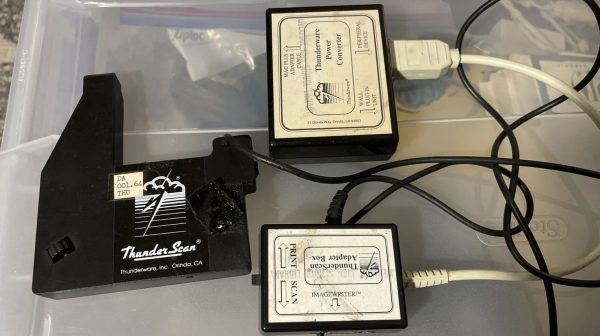
Back in the 1980s, printers were expensive things. Scanners were rare, particularly for the home market, because home computers could barely handle basic graphics anyway. Back in these halcyon days, an obscure company called Thunderware built a device to convert the former into the latter. It was known as the Thunderscan, and was a scanning head built for the Apple ImageWriter dot matrix printer. Weird enough already, but this device hides some weird secrets in its design.

The actual scanning method was simple enough; the device mounted a carriage to the printer head of the ImageWriter. In that carriage was an optical reflective sensor which was scanned across a page horizontally while it was fed through the printer. So far, so normal.

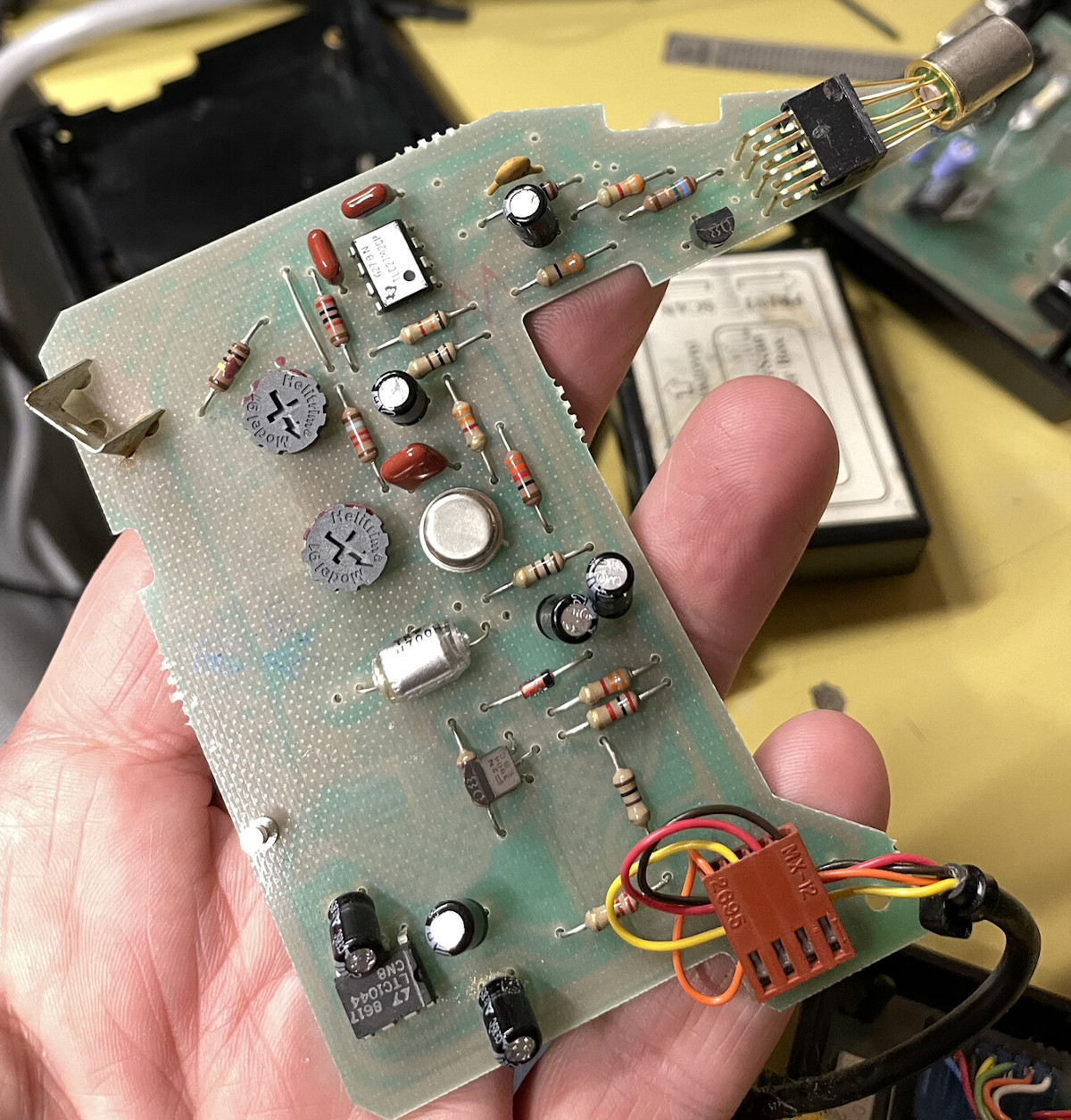
The hilarious part is how the scanner actually delivered data to the Macintosh computer it was hooked up to. It did precisely nothing with the serial data lines at all, these were left for the computer to command the printer. Instead, the output of the analog optical sensor was fed to a voltage-to-frequency converter, which was then hooked up to the handshake/clock-in pin on the serial port.

The scanner software simply looked at the rate at which new characters were becoming available on the serial port as the handshake pin was toggled at various frequencies by the output of the optical sensor. Faster toggling of the pin indicated a darker section of the image, slower corresponded to lighter.

Interestingly, [Andy Hertzfeld] also has his own stories to tell on the development, for which his software contribution seems to have netted him a great sum of royalties over the years. It’s funny to think how mainstream scanners once were; and yet we barely think about them today beyond a few niche uses. Times, they change.

Thanks to [J. Peterson] for the tip!

Cowgol Development Environment Comes To Z80 And CP/M

Cowgol on Z80 running CP/M ties together everything needed to provide a Cowgol development environment (including C and assembler) on a Z80 running the CP/M operating system, making it easier to get up and running with a language aimed to be small, bootstrapped, and modern.

Cowgol is an experimental modern language for (very) small systems.

The Zilog Z80 was an 8-bit microprocessor common in embedded systems of the 1970s and 1980s, and CP/M was a contemporary mass-market operating system. As for Cowgol? It’s an Ada-inspired compiler toolchain and programming language aimed at very small systems, such as the Z80.

What’s different about Cowgol is that it is intended to be self-hosted on these small systems; Cowgol is written in itself, and is able to compile itself. Once one has compiled the compiler for a particular target architecture (for example, the Z80) one could then use that compiler on the target system to compile and run programs for itself.

Thankfully, there’s no need to start from scratch. The Cowgol on Z80 running CP/M repository (see the first link of this post) contains the pre-compiled binaries and guidance on using them.

Cowgol is still under development, but it works. It is a modern language well-suited to (very) small systems, and thanks to this project, getting it up and running on a Z80 running CP/M is about as easy as such things can get.

Thanks to [feinfinger] for the tip!

Fast Paper Tape For The Nuclear Family

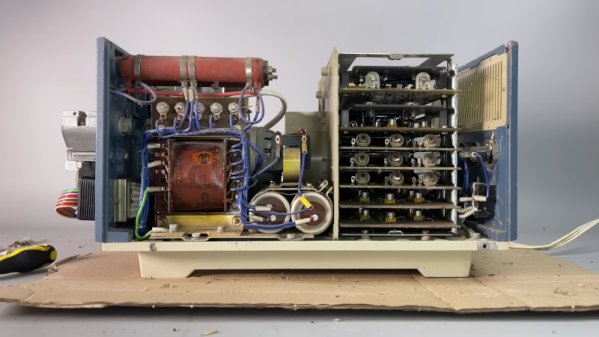
We’ve enjoyed several videos from [Chornobyl Family] about the computers that controlled the ill-fated nuclear reactor in Chornobyl (or Chernobyl, as it was spelled at the time of the accident). This time (see the video below) they are looking at a high-speed data storage device. You don’t normally think of high-speed and paper tape as going together, but this paper tape reader runs an astonishing 1,500 data units per second. Ok, so that’s not especially fast by today’s standards, but an ASR33, for example, did about 10 characters per second.

An IBM2400 tape drive, for reference, could transfer at least 10 times that amount of data in a second, and a 3400 could do even better. But this is paper tape. Magnetic tape had much higher density and used special tricks to get higher speeds mechanically using vacuum columns. It was still a pretty good trick to move 4 meters of paper tape a second through the machine.

Continue reading “Fast Paper Tape For The Nuclear Family”

BASIC In Your Browser

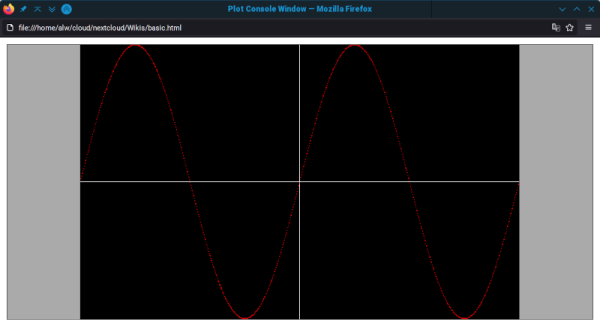
If you are a certain age or just like retrocomputers, you probably have a soft spot for good old-fashioned BASIC. If you miss those days but don’t want to install a modern interpreter, you don’t have to. Just load a web page containing the “BASIC Anywhere Machine” from [CJ Veniot]. Worried about it being “in the cloud?” It isn’t? It runs in your browser, and if you are a TiddlyWiki fan, it will even live inside your Wiki, which you can host as you please.

The project has lots of features, including some integration back into TiddlyWiki, which we haven’t tried. But you can use graphics commands, work with the mouse, and do other fun things.

Continue reading “BASIC In Your Browser”