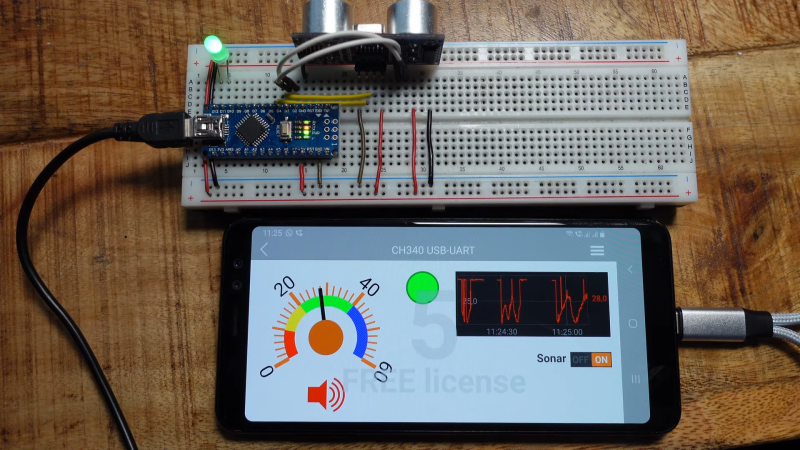
If you want a good display and interface device for an embedded project, it’s hard to look past an old smartphone. After all, you’ve got an excellent quality screen and capacitive touch interface all in the same package! [Doctor Volt] explains how to easily set up your old smartphone to work as a touchscreen for your Arduino.
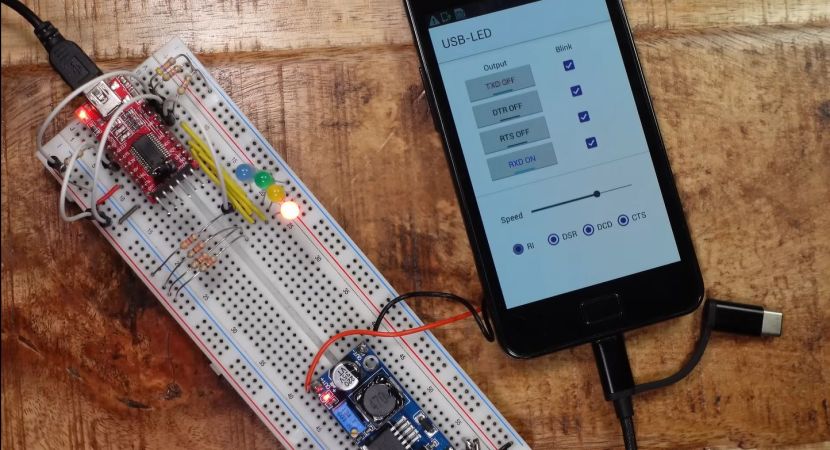
[Doctor Volt] demonstrates the idea with a 2018 Samsung Galaxy A8, though a wide variety of Android phones can be put to use in this way. The phone is connected to the Arduino via a USB-to-serial converter and an OTG cable. Using a USB-C phone with Power Delivery is ideal here, as it allows the phone to be powered while also communicating with the Arduino over USB.
The RemoteXY app is built specifically for this purpose. It can be installed on an Android phone to allow it to communicate effectively with Arduino devices, which run the RemoteXY library in turn. Configuring the app is relatively straightforward, with a point-and-click wizard helping you designate what hardware you’re using and how you’ve got it hooked up. [Doctor Volt] does a great job of explaining how to hook everything up, and how to build some simple graphical interfaces.
There are a ton of display and interface options in the embedded space these days, many of which can be had cheaply off the shelf. Still, few compete with the resolution and quality of even older smartphones. It’s a neat project that could come in very handy for your next embedded build! Video after the break.
Continue reading “Using A Smartphone As A Touchscreen For Arduino”