ATtiny85 Sketch Flashing Rig

We’re happy to see Arduino enthusiasts championing the use of smaller hardware when the need for a full-blown ATmega-based board just isn’t there. [Chris] has been doing just that, using ATtiny85 chips in his projects. But he’s tired of hooking jumper wires to flash the sketches. He finally got around to etching this ATtiny85 programming adapter.

If the project is not pin hungry, an ATtiny85 can run Arduino sketches without the need to port the code. The best news is that the Arduino board you used to prototype the project can be used as the programmer for the standalone chip. Here that’s a Boarduino, and [Chris] laid out a double row of female pin headers for quick plug-in. To the right you can see the DIP socket for the target chip. Although this works perfectly well, we would have liked to also see the inclusion of a 2×3 AVR ISP programming header which could be used with the full range of AT chips.

One Enormous Breadboard

[Franklyn] wrote in to tell us about the The Hack Factory Big Board project. The Twin Cities Maker group, a Minneapolis/St Paul based hackspace, set out to provide an education tool to help students make the leap from schematic diagrams to bread board connections.   Naturally their conclusion was to create a humungous 10x scale bread board.  The board features scaled up yet fully functional capacitors, resistors, a dip switch, and the jumbo-est LEDs we’ve seen in a long while.

Like its 0.1″ pitch counterpart, passive components can be thrown in 1″ pitch breadboard to create a myriad of analog circuits. The Twin Cities folks even tossed together an optical theremin using a scaled up photoresistor.  Beyond analog circuits the board can also demonstrate various ICs using either a custom breakout board featuring an 8-pin DIP socket or a vacuum formed Atmega 328 which boasts an internal Arduino Uno. The cool thing about the giant 28-pin DIP is that it does not necessarily function as a microcontroller.  Instead the UNO will be loaded with chip emulation programs geared towards the lesson at hand,  jumpers  select programs to teach debouncing, logic, flip-flops, and a whole slew of other basic concepts.

We are a bit concerned that the next logical step is a gigantic soldering iron,  but at least we finally have something to interface to the huge liquid crystal display.  If you still want more giant circuit stuff check out this 555 footstool.

Check out a quick intro video after the jump!

Continue reading “One Enormous Breadboard”

Physical Email Box — Mail Flag And All

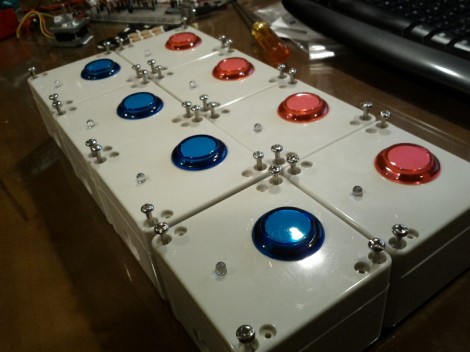
We gave you a side view because we really like the red new-mail flag. Sure it works the opposite of how USPS boxes do (where the flag tells the letter carrier there is outgoing mail to be picked up) but it’s still a fun touch. What you can’t see here is that this physical email box has a character LCD screen to read your messages and a set of buttons on the top to send back replies.

[Eraclitux’s] project puts an Arduino, LCD, a few buttons, and a servo motor inside of a metal project box. It connects to his computer and takes commands over the USB cable. The Python script is where most of the magic happens. This is a good reference project if you’re interested in using POP and SMTP packages to interface your Python scripts with an email server. You’re pretty limited on responses, with preprogrammed messages to reply “Yes”, “No”, or “Read”. But it’s journey that matters, not the destination.

Continue reading “Physical Email Box — Mail Flag And All”

An Arduino Based Quadruped Robot

Arduino-Based-Four-Legged-Robot

Sure, we see hexapods all the time at [HAD], but moving around with four legs can be more tricky kinematics-wise. This Instructable shows you how to make one out of balsa wood.

Although one might not think of balsa to make their robot out of [vexedpheonix] explains that this was chosen because it’s extremely light and easy to work with. Since he was trying to keep costs down, the cheapest servos available were used. These weren’t all that powerful, so the lighter the body the better! According to the included bill of materials, he was able to keep the entire robot build under $100.

According to the article, the hardest part was making four copies of the same leg. We might suggest using a CNC router, but building one would obviously add a huge layer of complication to the project!

Thanks for the tip on this one [SteveT]! Be sure to check out the video of this little robot waving one of it’s legs or trying to walk after the break! Continue reading “An Arduino Based Quadruped Robot”

Small Life On A Character LCD

[Duality] just finished programming Conway’s Game of Life on a character LCD. The game is a great programming exercise that everyone should undertake at one point or another. It uses a very simple set of rules to evolve the playing area from a given starting state. In this case the game grid is only 64 pixels, one for each of the positions on this 16×2 character LCD screen. This makes for very quick games as the cells tend to quickly reach an equilibrium as they arrive at the outer borders. See for yourself in the clip after the break.

We could have sworn we’ve seen this before, but with four times the playing space thanks to some custom characters. We couldn’t find an example of that, but the idea is to use a larger grid (something more like what’s seen on this graphic LCD) by generating a set of custom characters that slices each 5×8 pixel character into four smaller discrete areas. Something along the lines of what is being done with this spectrum analyzer.

Continue reading “Small Life On A Character LCD”

Measuring Projectiles With OpenChronometer

[Spork] over on the Netduino forums wanted to push the limits of what his little board could do. He put together a chronometer to measure the velocity of rifle rounds and Nerf darts using an Arduino-compatable CPLD shield.

The project is built around a pair of commercial CED M2 chronograph sensors; because people have the tendency to shoot through these sensors, they’re available as replacement units for much less than the cost of a complete chronograph setup. [Spork] couldn’t figure out a way for his Arduino clone to read pins with a resolution of 1 microsecond, so a Amani GTX CLPD shield was added to the build. This programmable logic chip takes the output from a chronometer sensor, starts a timer, waits for the second sensor to trigger, and stops the timer. From that, the velocity of just about any projectile can be calculated.

Of course, [Spork] needed to test his new device, so he took it out to the range and fired 25 rifle rounds through his chronometer. The result was a very nice, normal distribution centered around 2400 feet per second, exactly as would be expected. Although [Spork] didn’t test out low-velocity projectiles such as Nerf darts, we expect the same reliable results.

via majolsurf

Mother’s Day Heart Chaser

[Robert Mibus] took on a project which his kids could present to Mom on Mother’s Day. It’s an LED heart built into a ring or necklace box. The series of white LEDs are animated in a chase pattern. The project let [Robert] push his comfort boundaries by moving past a stock Arduino board.

Inside you’ll find an ATtiny85. He picked up the chip to try running Arduino sketches on smaller hardware. But the total of five available I/O pins presented an issue with driving the LEDs. Ten LEDs are used here and even a standard multiplex display would need no less than seven to control them without additional chips or the need for Charlieplexing. His solution was to drive two opposite LEDs at once, which cuts the need down to his five available pins.

Once he got it all soldered together he realized that he had made a coding error. But a few soldered wires let him reflash it in place using ISP.

Continue reading “Mother’s Day Heart Chaser”