Sending Open-Source Satellites To Space

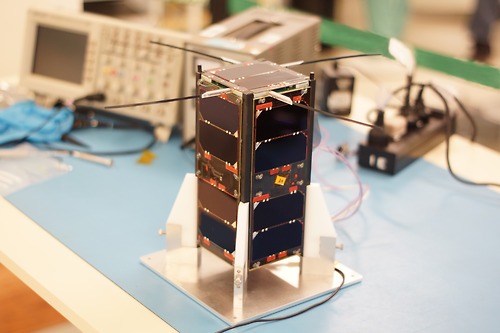
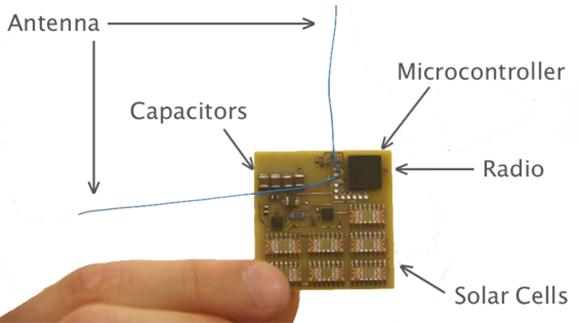
An anonymous reader tipped us about two Argentinian satellites (satellite one, satellite two) that were sent in 2013 to space. What is interesting about them? They are both based on commercial off-the-shelf (COTS) components, and the team released the framework & flight computer software for their main platform (named cubesat, GitHub link). Gunter’s space page not only impresses us by showing the quantity of small/amateur satellites sent each month to space, but also lets us know that the hardware source files for CudeBug 1/2 are meant to be released. In the meantime we can only gather that they’re using a Texas Instruments TMS570 running FreeRTOS. Nevertheless, the two different web pages (in spanish and english) offer us a very interesting glimpse of what it takes to send an electronic project to space and how it later behaves.

You may also be interested in checking out ArduSat, a successful kickstarter campaign aimed at sending Arduino experiments in space.

A Z80 Retro Microcomputer For The Papilio Pro FPGA Board

z80

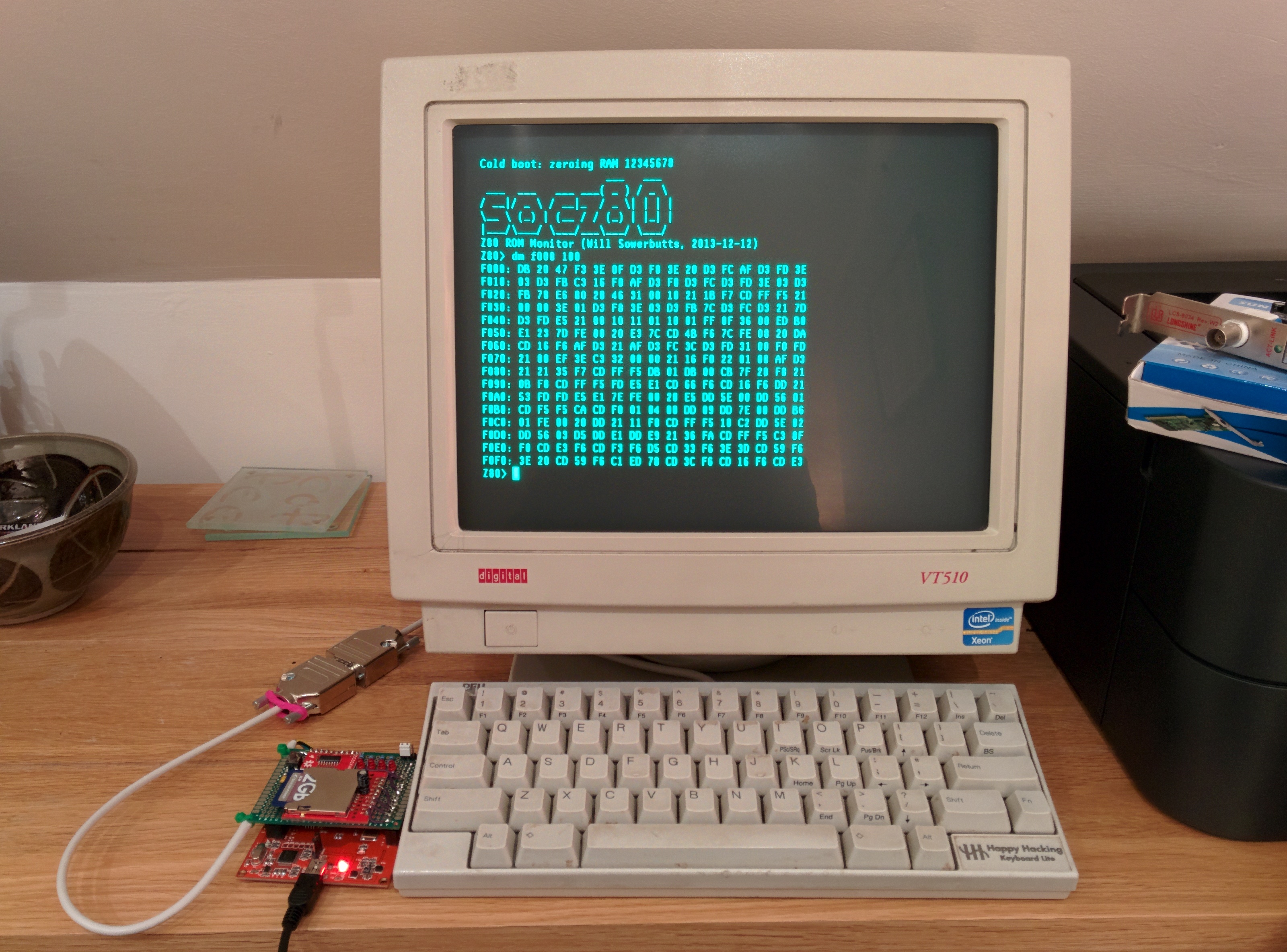
[Will] wrote a 128MHz Z80-based retro microcomputer which runs on a Papilio Pro board. For those who don’t know, the latter is built around a Spartan-6 LX9 FPGA so you may imagine that much work was required to implement all the computer features in VHDL. The T80 CPU core was taken from opencores, the SDRAM controller was imported from Mike Field’s work but [Will] implemented several additional functions on his own:

– a 4KB paged Memory Management Unit to translate the 16-bit (64KB) logical address space into a 26-bit (64MB) physical address space.

– a 16KB direct mapped cache to hide the SDRAM latency, using the FPGA internal block RAM

– a UART interface for external communications

He also ported CP/M-2.2, MP/M-II and UZI (a UNIX system) to the computer. His project is completely open-source and all the source code can be downloaded at the end of [Will]’s write up.

Thanks [hamster] for the tip.

UMotio: An Arduino Compatible 3D Gesture Controller

uMotio

The Mooltipass project USB code contributor [Tom] and his friend [Ignatius] recently launched their Indiegogo campaign: meet the 3D gesture controller uMotio (Indiegogo link). As [Tom] has been spending much of his personal time helping the Mooltipass community, we figured that a nice way to thank him would be to try making their great open project one step closer to a disseminated product.

As you can see in the video embedded after the break, the uMotio is a plug and play system (detected as a USB HID joystick & keyboard with a CDC port) that can be used in many different scenarios: gaming, computer control, domotics, music, etc… The platform is based around an ATMega32u4 and the much discussed MGC3130 3D tracking and gesture controller. This allows a 0 to 15cm detection range with a resolution of up to 150dpi. uMotio is Arduino compatible so adapting it to your particular project can be done in no time especially using its dedicated expansion header and libraries. The uMotio blue even integrates an internal Li-ion battery and a Bluetooth Low Energy module.

Continue reading “UMotio: An Arduino Compatible 3D Gesture Controller”

A DIY Atomic Force Microscope

AFM

For looking at really small stuff, an optical microscope will only go so far. Looking at things at the nanometer level, though, usually requires some sort of electron microscope, with all the hassle of vacuum chambers and high voltages. There is another way to investigate the domain of the very small: an atomic force microscope. Unlike their electron spewing brothers, they don’t require high voltages or hard vacuums. They can also be built for about $1000, as [whoand] over on the Instructables shows us.

Instead of shooting light or electrons at an object and picking up the reflections, an atomic force microscope drags a very, very tiny stylus across an object. This stylus is attached to a probe that will reflect laser light off of it into a photosensor, eventually rendering an image on a display. [whoand] is using a laser diode and pickup unit from a DVD-ROM drive for the optical pickup unit, a frame made from soldered together PCBs, and a few piezos to vibrate the probe.

The probes themselves are incredible pieces of engineering with a tip size of a few nanometers. They’re consumable, and expensive, ranging from $20 to $500 per probe. Still, with these probes, [whoand] can look at the pits in a CD or DVD, measure the surface of an eraser, or check out the particulate matter floating around in the atmosphere in Beijing.

Thanks [Rob] for the tip.

Improved Thermocouples On A Microcontroller

ktype

If you’re reading a thermocouple with one of those fancy schmancy SPI thermocouple amplifiers, this one isn’t for you. If, however, you’re still going through those old-school analog thermocouple amplifiers like the AD595, [miceuz] has just the thing for you. He’s come up with a library for embedded devices that reads the temperature of a k-type thermocouple with +- 0.03°C of accuracy.

As with anything dealing with natural phenomena, the voltage generate by the bimetallic junction of a thermocouple probe is decidedly non-linear. This is a problem when dealing with embedded devices, as that would mean using floating point arithmetic, greatly increasing the amount of code. [micuez] found the NIST tables for a K-type thermocouple and interpolates the actual temperature of the thermocouple probe from the NIST data. The usual way of measuring thermocouples – a polynomial unction of some sort – has an error of about 0.06°C. [miceuz]’s library has an error of less than half that, all while using less code.

The library doesn’t support temperatures below zero, but this is still a work in progress. Still, if you’re looking for a very accurate library for a forge, crock pot sous vide build, or a toaster  oven reflow controller, you can’t do better than [miceuz]’s work.

Playing Tetris On An Oscilloscope

Have engineers stopped putting Easter eggs into technology lately? It’s always been a fun way to connect with your more advanced customer base (i.e. hackers) — anyway, here’s a great Easter egg you can find on the Hewlett Packard 54600B Oscilloscop — Tetris!

[RaffttaM] discovered this trick when a coworker let him know that one of the oscilloscopes in the lab had the hidden feature. A little fiddling later and a game of Tetris was revealed. If you press the Print/Utility button on the 54600B oscilloscope, followed by pressing the second and third button below the screen at the same time, you can launch the game!

Another cool embedded Easter egg is in the Game Boy Printer — If you hold the feed button during power up it spits out a Mario themed image! One of our readers even managed to hack the printer to show the Hack a Day Logo instead!

Do you know of any more modern tech with cool (and sneaky!) Easter eggs? Let us know by sending in a tip!

[Thanks Gregory!]

Small-Scale Projects Use Snail-Mail Mail-Scale

stamps.com scale

Stamps.com offers a free USB scale when you sign up for their service. The first versions of this scale did not have a display. In order to find the weight of an object the scale had to be connected to a computer running the stamps.com software. If you happen to have one of these old scales or are able to pick one up cheap, you may be interested in using it outside of the stamps.com service. There are several options on how to do that.

Continue reading “Small-Scale Projects Use Snail-Mail Mail-Scale”