Adding Famicom Audio Channles To An NES Without Messing Up The Console

[Callan Brown] wrote in to show us a really interesting NES audio hack. [Callen] decided that he wanted the full Castlevania III audio experience, which (without modifications) can only be had through the original Japanese Famicom console. [Callen] weighed a few adapter options, and instead decided to come up with his own.

The issue is that the Japanese Famicom and the American NES actually have a different cartridge connector. The change in hardware from a 60 pin to a 72 pin connector added “features” like the 10 pins connected directly to the expansion port (used for stuff like the teleplay modem, who knew). The other two additional pins are used by the annoying 10NES lockout chip. While they were at it, Nintendo decided to route the audio path through the expansion connector instead of the cartridge.

This means that the Japanese cartridges can’t pipe sound to the NES audio channel with just a pin adapter. Good news though, after sourcing a pin adapter hidden inside certain NES games (Stack Up, Gyromite), audio can easily just be pulled from the adapter PCB. This requires the more expensive Famicom Castlevania III cartridge (Akumajou Densetsu). To cleanly route the new audio cable out of his front loading NES [Callan] reuses the sacrificial adapter game’s cart to make some kind of unholy hybrid. To round it off [Callan] also goes over steps to flash a translated ROM to the Japanese game.

What difference could an extra two squares and a sawtooth make? Check out the sound comparison video after the jump! Thanks [Callan].

Continue reading “Adding Famicom Audio Channles To An NES Without Messing Up The Console”

Another Eerily Similar High Power LED Driver Hack

[Maximilian Güntner] dropped us a comment in last week’s globe writeup linking to his own project, which involves a similar high power LED driver mod. This looks like the exact same mod we came up with, and [Güntner] even used the mod to connect a bunch of high power LEDs to a PCA9685 LED driver [pdf]. It’s the same exact concept as Disco Planet!

It should come as no surprise that people have actually been modding high power led drivers in this way for some time. They are a few bucks per handful and take an enormous input voltage range. In [Güntner]’s case he grabbed a bunch of these from Dealextreme.  Actually there are two others on the site, and all three contain comments (dating back a year) with helpful tips on various ways to modify the little PCB.

Our Ebay sourced boards are different though. The boards [Güntner] purchased employ the PowTech PT4115 [pdf] which uses fewer parts and has an easy to follow data sheet. Take, for instance, the pin graciously labeled “DIM” with a little PWM signal next to it. The nerve! The Ebay drivers use the MCP34063 [pdf] which has a much more cryptic data sheet (burned two weeks and several notebook pages to figure out the circuit). Ultimately the two are so similar it makes no difference.

So, if you want to mod some LED drivers on your own, check out the how-to video after the jump. Thanks [mguentner]!

Continue reading “Another Eerily Similar High Power LED Driver Hack”

DIY Flanagan Neurophone Lets You Hear With Ultrasound

[Andreas] wrote in to let us know about this DIY Neurophone project. Apparently a Flanagan Neurophone uses ultrasound in some manner to transmit audio directly to the body, or nervous system? Needless to say we are a bit skeptical of anyone whose wiki page leads directly to pyramid power. In fact most of the references to this thing start rambling about some pretty pseudo-scientific theories.

At any rate, the schematic is clear and simple enough for anyone who has the parts to easily try.  The only challenge might be tuning the thing with a signal generator or audio feed. So how about it, any one have a TL494 pulse-width modulation controller and want to be a guinea pig?

Using An IR Remote With Your Arduino

If you’ve ever needed a short-range remote control for a project, [firestorm] is here to help you out. He put up a great tutorial on using an IR remote to do just about anything with everyone’s favorite microcontroller platform.

[firestorm] used the Arduino IRremote library to decode the button presses on his remote. After uploading the IR receive demo included in the library, the Arduino spit out hex codes of what the IR receiver was seeing. [firestorm] wrote these down, and was able to program his Arduino to respond to each individual button press.

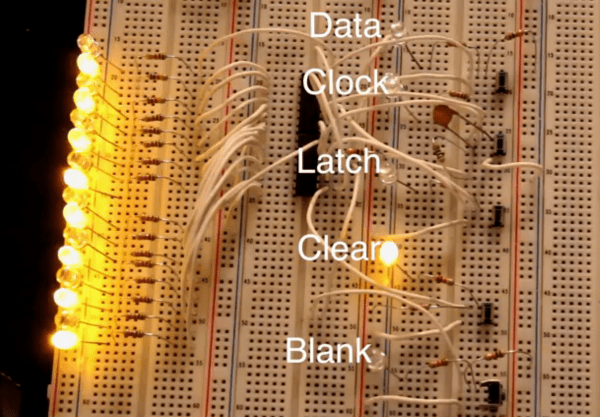
After figuring out the IR codes for his remote, [firestorm] threw a shift register into his bread board and attached a seven-segment LED. Since [firestorm] knows the codes for the number buttons on his remote, it’s very easy to have the LED display flash a number when the corresponding button on the remote is pressed.

A single seven-segment display might not be extremely useful, but with [firestorm]’s tutorial, it’s easy to give your Arduino some remote control capabilities with a simple IR receiver. Not bad for a few dollars in parts.

Automatic Daylight Saving Time Compensation For Your Clock Projects

Pretty early in development of my Ping Pong Clock I came up with the idea of automatic Daylight Saving Time compensation. It’s an interesting feature, but it’s a luxury and so I figured I could add it as a future improvement. Now’s the time and I’m reporting back on what I’ve learned and how you can add this to your own projects.

There’s two things to think about before adding this feature. Is it worth the effort and does it make the clock more confusing rather than easier to use?

As to the latter, if you are responsible for setting the time initially but you are not responsible for resetting the clock when we fall back or spring forward will it cause confusion? Perhaps initially, but the battery-backed RTC that I used in my project should mean that you set it once and never have to reset it again. The one exception is DST and that’s what I’m compensating for.

Whether it is worth it or not is difficult to answer until after the fact. You should take into consideration that the DST rules are not set in stone, they change from time to time. Add to that the fact that not all parts of the world observe the practice. This means that not only do you need to implement the compensation, but you should add a method of switching it on and off as well as changing the rules for when it is observed.

Join me after the break to learn the method and code I use to make time adjustments automatically twice a year.

Continue reading “Automatic Daylight Saving Time Compensation For Your Clock Projects”

How To Earn Your Hackaday Skill Badge

Since Adafruit released a few dozen hacker skill badges, we’ve been waiting for this tip to come in. [phillip torrone] over at Adafruit posted a requirement sheet put together by a school teacher-blogger friend aimed at high school students wanting to earn their Hackaday skill badge.

The requirement list is heavily influenced by the requirements needed to earn a merit badge in the Boy and Girl scouts – first, do a little research and be able to describe the type of build we usually feature. Then, describe the project to your teacher and directly relate your project to other builds featured on Hackaday. Solid advice, we have to say.

There’s a few solid tips that really help us out; putting up a blog post for your project really helps us out, as does hosting your code on a Git. Videos are always good, and even though I’m partial to Vimeo (these videos just come out looking more professional for some reason), a lot of our commentors prefer YouTube.

About the commentors: the requirement sheet specifically mentions ignoring the flame bait comments, something we’d have to agree with. The comments have gotten better, but the best way for you (yes, all of you) to help is just hit the report button and don’t feed the trolls.

If your post doesn’t make Hackaday, don’t feel bad. Before I started working here, I built a Mellotron and submitted it to the tip line. It didn’t get featured, but I just rolled with the punches. Now I’m waiting for a Raspberry Pi to come in so I can update that build and give it the rollout it deserves. If your build gets skipped, just re-submit a week or so later. We’re a fickle bunch and sometimes projects waste away in the tip line, especially if it’s similar to a recently posted build.

Getting Started With Software Defined Radio

In the last few months, software defined radio has seen an explosion in popularity thanks to a small USB TV tuner dongle able to receive anything broadcast between 64 and 1700 MHz. It’s a very neat project that opens the door to a whole bunch of radio experimentations, but getting started in the SDR world can be a bit daunting. To help everyone out, [MS3FGX] is writing a getting started guide so everyone can get into the world of software defined radio.

After getting one of the TV tuners supported by the RTL-SDR project (by far the most commonly used is this one from Dealextreme), the next thing you’ll need is a decent antenna. [MS3FGX] has had some success with this Radio Shack antenna, but it’s very easy to make your own.

The most popular software package to use with the RTL TV dongle is GNU Radio, and [MS3FGX] goes over the ins and outs of setting this up along with a brief aside for the Gqrx receiver.

After your hardware and software is set up, the only thing left to do is tuning into a few of your favorite stations. The range of frequencies the RTL covers includes AM and FM radio, along with GSM and GPS signals. Of course there’s a whole lot more you can do with this project like listening in on your car’s keyless entry fob, pagers, and wireless weather stations.