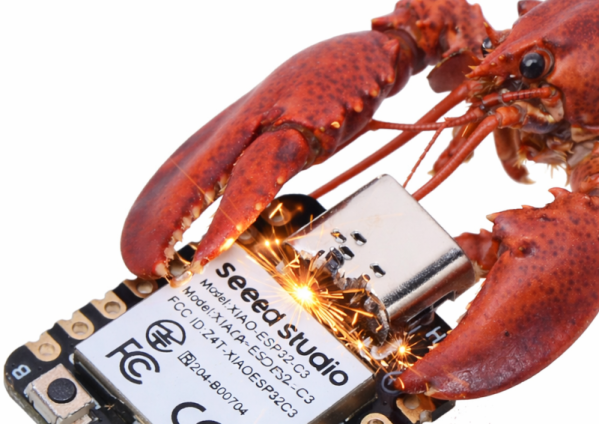
Having an AI assistant is all the rage these days, but AI assistants usually don’t know about your automation setups and may have difficulty dealing with tasks asynchronously. Enter zclaw. It gives you the option to have a personal assistant on an ESP32 backed by Anthropic, OpenAI, or OpenRouter. The whole thing fits in 888KB, and while it doesn’t host the LLM, it does add key capabilities to monitor and control devices connected to the ESP32.
You communicate with the assistant via telegram. You can say things like “Remember the garage sensor is on GPIO 4.” Then later you might say: “In 20 minutes, check the garage sensor and if it is high, set GPIO 5 low.” It has an RTOS for scheduling tasks and is aware of the timezone and common periods. Memory persists across reboots, and you can pick different personas.
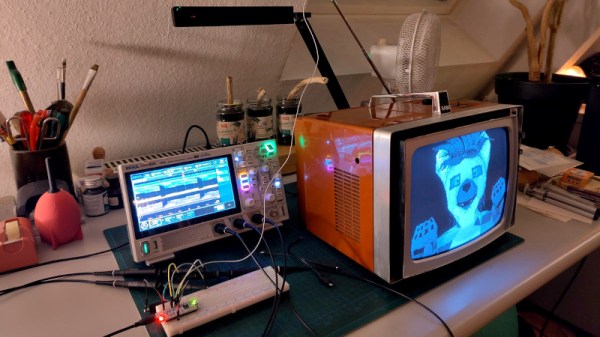
Analog TV may have shuffled off its mortal coil years ago, but there are still plenty of old CRT TV sets around that could receive it. [Kris Slyka] has just such a device, and decided to feed it something from an STM32 microcontroller. An STM32G431, to be precise, and they’re doing it using the on-chip hardware rather than in software.
This unexpected feat is made possible by clever use of the internal oscillators and analog multiplexer. The video itself is generated using the MCU’s DAC, and fed into the on-board op-amp multiplexer which is switched at the VHF transmission frequency. This creates the required VHF TV transmission, but without audio. This component comes by abusing another peripheral, the internal RC oscillator for the USB. This is frequency modulated, and set to the required 5.5 MHz spacing from the vision carrier for the TV in question. It doesn’t (yet) generate the PAL color sub-carrier so for now it’s black and white only, but maybe someone will figure out a way.
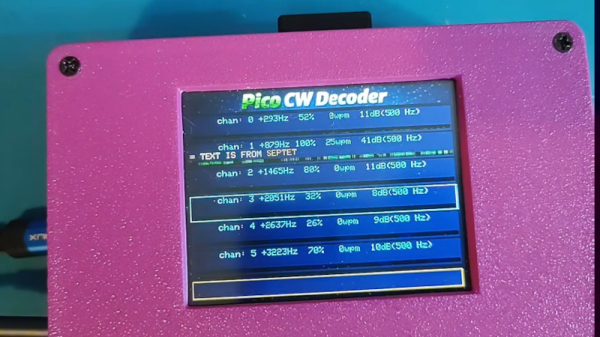
When [101 Things] didn’t want to copy Morse code, he decided to build a Pi Pico system to read it for him. On the face of it, this doesn’t seem particularly hard, until you look at the practical considerations. With perfectly timed dots and dashes, it would be trivial. But in real life, you get an audio signal. It has been mangled and mixed with noise and interference as it travels through the air. Then there’s the human on the other end who will rarely send at a constant speed with no errors.
Once you consider that, this becomes quite the project, indeed. The decoder captures audio via the Pi’s analog-to-digital converter. Then it resamples the input, applies an FFT, and converts the output via a complex classification pipeline that includes, among other things, Bayesian decoding. Part of the pipeline makes simple typo corrections. You can see the device do its thing in the video below.
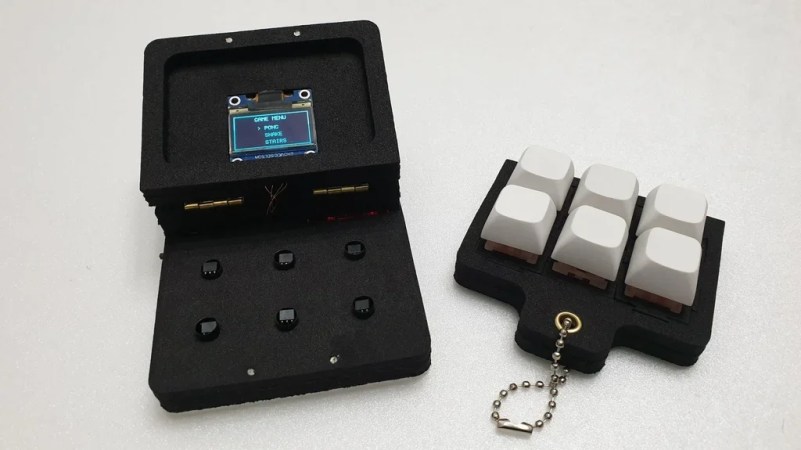
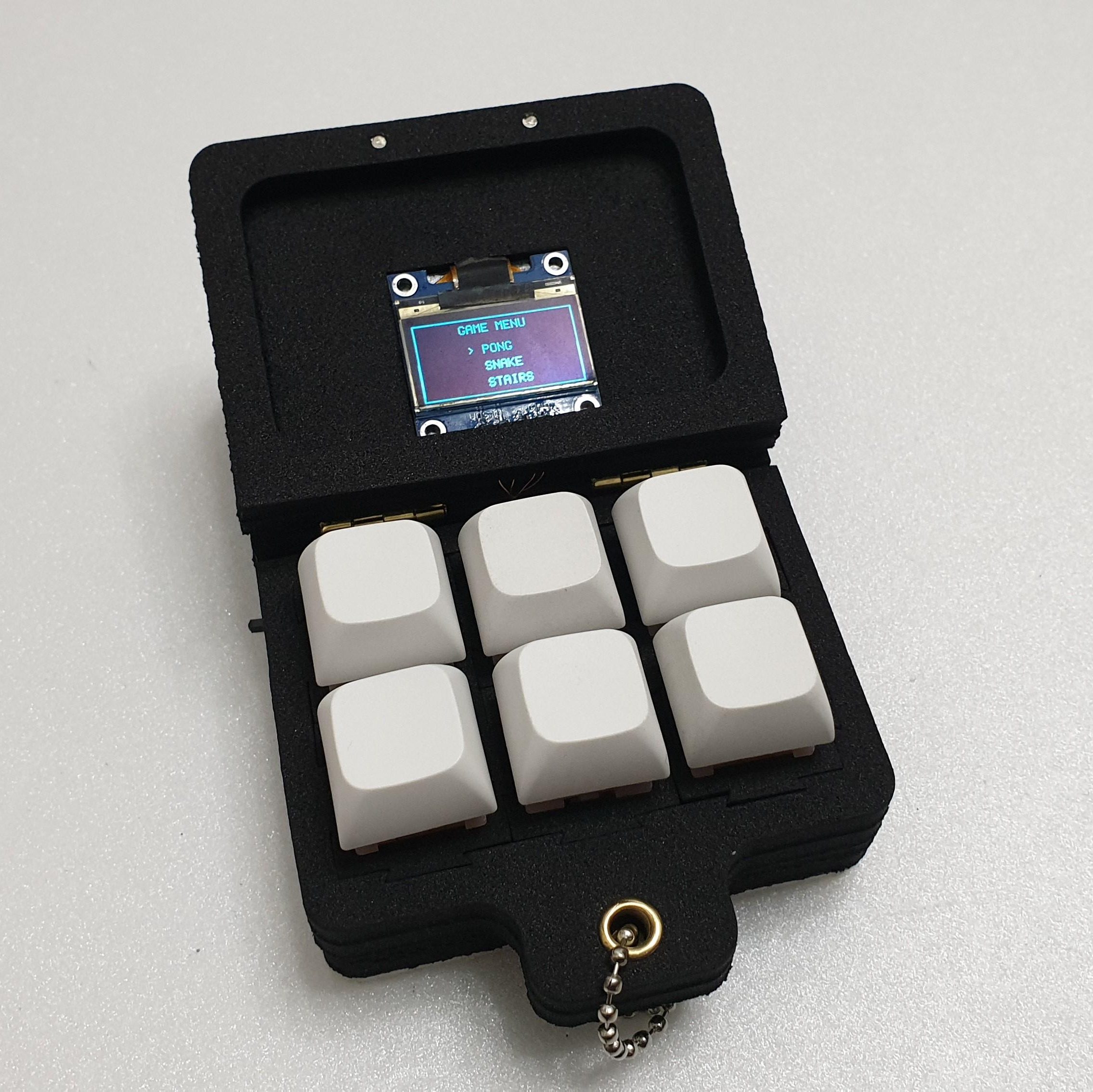
Fidget toys are everywhere these days. A particularly popular type simply puts some keyboard switches on a plate to provide a certain type of clicky satisfaction. [wjddnjsdnd] took that concept a step further, building a keychain-sized fidget toy that actually has games on it.
The build is based around six key switches in a 2 x 3 array. The key switches are notable in this case for being magnetic shaft keys. Rather than using a mechanical switch to indicate a keypress, the keycap instead merely moves a magnet which triggers a signal in a hall effect sensor beneath the key. In this case, the build uses A3144 hall effect sensors, which are read by the Arduino Nano running the show. The Nano is also hooked up to a small SSD1306 OLED display over I2c, which it uses for displaying the game state. There’s also a TP4056 module to handle charging the attached 380 mAh lithium-ion battery which powers the pocket-sized device.
The Arduino Nano is not a powerful platform for gaming, but it can handle the basics. The Gamebox Clicker, as it’s called, features a Pong clone, a stairs game, and a recreation of Snake. Think early mobile phone games, and you’d be on the money.
It’s an interesting build, and one that would be a great way to get used to using magnetic key switches as well as small embedded displays. We’ve seen Arduino boards turned into microconsoles many times before, too. If you’d like to sound off about magnetic vs. mechanical key switches, jump into the comments, or otherwise let us know about your best electronic fidget projects on the tipsline. Happy hacking.
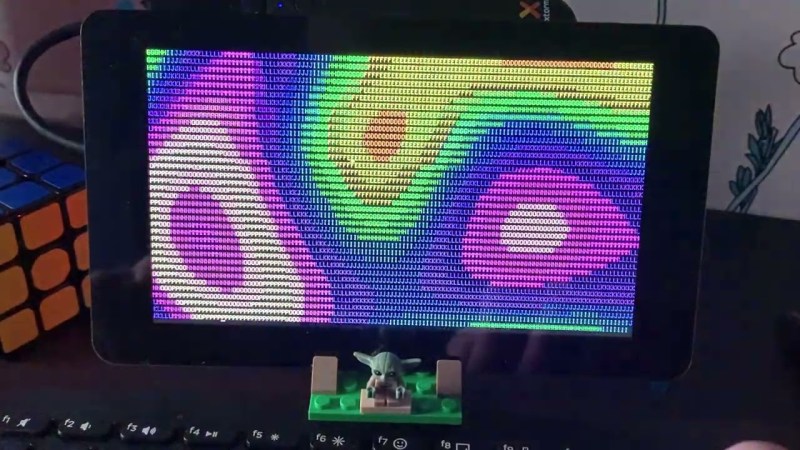
Much like how BusyBox crams many standard Unix commands and a shell into a single executable, so too does BreezyBox provide a similar experience for the ESP32 platform. [valdanylchuck] ‘s system even includes a demo implementation that uses the ESP32-S3 platform as part of the Waveshare 7″ display development board.
Although it invokes the BusyBox name, it’s not meant to be as stand-alone as it uses the standard features provided by the FreeRTOS-based ESP-IDF SDK. In addition to the features provided by ESP-IDF it adds things like a basic virtual terminal, current working directory (CWD) tracking and a gaggle of Unix-style commands, as well as an app installer.
The existing ELF binary loader for the ESP32 is used to run executables either from a local path or a remote one, a local HTTP server is provided and you even get ANSI color support. Some BreezyBox apps can be found here, with them often running on a POSIX-compatible system as well. This includes the xcc700 self-hosted C compiler.
You can get the MIT-licensed code either from the above GitHub project link or install it from the Espressif Component Registry if that’s more your thing.
Although [Thomas] really likes the Raspberry Pi Pico 2 and the RP2350 MCU, he absolutely, totally, really doesn’t like the micro-USB connector on it. Hence he jumped on the opportunity to source a Pico 2 clone board with the same MCU but with a USB-C connector from AliExpress. After receiving the new board, he set about comparing the two to see whether the clone board was worth it after all. In the accompanying video you can get even more details on why you should avoid this particular clone board.
In the video the respective components of both boards are analyzed and compared to see how they stack up. The worst issues with the clone Pico 2 board are an improper USB trace impedance at 130 Ω with also a cut ground plane below it that won’t do signal integrity any favors.
There is also an issue with the buck converter routing for the RP2350 with an unconnected pin (VREG_FB) despite the recommended layout in the RP2350 datasheet. Power supply issues continue with the used LN3440 DC-DC converter which can source 800 mA instead of the 1A of the Pico 2 version and performed rather poorly during load tests, with one board dying at 800 mA load.
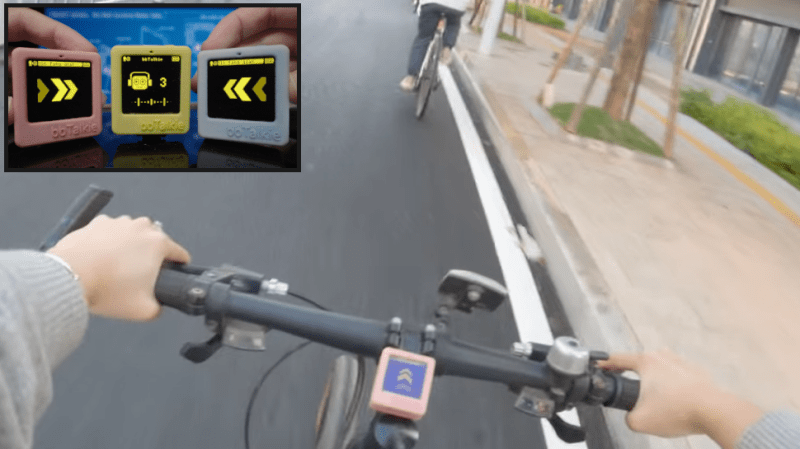
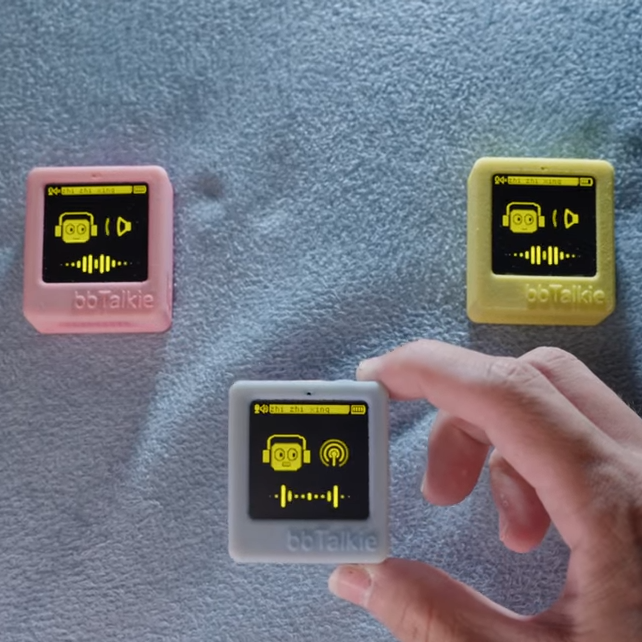
Walkie-talkies are great fun, and [RealCorebb]’s bbTalkie project takes the concept a step further by adding some extremely cool features to make a highly refined, self-contained ESP32-based communicator. bbTalkie completely does away with a push-to-talk button by implementing robust voice detection that works reliably even in noisy environments. It was all designed with cycling in mind, so hands-free operation that stands up to noise is a big plus.
Hands-free, wireless, self-contained digital walkie-talkies that can connect in a group. What’s not to like?
The core of communication is done over ESP-NOW, which is Espressif’s own protocol for direct device-to-device broadcasting. This removes the need to involve any sort of external service like SIM cards or internet access to transmit voice. Performance is best with an external antenna, naturally, but ESP-NOW doesn’t actually require anything other than the existing on-board hardware.
Because volume-based automatic triggers are highly susceptible to noise, voice detection is done with the help of VADNet, a neural network-based model implemented locally on the device. This system can reliably detect human speech, even in noisy environments. This lets bbTalkie switch between transmit and listen modes automatically and hands-free, without false triggers.
Even when doing all that, there’s still spare capability to play with. Further to the goal of making bbTalkie useful for cyclists in a group, [RealCorebb] added a system that can recognize specific voice commands (like “turn left” for example, or “wait for me!”) which trigger synchronized animations to play on the displays of all connected units. There’s even some experimental support for controlling a camera over Bluetooth, though currently it only supports hardware from Sony.
Watch a tour of it in the video below (Chinese language, English captions available). The OLED screens and animations are adorable, and are great visual feedback of what the unit is doing at any given moment.