Serial Monitor Without A PC

serial01

A serial monitor is an easy way to debug your projects. As we step through code, it’s nice to see a “Hey! I’m working, moving to next thing!” across the monitor, and not so nice to see nothing – the result of a bug that needs debugging. This has always meant needing a PC loaded with your favorite serial terminal program close at hand.

Most of the time this is not an issue, because the PC is used to compile the code and program the project at hand. But what if you’re in the field, with a mission of fixing a headless system, and in need a serial monitor? Why lug around your PC when you can make your own External Serial Monitor!

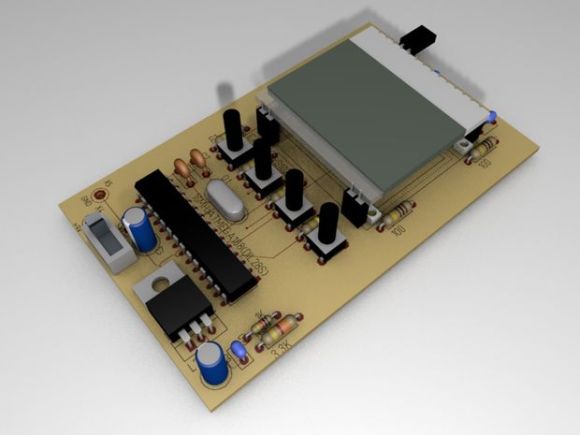
[ARPix] built this fully functional serial monitor based on an Atmega328 and a 102 x 64 LCD display. While it doesn’t have a keyboard port like this microcontroller based serial terminal, tact switches allow access to the user interface to start and stop the reading and set the baud rate. The Atmega328 has 2K of SRAM, which is needed for the project. Apparently, 1K was not enough to handle all the data. All code, schematics and a very well done parts layout are available, making this sure to be your next weekend project!



Gesture Recognition Using Ultrasound

SAMSUNG

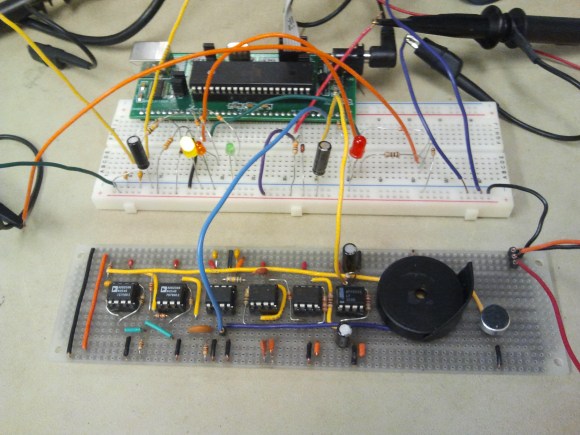
You’d be hard pressed to find a public restroom that wasn’t packed full of hands free technology these days. From the toilets to the sinks and paper towel dispensers, hands free tech is everywhere in modern public restrooms.

The idea is to cut down on the spread of germs.  However, as we all know too well, this technology is not perfect. We’ve all gone from sink to sink in search of one that actually worked. Most of us have waved our hands wildly in the air to get a paper towel dispenser to dispense, creating new kung-fu moves in the process. IR simply has its limitations.

What if there was a better way? Check out [Ackerley] and [Lydia’s] work on gesture recognition using ultrasound. Such technology is cheap and could easily be implemented in countless applications where hands free control of our world is desired. Indeed, the free market has already been developing this technology for use in smart phones and tablets.

Where a video camera will use upwards of 1 watt of power to record video, an ultrasound device will use only micro watts. IR can still be used to detect gestures, as in this gesture based security lock, but lacks the resolution that can be obtained by ultrasound.  So let us delve deep into the details of [Ackerley] and [Lydia’s] ultrasound version of a gesture recognizer, so that we might understand just how it all works, and you too can implement your own ultrasound gesture recognition system.

Continue reading “Gesture Recognition Using Ultrasound”

Vending Machine Is Now Cyborg Friendly

OZ6dlvn

Don’t you hate having to pull out your wallet or cellphone in order to pay for something? What if you could just wave your hand and transfer money that way? Well [David] did, so he decided to do something about it. He made the vending machine in his hackerspace, FamiLAB, cyborg friendly.

The problem was, the vending machine wasn’t technically his to play around with… so he had to do this hack without actually modifying the machine itself — which we admit, actually makes it quite a bit more interesting!

But first, why is [David] even doing this? Is he a cyborg or something? Well, not quite, but he’s quite enthusiastic about bio-tech (is that what we call it now?) — anyway, he has NFC implants in his hand, and magnets in his fingertips to give him a sixth “electro-sense”. Wanting to take the most advantage of these augmented abilities, he put together this clever NFC credit card emulator.

Continue reading “Vending Machine Is Now Cyborg Friendly”

Learning Assembly With A Web Based Assembler

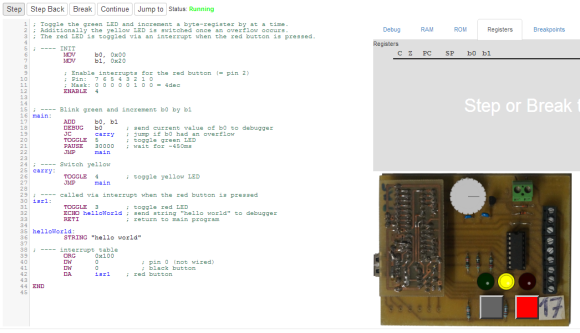
AssemblyOnlineVery few people know assembly. [Luto] seeks to make learning assembly just a little bit easier with his “fully functional web-based assembler development environment, including a real assembler, emulator and debugger.”
These days, you can be a microcontroller expert without knowing a thing about assembly. While you don’t NEED to know assembly, it actually can help you understand quite a bit about embedded programming and how your C code actually works. Writing a small part of your code in assembly can reduce code size and speed things up quite a bit. It also can result in some very cool projects, such as using Java to program microcontrollers.

With high quality example code, it is very easy to get started learning assembly. The emulator consists of a microcontroller with 32 registers, hooked up to three LEDs, two buttons, and a potentiometer. This is way better than painfully learning assembly on real hardware. Be sure to check out the online demo! Being able to step through each line of code and clearly see the result help make assembly easier to use and understand. It would be great to see this kind of tool widely adopted in engineering programs.

Have you used assembly in any of your projects? Let us know how it went and why you choose to use assembly

Bitbanging USB On Low Power ARMs

M0

With the Adafruit Trinket, the Digispark, and some very clever work with the smallest microcontroller Atmel offers, it looks like the ‘in’ thing to do for embedded software developers is to bitbang the USB protocol on hardware that shouldn’t support it. There are a lot of very small ARM chips out there without USB support, so it was only a matter of time before someone was able to bitbang USB on the ARM Cortex M0+.

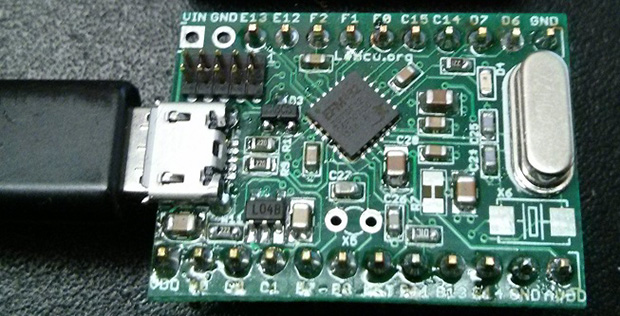
The board above is based on an Energy Micro EFM32ZG, a very small 24-pin QFN device with up to 32 kB of Flash and 17 GPIOs. As with all the bitbanged USB hacks, the differential data lines are attached directly to the microcontroller. A 24 MHz crystal is needed, but the team behind the project is working on using the internal RC oscillator instead.

The code is portable with minimal changes between other manufacturer’s Cortex M0+ chips, and with a little work, this could become a very, very cheap USB-programmable ARM dev board, something the community could certainly use.

Modular Arduino Based Infrared Thermometer

IRTemperature

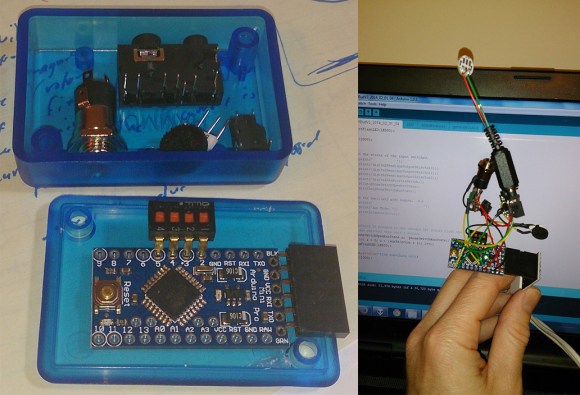
[Brian] started out with a clear and concise goal, “allow a regular human to associate an audible tone with a temperature from an infrared contactless thermometer.” With his latest project, the ESPeri.IRBud, he has achieved this goal.

One of our favorite parts of [Brian’s] post is his BOM. Being able to easily see that the IR temperature sensor costs $26 at DigiKey is unbelievably helpful to readers. This specific sensor was chosen because others have successfully interfaced it with the Arduino. Not having to reinvent the wheel is good thing! For the build, [Brian] decided to hook up the IR temperature sensor to a re-purposed flexible iPhone headset wire. Having used headphone sockets to connect to the sensor and speakers, the actual device is quite modular. Hearing this thing in action is quite cool, it almost sounds like old-school GameBoy music! Check it out after the break.

Have you used an IR temperature sensor in one of your projects? Let us know.

Continue reading “Modular Arduino Based Infrared Thermometer”

USB On The ATtiny10

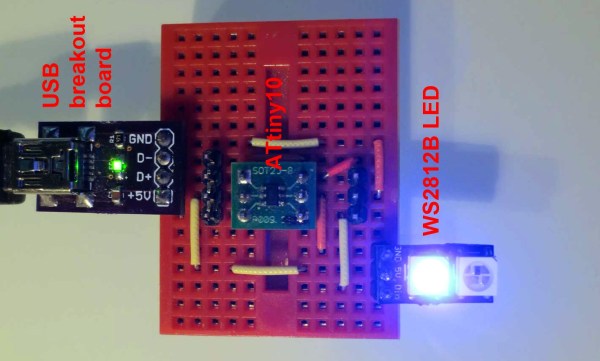
Atmel’s ATtiny10 is their smallest microcontroller in terms of physical size – it’s an SOT-23-6 package, or about the same size as surface mount transistors. The hardware inside this extremely bare-bones; three I/O lines, 1kB of Flash, 32 bytes of RAM, and a reduced AVR core with 16 registers instead of 32. With such a minimal feature set, you would think the only thing this micro would be good for is blinking a LED. You’d be right, but [cpldcpu] can blink a LED with the ‘tiny10 over USB.

The V-USB interface usually requires about 1.5kB of Flash in its most minimal implementation, and uses 50 bytes of RAM. This just wouldn’t do for the ‘tiny10, and although [cpldcpu] is working on a smaller, interrupt-free V-USB, there were still some hurdles to overcome.

The biggest issue with putting code on the ‘tiny10 is its reduced AVR core – on the ‘big’ 32-register core, direct memory access is two words. On the ’10, it’s only one word. AVR-GCC doesn’t know this, and no one at Atmel seems to care. [cpldcpu] worked around this problem using defines, and further reduced the code size by completely gutting V-USB and putting it in the main loop.

It’s not much, but now [cpldcpu] can blink an LED with a ‘tiny10 over USB. If you’re wondering, 96.4% of the Flash and 93.8% of the SRAM was used for this project.