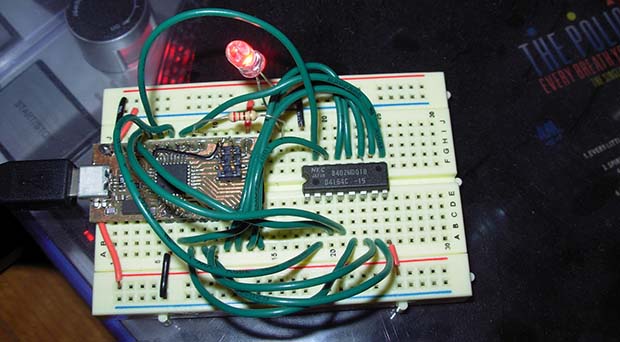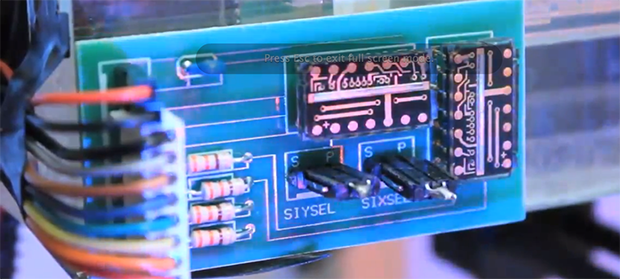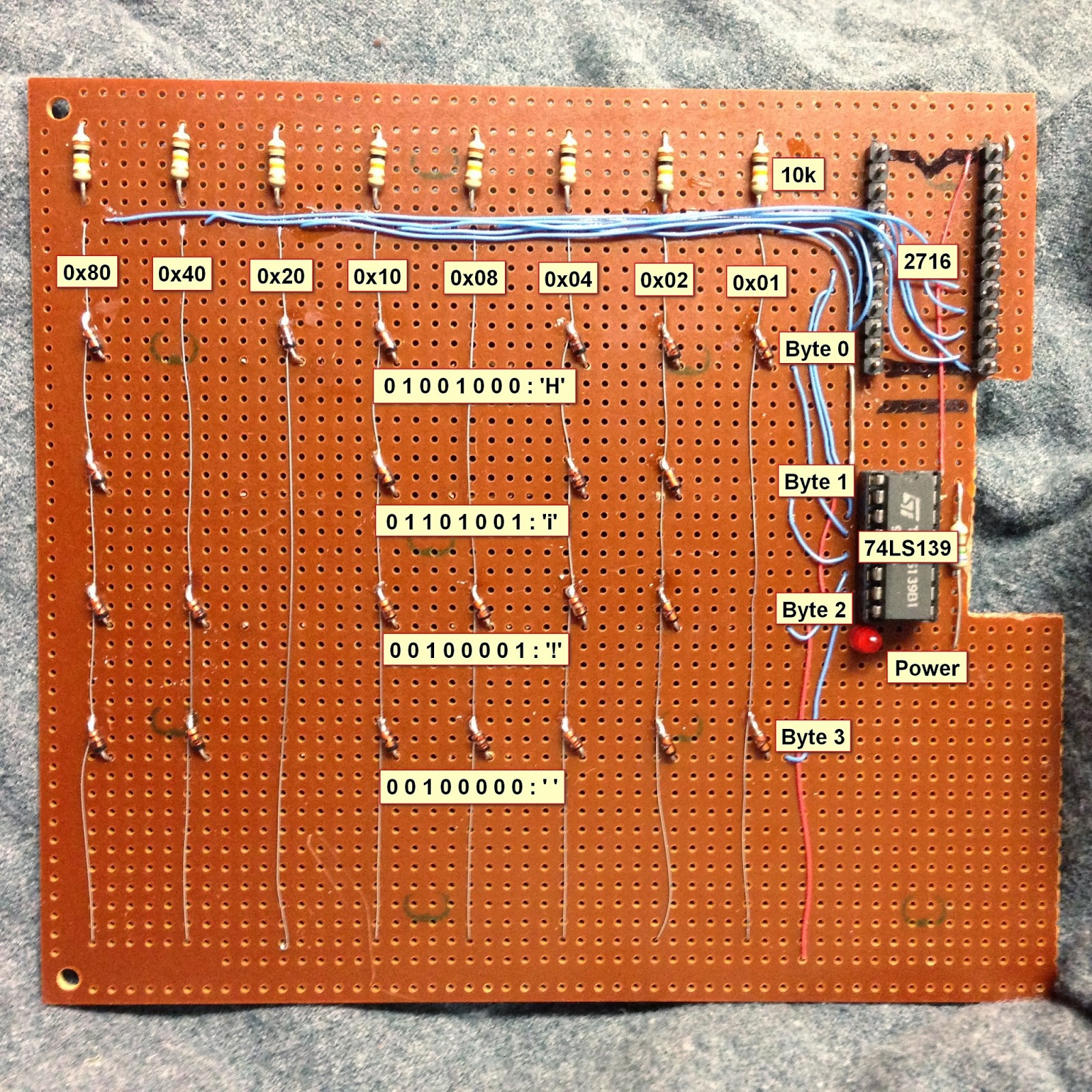
Here is a nice project that allows youngsters (but also adults!) to actually see the data stored in a Read Only Memory (ROM). The memory shown in the picture above is made of diodes. [Scott] made it as a part of his Barcamp Fall 2013 presentation about visualizing ROMs. He starts his write-up by stating the obvious: this memory is not practical. Nonetheless, it still was a fun exercise to do. [Scott] then greatly described all the different kinds of read only memories that you can find out there, with a few words explaining how they work. In his diode ROM, bits are ‘programmed’ by adding (or not) a diode between a given data line (anode) and an address line (cathode). When pulling low a given address line, the corresponding data line will only be pulled low if a diode is present. [Scott] finally checked his circuit by using a very old device programmer which could only be run in DOS.
Microcontrollers2321 Articles
Teach An Old LCD New Tricks

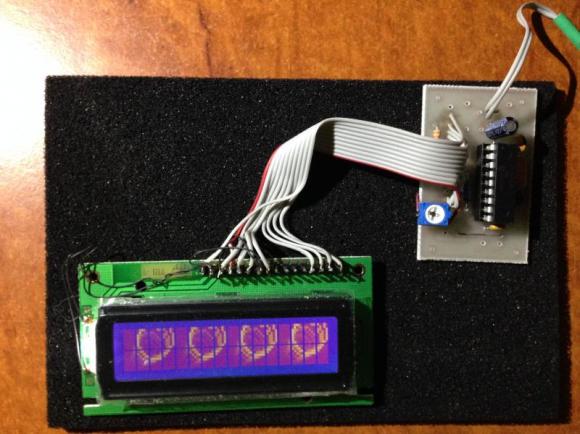
[Art] has done some amazing work with character LCDs. He started with a classic character LCD. These LCDs are typically controlled by Hitachi HD447XXX compatible controllers. Hitachi’s controllers allow several custom characters to be defined. We’ve used those characters in the past for applications like spinners and bar graphs. [Art] took things to a whole new level. He created a double buffered LCD graphics library which allows these old LCDs to perform tricks usually reserved for graphical LCDs. Even more impressive is the fact the whole thing runs on a Microchip PIC16F628A programmed mostly in PICBASIC.
According to [Art’s] thread on the PICBASIC forum, he is using the custom character memory as a framebuffer. The LCD is set to display all 8 custom characters. Each frame is then in the PIC’s RAM. The completed frames are then pushed to the custom character memory of the Hitachi LCD controller. The result is a very smooth update rate on the LCD. [Art] wrapped the whole example up in a video reminiscent of the C64 demoscene.
Breadboarding With A ARM Microcontroller
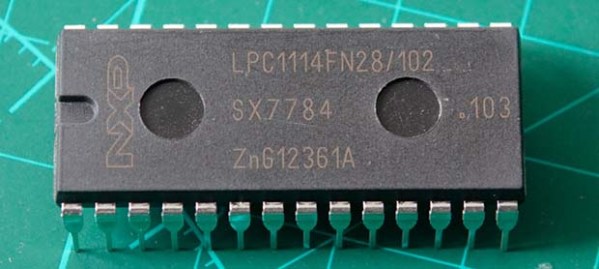
NXP’s LPC1114 ARM microcontroller is in a class all of it’s own. ARM microcontrollers are a dime a dozen, but this fabulous chip is the only one that’s housed in a hacker and breadboard friendly PDIP package. However, breadboard setups usually won’t have the luxuries of a true development platform such as flashing the part, single stepping through the code, and examining memory. [Steve] found an interesting solution to this problem that involves a Dremel and hacking up even more hardware.
[Steve] found a few LPC1769 dev boards that include a debugger and a way to program these chips. Simply by hacking off the programmer and debugger portion of this dev board with a Dremel tool, [Steve] had an easy to use interface for his breadboardable ARM.
After connecting the power rails to his breadboarded chip, [Steve] connected his programmer up and set up a gcc toolchain. For about $25, he has a breadboard friendly ARM microcontroller with full debugging capabilities.
This isn’t the first time we’ve seen a few people play with this DIP28 ARM chip; someone even milled this 600 mil chip down to 300 mils for even easier prototyping. Still, this is the best and cheapest way we’ve seen yet to turn this ARM into a proper prototyping platform.
Running Custom Code On Cheap One-time Password Tokens
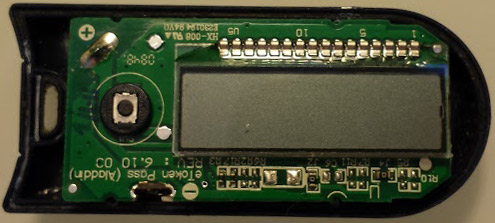
One-time passwords (OTP) are often used in America but not so much in Europe. For our unfamiliar readers, OTP tokens like the one shown above generate passwords that are only valid for one login session or transaction, making them invulnerable to replay attacks. [Dmitry] disassembled one eToken (Aladin PASS) he had lying around and managed to reprogram it for his own needs.
Obviously, these kind of devices don’t come with their schematics and layout files so [Dmitry] had to do some reverse engineering. He discovered six holes in a 3×2 arrangement on the PCB so he figured that they must be used to reprogram the device. However, [Dmitry] also had to find which microcontroller was present on the board as its only marking were “HA4450” with a Microchip logo. By cross-referencing the number of pins, package and peripherals on Microchip parametric search tool he deduced it was a PIC16F913. From there, it was just a matter of time until he could display what he wanted on the LCD.
We love seeing tiny consumer hardware hacked like this. Most recently we’ve been enthralled by the Trandscend Wi-Fi SD card hacking which was also one of [Dmitry’s] hacks.
A Simple Forth Development Board

Forth is a very interesting programming language. It’s very flexible and is extremely efficient on low powered hardware, but unfortunately not very popular simply due to the fact that it’s not very popular. There were a few Forth-based microcomputers built in the 1980s, but these were largely unsuccessful.
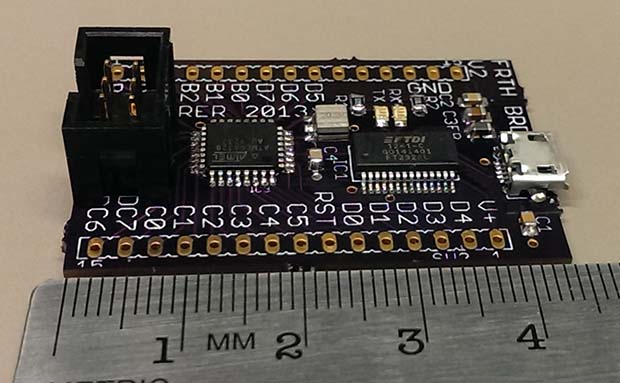
[Leon] is a Forth aficionado and came up with his own Forth development board in the hopes of Forth making a comeback. It’s a very small and cheap board – only about $12 in parts – but it’s still extremely powerful and a fun platform for investigating Forth.
Compared to other programming languages found in 80s microcomputers, Forth is just weird. It’s a stack-based language, so instead of adding two numbers like 3 + 4, Forth uses postfix notation (or Reverse Polish Notation) so the same statement is expressed as 3 4 +. It’s a much more efficient way for computers to handle data, and some claim it’s more efficient for humans as well.
[Leon] created his own board able to be programmed in Forth, shown above, that uses an ATMega328 microcontroller. He’s using AmForth to put Forth on his system, but also extended the base AmForth install with his own floating point version. making this version of Forth at least as powerful as any 80s microcomputer or ATMega development board is today.
[Leon] put together a great demo of the capabilities of Forth and his dev board. You can check that out below.
Testing DRAM From A Commodore 64

A few months ago, [Josh] was given an old Commodore 64. He needed to make an AV cable and find a new power supply, and even after testing these new parts out, [Josh] found it still wouldn’t boot. Not one to look a gift horse in the mouth — or perhaps he enjoys the challenge — he set out on restoring a thirty year old circuit board.
He replaced a few chips and the caps, but found he had no way to test the DRAM chips. Compared to SRAM or Static RAM used by other computers of the era, DRAM is a bit harder to interface, requiring a capacitor in each memory cell to be refreshed a few dozen times every second. With a bit of help from his good friend [CNLohr], [Josh] figured out a circuit to read and write to his chips and build a small board based on the ATmega8U2 microcontroller for testing purposes.
Extremely Precise Positional Tracking

A few folks over at Carnegie Mellon have come up with a very simple way to do high-speed motion tracking (PDF) with little more than a flashlight. It’s called Lumitrack, and while it looks like a Wiimote on the surface, it is in reality much more accurate and precise.
The system works by projecting structured light onto two linear optical sensors. The pattern of the light is an m-sequence – basically a barcode where every subset of the m-sequence is unique. By shining this light onto a linear sensor, Lumitrack can calculate where the light is coming from, and thus the position of whatever is holding the light.
Even though the entire system consists of only an ARM microcontroller (in the form of a Maple Mini board), two linear optical sensors, and a flashlight with an m-sequence gel, it’s very accurate and very, very fast. The team is able to read the position at over 1000 frames/second, nearly the limit of what can be done with the Maple’s serial connection.
Already there are some interesting applications for this system – game controllers, including swords, flight yokes, and toy cars, and also more artistic endeavors such as a virtual can of spray paint. It’s an interesting piece of tech, and with the right parts, something any of us can build at home.
You can see the Lumitrack demo video below.