Reverse Engineering The Playstation Move

playstation_move

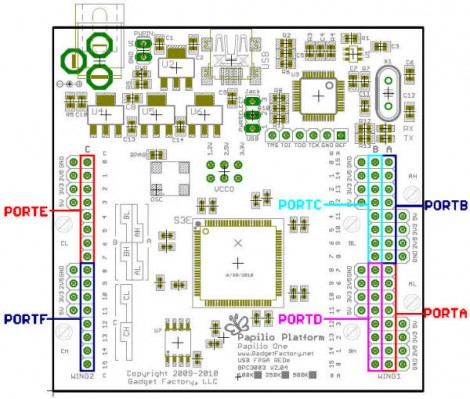
[Kenn] is working on building a quadrocopter from the ground up for a university project. Currently, his main focus is building an Inertial Measurement Unit, or rather re-purposing a PS3 Move controller as the IMU for his copter. He previously considered using a Wiimote Motion Plus, but the Move has a three-axis magnetometer, which the Wii controller does not.

The ultimate goal for this portion of his project is building custom firmware to run on the Move’s STM32-Cortex microcontroller, allowing him to obtain data from each of the controller’s sensors. Through the course of his research, he has thoroughly documented each sensor on his site, and dumped a full working firmware image from the Cortex chip as well. Recently, he was even able to run arbitrary code on the controller itself, which is a huge step forward.

[Kenn’s] project is coming along very nicely, and will undoubtedly be a great resource to others as he continues to dig through the inner workings of the Move. Be sure to swing by his site if you are looking for information, or if you have something to contribute.

Sleek Numitron Clock Tells The Time And Temperature

numitron_clock

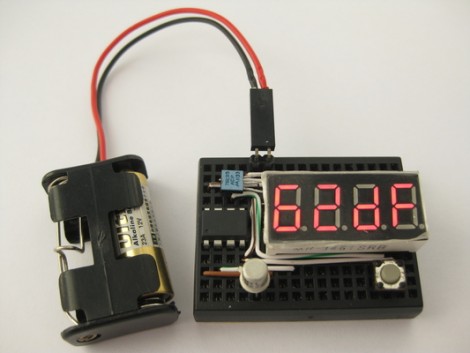
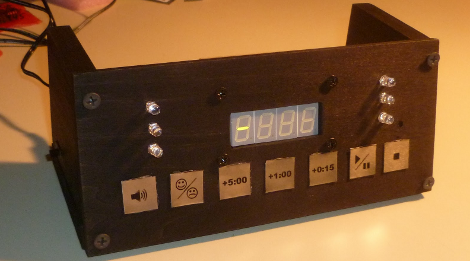
Instructables user [janw] is a big fan of nixie clocks, but he had never built one before. He decided he would rather start small and build a clock using numitron tubes first, before moving to nixies. He preferred the simpler tubes due to their much lower voltage requirements and the fact that he would not have to use any specialized power supply for his project.

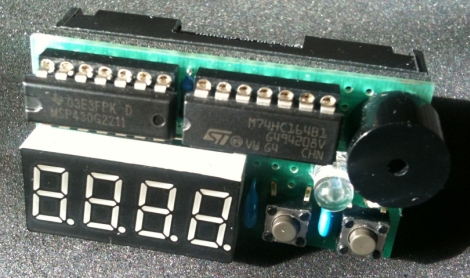
His clock serves double-duty, functioning as a thermometer as well. Timekeeping is regulated with a DS12307, and temperature is monitored using a DS18B20 single wire sensor – both of which are pretty common in these sorts of projects. Both are wired to an Atmega48 MCU which serves as the brain of the clock.

The numitrons were mounted in a handsome 5-layer milled acrylate stand with a pair of buttons mounted on the bottom which allow him to set the time. It really is a spectacular looking timepiece, and a great first effort on [janw’s] part.

Be sure to stick around to see a video of the clock in action.

Continue reading “Sleek Numitron Clock Tells The Time And Temperature”

Zigbee-powered Wireless Scale

[joe] wanted to make it easy to record his weight every day, and added a few bits to decode the weight and send it to his computer. The end result is a ZigBee-powered wireless scale. Additionally, his scale can track more than one person’s data simply by knowing whose previous weight the new measurement is closest to. Now [joe] and his family can spend more time working out, and less time messing with spreadsheets and data entry.

[joe]’s build is not only elegant, but well-documented, too. He walks through the reasons he chose this specific floor scale, reverse engineering it to decode the weight, then provides links to his schematics, source code, and pretty much everything else you would need to play along at home.

Header File Brings Arduino Sketches To The TI Launchpad

[Chris Hulbert] is making it easy for Arduino users to program MSP430 chips with a header file that allows you to compile Arduino sketches for the Launchpad. This makes sense, as the growing number of Arduino sketches available, and the low cost of the TI Launchpad make for a good bedfellows. It’s really wasn’t that hard to make this happen, although you’re not going to find support for all of the Arduino functions just yet.

At the time of writing, [Chris] has just 51 lines of code committed to the project. It provides macros for setup(), loop(), delay(), pinMode(), pinBit(), digitalWrite(), and digitalRead(). You’ll notice that one of the most important parts of the header file is that it disables the watchdog timer for the user (a stumbling block for many MSP430 beginners). It’s an interesting solution, but to be truly useful we’d want to see hardware integration with the Arduino IDE. That, as well as the rest of the Arduino functions are at the tips of your fingers. Get coding and submit your push requests to [Chris] for inclusion in his repository.

[Thanks Chris]

CAN Sniffing For Steering Wheel Button Presses

You can make those buttons on your steering wheel much more functional if you have a way of monitoring them. Don’t even think of cracking open the factory finish to get to the solder points, just tap into the CAN bus and monitor the data traffic.

The small board seen above is the result of a project [Peter Shabino] calls the CAN sniffer. The connector on the left will plug into the Control Area Network system on your car, giving the chips on board something to do. There’s an MCP2551 CAN transceiver (hidden under that linear regulator) and an SPI controlled MCP2515 CAN controller which take care of the particulars of the CAN protocol. The big chip in the middle is a PIC 16F876, responsible for making sense out of the data. From there a MAX232 chip is used to provide a serial interface to connect the device to a computer.

This really isn’t tied down to one particular function. Once you have access to the bus for a microcontroller you’ll only be limited by your firmware writing skills. [Peter] has posted an archive with all of the open source files, as well as an illustrated step-by-step board assembly. We’ve embedded the schematic from that archive after the break. Continue reading “CAN Sniffing For Steering Wheel Button Presses”

14.4 Kbps Modem Makes Excuses For Everything

If your boss is like [Michael Scott] you probably find yourself in constant need of plausible reasons for your action or inaction. Now you won’t have to waste away the workday coming up with those ideas yourself because this little box will always provide you with an excuse. It’s actually a 14.4 Kbps modem, which brings back memories of the early ISP days when you’ve find banks of these in the corner to service incoming calls. [Alex] altered the circuit board to map out an ICSP port for the PIC 16F690 that controls the system. Just use your key to unlock the Emergency Excuse Generator and press the button to spit out a doozy. The 8,000 word memory on the microprocessor stores all of the excuses which can be combined a number of different ways based on how the rules files is built. This rule file is by far the most interesting part of the build and worth looking over.

We think this would be a nice addition to the other office electronics you built.

[via Dangerous Prototypes]

Micro Audio Player Can Hide Behind A Postage Stamp

The original iPod shuffle was a pretty small device, there’s no doubt about that. However, in the world of miniature audio players, [Chan] is no slouch either.

A few years ago, he set out to construct a micro audio player that used little more than a small microcontroller and a microSD memory card. He chose an ATinyX5 series microcontroller to run the show, utilizing its pair of PWM output pins to directly drive the speakers. Since there is no built-in amplifier, the audio volume is not loud, but it does sound reasonable if you use a set of high efficiency desktop speakers. He does mention that the sound can easily be amplified after passing the signal through a filter, so there is hope for those of you who like your music turned up to 11.

The only downside we can see is that the audio player can only process Wave files, but it’s hard to expect more from a DIY audio player smaller than a postage stamp. It would be great to see what sort of micro-handiwork [Chan] could perform if he were to update his design and build a full-functioning MP3 player based upon this project.