C64 Joystick Adapter

[Marcus Gritsch] wanted to do his retro gaming using retro hardware… or at least using some retro hardware. Although he was playing his Commodore 64 games in an emulator, he figured that using an original controller would boost the nostalgia quite a bit. This is a vintage Competition Pro joystick that has buttons and a joystick of a similar quality to arcade hardware and a DE-9 connector. He managed to connect new to old by building his own USB to C64 joystick adapter.

His project started out by breadboarding a circuit based on a PIC 24FJ64GB002 microcontroller. This does all of the work, having native USB support, and no problem reading and translating the signals from the old hardware which are simply conductors for each internal switch that pull to ground when actuated. Once working, he soldered everything to some protoboard; a connector at each end, the chip itself, a voltage regulator, and some passive components. It’s a, robust build that should give him years of emulated fun.

Hardware-based Keyboard Remapping

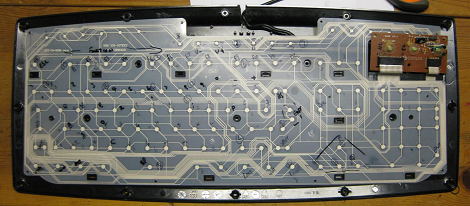
[Nav] wanted to change his keyboard mapping for one particular keyboard, rather than on each operating system. He used an AT90USBKey as a replacement PCB by soldering to all of the contacts on the key matrix. This allows him to remap the keys by following onscreen prompts.

The board enumerates as an HID device, and has a special mode which is accesses by plugging the keyboard in while holding down any key. If a text editor window is active you’ll see prompts from the microcontroller to press a series of keys. This is a routine used to learn how the key matrix is organized, and it’s your opportunity to change how each key is mapped. Since the mapping is saved to EEPROM, you can use any computer to map the keys, then plug the device into a systems that don’t offer software remapping. It could also be useful as a gaming keyboard, assuming there aren’t latency issues

As with the AVR-based arcade controller, this project uses the LUFA package to handle the USB stack.

Open Source Makes This USB Arcade Controller Build A Breeze

[Jamie] built his own USB connected arcade controller. We’ve been seeing a lot of these lately, and they usually involve soldering buttons to a keyboard PCB. But [Jamie] decided to go a different route and use his own microcontroller. This method always gets a bit hairy when it comes to deciding how to connect it to a computer. Dealing with the USB stack used to be quite tricky, but the LUFA project is slowly taking the pain out of the process.

The Lightweight USB Framework for AVRs is an open source project that handles the hard work associated with USB capable AVR microcontrollers. [Jamie] knew that they already had a sample implementation of a hardware joystick. He’s not using one of the supported boards and so wasn’t able to just compile and go. But porting the code to work with his minimus board was simple enough. With the code in place, the physical build was quite simple. The buttons and joystick were mounted on the surface of an overturned drawer. Each is connected to one pin of the controller board and to ground. LUFA makes sure that the device enumerates as a joystick, and [Jamie] was gaming in no time.

Star Wars Imperial March Played By Dual Floppy Drives

Although many have made some sort of music with improvised electronics, few sound as cool as this Imperial March from Star Wars played by two floppy drives. According to [Pawel], “It’s nothing new” and quite simple. This may be true as we’ve featured an Imperial March-playing floppy drive here before, but it was only one drive. Although it may not be the London Symphony Orchestra, the two drives together sound quite good!

According to him, the FDD has a fairly simple interface. To move the head, one simply needs to pull the DRVSB pin low and then activate the STEP pin on a falling edge.  This will make the head move one direction dependent on the DIR pin state. In this case, an ATMega microcontroller is moving everything. An explanation of the pins used in this hack can be found here.

Although it may look like an intimidating hack on the surface, something like this might be a neat project to try with some old hardware and an Arduino or other controller! [Pawel] did have the idea to hook up a 5 1/4″ and 8″ drive to make a full FDD orchestra, so we can’t wait to see what he comes up with! Continue reading “Star Wars Imperial March Played By Dual Floppy Drives”

Turn Your Wireless Keyboard Into A MAME Controller!

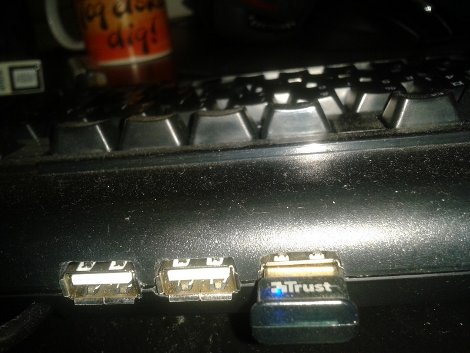
For those of you that have a wireless keyboard laying around, you might be tempted to turn it into something else, like a wireless MAME controller. For those not familiar with it, MAME stands for “Multiple Arcade Machine Emulator” and is generally used to run older arcade games on a computer.

Encoders are available for this purpose, however, intending to save some money, and having an unused wireless keyboard, I decided to try to make one myself.  As far as I know there are no wireless encoders available for this purpose, so that was part of the motivation for trying this.

In this post I go over my mechanical design for the cabinet as well as the electrical process of going from keyboard to MAME controller. I did eventually get the thing working, but if more than a couple buttons were pressed simultaneously, some presses were omitted. The conclusion I eventually came to was that it was better to use an encoder to control everything. Not wireless, but much more reliable. If I absolutely needed a wireless controller in the future, I would think modding an actual wireless controller (or two) in a similar manner would have worked better for my purposes.

SNES Gamepad Coversion To USB

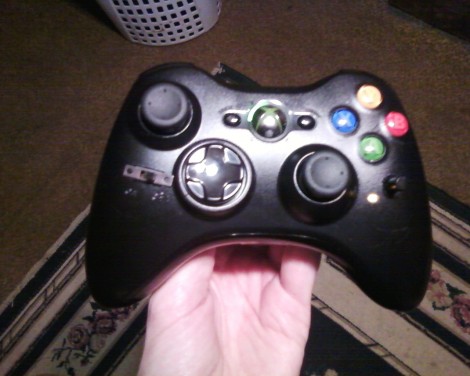
[Kekszumquadrat] wanted to use a classic controller to play emulator games on his Android tablet so he set out to convert an SNES gamepad to connect via USB. He found an old USB keyboard at a yard sale for about 3 Euros. He knew that the emulator he prefers has the option of remapping all the inputs to keyboard keys which means a USB keyboard has all of the electronics he would need to pull this off.

Once he had separated the keyboard circuitry from the case [Kekszumquadrat] plugged it into his Linux box and used Xev to establish how the keyboard matrix is set up. Xev is a common package that opens up an active window on the X desktop. When run from command line, any events that happen to the window will be echoed along with verbose data about that event. When it comes to keypresses, you’ll get the keycode you need. He simply shorted columns and rows until he found the desired mapping, then it was on to soldering.

The SNES controllers are very simple devices. As we’ve seen with previous projects, they use a serial-to-parallel shift register to gather button data and send it to the console. [Kekszumquadrat] simply soldered between button traces and keyboard matrix contacts. Once he finished, the keyboard parts were tucked inside of the controller case and he’s left with a USB controller that appears to be unaltered.

Interfacing With A PS/2 Keyboard

Anyone reading this post has undoubtedly used a keyboard. How they work, however, is a bit more complicated than “one button, one input.”  [PyroElectro] has a great tutorial about building a PS/2 keyboard interface with a 7-segment LED display (video after the break). The tutorial also includes quite a bit of theory behind it.

The system displayed below uses a PIC controller to display the letter or number pressed. A schematic of the whole project is given here as well as a detailed bill of materials.

As for how the PS/2 keyboard works, each keystroke is encoded into a binary number or “scan code”. Most of these codes are 8-bit, but some special symbols use a longer code. Although the article doesn’t fully address it, a very similar method can be used to send data back to the keyboard for such purposes as tuning on a “capslock” or “numlock” key. Although turning on a light is fun, we could see this being used as an expedient method to control a relay for automation purposes.

Continue reading “Interfacing With A PS/2 Keyboard”