Learn To Reverse Engineer

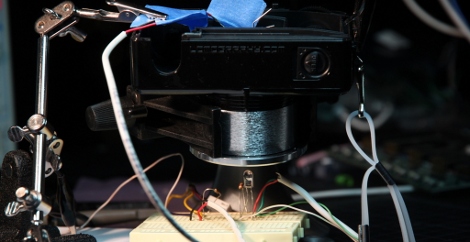
The most common email we get is “how do I learn how to hack things?”. It looks looks like [ladyada] gets that question a lot too. She didn’t waste any time writing up a step by step guide to reverse engineering USB devices, specifically the Kinect.

She goes into depth on how USB works, how to record the communication, what to look for, how to deconstruct what you’ve found, and how to put it all to use. This is all done with real world data from the Kinect so you could easily follow along at home.  There is source code available so you can download her example and see how to control the device as well.

We wish every hack could be so well written that it could also be called a tutorial.

Paper Touchpad

If you don’t mind getting your fingers a little dirty you can replace your mouse with a piece of paper. [Dr. West] made this touchpad himself, which measures signals at the corners of the paper using four voltage dividers. The paper has been completely covered with graphite from a pencil (which we see in hacks from time to time), making it conductive. The user wears an anti-static strap that grounds their hand, allowing an Arduino to calculate contact points on two axes when a finger completes the circuit. See this controlling a cursor in the video after the break.

Continue reading “Paper Touchpad”

Czech Discovery Ressurects PS/2 Keyboard

Like us, you probably have piles of old PS/2 keyboards occupying strategic positions in your house and causing all sorts of trouble with the neighbours. As luck would have it, there is a way to put those lazy peripherals to work!

Our friends in the Czech Republic have successfully interfaced a PS/2 keyboard to an STM32 Discovery board (translated), and not a moment too soon—just in time for you to integrate their work into your entries for those juicy contests we told you about (the European one and the North American one).

The project page contains an in-depth walkthrough of how the PS/2 connection talks to the keyboard hardware along with source code and links, more than enough information to get started with a PS/2 keyboard hack on your Discovery application. And why stop at keyboards? Give your old PS/2 mouse a new lease on life, or even hook up your custom game controller to spice up the experience.

Futuristic 3D Mouse Originally Arduino Powered And 3D Printed

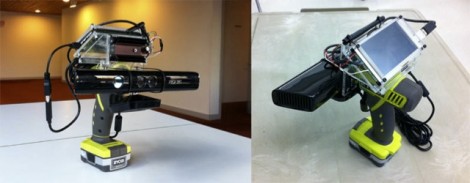
We usually shy away from posting about commercial products. Strap on a bib to protect your shirt from the drool, watching the video after the break will show you why we had to post about this. [Valentin Heun] and his cohorts developed this three-dimensional controller using tools common to the hacker community. The patent-pending device uses a sphere for rotational input but can also be nudged for movement on 3 axes.

You may remember that [Valentin] as involved with that 10,000 watt flourescent lamp display. His Arduino skills were honed with that installation and used during the development of this mouse. Also joining in the prototyping fun was a 3D printer used to make the parts. From project to production, we figure the skills you use when hacking are breaking down the barriers that inventors have traditionally faced when looking to marked useful products.

This would be fantastic for 3D cad, modelling, etc. But we think it would also go well with Eagle, like the other 3D mouse hack did.

Continue reading “Futuristic 3D Mouse Originally Arduino Powered And 3D Printed”

Typewriter As I/O; Lets You Play Zork

Okay, for many the fact that this typewriter plays Zork on paper instead of a CRT is the fascinating part of this hack. But we love the implementation that makes the keys of the device an input and output.

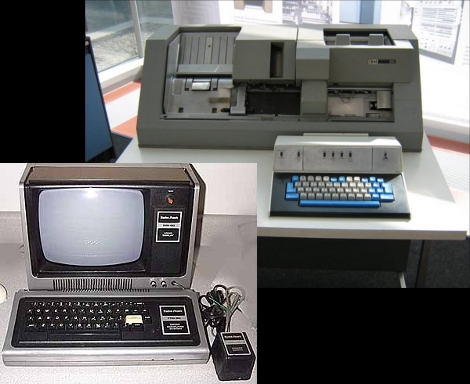
The electric typewriter has been fitted with a solenoid for each key (wow, that’s a lot of work). In the image above you can see they are housed on plywood platforms behind the typewriter and connect using a piece of mono-filament fishing line. This flexible connection means the solenoids have no adverse effect when you want to do the typing instead of the Arduino which drives the solenoids. [Johnathan M. Guberman] took advantage of this, adding a resistor for each key. When depressed the key completes a circuit with the resistor, acting as the input. In this way, you can play Zork with a piece of paper as the monitor, typing for the input, and watching the typewriter magically pound out responses. See it happen after the break.

Continue reading “Typewriter As I/O; Lets You Play Zork”

Keyboard Concept Uses Magic Trackpad

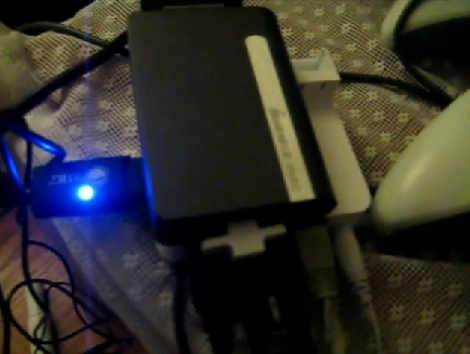
This is a keyboard alternative that [Sebastian] is building from two Apple Magic Trackpads. The multitouch devices are a good platform for this because they’re designed to pick up several events at the same time. To prototype the locations of the keys he’s using printable transparency sheets. He gives you a sense of where the home row is with a dab of clear fingernail polish that you can feel with your digits.

He may laser etch these pads once the key location is just right. This should give a bit of texture in itself and do away with the need for nail polish but we still like the ingenuity of that solution. The device is being developed in Linux, with some kernel hacking to handle the devices. We asked about source code and [Sebastian] is hesitant to post it because he’s been getting a lot of kernel panics. It sounds like once he cleans things up a bit he’ll share his work.

Don’t forget, there’s an easy hack to do away with the batteries in these things.

TV Out For TI Calculators Using The Link Port

Do people enjoy wasting 300$ on a bulky convoluted system, that only works for special “Teacher Edition” calculators, and is several years out of date; E.G. the TI-Presenter? [Benryves] certainly does not. So instead of purchasing a TI-Presenter, he made his own TV out system for the TI brand of calculators by using an ATmega168, a few passive components, and some clever code. The only draw backs being: you save 280$, it fits in your pocket, and it works for almost any TI calculator. Bias aside, the system does actually have a few caveats compared to the commercial edition, but the pros far outweigh the cons.