TV Audio Tube Makes A Transceiver

It’s not often we see a tube project here, so [Helge Fykse]’s PCL86 transceiver is a welcome find.

If you know anything about the European Pro-Electron device naming system you’ll be familiar with it as it applies to tubes. The first letter denotes the heater specification, for example “E” is for a 6.3 volt heater. Everyone wants the familiar 6.3 V devices, but they have a set of cousins which often pass unnoticed. “P” tubes have a 300 mA heater designed such that all tubes in a device could be connected in series at the same current. Of those tubes the PCL86 is a mundane example, filling the function taken in the semiconductor years by the LM386. It’s a small-signal triode and a power pentode in one device, and it’s an audio amplifier. Every 1960s TV set in Europe had one, and thus it’s a good choice for experimentation.

This transceiver is a conventional crystal oscillator and power amplifier on transmit, but with a flick of a switch it transforms into a direct conversion receiver in which the triode becomes oscillator and mixer while the pentode becomes an audio amplifier. It’s simple, and the video below the break explains it in great detail. We’re not sure whether or not it could unintentionally radiate in receive mode, but we’re guessing the energy would be tiny.

A simple tube project can make an interesting departure from modern surface mount electronics, so if you get the chance we’d suggest you try one. If you don’t need a transceiver, an audio amplifier is the archetypal PCL86 project.

Continue reading “TV Audio Tube Makes A Transceiver” →

FCC ISM Rules May Shatter Lora Mesh Communities

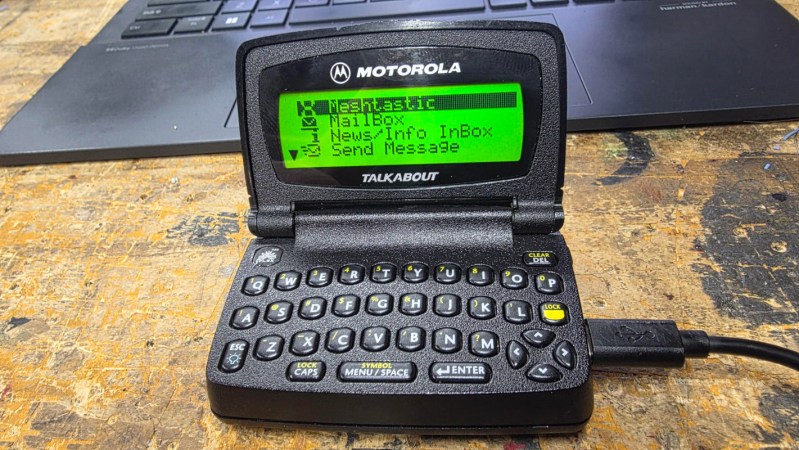
Although everyone has their own reasons for exploring a new hobby, one of the driving factors behind the popularity of Meshtastic and MeshCore has been the incredible accessibility offered by off-grid LoRa mesh networks. You don’t need any expensive hardware or a license to get on the air — armed with a $20 microcontroller dev board and open source software, you could be on the mesh in minutes. Then came the really exciting part, seeing who else was out there. The low barrier of entry and ad-hoc nature of these projects meant there was a good chance you’d soon find yourself exchanging messages with other like-minded folks in the area.

Or at least, that’s how it used to be. With the recent revelation that their default radio configurations have potentially been in violation of the Federal Communications Commission’s (FCC) regulations governing amateur usage of the 900 MHz industrial, scientific and medical (ISM) band, the users and developers of both Meshtastic and MeshCore have been sent scrambling. Getting in compliance isn’t necessarily a technical challenge. In fact, Meshtastic has already introduced changes aimed to address the issue and anyone running the latest alpha release can be sure that their initial radio configuration will meet FCC standards.

But unfortunately, this introduces a new problem. While it’s easy enough to get new installations of Meshtastic and MeshCore operating in a mode that keeps the FCC happy, doing so breaks compatibility with everything that’s already been deployed. The community will be fractured into distinct strata depending on when they first configured their hardware, with an added dash of confusion from the more rebellious users who will undoubtedly refuse to migrate over to the new settings.

What was once easy and accessible has just gotten a whole lot more complicated.

Continue reading “FCC ISM Rules May Shatter Lora Mesh Communities” →

It’s GNU Radio Companion, But In The Browser

The progression of the web browser from a tool for simple static information browsing into a do-everything computing environment has been inexorable, with package after package making the jump. Today it’s the turn of GNU Radio Companion, lowering the barrier to software defined radio considerably. It’s the work of [Marc Lichtman], who’s name you may recall if you have ever used pysdr.org.

Loading it up gives you a very familiar window if you’re used to GNU Radio Companion, and it comes with a set of example flowgraphs that cover a large range of applications. It supports a collection of software-defined radios (SDRs) including the well-known RTL-SDR, and if that’s not enough it can also use your sound card. There is even a set of recorded off-air captures to experiment with.

We’ve spent a while here playing with it, and it does everything we’re used to from the version outside the browser. The only thing we’re told it won’t do is work with a networked SDR, but that’s no deal breaker.

Thanks [Marcus Müller] for the tip.

A Thoroughly Modern Minimalist Transceiver

Making a radio is so often a case of taking tried and tested designs and working with them to create something new. It’s a safe way to make something that works. [Riyas] however has gone for an entirely different tack, creating an entirely modern transceiver with as much as possible going on in the silicon.

At its heart are three integrated circuits, the familiar Si5351 as a transmit VFO, an Si4372 receiver, and an RP2040 tying it all together. This microcontroller functions both as controller, and as an ADC to provide a software defined radio via its USB port. The Si4372 having an internal SDR architecture and its output being digitized again is not lost on us.

It’s for digital modes and CW only, but we’d venture the opinion that those are where the interesting stuff is anyway. We certainly like it for its simplicity, and also for the one-cable solution it offers. So many other designs need a sound card and extra cables, this one makes for a lot less clutter. We hope we’ll see more development on this design over time, it could become a favorite in the homebrew rig stakes.

Meanwhile the Si5351 is notoriously annoying to program. A while back we covered a library that might help, if you get stuck.

It’s Teletext, But On The Radio

Old-school teletext with its pixelated text and block graphics may now be largely a thing of the past, but that doesn’t mean it’s without enthusiasts or there’s no more life in the idea. [M7TJF] has a project which takes teletext and puts it on amateur radio through the magic of AX.25. It’s called CEEFAX Station, in honor of the BBC’s teletext offering from back in the day.

What you get is a Linux package or a Windows executable, which you run and presumably hook the computer up to a radio. It can either be a transmitting node or a receiving one for browsing pages, and there’s an online map to track who’s doing either and on what frequencies. This is all brand new so there’s not much on there at the moment, but we expect that as people try this mode, this will change.

Sadly it’s a little unclear on how the protocol works and how the pages are encoded, but it’s early days. Meanwhile if you hanker for the real thing, it’s still about in some places.

Get Your Monitor Transmitting VHF With A Browser Tool

If you’re intending to transmit on the VHF band, you’re probably going to reach for a handheld or some kind of rackmount rig in your ham shack. But you needn’t bother with all that complexity, when you can use the computer on your desk to spit out such signals using a simple browser tool from [Efe].

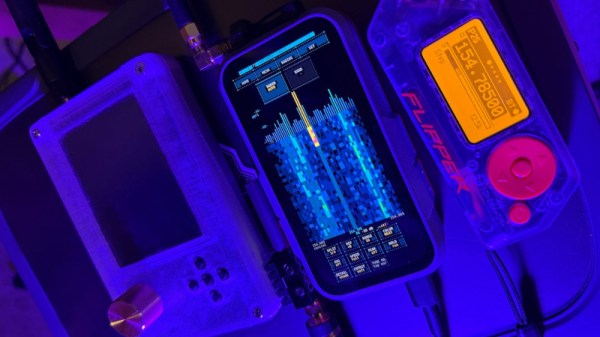
The concept is straightforward—[Efe]’s tool manipulates pixel clocks in order to create spurious transmissions from your computer’s graphics hardware. The math pencils out pretty easily—multiply the horizontal resolution by the vertical resolution by the refresh rate, while paying attention to the precise timing of the video standard your monitor is using, and you’ve got your transmission frequency. For example, for a screen displaying 1080p at 60 Hz, with the CEA-861 timing standard, your horizontal and vertical resolutions are 2200 and 1125 respectively when paying attention to the requisite blanking intervals. Multiply those by 60 hz, and you’ll find you’re creating a signal at 148.500 MHz. Leverage this by displaying the right pattern of black and white pixels to maximise changes in voltage state on the HDMI or DisplayPort lines, and you might create a strong enough signal that you can actually pick something up. [Efe] created a tool to display these patterns to send simple Morse code messages over VHF just by flickering your screen just right.

You can test the transmitter tool for yourself here, right in your browser. You’ll want to hold your radio’s antenna nice and close to the monitor to see if you can pick up much of a signal. After all, the monitor, connectors, and cable are all built to optimize for clear signal transmission to the display, while preventing signal from leaking out to interfere with surrounding equipment.

Of course, a fair warning—you’re not supposed to intentionally transmit on bands you’re not licensed for, even if it’s incredibly weak and unlikely for anyone else to notice in a scenario like this. Still, it’s an interesting project that shows you just how electromagnetic interference can leak out of just about anything under the right conditions.

The Casio F-91W As A Contactless Payment Device.

The Casio F-91W digital watch is perhaps one of the most successful pieces of consumer electronics ever made, having quietly supplied the essential function of an inexpensive and accurate LCD digital timepiece for many decades. As a result it has a huge following, and we’ve seen plenty of projects based upon it. [Matteo P] has one that we think you’ll like, he’s turned his Casio into a contactless payment device. We missed it when it came out, but sometimes a good project needs sharing.

If you’re a long-time Hackaday reader you may remember our investigation of 13.56 MHz NFC cards in which we showed you a disassembled card in which he antenna was a tuned circuit covering most of the card, with a small coupling coil for the chip. It’s this kind of card he uses, and ends up with an SLA printed front face for the watch that places the chip above the display and puts a pick-up coil around the outside. The most interesting part of the write-up though isn’t in the build, instead it’s the deep-dive into designing the RF parts and ensuring a good coupling at something close to resonance. Read it, if you fancy trying NFC-enabling any other random items.

Meanwhile, if this NFC bug has caught you, don’t forget our rather silly one transistor 125kHz NFC reader challenge.

Thanks to Hackaday alum [John Elliot V] for the tip!