This Is Not A Laptop, It’s A KVM Combo

A spare monitor and keyboard are handy things to have around, but they’re a bit of a hassle. They are useful for hardware development, plugging in to headless servers, or firing up a Raspberry Pi or similar single-board computer (SBC). If that’s something you do and portability and storage space are important to you, then you may be interested in the CrowView Note.

I got an opportunity to test and provide feedback on an early version of this unusual device, which is functionally a portable spare monitor plus keyboard (and touchpad) without the bulk and extra cables. Heck, it’s even giving me ideas as the guts of a Cyberdeck build. Let’s take a look.

What It Is

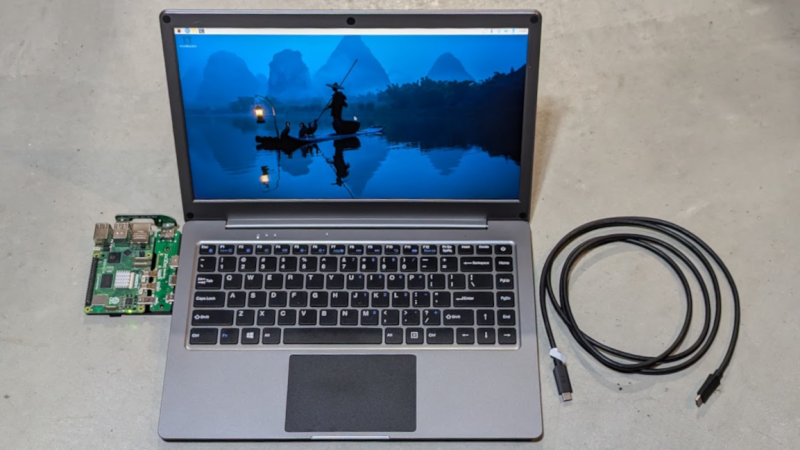
It really looks like a laptop, but it’s actually a 14″ 1920 x 1280 monitor and USB keyboard in a laptop form factor.

There is also an integrated trackpad, speakers and mic, and a rechargeable battery. That makes it capable of providing its own power, and it can even function as a power bank in a pinch. There’s an HDMI input on one side, and on the other is a full-featured USB-C port that accepts video input via the DisplayPort altmode.

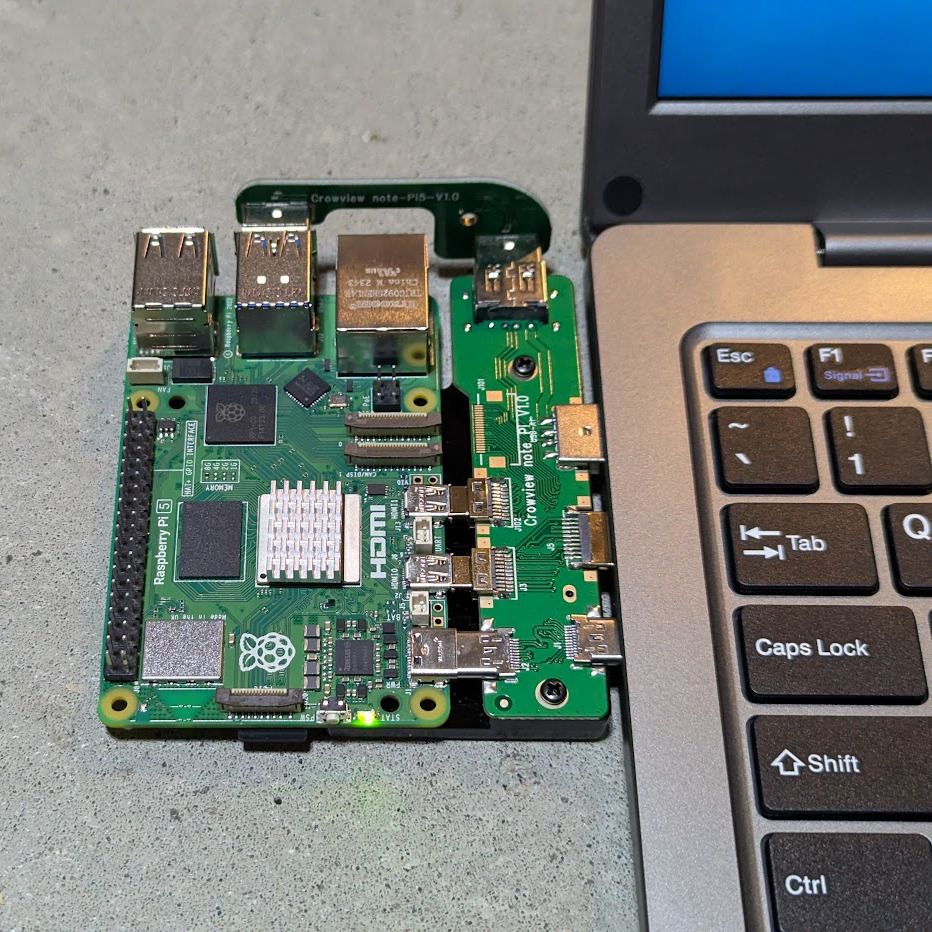
Pictured here is a Raspberry Pi 5 with optional PCB adapter to eliminate cables. The three ports (HDMI in, USB-C 5 V out, and USB-A for peripherals) provide all the board needs.

The CrowView Note is a pretty useful device for a workbench where one is often plugging hardware in for development or testing, because there’s no need to manage a separate monitor, keyboard, and mouse.

It is not a laptop, but attaching an SBC like a Raspberry Pi makes it act like one. The three ports conveniently located on the left-hand side (HDMI in, USB-C out for power to the SBC, and USB-A in for peripherals like keyboard and trackpad) are all that are needed in this case. Elecrow offers a “cable eliminator” PCB adapters to make the process of connecting a Raspberry Pi 5 or a Jetson Nano as simple as possible. The result is something that looks and works just like a laptop.

Well, almost. The SBC will still be a separate piece of hardware, whether connected by cables or by one of Elecrow’s PCB adapters. The result is OK for bench work, but especially in the case of the PCB adapter, not particularly rugged. Still, it’s a nice option and makes working on such boards convenient and cable-free.

Continue reading “This Is Not A Laptop, It’s A KVM Combo”

Handheld Oscilloscope Meter Reviewed

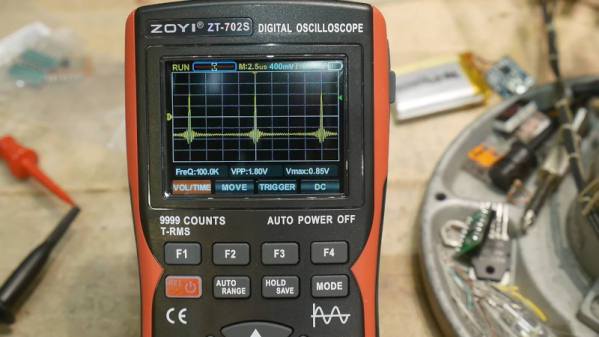
We live in a time where there’s virtually no excuse not to have some kind of oscilloscope. As [IMSAI Guy] shows in a recent video, for what you might expect to pay for a decent meter, you can now get one that includes a scope. There are several options out there but it is hard to know how much to spend to get the best possible product. The Zoyi ZT-702S that he looks at costs under $80. But is it worth it?

Scopes that connect to your PC are often very inexpensive. You can also find little toy scopes that use a microcontroller and a little LCD screen. Even though the specs on these are usually appalling, they will still let you visualize what’s happening in a circuit. Sure, you want an expensive bench scope with lots of channels sometimes, but often, you just need to see a signal in broad strokes. Having a scope and a meter together is very handy.

Continue reading “Handheld Oscilloscope Meter Reviewed”

An Antenna To Throw You For A Loop

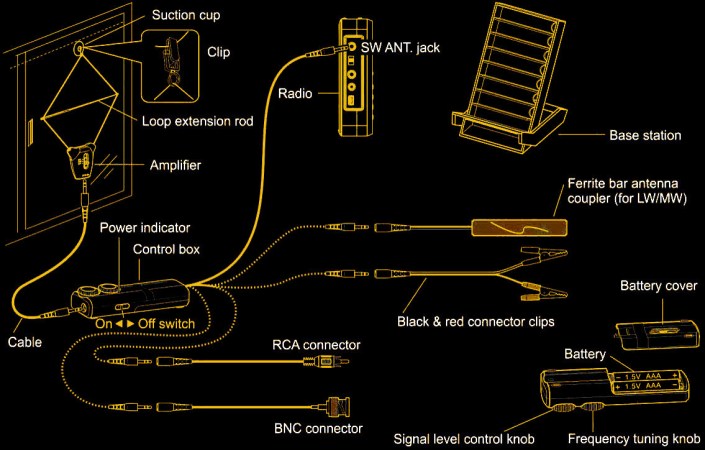
It is one of Murphy’s laws, we think, that you can’t get great things when you need them. Back in the heyday of shortwave broadcasting, any of us would have given a week’s pay for even a low-end receiver today. Digital display? Memory? Digital filtering? These days, you have radios, and they aren’t terribly expensive, but there isn’t much to listen to. Making matters worse, it isn’t easy these days to string wires around in your neighborhood for a variety of reasons. Maybe you don’t have a yard, or you have deed restrictions, or your yard lacks suitable space or locations. This problem is so common that there are a crop of indoor antennas that seem attractive. Since I don’t often tune in shortwave and I don’t want to have to reset my antenna after every storm, I decided to look at the Tecsun AN-48X along with a YouLoop clone from China. Let’s start with the Tecsun. Continue reading “An Antenna To Throw You For A Loop”

A Look At The Intel N100 Radxa X4 SBC

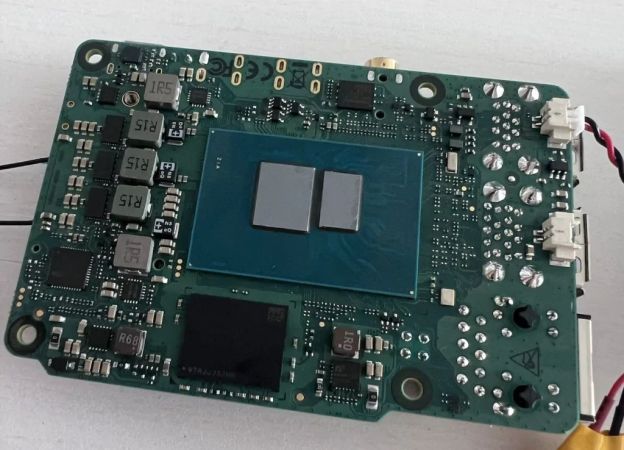
Recently Radxa released the X4, which is an SBC containing not only an N100 x86_64 SoC but also an RP2040  MCU connected to a Raspberry Pi-style double pin header. The Intel N100 is one of a range of Alder Lake-N SoCs which are based on a highly optimized version of the Skylake core, first released in 2015. These cores are also used as ‘efficiency’ cores in Intel’s desktop CPUs. Being x86-based, this means that the Radxa X4 can run any Linux, Windows and other OS from either NVMe (PCIe 3.0 x4) or eMMC storage. After getting his hands on one of these SBCs, [Bret] couldn’t wait to take a gander at what it can do.

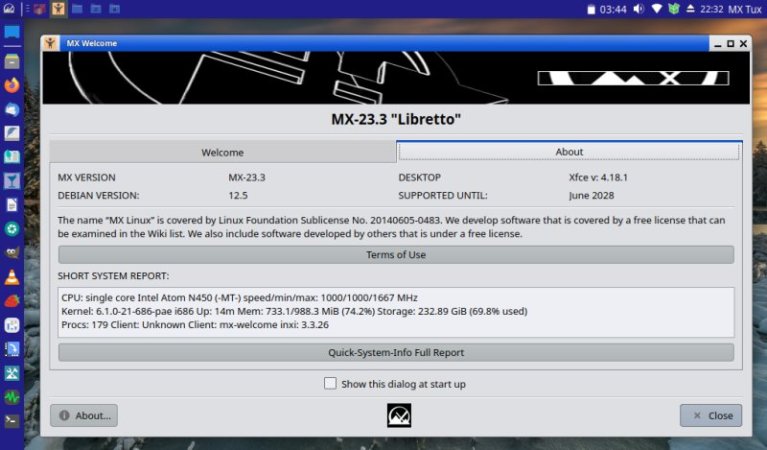
Installing Windows 11 and Debian 12 on a 500 GB NVMe (2230) SSD installed on the X4 board worked pretty much as expected on an x86 system, with just some missing drivers for the onboard Intel 2.5 Gbit Ethernet and WiFi, depending on the OS, but these were easily obtained via the Intel site and installed. The board comes with an installed RTC battery and a full-featured AMI BIOS, as well as up to 16 GB of LPPDR5 RAM.

Using the system with the Radxa PoE+ HAT via the 2.5 Gbit Ethernet port also worked a treat once using a quality PoE switch, even with the N100’s power level set to 15 Watt from the default 6. The RP2040 MCU on the mainboard is connected to the SoC using both USB 2.0 and UART, according to the board schematic. This means that from the N100 all of the Raspberry Pi-style pins can be accessed, making it in many ways a more functional SBC than the Raspberry Pi 5, with a similar power envelope and cost picture.

At $80 USD before shipping for the 8 GB (no eMMC) version that [Bret] looked at one might ask whether an N100-based MiniPC could be competitive, albeit that features like PoE+  and integrated RPi-compatible header are definite selling points.

Hands On: AD409-Max Microscope

It used to be that only the most well-equipped home electronics lab had a microscope. However, with SMD parts getting smaller and smaller, some kind of microscope is almost a necessity.

Luckily, you can get USB microscopes for a song now. If you’re willing to spend a little more, you can get even get microscopes that have little LCD screens. However, there are some problems with the cheaper end of these microscopes.

Many of them have small and wobbly stands that aren’t very practical. Some don’t leave you much room to get a soldering iron in between the lens and the part. Worse still, many cheap microscopes have trouble staying still when you have to push buttons or otherwise make adjustments to the device.

It seems like every time a new generation of microscopes aimed at the electronics market arrives on the scene, many of the earlier flaws get taken care of. That’s certainly the case with the Andonstar AD409-Max.

Continue reading “Hands On: AD409-Max Microscope”

A Primer On Optical Storage Data Preservation

Picking a storage medium for data preservation can be a conflicting time. Sure, they say optical storage tends to last, but it can’t be as straightforward as just burning everything onto Blu-Rays, right? Here’s a paper from Canadian Conservation Institute, teaching you the basics of using compact disks for data storage, it appears, without missing a single detail, and taking about ten minutes to read.

Here, you will learn about the different kinds of disks available and how their manufacturing-inherent qualities affect their preservation capabilities. Are dual-layer DVDs better than single-layer ones, or is it the opposite? How do CDs compare? And what about Blu-Ray disks? Wonder no more, here you will get answers to questions you didn’t known to ask. Data preservation is a game of numbers to preserve numbers, and this paper also outlines how to properly record, store, and test your disks to raise your chances.

Whether you’re only looking to delve into data preservation, or trying to improve your own policies, this looks like is a perfect document for you. After all, if you’re not aware of the best practices, you might end up having to digitize old floppies or even LaserDisks – not that those aren’t fun journeys to read about, of course, and we recommend it. Data preservation isn’t just about optical disks, of course – it’s a practice with a rich history.

Plasma Cutter On The Cheap Reviewed

If you have a well-equipped shop, it isn’t unusual to have a welder. Stick welders have become a commodity and even some that use shield gas are cheap if you don’t count buying the bottle of gas. But plasma cutters are still a bit pricey. Can you get one from China for under $300? Yes. Do you want one that cheap? [Metal Massacre Fab Shop] answers that question in the video below.

First impressions count, and having plasma misspelled on the unit (plasme) isn’t promising. The instructions were unclear, and some of the fittings didn’t make him happy, so he replaced them with some he had on hand. He also added some pipe tape to stop any leaking.

The first test was a piece of quarter-inch steel at 35 amps. The machine itself is rated to 50 amps. Sparks ensued, and with a little boost in amperage, it made a fair-looking cut. At 50 amps, it was time to try a thicker workpiece. It made the cut, although it wasn’t beautiful. The leaking regulator and the fact that he can’t run the compressor simultaneously as the cutter didn’t help.

From the look of it, for light duty, this would be workable with a little practice and maybe some new fittings. Unsurprisingly, it probably isn’t as capable as a professional unit. Still could be very handy to have.

It is possible to convert a welder into a plasma cutter. A handheld unit like this probably won’t benefit from a Sharpie.

Continue reading “Plasma Cutter On The Cheap Reviewed”