[Slant 3D] has a useful video explaining some thoughtful CAD techniques for designing 3D printed pins that don’t break and the concepts can be extended to similar features.
Sure, one can make pins stronger simply by upping infill density or increasing the number of perimeters, but those depend on having access to the slicer settings. If someone else is printing a part, that part’s designer has no actual control over these things. So how can one ensure sturdier pins without relying on specific print settings? [Slant 3D] covers two approaches.
The first approach includes making a pin thick, making it short (less leverage for stress), and adding a fillet to the sharp corner where the pin meets the rest of the part. Why? Because a rounded corner spreads stress out, compared to a sharp corner.
Rolling two six-sided dice (2d6) gives results from 2 to 12 with a bell curve distribution. Seven being the most common result, two and twelve being the least common. But what if one could do this with a single die?
This eleven-sided die has a distribution matching the results of 2d6.
As part of research Putting Rigid Bodies to Rest, researchers show that a single eleven-sided asymmetric shape can deliver the same results. That is to say, it rolls numbers 2 to 12 in the same distribution as 2d6. It’s actually just one of the oddball dice [Hossein Baktash] and his group designed so if you find yourself intrigued, be sure to check out the 3D models and maybe print your own!
The research behind this is a novel method of figuring out what stable resting states exist for a given rigid body, without resorting to simulations. The method is differentiable, meaning it can be used not just to analyze shapes, but also to design shapes with specific properties.
For example, with a typical three-sided die each die face has an equal chance of coming up. But [Hossein] shows (at 8:05 in the video, embedded below) that it’s possible to design a three-sided die where the faces instead have a 25%-50%-25% distribution.
How well do they perform in practice? [Hossein] has done some physical testing showing results seem to match theory, at least when rolled on a hard surface. But we don’t think anyone has loaded these into an automated dice tester, yet.
Things are cooler when rack-mounted, and [KellerLab] aims to make that all far more accessible with the HomeRacker, a modular and 3D-printable rack building system designed to let you rack-mount to your heart’s content. While it can handle big things, it seems especially applicable to tasks like mounting one’s home network equipment and Raspberry Pi machines.
A rack is a great place for those Raspberry Pi servers and home networking equipment, but it can also handle bigger jobs.
The basic system (or core) consists of three different parts: supports, connectors, and lock pins. The supports are the main structural bars, the connectors mostly go at the corners, and the lock pins ensure everything stays put. The nominal sizing is a 15 mm x 15 mm profile for the supports, with lengths being a multiple of 15 mm.
All is designed with 3D printing in mind, and requires no tools to assemble or disassemble. There are design elements we really appreciate, like how parts are printed at an angle, which improves strength while eliminating the need for supports. The lock pins (and the slots into which they go) are designed so that they are effective and will neither rattle nor fall out.
But the core system is just the foundation. There’s plenty of modularity and expansions to handle whatever one may need, from Gridfinity shelves and drawers to various faceplates and other modules. There are some example applications available from [KellerLab]’s HomeRacker models page, like CD shelf, under-desk drawer, or filament rack.
One last point to make about the value of printing objects like this at an angle: not only can the resulting layer lines provide better strength and reduce or eliminate the need for supports, but printing at an angle can help hide layer lines.
[Will Dana] is engineering his way to better sleep hygiene. Not satisfied with a simple bedtime reminder notification — such things are easily dismissed, after all — [Will] is offloading self-control onto a robot which will take his phone away at bedtime.
Scrolling in bed is allowed up to a prescribed time. At that time, a rack and pinion-mounted arm rises up from behind his mattress, presenting an open hand, ready to accept the object of his addiction. At this point, a countdown begins. If he does not hand over the device in a matter of seconds, the robot escalates by flashing obnoxiously bright lights in his face.
The nocturnal technology detox is not absolute, however. A button allows [Will] to temporarily retrieve his phone after it has been confiscated. This safety override accounts for the Inevitable situation where he will need to send a last-minute text before nodding off. The flashing light disincentive countdown is restarted upon retrieval, ensuring that [Will] does not cheat his own system for additional scroll time.
As a brief sidebar, [Will] does a nice job explaining how pulse-width modulation works for the purpose of controlling the speed of the rack and pinion mechanism.
Part of the reason there are always free pianos on your digital classifieds listing of choice is that, at least economically speaking, a piano is less of a musical instrument and more of a complicated machine that can and will wear out (not to mention the physical difficulty of actually moving one). Once a piano reaches that point, whether through age, use, or neglect, at that point it’s to intents and purposes worthless. But still, they’re essentially just machines. [Toast] figured that, since 3D printers not only can print all kinds of other machines and musical instruments alike, he would take a stab at combining these two and made his own 3D printed piano.
A piano’s action is the mechanical linkage between the keys and the strings of the piano themselves. Over many hundreds of years this has developed into a complicated series of levers which not only rapidly strike strings when a key is pressed, but also mute the strings while the key is not being pressed and strike the strings in a way that the hammer won’t be pressed into the strings if the player leaves their finger on a key. Rather than try to recreate all of this in meticulous detail, [Toast] has swapped out the strings for a series of tubes which, unlike strings, do not much change their musical behavior if the hammer remains on the tube after being struck. This greatly simplifies the action (and cost) of his miniature piano.
The piano works by positioning hammers above these tubes, which strike downwards when a musician depresses the keys. Rubber bands return the hammers to their upright positions after the key is lifted. The instrument went through a few stages of design as well where [Toast] refined the size and shape of the tubes as well as improved the way by which the hammers are attached to the keys.
Is it still a piano if it has pipes instead of strings? Perhaps, but at the very least we can all agree that he’s built a working keyboard action capable of producing music, if not an outright definitionally-accurate piano. It’s an interesting build that we hope to see more iterations of in the future, if not to build a more functionally accurate 3D printed piano action then to see what is possible from a 3D printer in the piano space. Despite their complexity and weight, pianos are a fundamental and popular instrument in the Western music tradition and we’ve seen many interesting builds around them like this modern player piano built with a series of solenoids. Continue reading “3D Printing A Piano Action”→
There are few things that can keep a certain kind of mechanically-inclined mind entranced as well as a marble run, and few structures that look as interestingly organic as procedurally-generated designs – combine the two and you get [Will Morrison]’s Marble Fountain.
[Will]’s first approach to generating a marble run was to have a script randomly place some points, generate a path following a spline through those points, and give that path a constant slope. This worked, but the paths it generated were a bit too simple to take full advantage of a 3D printer’s capabilities, so he next wrote a path solver to generate more complicated runs. The solver starts by generating a series of random line segments connecting the top and bottom of the run, then iteratively moves the segments into position. Each segment has to stay within the print volume, be evenly spaced with the others, maintain a constant slope, avoid segments from other tracks, and avoid distant segments of its own track. The result is a complicated network of tracks that keeps the marbles in motion without letting them fly out in fast sections. Continue reading “Mesmerizing Marble Runs From Procedural Generation”→
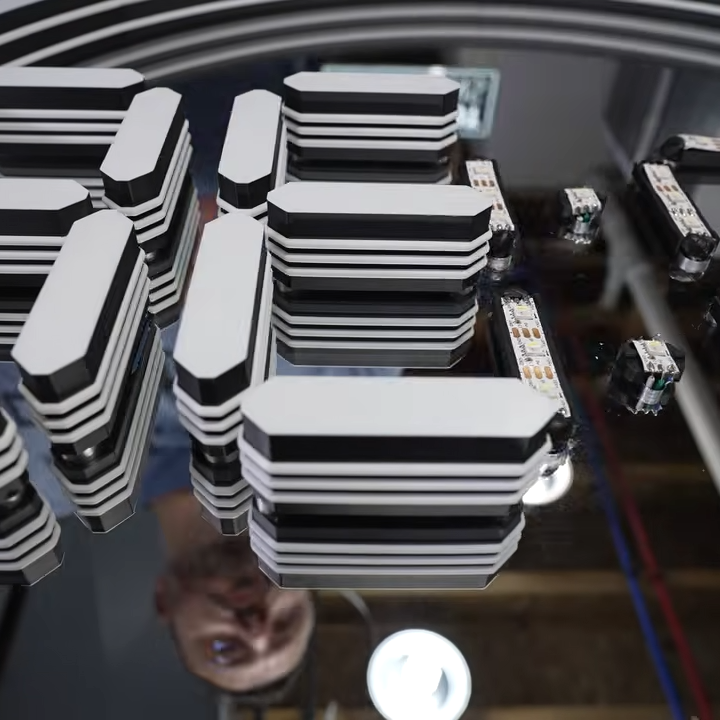
The header image above shows a completely unsupported 3D-printed bridge, believe it or not. You’re looking at the bottom of the print. [Make Wonderful Things] wondered whether unsightly unsupported bridges could be improved, and has been busy nailing down remarkably high-quality results by exhaustive testing of different settings.
It all started when they thought that unsupported bridges looked a lot as though they were made from ropes stretched between two points. Unlike normal layers, these stretched extrusions didn’t adhere to their neighbors. They are too far apart from one another, and there’s no “squish” to them. But could this be overcome?
His experiments centered mainly around bridge printing speed, temperature, and bridge flow. That last setting affects how much the extrusion from the hot end is adjusted when printing a bridge. He accidentally increased it past 1.0 and thought the results were interesting enough to follow up on; it seemed that a higher flow rate when printing a bridge gave the nudge that was needed to get better inter-line adhesion. What followed was a lot of testing, finally settling on something that provided markedly better results than the stock slicer settings. Markedly better on his test pieces, anyway.
The best results seem to come from tweaking the Bridge Flow rate high enough that extrusions attach to their neighbors, printing slowly (he used 10 mm/sec), and ensuring the bridged area is as consistent as possible. There are still open questions, like some residual sagging at corners he hasn’t been able to eliminate, but the results otherwise look great. And it doesn’t even require laying one’s printer on its side!
All the latest is on the project page where you can download his test models, so if you’re of a mind to give it a try be sure to check it out and share your results. Watch a short video demonstrating everything, embedded just under the page break.