AMD Returns To 1996 With Zen 5’s Two-Block Ahead Branch Predictor

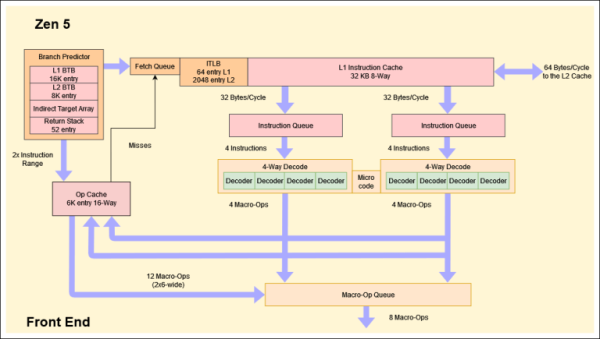
An interesting finding in fields like computer science is that much of what is advertised as new and innovative was actually pilfered from old research papers submitted to ACM and others. Which is not to say that this is necessarily a bad thing, as many of such ideas were not practical at the time. Case in point the new branch predictor in AMD’s Zen 5 CPU architecture, whose two-block ahead design is based on an idea coined a few decades ago. The details are laid out by [George Cozma] and [Camacho] in a recent article, which follows on a recent interview that [George] did with AMD’s [Mike Clark].

The 1996 ACM paper by [André Seznec] and colleagues titled “Multiple-block ahead branch predictors” is a good start before diving into [George]’s article, as it will help to make sense of many of the details. The reason for improving the branch prediction in CPUs is fairly self-evident, as today’s heavily pipelined, superscalar CPUs rely heavily on branch prediction and speculative execution to get around the glacial speeds of system memory once past the CPU’s speediest caches. While predicting the next instruction block after a branch is commonly done already, this two-block ahead approach as suggested also predicts the next instruction block after the first predicted one.

Perhaps unsurprisingly, this multi-block ahead branch predictor by itself isn’t the hard part, but making it all fit in the hardware is. As described in the paper by [Seznec] et al., the relevant components are now dual-ported, allowing for three prediction windows. Theoretically this should result in a significant boost in IPC and could mean that more CPU manufacturers will be looking at adding such multi-block branch prediction to their designs. We will just have to see how Zen 5 works once released into the wild.

CUDA, But Make It AMD

Compute Unified Device Architecture, or CUDA, is a software platform for doing big parallel calculation tasks on NVIDIA GPUs. It’s been a big part of the push to use GPUs for general purpose computing, and in some ways, competitor AMD has thusly been left out in the cold. However, with more demand for GPU computation than ever, there’s been a breakthrough. SCALE from [Spectral Compute] will let you compile CUDA applications for AMD GPUs.

SCALE allows CUDA programs to run as-is on AMD GPUs, without modification. The SCALE compiler is also intended as a drop-in swap for nvcc, right down to the command line options. For maximum ease of use, it acts like you’ve installed the NVIDIA Cuda Toolkit, so you can build with cmake just like you would for a normal NVIDIA setup. Currently, Navi 21 and Navi 31 (RDNA 2.0 and RDNA 3.0) targets are supported, while a number of other GPUs are undergoing testing and development.

The basic aim is to allow developers to use AMD hardware without having to maintain an entirely separate codebase. It’s still a work in progress, but it’s a promising tool that could help break NVIDIA’s stranglehold on parts of the GPGPU market.


A Slice Of Simulation, Google Sheets Style

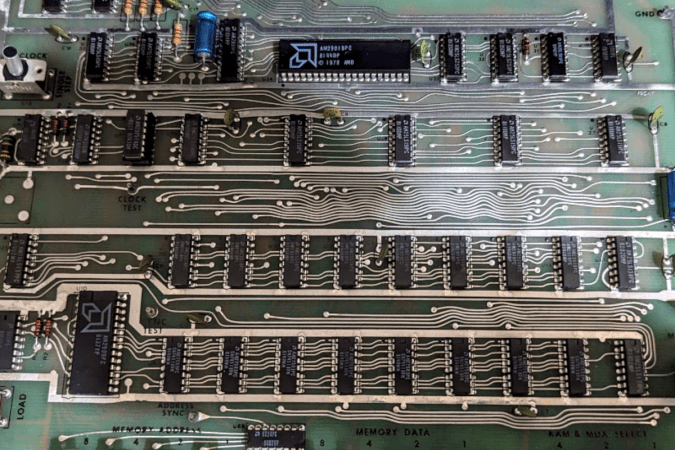
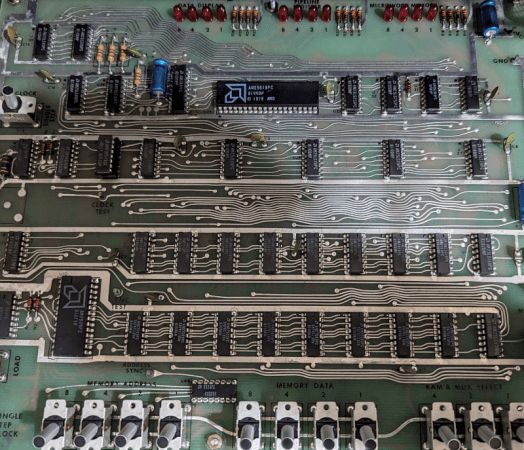
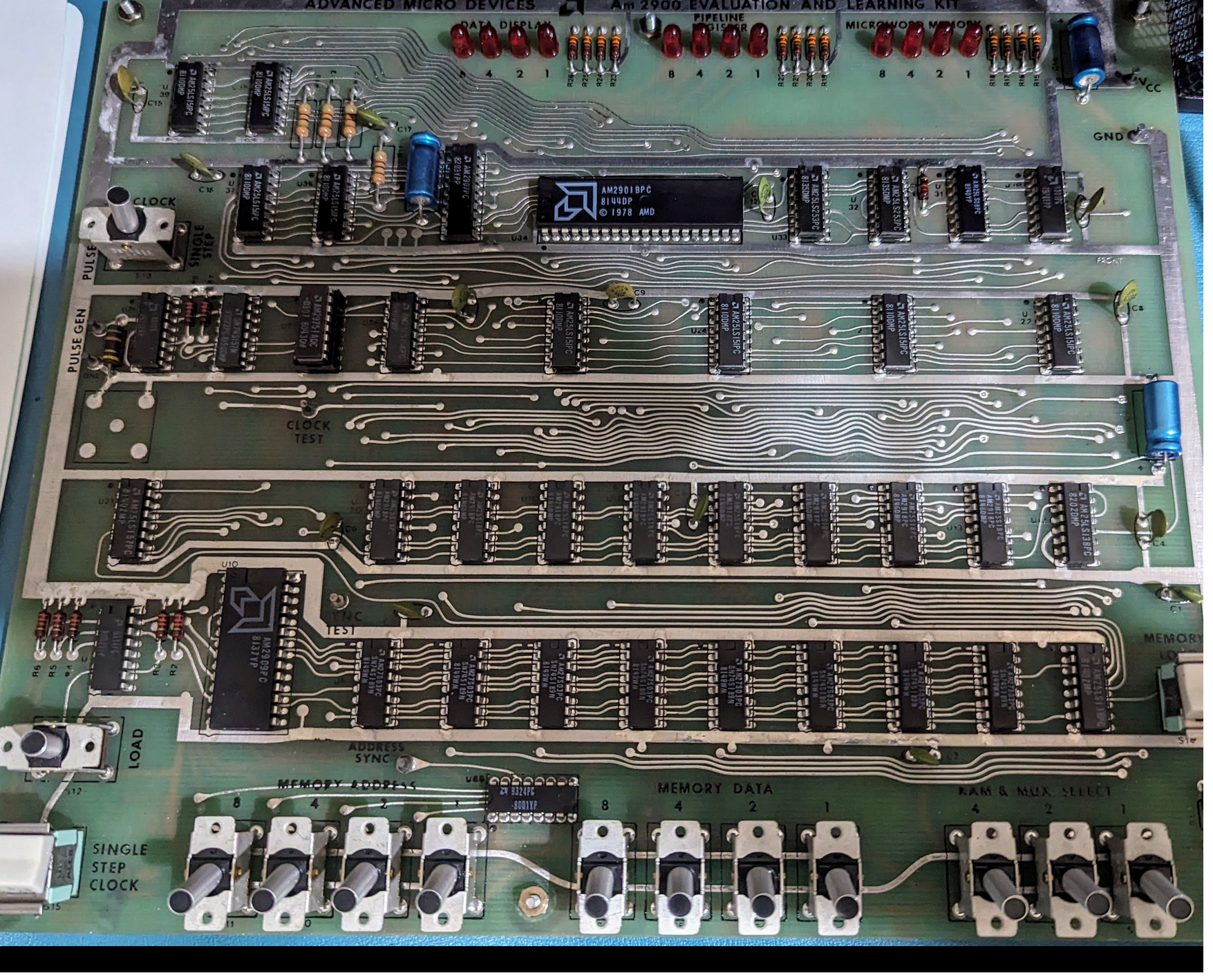
Have you ever tried to eat one jelly bean or one potato chip? It is nearly impossible. Some of us have the same problem with hardware projects. It all started when I wrote about the old bitslice chips people used to build computers before you could easily get a whole CPU on a chip. Bitslice is basically Lego blocks that build CPUs. I have always wanted to play with technology, so when I wrote that piece, I looked on eBay to see if I could find any leftovers from this 1970-era tech. It turns out that the chips are easy to find, but I found something even better. A mint condition AM2900 evaluation board. These aren’t easy to find, so the chances that you can try one out yourself are pretty low. But I’m going to fix that, virtually speaking.

This was just the second potato chip. Programming the board, as you can see in the video below, is tedious, with lots of binary switch-flipping. To simplify things, I took another potato chip — a Google Sheet that generates the binary from a quasi-assembly language. That should have been enough, but I had to take another chip from the bag. I extended the spreadsheet to actually emulate the system. It is a terrible hack, and Google Sheets’ performance for this sort of thing could be better. But it works.

Continue reading “A Slice Of Simulation, Google Sheets Style”

Slicing And Dicing The Bits: CPU Design The Old Fashioned Way

Writing for Hackaday can be somewhat hazardous. Sure, we don’t often have to hide from angry spies or corporate thugs. But we do often write about something and then want to buy it. Expensive? Hard to find? Not needed? Doesn’t really matter. My latest experience with this effect was due to a recent article I wrote about the AM2900 bitslice family of chips. Many vintage computers and video games have them inside, and, as I explained before, they are like a building block you use to build a CPU with the capabilities you need. I had read about these back in the 1970s but never had a chance to work with them.

As I was writing, I wondered if there was anything left for sale with these chips. Turns out you can still get the chips — most of them — pretty readily. But I also found an eBay listing for an AM2900 “learning and evaluation kit.” How many people would want such a thing? Apparently enough that I had to bid a fair bit of coin to take possession of it, but I did. The board looked like it was probably never used. It had the warranty card and all the paperwork. It looked in pristine condition. Powering it up, it seemed to work well.

What Is It?

The board hardly looks at least 40  years old.

The board is a bit larger than a letter-sized sheet of paper. Along the top, there are three banks of four LEDs. The bottom edge has three banks of switches. One bank has three switches, and the other two each have four switches. Two more switches control the board’s operation, and two momentary pushbutton switches.

The heart of the device, though, is the AM2901, a 4-bit “slice.” It isn’t quite a CPU but more just the ALU for a CPU. There’s also an AM2909, which controls the microcode memory. In addition, there’s a small amount of memory spread out over several chips.

A real computer would probably have many slices that work together. It would also have a lot more microprogram memory and then more memory to store the actual program. Microcode is a very simple program that knows how to execute instructions for the CPU. Continue reading “Slicing And Dicing The Bits: CPU Design The Old Fashioned Way”

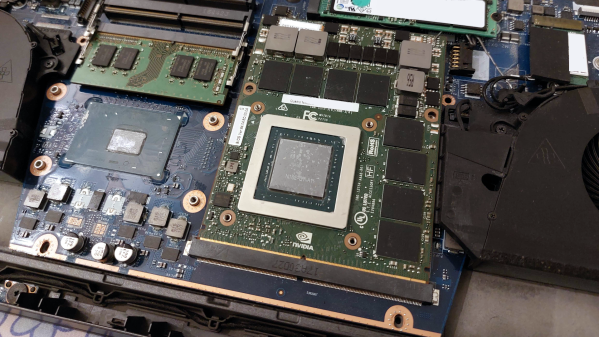
A standard-compliant MXM card installed into a laptop, without heatsink

MXM: Powerful, Misused, Hackable

Today, we’ll look into yet another standard in the embedded space: MXM. It stands for “Mobile PCI Express Module”, and is basically intended as a GPU interface for laptops with PCIe, but there’s way more to it – it can work for any high-power high-throughput PCIe device, with a fair few DisplayPort links if you need them!

You will see MXM sockets in older generations of laptops, barebones desktop PCs, servers, and even automotive computers – certain generations of Tesla cars used to ship with MXM-socketed Nvidia GPUs! Given that GPUs are in vogue today, it pays to know how you can get one in low-profile form-factor and avoid putting a giant desktop GPU inside your device.

I only had a passing knowledge of the MXM standard until a bit ago, but my friend, [WifiCable], has been playing with it for a fair bit now. On a long Discord call, she guided me through all the cool things we should know about the MXM standard, its history, compatibility woes, and hackability potential. I’ve summed all of it up into this article – let’s take a look!

This article has been written based on info that [WifiCable] has given me, and, it’s also certainly not the last one where I interview a hacker and condense their knowledge into a writeup. If you are interested, let’s chat!

Continue reading “MXM: Powerful, Misused, Hackable”

The 1970s Computer: A Slice Of Computing

What do the HP-1000 and the DEC VAX 11/730 have in common with the video games Tempest and Battlezone? More than you might think. All of those machines, along with many others from that time period, used AM2900-family bit slice CPUs.

The bit slice CPU was a very successful product that could only have existed in the 1970s. Today, if you need a computer system, there are many CPUs and even entire systems on a chip to choose from. You can also get many small board-level systems that would probably do anything you want. In the 1960s, you had no choices at all. You built circuit boards with gates on the using transistors, tubes, relays, or — maybe — small-scale IC gates. Then you wired the boards up.

It didn’t take a genius to realize that it would be great to offer people a CPU chip like you can get today. The problem is the semiconductor technology of the day wouldn’t allow it — at least, not with any significant amount of resources. For example, the Motorola MC14500B from 1977 was a one-bit microprocessor, and while that had its uses, it wasn’t for everyone or everything.

The Answer

The answer was to produce as much of a CPU as possible in a chip and make provisions to use multiple chips together to build the CPU. That’s exactly what AMD did with the AM2900 family. If you think about it, what is a CPU? Sure, there are variations, but at the core, there’s a place to store instructions, a place to store data, some way to pick instructions, and a way to operate on data (like an ALU — arithmetic logic unit). Instructions move data from one place to another and set the state of things like I/O devices, ALU operations, and the like.

Continue reading “The 1970s Computer: A Slice Of Computing”

Error-Correcting RAM On The Desktop

When running a server, especially one with mission-critical applications, it’s common practice to use error-correcting code (ECC) memory. As the name suggests, it uses an error-correcting algorithm to continually check for and fix certain errors in memory. We don’t often see these memory modules on the desktop for plenty of reasons, among which are increased cost and overhead and decreased performance for only marginal gains, but if your data is of upmost importance even when working on a desktop machine, it is possible to get these modules up and running in certain modern AMD computers.

Specifically, this feature was available on AMD Ryzen CPUs, but since the 7000 series with the AM5 socket launched, the feature wasn’t officially supported anymore. [Rain] decided to upgrade their computer anyway, but there were some rumors floating around the Internet that this feature might still be functional. An upgrade to the new motherboard’s UEFI was required, as well as some tweaks to the Linux kernel to make sure there was support for these memory modules. After probing the system’s behavior, it is verified that the ECC RAM is working and properly reporting errors to the operating system.

Reporting to the OS and enabling the correct modules is one thing, actually correcting an error was another. It turns out that introducing errors manually and letting the memory correct them is possible as well, and [Rain] was able to perform this check during this process as well. While ECC RAM may be considered overkill for most desktop users, it offers valuable data integrity for professional or work-related tasks. Just don’t use it for your Super Mario 64 speedruns.