Real-time Arduino Interpreter Ditches The PC

computerless_arduino

When prototyping a project using an Arduino, there are a few things that are pretty much required equipment. A computer for generating sketches is typically one of those things, but [Adam] over at Teague Labs is looking to change all that with his current project, the Computerless Arduino.

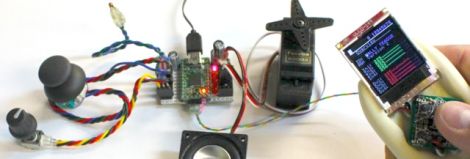
Instead of using a computer to alter the code running on the Arduino, they have implemented a real-time code interpreter using a Teensy 2.0. The microcontroller is connected to a 5-button LCD display where the user can view the status of any port, view the current running code, as well as alter that code on the fly.

The real-time instruction set is somewhat limited, making it a breeze for newcomers to begin using the Arduino. While that may turn some people off, it still has enough functionality baked in to handle moderately sized projects as well.

Be sure to check out the video we have posted below to see the interpreter in action.

Continue reading “Real-time Arduino Interpreter Ditches The PC”

Arduino Based Ambient Lighting Improvements

[Simon] improved upon an existing hack by making this Arduino ambient lighting system that has four different color regions. He was inspired by [Roy’s] processing-based setup which we saw a few weeks ago. That system used processing to determine the average color of the currently displayed image, then it displayed the color on a single RGB LED strip. [Simon] was thinking a little bit bigger.

He purchased a lighting strip that could be cut into different sections and then set out to develop his own software for multiple color regions. He had little or no experience with Processing so he went one abstraction layer lower and used Java to code his interface. It’s got a lot of nice settings where you can tweak how, when, and why colors are displayed. In the end he has four independently addressable color strip on the left, right, top-left, and top-right of the screen. The best part is that the Java suite he developed can be used on different platforms, having been already tested on Windows and Linux.

mirror_hud

Bathroom Mirror HUD Displays Time And Weather

By and large, the standard household mirror is one item that has not made much real progress over the years. They hang on the wall reflecting light, and that’s about it.

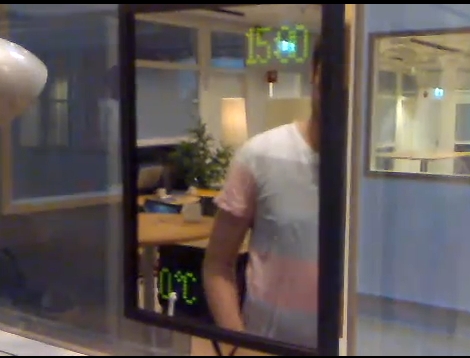
A few years back, some students studying in the Department of Interaction Design at Chalmers University sought to enhance their morning routine with an interactive mirror. Their project was constructed using a two-way mirror with several Arduino-driven LED displays embedded behind the glass. Once a hand is swiped past the pair of embedded light dependent resistors, the display is activated. Subsequent hand swipes trigger the mirror to toggle between the different modes, providing the user with the current time, weather information as well as a toothbrush timer.

The project writeup is quite thorough, including plenty of source code and information on some of the components they used. You can take a look at their work here (PDF).

Check out the interactive mirror we featured that served as inspiration for their project.

[Thanks Emil]

Continue reading “Bathroom Mirror HUD Displays Time And Weather”

DrunkenNES Makes A Game Out Of Getting Hammered

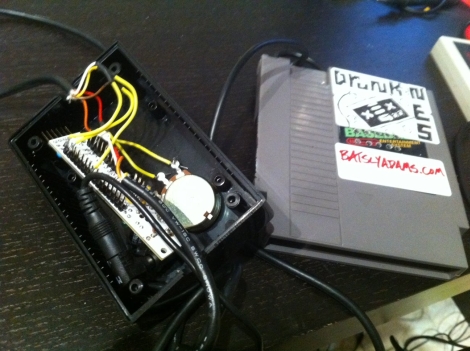
drunkenNES_cart

While handheld breathalyzers are pretty novel to have around while drinking with friends, there’s nothing exciting about a $50 off the shelf unit. If you really want to grab people’s attention, you have to get creative and built something like [Batsly Adams] and his friends did.

One evening, he was casually drinking with some friends and playing around with an electronic alcohol sensor. They quickly put together a NES ROM that would play sounds, changing the pitch depending on how much alcohol the sensor detected. It quickly became apparent to them that a full-fledged breathalyzer video game was in order. In no time, he and his friends had compiled graphics, a soundtrack, and the code to drive their game, DrunkenNES.

To play the game, each player must blow into a gutted NES cartridge that has been fitted with the alcohol sensor. The Nintendo computes the player’s BAC, reporting how intoxicated they are using simple graphics and cheesy animal puns. We don’t know when the code and schematics will be made available, but when they are, you can guarantee we will be building one for “research” purposes to pair with our Power Hour shot glass.

Keep reading to see some in game video of DrunkenNES

[Thanks Adam]

Continue reading “DrunkenNES Makes A Game Out Of Getting Hammered”

Web-enabling Your Smoke Breaks

If you’re going to freeze your butt off smoking in the middle of winter you might was well have company while you’re out there. [Zach’s] company wanted to crunch some data about smoking breaks and worker productivity. Instead of just meeting the bland data collection needs he decided to add functionality.

He took time to explain the different parts of the system. Above you can see the web interface that lets you know which of your coworkers are smoking right now. It also lets you click to check in and out from your breaks. After this was up and running he found that often the smokers forgot to ‘clock out’ before a break. As a backup system he build a physical interface on the way out of the office. Each smoker has their own button with a corresponding LED. If the light’s on you’re having a break and when it’s off you’re working. This controller is Arduino based and uses a Perl script to monitor the input and sync both that physical display and the web interface. [Zach] posted a few pictures if you want to take a look at the rest of the system.

Layering Pinball Audio Using Parallel WAV Shields

[Ed Zarick] is preparing his pinball project and wants to have authentic sound to go with the game play. The game is modeled after NBA Hangtime and in addition to music he also needs a wide range of sound effects to beef up the experience. To make this all happen at once he developed a set of Arduino WAV shields controlled by an Arduino Mega.

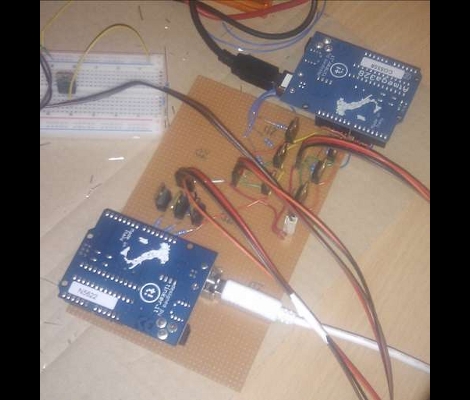
As you can see above, there are three ATmega328 chips which run the Arduino boot loader and each interface with one of the three green WAV shields. That set of chips listens for commands over and i2c protocol, and once they receive instructions they play can play the chosen file without affecting the other shields.

But to have the authentic sounds you first need to acquire the audio samples. [Ed] grabbed a ROM of the original video game and dumped all of the audio samples. From there it was a chore to listen to and catalog the sounds for SD card playback with the pinball version of the game. But it’s well worth the effort as the sound will end up tying the whole experience together.

Continue reading “Layering Pinball Audio Using Parallel WAV Shields”

Force Feedback Rig

Strap yourself in, it’s going to be a bumpy ride. No really, if you don’t believe us, check out the video after the break of this bouncing and rolling game system. [Shawn McGrath] built it to compliment the gaming experience for Dyad, an indie game for which he is a developer. His wife was kind enough to demonstrate the machine, which utilizes one motor to rotate the display and cockpit, and another to add vibration to the experience. The parts for the system were mostly salvaged, with the addition of a projector for the display and a PlayStation SixAxis controller to sense the motion of the rig. The motors are powered by a 600W computer PSU and controlled by an Arduino. It helps that [Shawn’s] a developer because he was able to add feedback hooks to sync with the gameplay.

It’s not as intricate as the best flight simulators we’ve seen, but it will be fun for that next kegger.

Continue reading “Force Feedback Rig”