AI On Every Machine: The LLM You Probably Didn’t Want

It’s been a story of the last week or so if you follow the kind of news channels a Hackaday scribe does, that Google have quietly installed an LLM as part of the Chrome browser. Reports vary as to when they did this because there’s a lot of confusion online with their online Gemini features also present in the browser, but it seems Chrome users are noticing its effect through slower performance and hefty disk access. Given that Chrome is by far the most popular web browser, this means that billions of users will have downloaded the four gigabyte Gemini Nano model, and now have an LLM they didn’t know about. It will be used to provide advanced auto-correct and other text suggestion features that their online version of Gemini would presumably be overburdened with, and since it’s available through a set of in-browser APIs we expect that it will find its way into a lot of websites, online applications, and plugins.

It’s caused a bit of a fuss in some circles, and we think, with some justification. When billions of computers unwittingly install an extremely energy intensive software component the effect on global power consumption will be significant, with a consequent uptick in the carbon footprint of computing. It’s not a phenomenon restricted to Chrome, as an example Siri has used a local LLM on Apple devices for a while now. We’ve seen rumblings of discontent and talk of getting European climate regulators involved, but perhaps instead it’s time to have a conversation about local AI models. The key is not whether or not they are a good thing to have, but when and how they operate.

While many of us are sick to death of AI slop and have not been lured into AI psychosis by an over-reinforcing chatbot, the fact remains that LLMs can do some useful things, they’re here to stay whether we like it or not, and having one under your control on your own computer doesn’t have to be a bad thing. Install Llama.cpp on your machine, and you’ve got an LLM of your very own, upon which your usage data isn’t going to be sold, and your content isn’t going to reinforce the finest plagiarism device the world has ever seen.

Opt-In and Opt-Out

The concerning development with the Chrome LLM is that not only has it been installed without the user’s consent, it runs without their consent too, and they can’t use it for anything except what Google Chrome wants it to be used for. Unlike the Llama.cpp mentioned above, it’s not under their control, instead it’s a compute-hungry monster ultimately controlled by Google. The prospect of a future in which multiple pieces of everyday software install their own similarly out-of-control multi-gigabyte CPU-munchers is a concerning one. Anyone who remembers Microsoft’s Clippy grabbing all the resources in a 1990s desktop as its stuttering animation played its course will know where this is going.

If local LLMs are an inevitability, what’s needed is a way to make them like any other application, one that the user chooses and installs themselves. Such an LLM could make its services available to applications such as a web browser if the user allows it to, but not run unless asked. It’s fairly obvious that installing Llama.cpp or similar is beyond many users, but it shouldn’t lie beyond the bounds of possibility to package something like it as an application they can install.

We know that the previous paragraph is pie-in-the-sky wishful thinking, and that as the person who knows computers in your family your next few Christmases will be spent wrestling with six different LLMs running on some elderly family member’s PC. But perhaps in Clippy lies the answer. If the consumer can learn to associate built-in AI features with their computer grinding to a halt just as they did with an office assistant thirty years ago, then perhaps they’ll demand change. We can hope.

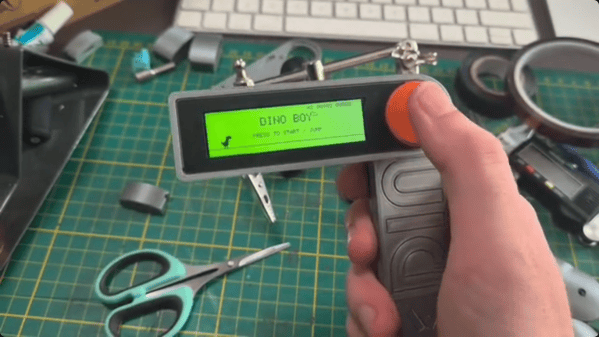
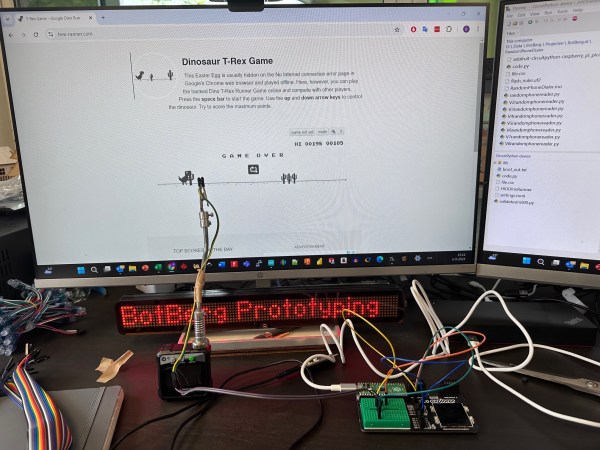
A light-dependent resistor detects cacti in the Google Chrome Offline Dinosaur game.

Jump Cacti With An LDR And A Pico

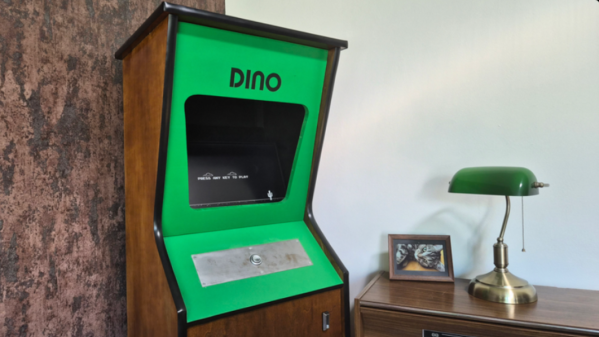
By now, probably everyone is familiar with the “You’re Offline” dinosaur that stars in Google’s T. Rex game. You know — jump cacti, avoid pterodactyls. Repeat until you lose, or, we suppose, make the leaderboard. Well, what if you theoretically couldn’t lose? That’s kind of the idea behind [Bas BotBerg]’s cactus detection-and-avoidance scheme (translated from Dutch).

Like many of us, [Bas] firmly believes that repetitive tasks should be automated, and that includes the controls of the famous T. Rex. Since the cacti are always dark gray and appear along the same plane, it’s easy to register the difference between cacti and screen electronically. In order to accomplish this, [Bas] is using a light-dependent resistor and a pull-up resistor to create a resistance bridge, which is then connected to an analog input pin on a Raspberry Pi Pico.

But [Bas] didn’t do this just to cheat at Offline Dinosaur. Really! It’s for educational purposes, to get people comfortable with embedded processing, sensors, and interfaces between different devices. Check it out in brief action after the break.

Once they get familiar with these concepts, maybe introduce the ESP32 version of Offline Dinosaur.

Continue reading “Jump Cacti With An LDR And A Pico”

Gone: Google Toolbar (2000-2021)

For both better and worse, the internet landscape moves fast. Shortening attention spans and memories all over the world. But every once in a while, we get a reminder of what once was. [Ron Amadeo] of Ars Technica fired up a Google product of year 2000 in Take one last look at Google Toolbar, which is now dead.

Today it’s hard to find an operating system that does not bundle a web browser. But back then, Microsoft’s Internet Explorer was so dominant, the browser’s inclusion in Windows led to an antitrust lawsuit. Trying to get out from under IE’s shadow, many internet companies grabbed a toehold on users’ computers by installing a toolbar. (The comments thread on that Ars Technica article includes some horrific screenshots of mass toolbar infestation.)

Continue reading “Gone: Google Toolbar (2000-2021)”

Google’s T-Rex Game Ported To The ESP32

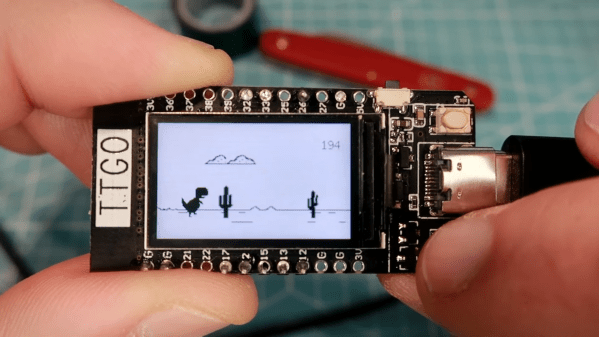
Most Chrome users will have come across a neat little Easter egg when their Internet connection has gone down – a game known as “T-Rex” where a dinosaur must be jumped over cactii. Whether or not this is accurate in terms of the evolutionary timeline, it’s a bit of fun, and Volos Projects educator [Danko Bertović] decided to port the game to the ESP32.

The game runs on the LILYGO TTGO T-Display development board, which pairs the powerful microcontroller with a 1.14-inch color LCD. His clone goes as far as authentically replicating the “No Internet” page from within Google Chrome, before kicking into the game at the press of a tactile button.

The game is built using a sprite-based engine, which enables gameplay with a minimum of flickering on the screen. Transparency is included to stop the sprites from occluding other screen elements unnecessarily. [Danko] hasn’t yet released a full tutorial on using sprites on the ESP32, but code is available for your own digestion.

It’s not the first time we’ve seen [Danko]’s ESP32 games, as he’s developed a few over the years. Others have gone so far as coding 8-bit emulators for the platform. Video after the break.

Continue reading “Google’s T-Rex Game Ported To The ESP32”

Slick Web Oscilloscope Is Ready In A Flash (Literally)

A bench oscilloscope is one of the most invaluable tools in the hardware hacker’s arsenal, but even the slimmest digital models are a bit large to be part of your everyday electronic carry. Sure you could throw one of those cheap pocket scopes in your bag, but what if there was an even easier way to take a peek at a few signals while you’re on the go?

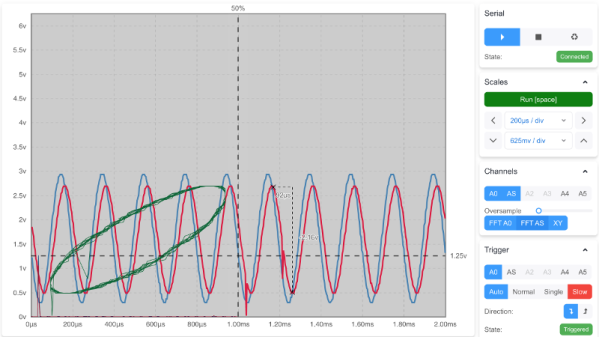
For those who roam, the Arduino-web-oscilloscope project created by [David Buezas] is worth a close look. Using the Web Serial API built into recent versions of Google’s Chrome browser, this project allows you to pop open a software oscilloscope without installing anything locally. Whether it’s a public computer or that cheap Chromebook you keep around for emergencies, a valuable tool is just a few clicks away.

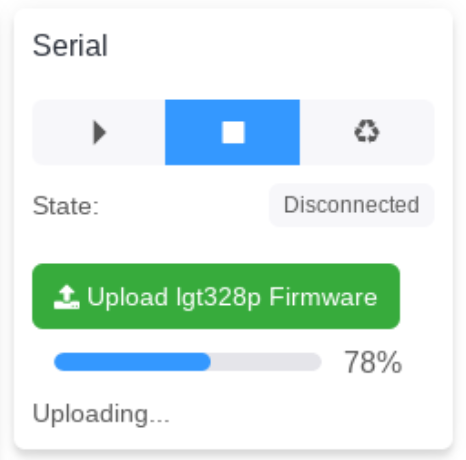
Flashing the MCU from the web interface.

Of course, there has to be some hardware involved. Despite what you might think given the name of the project, the code currently only supports the Logic Green LGT8F328P microcontroller. This cheap ATmega328P clone not only runs at 32 Mhz but according to [David], many operations can be done in fewer clock cycles than on the original 328P. In short it’s fast, and fast is good if you want more samples.

One of the best parts about this project is that a function to flash the firmware to the LGT8F328P is built right in the web interface. With the oscilloscope running in the browser, you just need to plug in a blank board, click the button to flash it, and start taking measurements. You could outfit a whole classroom or hackerspace with basic oscilloscopes in minutes, with a per-seat cost of just a few bucks.

Now as you might expect, there are some pretty hard limits on what you can realistically measure with this setup. For one thing, the board can’t handle anything higher than 5 volts. Even the cheapest oscilloscope kit is still going to be an upgrade, but the fact you can spin this up almost anywhere for the cost of a cheap MCU board makes it hard to complain about the results.

[Thanks to Bill for the tip.]

Xmarks Helps Polish Chrome

xmarks

The guys over at Xmarks are working hard to bring their bookmark synchronization service to all browsers and platforms. They’ve recently begun a closed alpha test for their Google Chrome/Chromium extension. We got an invite and decided to give it a test run. Since extensions aren’t yet fully supported, and still a bit buggy you’ll need to use the latest build in the dev channel of Chrome, which means at least version 3.0.196.0 or newer. We tested it on version 4.0.207.0 for Ubuntu with great success. The extension is still pretty basic since it’s still at an alpha stage, but works very well with synchronizing bookmarks across different platforms and browsers. Some of the things left out from the Firefox version are profiles, smarter search, site info and suggested tags. For an alpha release, it’s very well done and functions great, and we’re certainly looking forward to this extension as it develops further.